Appearance
Creating a Process Template - Part 9 - RTC Temperature Conversion Demo
PublishedAt
2009-04-29T21:45:16Z
Tags
None
Description(ja)
Description
Video
Creating a Process Template - Part 9 - RTC Temperature Conversion Demo
Creating a Project Area - Part 1 - RTC Temperature Conversion Demo
PublishedAt
2009-04-29T21:46:51Z
Tags
None
Description(ja)
Description
Video
Creating a Project Area - Part 1 - RTC Temperature Conversion Demo
Sharing source code - Part 5 - RTC Temperature Conversion Demo
PublishedAt
2009-04-29T21:50:29Z
Tags
None
Description(ja)
Description
Video
Sharing source code - Part 5 - RTC Temperature Conversion Demo
Setting up a Project Area - Part 2 - RTC Temperature Conversion Demo
PublishedAt
2009-04-29T21:51:11Z
Tags
None
Description(ja)
Description
Video
Setting up a Project Area - Part 2 - RTC Temperature Conversion Demo
Customizing the Process - Part 6 - RTC Temperature Conversion Demo
PublishedAt
2009-04-29T21:55:41Z
Tags
None
Description(ja)
Description
Video
Customizing the Process - Part 6 - RTC Temperature Conversion Demo
Configuring teams - Part 3 - RTC Temperature Conversion Demo
PublishedAt
2009-04-30T14:16:15Z
Tags
None
Description(ja)
Description
Video
Configuring teams - Part 3 - RTC Temperature Conversion Demo
Configuring Teams, cont. - Part 4 - RTC Temperature Conversion Demo
PublishedAt
2009-04-30T14:24:46Z
Tags
None
Description(ja)
Description
Video
Configuring Teams, cont. - Part 4 - RTC Temperature Conversion Demo
Work Item Customization - Part 8 - RTC Temperature Conversion Demo
PublishedAt
2009-04-30T21:28:22Z
Tags
None
Description(ja)
Description
Video
Work Item Customization - Part 8 - RTC Temperature Conversion Demo
Work Item Customization - Part 7 - RTC Temperature Conversion Demo
PublishedAt
2009-04-30T21:30:03Z
Tags
None
Description(ja)
Description
Video
Work Item Customization - Part 7 - RTC Temperature Conversion Demo
RTC 2.0 - Using read permissions to protect source code
PublishedAt
2009-05-12T18:31:04Z
Tags
['source control', 'Rational Team Concert', 'IBM Jazz']
Description(ja)
Description
Video
RTC 2.0 - Using read permissions to protect source code
Rational Team Concert 2.0 Permissions Overview
PublishedAt
2009-05-20T02:54:27Z
Tags
['jazz', 'permissions', 'alm', 'scm', 'change-management', 'security', 'team-concert', 'rational']
Description(ja)
このビデオでは、Rational Team Concert 2.0 のいくつかの異なるタイプの許可オプションについて説明し、実演します。これには、Jazz リポジトリー許可、プロジェクト・エリアのアクセス制御 (Team Concert 2.0 の新機能)、および役割ベースの許可が含まれます。これらの許可は、Jazz リポジトリー管理者、プロジェクト・エリア管理者、およびチーム・リーダーが、組織およびチームのプロセスに基づいて Jazz リポジトリー内のソフトウェア成果物を保護するのに役立ちます。
Description
This video explains and demonstrates several different types of permissions options in Rational Team Concert 2.0, including Jazz Repository Permissions, Project Area Access Control (new to Team Concert 2.0), and Role-based Permissions. These permissions together help Jazz repository administrators, project area administrators, and team leads secure the software artifacts in the Jazz repository based on the organization and teams' process.
Video
Rational Team Concert 2.0 Permissions Overview
Jazz Licensing in Ten Minutes
PublishedAt
2009-05-21T20:23:36Z
Tags
['Jazz Team Server', 'licensing', 'Rational Team Concert', 'floating licenses']
Description(ja)
Jazz でのライセンス交付の概念の 10 分間の概要と、フローティング・ライセンスのサポートを含む Rational Team Concert 2.0 でのライセンス管理のデモ。
Description
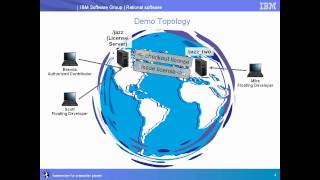
A 10-minute overview of the concepts of licensing in Jazz, and a demo of license management in Rational Team Concert 2.0, including Floating license support.
Video
What is New in Rational Team Concert 2.0 Web UI
PublishedAt
2009-05-26T21:22:41Z
Tags
['jazz', 'rtc', 'ajax', 'web ui', 'rational']
Description(ja)
このビデオは、Rational Team Concert バージョン 2.0 の Web ユーザー・インターフェースの新機能について説明しています。
Description
This video is a description of the new features in the Web User Interface of the Rational Team Concert version 2.0.
Video
What is New in Rational Team Concert 2.0 Web UI
Connecting ClearCase to Rational Team Concert 2.0
PublishedAt
2009-05-27T13:27:08Z
Tags
['IBM', 'Rational', 'Jazz', 'Rational Team Concert', 'ClearCase', 'import', 'synchronize']
Description(ja)
このビデオでは、Carol Yutkowitz が、Rational Team Concert 2.0 で ClearCase Connector を使用して ClearCase からインポートする方法、ブリッジをセットアップする方法、または ClearCase UCM を Jazz リポジトリーと同期する方法のデモを行います。
Description
In this video, Carol Yutkowitz gives a demo of how to use the ClearCase Connector in Rational Team Concert 2.0 to import from ClearCase, set up a bridge, or to synchronize a ClearCase UCM with the Jazz repository.
Video
Connecting ClearCase to Rational Team Concert 2.0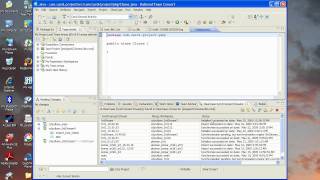
Using the ClearQuest Bridge in Rational Team Concert 2.0
PublishedAt
2009-05-28T07:16:01Z
Tags
['IBM', 'Rational', 'Jazz', 'ClearQuest', 'Team Concert']
Description(ja)
Description
Video
Using the ClearQuest Bridge in Rational Team Concert 2.0
IBM Rational Executive Dashboard
PublishedAt
2009-05-29T15:08:44Z
Tags
['IBM executives', 'Rational software', 'dashboard', 'Insight', 'Rational Insight', 'real-time metrics', 'reporting', 'project tracking', 'Jazz-based products', 'Rational Team Concert', 'Rational Quality Manager', 'Executive Dashboard', 'manage product delivery']
Description(ja)
IBM の幹部は、Rational ソフトウェアを使用して自分のビジネスを運営しています。 IBM の幹部が製品の開発と提供を管理できるエグゼクティブ ダッシュボードを確認してください。
エグゼクティブ ダッシュボードは、Rational Insight に基づいて、ビジネスおよび運用上の目標に基づいて設計されています。 Rational Team Concert や Rational Quality Manager など、Jazz ベースの製品のさまざまなソースからライブ データを引き出します。
この短いビデオを見て、エグゼクティブ ダッシュボードがどのように Rational ソフトウェアとベスト プラクティスを活用してビジネス上の成果を達成できるかを確認してください。
Description
IBM executives use Rational software to run their own business. Check out the Executive Dashboard that allows IBM executives to manage product development and delivery.
Based on Rational Insight, the Executive Dashboard is designed around business and operational objectives. It pulls live data from a variety of sources from Jazz-based products, such as Rational Team Concert and Rational Quality Manager.
Watch this short video to see how the Executive Dashboard can leverage Rational software and best practices to achieve you business results.
Video
IBM Rational Executive Dashboard
Report from RSC 2009 - Vishy Ramaswamy on Rational Requirements Composer
PublishedAt
2009-06-05T20:30:46Z
Tags
['RSC 2009', 'requirements', 'IBM', 'Rational', 'Jazz']
Description(ja)
Vishy Ramaswamy は、フロリダ州オーランドで開催された Rational Software Conference 2009 で、Jazz.net Web サイト チームの Seth Packham と Rational Requirements Composer について説明しています。
Description
Vishy Ramaswamy discusses Rational Requirements Composer with Seth Packham from the jazz.net website team at Rational Software Conference 2009 in Orlando, FL.
Video
Report from RSC 2009 - Vishy Ramaswamy on Rational Requirements Composer
Report from RSC 2009 - Scott Rich
PublishedAt
2009-06-06T13:29:28Z
Tags
['IBM', 'Rational', 'Jazz', 'RSC 2009', 'IBM Rational', 'IBM Jazz', 'Rational Team Concert']
Description(ja)
Scott Rich は、Jazz Foundation プロジェクトについて、フロリダ州オーランドで開催された Rational Software Conference 2009 で、jazz.net Web サイトの Seth Packham と話します。
Description
Scott Rich speaks with Seth Packham from the jazz.net website at Rational Software Conference 2009, in Orlando, FL about the Jazz Foundation project.
Video
Report from RSC 2009 - Scott Rich
Report from RSC 2009 - Kourken Aroyan on RQM
PublishedAt
2009-06-06T16:08:06Z
Tags
['IBM', 'Rational', 'Jazz', 'Rational Quality Manager', 'rsc2009']
Description(ja)
Rational Quality Manager の開発マネージャーである Kourken Aroyan は、Rational Software Conference 2009 で、jazz.net Web サイトから Seth Packham と話します。
Description
Kourken Aroyan, development manager for Rational Quality Manager, speaks with Seth Packham from the jazz.net website at the Rational Software Conference 2009.
Video
Report from RSC 2009 - Kourken Aroyan on RQM
Report from RSC 2009 - Erich Gamma and John Wiegand
PublishedAt
2009-06-06T21:02:38Z
Tags
['IBM', 'Rational', 'Jazz', 'Jazz Foundation', 'RSC2009']
Description(ja)
Erich Gamma と John Wiegand が Jazz Foundation と IBM Rational 製品について語り、フロリダ州オーランドで開催された Rational Software Conference 2009 で生中継
Description
Erich Gamma and John Wiegand talk about Jazz Foundation and IBM Rational products, live from Rational Software Conference 2009 in Orlando, FL
Video
Report from RSC 2009 - Erich Gamma and John Wiegand
Report from RSC 2009 - Jean-Michel Lemieux
PublishedAt
2009-06-08T14:29:37Z
Tags
['IBM', 'Rational', 'Jazz', 'Rational Team Concert']
Description(ja)
Jean-Michel Lemieux が、フロリダ州オーランドで開催された Rational Software Conference 2009 で、jazz.net の Seth Packham と対談しています。 Jean-Michel は、Rational Team Concert をめぐるエキサイティングな話題と、2009 年第 2 四半期の終わり近くに RTC 2.0 で登場する彼のお気に入りの新機能について話します。
Description
Jean-Michel Lemieux talks with jazz.net's Seth Packham at the Rational Software Conference 2009 in Orlando, Florida. Jean-Michel talks about some of the exciting buzz around Rational Team Concert as well as some of his favorite new features coming out in RTC 2.0 near the end of 2Q 2009.
Video
Report from RSC 2009 - Jean-Michel Lemieux
Using Rational Requirements Composer 1.0 to develop 2.0 features
PublishedAt
2009-06-25T20:54:09Z
Tags
['IBM', 'Jazz', 'RRC', 'Jazz.net', 'requirements definition', 'requirements']
Description(ja)
これはすべて、「自分たちのシャンパンを飲む」こと、または自分たちのツールを使って自分たちのツールを構築することです。このビデオでは、RRC 開発チームがどのようにバージョン 1 を使用してバージョン 2 の機能を開発してきたかを示しています。
このビデオでは、適切なソリューションを構築するプロセスと、各段階で開発されたさまざまな成果物を示しています。
Description
This is all about "drinking our own champagne," or using our own tools to build our tools. This video shows how the RRC development team has been using Version 1 to develop Version 2 features.
The video shows a process to building the right solution and the various artifacts developed at each stage.
Video
Using Rational Requirements Composer 1.0 to develop 2.0 features
Part 2 - Getting started with Rational Team Concert and Microsoft Visual Studio
PublishedAt
2009-06-25T21:10:11Z
Tags
['IBM', 'Rational', 'Jazz', 'Rational Team Concert', 'RTC', 'Visual Studio']
Description(ja)
このビデオは、Microsoft Visual Studio 用の Rational Team Concert 2.0 クライアントの使用方法を示す 3 部構成のデモの 2 番目です。
Description
This video is the second in a 3-part demo showing how to use the Rational Team Concert 2.0 client for Microsoft Visual Studio.
Video
Part 2 - Getting started with Rational Team Concert and Microsoft Visual Studio
Part 3 - Getting started with Rational Team Concert and Microsoft Visual Studio
PublishedAt
2009-06-25T21:10:55Z
Tags
['IBM', 'Rational', 'Jazz', 'Rational Team Concert', 'RTC', 'Visual Studio']
Description(ja)
このビデオは、Rational Team Concert 2.0 クライアント for Microsoft Visual Studio の使用方法を示す 3 部構成のデモの 3 番目です。
Description
This video is the third in a 3-part demo showing how to use the Rational Team Concert 2.0 client for Microsoft Visual Studio.
Video
Part 3 - Getting started with Rational Team Concert and Microsoft Visual Studio
Part 1 - Getting started with Rational Team Concert and Microsoft Visual Studio
PublishedAt
2009-06-25T21:13:46Z
Tags
['IBM', 'Rational', 'Jazz', 'Rational Team Concert', 'RTC', 'Visual Studio']
Description(ja)
このビデオは、Microsoft Visual Studio 用の Rational Team Concert 2.0 クライアントの使用方法を示す 3 部構成のデモの最初のビデオです。
Description
This video is the first in a 3-part demo showing how to use the Rational Team Concert 2.0 client for Microsoft Visual Studio.
Video
Part 1 - Getting started with Rational Team Concert and Microsoft Visual Studio
Externalizing a string in a custom report template in Rational Team Concert 2.0
PublishedAt
2009-06-26T15:54:12Z
Tags
['IBM', 'Rational', 'Jazz', 'Rational Team Concert', 'RTC', 'reports']
Description(ja)
このビデオは、翻訳のためにカスタム レポートから文字列を外部化する方法を示しています。
Description
This video demonstrates how you can externalize strings from a custom report for translation.
Video
Externalizing a string in a custom report template in Rational Team Concert 2.0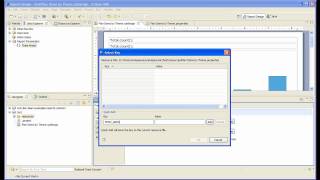
Creating a report in Rational Team Concert 2.0: Open work items
PublishedAt
2009-06-26T15:56:48Z
Tags
['IBM', 'Rational', 'Jazz', 'Rational Team Concert', 'RTC', 'reports']
Description(ja)
このビデオは、Rational Team Concert 2.0 でレポートを作成するための「Hello World」の紹介です。 James Moody が、開いている作業項目の履歴データを示すレポートを作成する方法を示します。
Description
This video is a "hello world" introduction to creating reports in Rational Team Concert 2.0. James Moody demonstrates how to create a report that shows the historical data of open work items.
Video
Creating a report in Rational Team Concert 2.0: Open work items
Custom report for reporting across item links in Rational Team Concert 2.0
PublishedAt
2009-06-26T16:04:13Z
Tags
['IBM', 'Rational', 'Jazz', 'Rational Team Concert', 'RTC', 'reports']
Description(ja)
このビデオは、アイテム リンク全体でレポートを作成するレポート テンプレートの作成に関する簡単なチュートリアルです。
Description
This video is a quick tutorial on authoring a report template that reports across item links.
Video
Custom report for reporting across item links in Rational Team Concert 2.0
Creating a report in Rational Team Concert 2.0 - Work item query
PublishedAt
2009-06-26T17:45:44Z
Tags
['IBM', 'Rational', 'Jazz', 'Rational Team Concert', 'RTC', 'reports', 'BIRT']
Description(ja)
James Moody が、Rational Team Concert 2.0 を使用して、作業項目照会の結果を含むレポートを作成する方法を示します。
Description
James Moody demonstrates how to use Rational Team Concert 2.0 to write a report that includes the results of a work item query.
Video
Creating a report in Rational Team Concert 2.0 - Work item query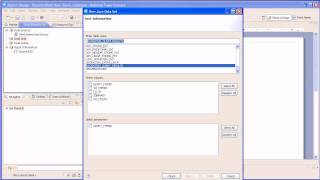
Part 1 - Creating a report in RTC 2.0 - Custom work item attributes
PublishedAt
2009-06-26T17:58:33Z
Tags
['IBM', 'Rational', 'Jazz', 'Rational Team Concert', 'RTC', 'reports', 'BIRT']
Description(ja)
カスタム作業項目属性に関するレポートを作成する方法を示す 2 部構成のビデオの第 1 部。
Description
Part 1 of a 2-part video demonstrating how to create a report on custom work item attributes.
Video
Part 1 - Creating a report in RTC 2.0 - Custom work item attributes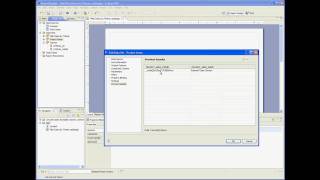
Part 2 - Creating a report in RTC 2.0 - Custom work item attributes
PublishedAt
2009-06-26T18:02:15Z
Tags
['IBM', 'Rational', 'Jazz', 'Rational Team Concert', 'RTC', 'reports', 'BIRT']
Description(ja)
Rational Team Concert を使用してカスタム作業項目属性に関するレポートを作成する方法を示す 2 部構成のビデオの第 2 部。 Rafik Jaouani (Jazz Reports コンポーネント チーム) によるデモ。
Description
Part 2 of a 2-part video demonstrating how to create a report on custom work item attributes using Rational Team Concert. Demo by Rafik Jaouani, Jazz Reports component team.
Video
Part 2 - Creating a report in RTC 2.0 - Custom work item attributes
Automating code reviews by integrating Rational Software Analyzer with Team Concert
PublishedAt
2009-08-19T15:36:38Z
Tags
['IBM', 'Rational', 'Jazz', 'RSAR', 'Rational Team Concert', 'code reviews']
Description(ja)
このデモでは、Rational Software Analyzer と Rational Team Concert を活用して、組織がコード品質のレビューとプロセスを自動化する方法について簡単に説明します。このデモンストレーションでは、Team Concert に Software Analyzer ルールを追加してソース コードを配信するための前提条件をカスタマイズし、開発者がコードを配信するときにそのルールがどのように機能するかを示し、最後に Team Concert ワークアイテムを生成して問題を解決する方法を示します。解決しました。
Description
This demo will provide a brief overview of how organizations can automate their code quality reviews and processes by leveraging Rational Software Analyzer with Rational Team Concert. In this demonstration I will customize the pre-conditions for delivering source code by adding a Software Analyzer rule in Team Concert, show how that rule works when a developer is delivering code and finally how to generate a Team Concert work item so the issue can be resolved.
Video
Automating code reviews by integrating Rational Software Analyzer with Team Concert
Aligning development and test plans (Integrating RTC and RQM)
PublishedAt
2009-08-20T19:29:17Z
Tags
['IBM', 'Rational', 'Jazz', 'IBM Jazz', 'Rational Team Concert', 'Rational Quality Manager']
Description(ja)
Rational Team Concert および Rational Quality Manager の 2.0 バージョンでは、テスト担当者は計画項目と呼ばれる新しいセクションを使用して、Rational Team Concert で管理される開発作業項目にテスト ケースをリンクできるようになりました。このビデオでは、Rational Quality Manager を使用してこれらのリンクを作成する方法を示します。
Description
In the 2.0 versions of Rational Team Concert and Rational Quality Manager, testers can now use a new section called Plan Items to link test cases to development work items managed in Rational Team Concert. This video demonstrates how to create these links using Rational Quality Manager.
Video
Aligning development and test plans (Integrating RTC and RQM)
Part 1: Heterogeneous development using RTC Eclipse, RTC MS Visual Studio IDE, and Web Browser
PublishedAt
2009-08-28T15:40:37Z
Tags
['IBM', 'Rational', 'Jazz', 'IBM Jazz', 'Visual Studio', 'Rational Team Concert']
Description(ja)
Rational Team Concert を開発に使用している異種チームがありますか?あなたのチームには、ネイティブに統合された RTC クライアント (Eclipse および Microsoft Visual Studio IDE ) を使用する開発者と、Web クライアントを使用する貢献者がいますか?もしそうなら、RTC Eclipse クライアント、RTC クライアント for Microsoft Visual Studio、および RTC Web クライアントを使用して協力し、異種のチームが協力しているこれらのビデオを見ることに興味があるかもしれません。
Rational Team Concert は、最大 10 人の開発者が http://jazz.net から無料でダウンロードできます。
これは十分に単純なデモですが、Team Concert を使用して、異種チームが同じプロセスに従い、同じ作業項目で作業し、ビルド アーティファクトを共有する方法などを示しています。これは、チームが快適な開発を使用して、どこにいてもコラボレーションできるという Jazz のビジョンを強調しています。
このビデオは、人気のあるビルド ブレイクのストーリー ラインをたどっていますが、異質なチームが協力して壊れたビルドの修正に取り組んでいるという点でユニークです。 C# 開発者の Cindy Sharp は、Echo クライアント サーバー プロジェクトのクライアント部分に取り組んでおり、Microsoft Visual Studio IDE の RTC を使用しています。サーバー側には、RTC Eclipse で作業している Jerry Java がいます。最後に、Web クライアントのみを使用するプロジェクト リーダー/ビルド マネージャーがいます。
ビデオは、プロジェクト リーダーが Web クライアントを介してビルドに対して作業項目をログに記録するところから始まります。彼は、顧客チームの Cindy に欠陥を割り当てます。 Cindy は、障害のあるビルドからリポジトリ ワークスペースを作成し、欠陥を再現して調査します。クライアント側の欠陥ではないことがわかり、サーバー側の Jerry に割り当てます。チームは、ビルドに対してログに記録された作業項目に添付されたディスカッションを通じて通信します。
Jerry は調査し、問題を見つけて修正し、Cindy にそれが機能することを確認するように依頼します。彼女は、新しいビルドに接続された新しいサーバーをダウンロードし、欠陥を検証して、検証コメントを作業項目に追加します。
楽しみ!
Description
Do you have heterogeneous teams using Rational Team Concert for development? Do you have developers who use the natively integrated RTC Clients (Eclipse and Microsoft Visual Studio IDE ) and contributors who use the Web Client, in your teams? If you do, you might be interested in watching these videos they feature heterogeneous teams working together, collaborating using RTC Eclipse Client, RTC Client for Microsoft Visual Studio and RTC Web Client.
You can download Rational Team Concert free for up to 10 developers at http://jazz.net.
It is a simple enough demo but it shows how using Team Concert, heterogeneous teams can follow the same process, work on the same work items, share build artifact and so on. It emphasizes on the Jazz vision that teams can collaborate wherever they are using whatever development they are comfortable with.
The video follows the popular build break story line but is unique in that it features a heterogeneous team working together on fixing a broken build. We have Cindy Sharp, a C# developer, working on the client piece of an Echo Client Server Project, and using RTC for Microsoft Visual Studio IDE. On the server side, we have Jerry Java, working off RTC Eclipse. And finally we have the project lead/build manager who exclusively uses the Web Client.
The video starts with the project lead logging a work item against a build via the Web Client. He assigns the defect to Cindy in the Client team. Cindy creates a repository workspace from the faulty build, reproduces the defect and investigates. She finds that its not a client side defect and assigns it to Jerry on the server side. The team communicates via discussions attached to the work item that was logged against the build.
Jerry investigates, finds the problem, fixes it and requests Cindy to verify that it works. She downloads the new server attached to the new build, verifies the defect and adds her verification comments to the work item.
Enjoy!
Video
Part 1: Heterogeneous development using RTC Eclipse, RTC MS Visual Studio IDE, and Web Browser
Part 2: Heterogeneous development using RTC Eclipse, RTC MS Visual Studio IDE, and Web Browser
PublishedAt
2009-08-28T15:59:22Z
Tags
['IBM', 'Rational', 'Jazz', 'IBM Jazz', 'Visual Studio', 'Rational Team Concert']
Description(ja)
Rational Team Concert を開発に使用している異種チームがありますか?あなたのチームには、ネイティブに統合された RTC クライアント (Eclipse および Microsoft Visual Studio IDE ) を使用する開発者と、Web クライアントを使用する貢献者がいますか?もしそうなら、RTC Eclipse クライアント、RTC クライアント for Microsoft Visual Studio、および RTC Web クライアントを使用して協力し、異種のチームが協力しているこれらのビデオを見ることに興味があるかもしれません。
これは十分に単純なデモですが、Team Concert を使用して、異種チームが同じプロセスに従い、同じ作業項目で作業し、ビルド アーティファクトを共有する方法などを示しています。これは、チームがどこにいても快適な開発を使用してコラボレーションできるという Jazz のビジョンを強調しています。
このビデオは、人気のあるビルド ブレイクのストーリー ラインを踏襲していますが、異質なチームが協力して壊れたビルドの修正に取り組んでいるという点でユニークです。 C# 開発者の Cindy Sharp は、Echo クライアント サーバー プロジェクトのクライアント部分に取り組んでおり、Microsoft Visual Studio IDE に RTC を使用しています。サーバー側には、RTC Eclipse で作業している Jerry Java がいます。最後に、Web クライアントのみを使用するプロジェクト リーダー/ビルド マネージャーがいます。
ビデオは、プロジェクト リーダーが Web クライアントを介してビルドに対して作業項目をログに記録するところから始まります。彼は、顧客チームの Cindy に欠陥を割り当てます。 Cindy は、障害のあるビルドからリポジトリ ワークスペースを作成し、欠陥を再現して調査します。クライアント側の欠陥ではないことがわかり、サーバー側の Jerry に割り当てます。チームは、ビルドに対してログに記録された作業項目に添付されたディスカッションを通じて通信します。
Jerry は調査し、問題を見つけて修正し、Cindy にそれが機能することを確認するように依頼します。彼女は、新しいビルドに接続された新しいサーバーをダウンロードし、欠陥を検証して、検証コメントを作業項目に追加します。
楽しみ!
Description
Do you have heterogeneous teams using Rational Team Concert for development? Do you have developers who use the natively integrated RTC Clients (Eclipse and Microsoft Visual Studio IDE ) and contributors who use the Web Client, in your teams? If you do, you might be interested in watching these videos they feature heterogeneous teams working together, collaborating using RTC Eclipse Client, RTC Client for Microsoft Visual Studio and RTC Web Client.
It is a simple enough demo but it shows how using Team Concert, heterogeneous teams can follow the same process, work on the same work items, share build artifact and so on. It emphasizes on the Jazz vision that teams can collaborate wherever they are using whatever development they are comfortable with.
The video follows the popular build break story line but is unique in that it features a heterogeneous team working together on fixing a broken build. We have Cindy Sharp, a C# developer, working on the client piece of an Echo Client Server Project, and using RTC for Microsoft Visual Studio IDE. On the server side, we have Jerry Java, working off RTC Eclipse. And finally we have the project lead/build manager who exclusively uses the Web Client.
The video starts with the project lead logging a work item against a build via the Web Client. He assigns the defect to Cindy in the Client team. Cindy creates a repository workspace from the faulty build, reproduces the defect and investigates. She finds that its not a client side defect and assigns it to Jerry on the server side. The team communicates via discussions attached to the work item that was logged against the build.
Jerry investigates, finds the problem, fixes it and requests Cindy to verify that it works. She downloads the new server attached to the new build, verifies the defect and adds her verification comments to the work item.
Enjoy!
Video
Part 2: Heterogeneous development using RTC Eclipse, RTC MS Visual Studio IDE, and Web Browser
Part 3: Heterogeneous development using RTC Eclipse, RTC MS Visual Studio IDE, and Web Browser
PublishedAt
2009-08-28T16:21:13Z
Tags
['IBM', 'Rational', 'Jazz', 'IBM Jazz', 'Visual Studio', 'Rational Team Concert']
Description(ja)
開発に Rational Team Concert を使用している異種チームがありますか?あなたのチームには、ネイティブに統合された RTC クライアント (Eclipse および Microsoft Visual Studio IDE ) を使用する開発者と、Web クライアントを使用する貢献者がいますか?もしそうなら、RTC Eclipse クライアント、RTC クライアント for Microsoft Visual Studio、および RTC Web クライアントを使用して協力し、異種のチームが協力しているこれらのビデオを見ることに興味があるかもしれません。
これは十分に単純なデモですが、Team Concert を使用して、異種チームが同じプロセスに従い、同じ作業項目で作業し、ビルド アーティファクトを共有する方法などを示しています。これは、チームがどこにいても快適な開発を使用してコラボレーションできるという Jazz のビジョンを強調しています。
このビデオは、人気のあるビルド ブレイクのストーリー ラインをたどっていますが、異質なチームが協力して壊れたビルドの修正に取り組んでいるという点でユニークです。 C# 開発者の Cindy Sharp は、Echo クライアント サーバー プロジェクトのクライアント部分に取り組んでおり、Microsoft Visual Studio IDE の RTC を使用しています。サーバー側には、RTC Eclipse で作業している Jerry Java がいます。最後に、Web クライアントのみを使用するプロジェクト リーダー/ビルド マネージャーがいます。
ビデオは、プロジェクト リーダーが Web クライアントを介してビルドに対して作業項目をログに記録するところから始まります。彼は、顧客チームの Cindy に欠陥を割り当てます。 Cindy は、障害のあるビルドからリポジトリ ワークスペースを作成し、欠陥を再現して調査します。クライアント側の欠陥ではないことがわかり、サーバー側の Jerry に割り当てます。チームは、ビルドに対してログに記録された作業項目に添付されたディスカッションを通じて通信します。
Jerry は調査し、問題を見つけて修正し、Cindy にそれが機能することを確認するように依頼します。彼女は、新しいビルドに接続された新しいサーバーをダウンロードし、欠陥を検証して、検証コメントを作業項目に追加します。
楽しみ!
Description
Do you have heterogeneous teams using Rational Team Concert for development? Do you have developers who use the natively integrated RTC Clients (Eclipse and Microsoft Visual Studio IDE ) and contributors who use the Web Client, in your teams? If you do, you might be interested in watching these videos they feature heterogeneous teams working together, collaborating using RTC Eclipse Client, RTC Client for Microsoft Visual Studio and RTC Web Client.
It is a simple enough demo but it shows how using Team Concert, heterogeneous teams can follow the same process, work on the same work items, share build artifact and so on. It emphasizes on the Jazz vision that teams can collaborate wherever they are using whatever development they are comfortable with.
The video follows the popular build break story line but is unique in that it features a heterogeneous team working together on fixing a broken build. We have Cindy Sharp, a C# developer, working on the client piece of an Echo Client Server Project, and using RTC for Microsoft Visual Studio IDE. On the server side, we have Jerry Java, working off RTC Eclipse. And finally we have the project lead/build manager who exclusively uses the Web Client.
The video starts with the project lead logging a work item against a build via the Web Client. He assigns the defect to Cindy in the Client team. Cindy creates a repository workspace from the faulty build, reproduces the defect and investigates. She finds that its not a client side defect and assigns it to Jerry on the server side. The team communicates via discussions attached to the work item that was logged against the build.
Jerry investigates, finds the problem, fixes it and requests Cindy to verify that it works. She downloads the new server attached to the new build, verifies the defect and adds her verification comments to the work item.
Enjoy!
Video
Part 3: Heterogeneous development using RTC Eclipse, RTC MS Visual Studio IDE, and Web Browser
Creating and Working with Collections in Rational Requirements Composer
PublishedAt
2009-09-23T18:57:41Z
Tags
['IBM', 'Rational', 'Jazz', 'RRC', 'jazz.net', 'demo']
Description(ja)
このデモでは、コレクションの概念に関する背景情報を提供します。また、コレクションをスナップショットに関連付ける方法や、コレクションをレビューおよび承認プロセスに関連付ける方法についても説明します。
Rational Requirements Composer 2.0
Description
This demo provides background information about the concept of collections. It also includes an instructional follow through on associating collections with a snapshot as well as associating collections with the review and approval process.
Rational Requirements Composer 2.0
Video
Creating and Working with Collections in Rational Requirements Composer
Linking requirements to documents and embedding artifacts in Rational Requirements Composer
PublishedAt
2009-09-23T19:01:19Z
Tags
['IBM', 'Rational', 'Jazz', 'RRC', 'jazz.net', 'demo']
Description(ja)
このデモは、Rational Requirements Composer の基本的なリンク機能を示しています。例としては、ドキュメントから要件を作成する、別のアーティファクトへのリンクを作成する、アーティファクトを埋め込むなどがあります。
Description
This demo illustrates the basic linking features in Rational Requirements Composer. Examples included are: Creating a requirement from a document, creating a link to another artifact, and embedding artfacts.
Video
Linking requirements to documents and embedding artifacts in Rational Requirements Composer
Generating reports of use case and requirement specifications in Rational Requirements Composer
PublishedAt
2009-09-23T19:03:53Z
Tags
['IBM', 'Rational', 'Jazz', 'RRC', 'jazz.net', 'demo']
Description(ja)
このデモでは、ユース ケース仕様または要件仕様を使用して基本的なレポートを生成する方法を示します。レポートは、複数の外部形式 (doc、htm、pdf、fo) で生成できます。
Description
This demo shows how to generate basic reports with use case specifications or requirement specifications. The reports can be generated in multiple external formats (doc, htm, pdf, fo).
Video
Generating reports of use case and requirement specifications in Rational Requirements Composer
Migrating Rational Requirements Composer 1.0 projects to 2.0
PublishedAt
2009-09-23T19:04:17Z
Tags
['IBM', 'Rational', 'Jazz', 'RRC', 'jazz.net', 'demo']
Description(ja)
このデモは、Rational Requirements Composer 1.0 プロジェクトを 2.0 サーバーにマイグレーションする方法を示しています。
Description
This demo illustrates how to migrate your Rational Requirements Composer 1.0 projects to a 2.0 server.
Video
Migrating Rational Requirements Composer 1.0 projects to 2.0
Configure a Rational Requirements Composer server
PublishedAt
2009-09-23T19:11:30Z
Tags
['IBM', 'Rational', 'Jazz', 'RRC', 'jazz.net', 'demo']
Description(ja)
このデモでは、Tomcat/Derby 構成で Rational Requirements Composer サーバーを構成するプロセスを順を追って説明します。デモは、サンプル プロジェクトを作成して終了します。
Description
This demo walks through the process of configuring a Rational Requirements Composer server on a Tomcat/Derby configuration. The demo ends by creating an example project.
Video
Configure a Rational Requirements Composer server
Using Project Snapshot to preserve a project in Rational Requirements Composer
PublishedAt
2009-09-23T19:13:09Z
Tags
['IBM', 'Rational', 'Jazz', 'RRC', 'jazz.net', 'demo']
Description(ja)
このデモでは、エンド ユーザーが Rational Requirements Composer でプロジェクトの状態を適時に保存する方法を示します。スナップショット機能により、ユーザーは過去のタイムラインを保持できます。
Description
This demo shows how an end user can preserve the state of their project in time in Rational Requirements Composer. The snapshot feature allows users to keep a historical timeline.
Video
Using Project Snapshot to preserve a project in Rational Requirements Composer
Collaborating with formal and informal review and approval in Rational Requirements Composer
PublishedAt
2009-09-23T19:16:43Z
Tags
['IBM', 'Rational', 'Jazz', 'RRC', 'jazz.net', 'demo']
Description(ja)
このデモでは、Rational Requirements Composer のレビューおよび承認機能を使用するチュートリアルを提供します。これは、レビュー開始者と参加者がレビューを進める際の流れを示しています。さらに、リッチ クライアントと Web UI の両方でレビューすることにより、この機能の汎用性を示します。最後に、非公式レビューと公式レビューの違いについて説明します。
Description
This demo provides a walkthrough of using the review and approval feature in Rational Requirements Composer. It demonstrates the flow between the review initiator and the participants as they progress through the review. Furthermore, it demonstrates the versatility of this feature by reviewing in both a rich client as well as the Web UI. Lastly, it covers the difference between an informal and formal review.
Video
Collaborating with formal and informal review and approval in Rational Requirements Composer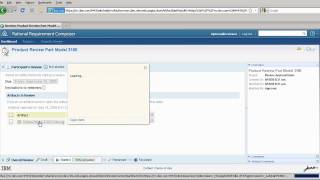
Introduction to IBM Jazz
PublishedAt
2009-09-23T20:36:50Z
Tags
['IBM', 'Rational', 'Jazz', 'IBM Jazz', 'collaborative', 'software', 'development', 'application', 'lifecycle', 'management']
Description(ja)
この 6 分間のビデオでは、新しいクライアントを獲得するために高品質のソフトウェアを迅速に開発する必要がある中規模企業である JK Enterprises の事例を通じて、Jazz プラットフォームを紹介します。最大 10 人の開発者向けの Rational Team Concert は、 http://jazz.net から無料でダウンロードできます。
転写:
JK Enterprises は、成長するビジネスを運営するためにソフトウェアに依存している中規模の企業です。同社は、パッケージ化されたアプリケーションと外部委託されたアプリケーション、および社内で開発されたソフトウェアの組み合わせに依存しています。これらのアプリケーションの作成とアップグレードは、ビジネス アナリスト、アーキテクト、開発者、テスターからなるグローバル チームの仕事です。
JK は、コストを削減し、生産性を向上させ、より少ない費用でより多くを提供するという極度のプレッシャーにさらされてきました。すべての支出が精査される環境では、同社はソフトウェアへの投資と業績を関連付けることができませんでした。実際、JKの最高経営責任者は、ブラックホールにお金を投げているように感じたと言いました.
しかし今、JK は重要な新しいクライアントを獲得しようとしています。契約を勝ち取るために、この新しいクライアントは、JK が専門的なオンライン サービスを期限内に予算内で積極的な配信スケジュール内で開発することを要求しています。
2 か月前には、これは不可能だったかもしれません。
非常に有能な技術専門家にもかかわらず、統一されたソフトウェア配信プラットフォームがないため、JK は目標を達成できませんでした。
複数のベンダーのツールが、JK のビジネス エキスパート、アナリスト、アーキテクト、開発者、ビルド エンジニア、およびテスト チームの特殊なニーズをサポートします。
しかし、その統一されたプラットフォームがなければ、JK のリモート チーム メンバーは効果的なコラボレーションが困難であることに気付きました。
データは各リポジトリにロックされ、アクセスが困難でした。ツール間の独自の統合は脆弱で信頼性がありませんでした。チーム メンバーが必要な情報を見つけたときには、多くの場合、信頼性が低く、時代遅れになっていました。また、JK はそのプロジェクトをエンド ツー エンドで可視化することができなかったため、時間のかかる信頼性の低いオーバーレイ レポート システムを手動で作成する必要がありました。
この状況により、コストの管理が困難になり、イノベーションが抑制されました。
幸いなことに、すべてが変わりました。
JK は、共同ソフトウェア配信のために IBM Rational Jazz プラットフォームに目を向けました。 Jazz は、ソフトウェア・デリバリーをより協調的、透過的、かつ生産的にすることによって変革する IBM のイニシアチブです。
過去のモノリシックなクローズド ソリューションとは異なり、Jazz はオープン プラットフォームであり、専門的なソフトウェア ツール間の壁を取り払い、チーム メンバーが状況に応じてデータを簡単に共有できるようにします。また、熟練したプロフェッショナル サービスによってサポートされ、チームのアジリティを継続的に改善するための測定されたアプローチをチームが採用するのを支援します。
今日、見込み顧客の要求がテーブルにあるため、JK のソフトウェア チームは対応する準備ができています。クライアントは、JK のビジネス エキスパートと協力して、必要な変更の概要を説明します。ユーザー インターフェイスのスケッチ、ユース ケース、ストーリーボードで協力し、代替のビジネス プロセス モデルを作成します。
ビジネス チームが要件の改良を続けている間、開発チームは懸命に働いています。チーム リーダーは、イテレーション プランをすばやく作成し、チーム全体に作業を割り当てます。チーム メンバーがプロジェクトに参加すると、完全なプロジェクト計画と、個々のタスク リストが表示されます。すぐに使用できるアジャイル ワークフローにより、全員が順調に進みます。シームレスな SCM とビルド サポートにより、ソフトウェア配信が自動的に調整され、各チーム メンバーが適切なタスクに取り組み、適切なファイル バージョンを使用し、適切なワークストリームに配信できるようになります。
同時に、インドの品質管理チームはすでに品質計画に取り組んでいます。テスト チームのメンバーはいつでも、テスト計画とテスト結果を元の要件と比較できます。テストは高速で効率的で、高度に自動化されています。チームの共同作業は、リンクをたどってドキュメントを確認したり、インスタント メッセージでの会話を開始したりするのと同じくらい簡単です。
また、Jazz プラットフォームは使い慣れた Web アーキテクチャーを使用して製品をシームレスに統合するため、ユーザーは国境を越えて複数のオファリングの力を利用でき、ツールやデータに何も考えずにアクセスできます。
そして、それらの手動ステータス レポートは?それらは、プロジェクトと実践のリスク、ステータス、および傾向に関するリアルタイムの洞察に置き換えられ、見積もりではなく実際のデータに基づく指標に置き換えられたため、もはや問題ではありません。
IBM Rational Jazz は、JK のソフトウェア配信チームが 6 週間以内にアップグレードを完了するのを支援し、新しいクライアントを獲得し、開発のための新しい内部ベンチマークを確立しました。
Jazz 統合ソフトウェア配信プラットフォームは、強化されたチーム コラボレーション、自動化、およびレポートの洞察を促進し、ソフトウェアへの投資からより大きな価値を提供できるようにします。
詳細については、Rational のアカウント担当者に連絡するか、オンラインで http://ibm.com/rational/jazz にアクセスするか、http://jazz.net でコミュニティに参加してください。
Description
This six-minute video introduces the Jazz platform through the story of JK Enterprises, a mid-sized company that needs to develop high quality software fast in order to land a new client. You can download Rational Team Concert for up to 10 developers free at http://jazz.net .
Transcript:
JK Enterprises is a mid-sized company that relies on software to run its growing business. The company depends on a mix of packaged and outsourced applications, as well as software developed in-house. Creating and upgrading these applications is the work of a global team of business analysts, architects, developers, and testers.
JK has been under extreme pressure to reduce costs, improve productivity, and deliver more with less. In an environment where every expenditure is scrutinized, the company was unable to correlate software investments with business results. In fact, JKs Chief Executive said that it felt like they were throwing money into a black hole.
But now, JK finds itself on the verge of landing an important new client. To win the contract, this new client requires JK to develop specialized online services on-time and on-budget within an aggressive delivery schedule.
Two months ago, this might not have been possible.
Despite its highly talented technical professionals, the lack of a unified software delivery platform was preventing JK from reaching its goals.
Tools from multiple vendors support the specialized needs of JKs business experts and analysts, architects, developers, build engineers and test teams.
But without that unified platform, JKs remote team members found it difficult to collaborate effectively.
Data was locked in each repository and difficult to access. Home-grown integrations across tools were brittle and unreliable. By the time team members found needed information, it was often unreliable and out of date. And because JK lacked end-to-end visibility over its projects, it was forced to create a manual, overlay reporting system that was time-consuming and unreliable.
The situation made it difficult to control costs, and stifled innovation.
Luckily, all that changed.
JK turned to the IBM Rational Jazz platform for collaborative software delivery. Jazz is an IBM initiative to transform software delivery by making it more collaborative, transparent, and productive.
Unlike the monolithic, closed solutions of the past, Jazz is an open platform that breaks down walls between specialized software tools, allowing team members to easily share data in context. And its supported by skilled professional services, helping teams adopt a measured approach to continuously improving team agility.
Today, with the prospective clients demands on the table, JKs software teams are ready to respond. The client works with JKs business experts to outline the necessary changes. They collaborate on user interface sketches, use cases and storyboards, and create alternative business process models.
While the business team continues to refine requirements, the development team is hard at work. The team lead quickly creates an iteration plan and assigns work across the team. When team members join the project, they find the complete project plan, along with their individual task list. An out-of-the-box agile workflow keeps everyone on track. Seamless SCM and build support automatically coordinates software deliveries, ensuring that each team member is working on the right task, using the right file version, and delivering to the right workstream.
At the same time, the quality management team in India is already at work on the quality plan. At any time, test team members can compare their test plans and test results with the original requirements. Testing is fast, efficient and highly automated. Team collaboration is as easy as traversing a link to review documents, or starting an instant message conversation.
And because the Jazz platform seamlessly integrates products using a familiar Web architecture, users can harness the power of multiple offerings without borders—accessing tools and data without even needing to think about it.
And those manual status reports? They're no longer a problem, since they have been replaced with real-time insight into project and practice risks, status and trends - with metrics based on real data, not estimates.
IBM Rational Jazz helped JKs software delivery teams complete the upgrade in less than six weeks, winning a new client and establishing new internal benchmarks for development.
The Jazz unified software delivery platform drives enhanced team collaboration, automation and reporting insight - enabling you to deliver greater value from your software investments.
For more information, contact your Rational account representative, visit us online at http://ibm.com/rational/jazz, or join our community at http://jazz.net .
Video

What is Collaborative Application Lifecycle Management (C/ALM)?
PublishedAt
2009-10-05T16:51:56Z
Tags
['IBM', 'Rational', 'Jazz', 'Collaborative', 'Application', 'Lifecycle', 'Management', 'traceability', 'automation', 'reporting', 'C/ALM']
Description(ja)
IBM の Carolyn Pampino が、Collaborative Application Lifecycle Management (C/ALM) の概要と、IBM の Jazz プラットフォームを含め、この分野でソリューションを提供するための IBM の戦略について説明します。
Description
IBM's Carolyn Pampino gives an overview of Collaborative Application Lifecycle Management (C/ALM) and IBM's strategy for providing solutions in this area, including with IBM's Jazz platform.
Video
What is Collaborative Application Lifecycle Management (C/ALM)?
Part 1: Installing Rational Requirements Composer 2.0 server on WAS using LDAP Part 1 of 2
PublishedAt
2009-11-24T04:28:42Z
Tags
['IBM', 'Rational', 'Jazz', 'RRC', 'Rational Requirements Composer', 'requirements']
Description(ja)
このデモでは、Rational Requirements Composer サーバーの Websphere Application Server にセキュリティーを実装するための手順を説明します。これらのセキュリティー機能には、LDAP ユーザー・レジストリーの有効化および認証用の Web セキュリティーの更新が含まれます。最後に、プレゼンテーションでは、Rational Requirements サーバーに必要な JVM カスタム プロパティを作成する方法を示します。
Description
This demo provides an instructional follow through to implement security on Websphere Application Server for Rational Requirements Composer Server. These security features include enabling the LDAP user registry and updating web security for authentication. Lastly, the presentation will show how to create the JVM custom properties required by the Rational Requirements Server.
Video
Part 1: Installing Rational Requirements Composer 2.0 server on WAS using LDAP Part 1 of 2
Part 2: Installing Rational Requirements Composer 2.0 server on WAS 6.1.0.25 using LDAP Part 2 of 2
PublishedAt
2009-11-24T04:56:53Z
Tags
['IBM', 'Rational', 'Jazz', 'RRC', 'Rational Requirements Composer', 'requirements']
Description(ja)
このデモでは、Rational Requirements Composer サーバー アプリケーションをインストールしてデプロイする方法について、手順を追って説明します。さらに、サーバーが LDAP ユーザー・レジストリーを利用できるようにする Rational Requirements Composer サーバーのセットアップをエンド・ユーザーに案内します。
Description
This demo provides an instructional follow through on how to install and deploy Rational Requirements Composer Server applications. In addition it will guide the end user through a Rational Requirements Composer Server setup that enables the server to leverage the LDAP user registry.
Video
Part 2: Installing Rational Requirements Composer 2.0 server on WAS 6.1.0.25 using LDAP Part 2 of 2
RRC 2.0: Working in the Collaborative Application Lifecycle
PublishedAt
2009-11-24T05:16:32Z
Tags
['IBM', 'Rational', 'Jazz', 'RRC', 'Rational Requirements Composer', 'requirements']
Description(ja)
このデモでは、Rational Requirements Composer 2.0 を Rational Team Concert および Rational Quality Manager とリンクする際に役立つ手順を説明します。これは、計画項目、テスト ケース、およびテスト計画の間のリンクを可能にする、Rational Requirements Composer リッチ クライアントで使用可能な機能を示しています。さらに、クロス サーバー フィルターを実行すると、計画項目とテスト ケースの現在の状態をすばやく視覚化できることが実証されています。
Description
This demo provides an instructional follow through to aid in linking Rational Requirements Composer 2.0 with Rational Team Concert and Rational Quality Manager. It demonstrates the features available in the Rational Requirements Composer rich client that allow for linking between plan items, test cases, and test plans. Furthermore, running cross server filters is demonstrated to allow for a quick visualization of the current status of plan items and test cases.
Video
RRC 2.0: Working in the Collaborative Application Lifecycle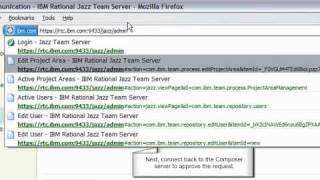
RRC 2.0: Collaborating with Formal and Informal Review and Approval
PublishedAt
2009-11-24T14:28:25Z
Tags
['IBM', 'Rational', 'Jazz', 'RRC', 'Rational Requirements Composer', 'requirements']
Description(ja)
このデモでは、Rational Requirements Composer 2.0 のレビューおよび承認機能を使用するための手順を説明します。これは、レビュー開始者と参加者がレビューを進める際の流れを示しています。さらに、リッチ クライアントと Web UI の両方でレビューすることで、この機能の多用途性を示しています。最後に、非公式レビューと公式レビューの違いについて説明します。
Description
This demo provides an instructional follow through on using the review and approval feature in Rational Requirements Composer 2.0. It demonstrates the flow between the review initiator and the participants as they progress through the review. Furthermore, it demonstrates the versatility of this feature by reviewing in both a rich client as well as the web ui. Lastly, it covers the difference between an informal and formal review.
Video
RRC 2.0: Collaborating with Formal and Informal Review and Approval
Part 3: Collaborative development with RTC for System z and Rational Developer for System z
PublishedAt
2009-12-04T16:51:37Z
Tags
['Jazz', 'IBM', 'Rational', 'Rational Team Concert', 'System z']
Description(ja)
この 3 部構成のビデオ シリーズは、Web 開発者と COBOL/CICS 開発者が関与する共同開発シナリオを示しています。 Web 開発者は欠陥を割り当てられますが、デバッグを通じて、問題がアプリケーションの COBOL/CICS 部分にある可能性が高いことを発見します。彼は、Rational Developer for System z を使用して問題を診断および修正する COBOL 開発者に欠陥を引き渡します。このデモンストレーションの残りの部分では、対話を説明するために音声ではなくバブルを使用します。
パート 3 では、COBOL 開発者が欠陥を修正し、アプリケーションを再構築して、導入された修正を検証します。 Rational Team Concert for System z を使用して、COBOL 開発者はプロジェクト リーダーによるレビューのために変更を送信し、この作業項目を終了させます。
Description
This three part video series demonstrates a collaborative development scenario involving a Web developer and a COBOL/CICS developer. The Web developer gets assigned a defect, but discovers through debugging that the problem is likely in the COBOL/CICS part of the application. He hands off the defect to the COBOL developer who uses Rational Developer for System z to diagnose and fix the problem. The rest of this demonstration uses bubbles rather than audio to explain the interactions.
In Part 3, the COBOL developer fixes the defect, rebuilds the application, and verifies the fix introduced. Using Rational Team Concert for System z, the COBOL developer submits his change for review by the project lead, and drives this work item to a closure.
Video
Part 3: Collaborative development with RTC for System z and Rational Developer for System z
Part 2: Collaborative development with RTC for System z and Rational Developer for System z
PublishedAt
2009-12-04T16:56:38Z
Tags
['Jazz', 'IBM', 'Rational', 'Rational Team Concert', 'System z']
Description(ja)
この 3 部構成のビデオ シリーズは、Web 開発者と COBOL/CICS 開発者が関与する共同開発シナリオを示しています。 Web 開発者は欠陥を割り当てられますが、デバッグを通じて、問題がアプリケーションの COBOL/CICS 部分にある可能性が高いことを発見します。彼は、Rational Developer for System z を使用して問題を診断および修正する COBOL 開発者に欠陥を引き渡します。このデモンストレーションの残りの部分では、対話を説明するために音声ではなくバブルを使用します。
第 2 部では、COBOL 開発者が Rational Developer for System z を使用して、Team Concert リポジトリーから COBOL コードをロードし、アプリケーションの流れをトレースし、問題をデバッグして、欠陥の原因を特定します。
Description
This three part video series demonstrates a collaborative development scenario involving a Web developer and a COBOL/CICS developer. The Web developer gets assigned a defect, but discovers through debugging that the problem is likely in the COBOL/CICS part of the application. He hands off the defect to the COBOL developer who uses Rational Developer for System z to diagnose and fix the problem. The rest of this demonstration uses bubbles rather than audio to explain the interactions.
In Part 2, the COBOL developer uses Rational Developer for System z to load the COBOL code from the Team Concert repository, trace the application flow, and debug the problem to identify the cause of the defect.
Video
Part 2: Collaborative development with RTC for System z and Rational Developer for System z
Part 1: Collaborative development with RTC for System z and Rational Developer for System z
PublishedAt
2009-12-04T17:02:36Z
Tags
['Jazz', 'IBM', 'Rational', 'Rational Team Concert', 'System z']
Description(ja)
この 3 部構成のビデオ シリーズは、Web 開発者と COBOL/CICS 開発者が関与する共同開発シナリオを示しています。 Web 開発者は欠陥を割り当てられますが、デバッグを通じて、問題がアプリケーションの COBOL/CICS 部分にある可能性が高いことを発見します。彼は、Rational Developer for System z を使用して問題を診断および修正する COBOL 開発者に欠陥を引き渡します。このデモンストレーションの残りの部分では、対話を説明するために音声ではなくバブルを使用します。
パート 1 では、Web アプリケーション開発者のプロジェクト リーダーが重大な欠陥を明らかにします。 Web アプリケーションの開発者が問題を調査した結果、サービスを提供する COBOL アプリケーションに問題があるとの診断に至りました。チームが Rational Team Concert for System z を使用して、この作業項目を処理し、問題を伝え、変更要求を推進する方法を確認します。
Description
This three part video series demonstrates a collaborative development scenario involving a Web developer and a COBOL/CICS developer. The Web developer gets assigned a defect, but discovers through debugging that the problem is likely in the COBOL/CICS part of the application. He hands off the defect to the COBOL developer who uses Rational Developer for System z to diagnose and fix the problem. The rest of this demonstration uses bubbles rather than audio to explain the interactions.
In Part 1, a critical defect is opened by a project lead for the Web application developer. The Web application developer investigates the problem, and reaches the diagnosis that the defect is rooted in the service providing COBOL application. You will see how the team uses Rational Team Concert for System z to handle this work item, communicate the problem, and drive the change request.
Video
Part 1: Collaborative development with RTC for System z and Rational Developer for System z
RRC 2.0: Handling conflicts in editors
PublishedAt
2009-12-14T18:38:35Z
Tags
['RRC20', 'Conflicts']
Description(ja)
この Rational Requirements 2.0 ビデオでは、2 人のユーザーが同じリソースで同時に作業している場合の競合の処理について説明しています。
Description
This Rational Requirements 2.0 video demonstrates handling the conflicts when two users are working concurrently on the same resource.
Video
RRC 2.0: Handling conflicts in editors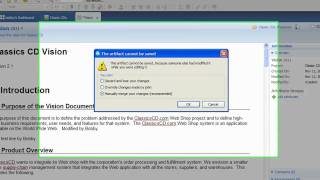
RRC 2.0: Customizing the column properties
PublishedAt
2009-12-14T18:42:11Z
Tags
['RRC20', 'Rational', 'Requirements', 'Composer', 'Jazz', 'IBM']
Description(ja)
この Rational Requirements Composer 2.0 ビデオでは、プロジェクト ページとコレクション エディターをカスタマイズして、成果物リストのカスタム属性を表示する方法を示しています。
Description
This Rational Requirements Composer 2.0 video demonstrates customizing the project page and the collection editors to display the custom attributes for the artifacts list.
Video
RRC 2.0: Customizing the column properties
RRC 2.0: Custom attributes filtering and editing
PublishedAt
2009-12-14T18:42:25Z
Tags
['RRC20', 'Custom', 'Attributes', 'Filtering', 'Editing', 'IBM', 'Jazz', 'Rational']
Description(ja)
この Rational Requirements Composer 2.0 デモでは、カスタム属性の値に基づいてプロジェクト ページとコレクション エディターの成果物リストをフィルター処理する方法と、1 回の操作で複数の成果物のカスタム属性の値を編集する方法について説明します。
Description
This Rational Requirements Composer 2.0 demo provides information on how to filter the project page and the collection editors artifacts list based on the values of the custom attributes and how to edit the values of the custom attributes for multiple artifacts in a single operation.
Video
RRC 2.0: Custom attributes filtering and editing
RRC 2.0: Create Meaningful Groups with Collections
PublishedAt
2009-12-14T18:43:37Z
Tags
['RRC20', 'Collections']
Description(ja)
この Rational Requirements Composer 2.0 のデモでは、コレクションとは何か、またコレクションを使用して、有意義な時点で成果物の強力なグループを作成する方法について説明します。コレクションを作成する方法、コレクションで使用されるアーティファクトのバージョンを設定する方法、コレクションのレビューを作成する方法、コレクションの 2 つの異なるバージョンを比較する方法などを学習します。コレクションはプロジェクト スナップショットと密接に関連しているため、ビデオ「プロジェクト スナップショット」を視聴して、そのトピックの詳細を確認することをお勧めします。
Description
This demo of Rational Requirements Composer 2.0 explains what a Collection is and how it can be used to create a powerful group of artifacts at a meaningful point in time. You will learn how to create a Collection, set the Version of Artifacts used in a Collection, create a Review of a Collection, compare two different versions of a Collection, and much more. Collections are closely tied to Project Snapshots, so you may want to view the video "Project Snapshots" to learn more information on that topic.
Video
RRC 2.0: Create Meaningful Groups with Collections
RRC 2.0: Managing requirements using RRC and DOORS
PublishedAt
2009-12-14T18:45:43Z
Tags
['RRC20', 'DOORS', 'IBM', 'Jazz', 'Rational', 'requirements']
Description(ja)
このデモでは、Rational Requirements Composer と DOORS の統合の概要を説明します。このビデオは、統合を使用して要件を適切に追跡および管理する方法の一般的な例を示しています。基本的な機能、統合を設定する手順、および途中で役立つ便利なヒントについて説明します。
Description
This demo provides an overview of the Rational Requirements Composer/DOORS integration. The video demonstrates a general example of how you might use the integration to help you successfully track and manage your requirements. It walks you through the basic features, the steps of the setting up the integration, and useful tips that will help you along the way.
Video
RRC 2.0: Managing requirements using RRC and DOORS
RRC 2.0: Migrating RRC 1.0 projects to 2.0
PublishedAt
2009-12-14T18:49:03Z
Tags
['RRC', '2.0', 'Migration', 'IBM', 'Rational', 'Jazz', 'requirements']
Description(ja)
このビデオでは、Rational Requirements Composer 1.0 プロジェクトを Rational Requirements Composer 2.0 サーバーにマイグレーションする方法を示します。
Description
This video demonstrates how you can migrate Rational Requirements Composer 1.0 projects to a Rational Requirements Composer 2.0 server.
Video
RRC 2.0: Migrating RRC 1.0 projects to 2.0
RRC 2.0: Business Process Diagram Enhancements
PublishedAt
2009-12-14T19:02:21Z
Tags
['RRC20', 'BusinessProcessDiagram']
Description(ja)
このデモでは、Requirements Composer 2.0 に含まれるビジネス プロセス ダイアグラムの拡張機能の一部について説明します。
Description
This demo provides information about some of the business process diagram enhancements included in Requirements Composer 2.0.
Video
RRC 2.0: Business Process Diagram Enhancements
RRC 2.0: Working with Selected Filters and Saved Filters
PublishedAt
2009-12-14T19:06:36Z
Tags
['RRC20', 'SavedFilters']
Description(ja)
このデモでは、選択したフィルタと保存されたフィルタの概念に関する背景情報を提供します。また、保存されたフィルターの作成と使用に関する一連の手順も含まれています。
Description
This demo provides background information about the concepts of selected filters and saved filters. It also includes an instructional follow through on creating and using saved filters.
Video
RRC 2.0: Working with Selected Filters and Saved Filters
RRC 2.0: Server Installation and Configuration
PublishedAt
2009-12-14T19:07:25Z
Tags
['RRC20', 'Server', 'Installation', 'Configuration', 'IBM', 'Rational', 'Jazz']
Description(ja)
このデモでは、Tomcat/DB2 構成で Rational Requirements Composer 2.0 サーバーを構成する方法を示します。
Description
This demo demonstrates how to configure your Rational Requirements Composer 2.0 Server on a Tomcat/DB2 configuration.
Video
RRC 2.0: Server Installation and Configuration
Rational Team Concert 2.0.0.2 - New and Noteworthy
PublishedAt
2009-12-15T21:42:41Z
Tags
['IBM', 'Rational', 'Jazz', 'Rational Team Concert', 'new']
Description(ja)
これは、Rational Team Concert 2.0.0.2 に追加された新しい拡張機能の概要です。
Rational Team Concert は、最大 10 人の開発者が http://jazz.net から無料でダウンロードできます。
Description
This is a quick feature overview of the new enhancements added to Rational Team Concert 2.0.0.2.
You can download Rational Team Concert free for up to 10 developers at http://jazz.net.
Video
Rational Team Concert 2.0.0.2 - New and Noteworthy
Open Services for Lifecycle Collaboration (OSLC)
PublishedAt
2009-12-16T22:43:22Z
Tags
['oslc', 'integration', 'alm', 'IBM', 'Rational', 'Jazz']
Description(ja)
IBM Rational Jazz は OSLC に参加しています。
あなたの開発チームは問題を抱えています。多くの異なるベンダーからの多くのツールがうまく機能していません。 Open Services for Lifecycle Collaboration イニシアチブがどのように役立つか、またどのように参加できるかをご覧ください。
詳細については、open-services.net をご覧ください。
Description
IBM Rational Jazz is a participant in OSLC.
Your development team has a problem -- a lot of tools, from a lot of different vendors, and they are NOT getting along. Learn how the Open Services for Lifecycle Collaboration initiative can help -- and how you can get involved.
More info at open-services.net
Video
Open Services for Lifecycle Collaboration (OSLC)
Demo of RRC 2.0 and Collaborative Application Lifecycle Management
PublishedAt
2010-01-14T03:14:45Z
Tags
['IBM', 'Rational', 'Jazz', 'RRC', 'Rational Requirements Composer', 'CALM']
Description(ja)
序章:
Collaborative Application Lifecycle Management (C/ALM) をサポートする Jazz 2.0 製品を導入しました。
•C/ALM は、アプリケーションのライフサイクル全体で、さまざまな役割を持つ人々のコラボレーションを改善します。
この短いビデオでは、ビジネス アナリストがこのソリューションを使用して一連のビジネス要件を作成し、それらをリリース、イテレーション、およびテスト計画に関連付ける簡単な例を示しています。チームのすべてのメンバー (アナリスト、開発者、テスト担当者) は、それぞれが選択した通常のツールを使用することで、開発されたソリューションが要件で定義されているとおりに配信および検証されるようにします。デモは網羅的なものではありません。
このデモで使用される製品:
•Rational Requirements Composer V2.0
•Rational Team Concert V2.0.0.2
•Rational Quality Manager V2.0.0.1 ifix 2
Description
Introduction:
We have now introduced the Jazz 2.0 products that support Collaborative Application Lifecycle Management (C/ALM):
•C/ALM improves the collaboration of the people in the various job roles across the application lifecycle.
This short video shows a simple example of a business analyst using this solution to develop a set of business requirements and relating them to Release, Iteration and Test plans. All members of the team (analyst, developers, testers) use their normal tool of choice, thus ensuring that the developed solution is delivered and validated as defined by the requirements. The demo is not exhaustive.
The products used in this demo:
•Rational Requirements Composer V2.0
•Rational Team Concert V2.0.0.2
•Rational Quality Manager V2.0.0.1 ifix 2
Video
Demo of RRC 2.0 and Collaborative Application Lifecycle Management
RRC 2.0: Using Project Snapshot to Capture the State of a Project
PublishedAt
2010-02-01T20:21:15Z
Tags
['IBM', 'Rational', 'Jazz', 'RRC', 'Requirements', 'snapshots']
Description(ja)
この Rational Requirements Composer 2.0 ビデオでは、プロジェクト スナップショットとは何か、およびそれを使用して、特定の時点でプロジェクトを構成していたタグ、フォルダー、および成果物を表示する方法について説明しています。プロジェクトのスナップショットを作成し、過去の日付のコンテキストでその成果物を参照する方法を学習します。プロジェクト スナップショットのその他のアプリケーションについては、ビデオ「コレクション」を見て、アーティファクト コレクションをプロジェクト スナップショットに関連付ける方法と、それらのコンテンツをスナップショット間で比較する方法を確認してください。
Description
This Rational Requirements Composer 2.0 video explains what a Project Snapshot is and how it can be used to view the tags, folders, and artifacts that comprised a project at a given point in time. You will learn how to create a snapshot of a project and browse its artifacts in the context of a date in the past. For more applications of Project Snapshots, view the video "Collections" to see how artifact collections can be associated with Project Snapshots and how their contents can be compared across snapshots.
Video
RRC 2.0: Using Project Snapshot to Capture the State of a Project
RRC 2.0: New Features for Documents in Rational Requirements Composer 2.0
PublishedAt
2010-02-01T20:30:20Z
Tags
['IBM', 'Rational', 'Jazz', 'requirements', 'composer', 'documents']
Description(ja)
このデモでは、Rational Requirements Composer 2.0 のドキュメント用の最新機能を紹介します。これらの機能には、表の作成と操作、フォントとスペルチェックの設定、書式設定の操作が含まれます。
Description
This demo shows the latest features in Rational Requirements Composer 2.0 for documents. These features include creating and working with tables, setting font and spellchecking preferences, and manipulating formatting.
Video
RRC 2.0: New Features for Documents in Rational Requirements Composer 2.0
RRC 2.0: Out-of-the-Box Reporting
PublishedAt
2010-02-01T20:30:28Z
Tags
['IBM', 'Rational', 'Jazz', 'RRC', 'requirements', 'composer', 'reporting']
Description(ja)
このデモでは、Requirements Composer 2.0 リリースで提供される、すぐに使用できるレポート テンプレートについて説明します。また、composer リッチ クライアント内からこれらのレポートを生成するための指示的なフォロースルーも提供します。
Description
This demo describes the out-of-the-box report templates offered with the Requirements Composer 2.0 release. It also provides an instructional follow through on generating these reports from within the composer rich client.
Video
RRC 2.0: Out-of-the-Box Reporting
Tracking and Planning with Rational Team Concert
PublishedAt
2010-02-17T21:55:25Z
Tags
['jazz', 'rational', 'team', 'concert', 'ibm', 'agile', 'scrum', 'planning']
Description(ja)
プロダクト マネージャー、スクラム マスター、またはプロダクト オーナーの視点から Rational Team Concert のツアーに参加して、チーム内の透明性、計画、および追跡を改善する方法を確認してください。 http://Jazz.net で、最大 10 人の開発者向けの無料バージョンをダウンロードできます。
このビデオでは、Rational Team Concert 2.0.0.2 のデモを行います。
Description
Take a tour of Rational Team Concert from the perspective of a product manager, scrum master, or product owner, and see how it can help improve the transparency, planning, and tracking within your team. You can download a free version for up to 10 developers at http://Jazz.net
This video demonstrates Rational Team Concert 2.0.0.2.
Video
Tracking and Planning with Rational Team Concert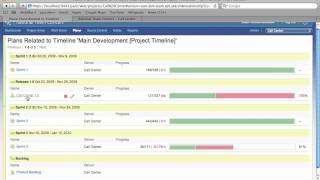
Developing with Rational Team Concert
PublishedAt
2010-02-17T22:55:41Z
Tags
['jazz', 'ibm', 'rational', 'source', 'control', 'tool', 'continuous', 'integration', 'team', 'concert']
Description(ja)
開発者の視点から Rational Team Concert のツアーに参加して、継続的インテグレーション、計画への参加、ビルドの修正、コード変更の共同作業などの日常のタスクがどのように容易になるかを確認してください。
Rational Team Concert は、最大 10 人の開発者が http://jazz.net から無料でダウンロードできます。
このビデオでは、Rational Team Concert 2.0.0.2 のデモを行います。
Description
Take a tour of Rational Team Concert from a developer's perspective and see how day to day tasks such as continuous integration, participating in planning, fixing builds, and collaborating on code changes are made easier.
You can download Rational Team Concert free for up to 10 developers at http://jazz.net.
This video demonstrates Rational Team Concert 2.0.0.2.
Video
Developing with Rational Team Concert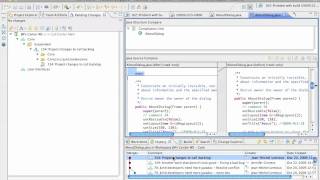
IBM Practices for Agile Delivery
PublishedAt
2010-02-19T15:41:38Z
Tags
['jazz', 'ibm', 'rational', 'team', 'concert', 'practices', 'for', 'agile', 'delivery']
Description(ja)
IBM Rational Team Concert は、各チームが従うプラクティスを定義できるようにすることで、チームの生産性とチームが生み出す作業の品質を向上させることができます。
Description
IBM Rational Team Concert can improve the productivity of your teams and the quality of the work they produce by allowing each team to define the practices they will follow.
Video
IBM Practices for Agile Delivery
Temenos and Rational Team Concert - Customer story (short version)
PublishedAt
2010-02-22T21:40:57Z
Tags
['IBM', 'Rational', 'Jazz', 'Team', 'Concert', 'customer', 'testimonial', 'story']
Description(ja)
Temenos は、同社のソフトウェア開発および配信環境と、Rational Team Concert をソリューションとして選択した方法と理由について説明しています。
Description
Temenos describes their software development and delivery environment and how and why they chose Rational Team Concert as the solution.
Video
Temenos and Rational Team Concert - Customer story (short version)
Part 1 of 4: Temenos & Rational Team Concert
PublishedAt
2010-02-25T20:19:25Z
Tags
['IBM', 'Jazz', 'Rational', 'Team', 'Concert', 'testimonial', 'customer', 'Temenos']
Description(ja)
この 4 部構成のビデオ シリーズでは、Temenos の Tony Coleman (開発ディレクター) が、ソリューションとして Rational Team Concert を選択した理由と方法について語っています。
Description
In this 4-part video series, Tony Coleman (Development Director) of Temenos, talks about how and why they chose Rational Team Concert as their solution.
Video
Part 1 of 4: Temenos & Rational Team Concert
Part 4 of 4: Temenos & Rational Team Concert
PublishedAt
2010-02-25T20:22:48Z
Tags
['IBM', 'Jazz', 'Rational', 'Team', 'Concert', 'testimonial', 'customer', 'Temenos']
Description(ja)
この 4 部構成のビデオ シリーズでは、Temenos の Tony Coleman (開発ディレクター) が、ソリューションとして Rational Team Concert を選択した理由と方法について語っています。
Description
In this 4-part video series, Tony Coleman (Development Director) of Temenos, talks about how and why they chose Rational Team Concert as their solution.
Video
Part 4 of 4: Temenos & Rational Team Concert
Part 2 of 4: Temenos & Rational Team Concert
PublishedAt
2010-02-25T20:23:19Z
Tags
['IBM', 'Jazz', 'Rational', 'Team', 'Concert', 'testimonial', 'customer', 'Temenos']
Description(ja)
この 4 部構成のビデオ シリーズでは、Temenos の Tony Coleman (開発ディレクター) が、ソリューションとして Rational Team Concert を選択した理由と方法について語っています。
Description
In this 4-part video series, Tony Coleman (Development Director) of Temenos, talks about how and why they chose Rational Team Concert as their solution.
Video
Part 2 of 4: Temenos & Rational Team Concert
Part 3 of 4: Temenos & Rational Team Concert
PublishedAt
2010-02-25T20:23:46Z
Tags
['IBM', 'Jazz', 'Rational', 'Team', 'Concert', 'testimonial', 'customer', 'Temenos']
Description(ja)
この 4 部構成のビデオ シリーズでは、Temenos の Tony Coleman (開発ディレクター) が、ソリューションとして Rational Team Concert を選択した理由と方法について語っています。
Description
In this 4-part video series, Tony Coleman (Development Director) of Temenos, talks about how and why they chose Rational Team Concert as their solution.
Video
Part 3 of 4: Temenos & Rational Team Concert
What's New in Rational Asset Manager 7.2.0.2
PublishedAt
2010-03-16T13:30:06Z
Tags
['IBM', 'Rational', 'Jazz', 'Asset', 'Manager', 'Rational Asset Manager', 'RAM', 'assets', 'software', 'library']
Description(ja)
このビデオでは、Rational Asset Manager 7.2.0.2 で行われた新機能と修正の一部を紹介しています。
Description
The video demonstrates some of the new features and fixes made in Rational Asset Manager 7.2.0.2.
Video
What's New in Rational Asset Manager 7.2.0.2
Insight Tour
PublishedAt
2010-03-22T20:24:33Z
Tags
['IBM', 'Rational', 'Insight', 'software']
Description(ja)
Rational Insight のツアー
Description
Tour of Rational Insight
Video

Rational Team Concert for open source development: RSSOwl
PublishedAt
2010-04-13T14:42:01Z
Tags
['IBM', 'Rational', 'Jazz', 'Rational Team Concert', 'RSSOwl', 'collaboration', 'software']
Description(ja)
RSSOwl 開発者の Benjamin Pasero は、RSSOwl プロジェクトの開発コラボレーション ツールとして Rational Team Concert をどのように採用したかを説明しています。
Description
RSSOwl developer Benjamin Pasero describes how he adopted Rational Team Concert as the development collaboration tool for the RSSOwl project.
Video
Rational Team Concert for open source development: RSSOwl
Agile Planning with Rational Team Concert for Rational Synergy and Change Users
PublishedAt
2010-05-17T20:13:54Z
Tags
['IBM', 'Rational', 'Jazz', 'Rational Team Concert', 'Synergy', 'Change']
Description(ja)
このビデオでは、Rational Team Concert (RTC) のアジャイルな計画およびコラボレーション機能を使用し、Rational Synergy および Rational Change と結果をリンクする方法、新しい Synergy および Change を RTC と統合する方法を示します。
Description
This video demonstrates how to use the agile planning and collaboration features in Rational Team Concert (RTC) and link the results with Rational Synergy and Rational Change the new Synergy and Change integrations with RTC.
Video
Agile Planning with Rational Team Concert for Rational Synergy and Change Users
What's new in Rational Asset Manager 7.5 M2
PublishedAt
2010-05-25T15:32:19Z
Tags
['IBM', 'Rational', 'Jazz', 'Rational Asset Manager', 'RAM', '7.5', 'M2', 'asset', 'management']
Description(ja)
Rational Asset Manager 7.5 リリースのマイルストーン 2 で追加された注目すべき新機能とサポートの概要デモを見る
Description
Watch an overview demo of new and noteworthy features and support added during milestone 2 of Rational Asset Manager 7.5 release
Video
What's new in Rational Asset Manager 7.5 M2
Executive Dashboard - Innovate 2010
PublishedAt
2010-06-04T15:46:47Z
Tags
['ExecDash', 'Jazzdotnet']
Description(ja)
Description
Video
Executive Dashboard - Innovate 2010
Build Forge - Demo of the new user interface
PublishedAt
2010-06-18T18:02:03Z
Tags
['Build', 'Forge']
Description(ja)
Shawn Lauriat が、Build Forge の次のメジャー リリースで導入される新しいユーザー インターフェイスを実演します
Description
Shawn Lauriat demonstrates the new user interface coming in the next major release of Build Forge
Video
Build Forge - Demo of the new user interface
Innovate 2010: Interviews with Jazz Developers
PublishedAt
2010-06-18T20:02:09Z
Tags
['IBM', 'Rational', 'Jazz', 'team concert', 'quality manager', 'Innovate', '2010', 'developer', 'highlights']
Description(ja)
Erich Gamma、Kai Maetzel、Kourken Aroyan、Bill Higgins、Doug Weissman、Christophe Cornu が、2010 年 6 月 6 ~ 10 日にフロリダ州オーランドで開催された Innovate 2010 で、彼らの活動のハイライトを示しました。
セス・パッカムによるjazz.netのインタビュー
Description
Erich Gamma, Kai Maetzel, Kourken Aroyan, Bill Higgins, Doug Weissman, Christophe Cornu give the highlights of their activities at Innovate 2010 in Orlando, FL June 6-10, 2010.
Interviewed by Seth Packham for jazz.net
Video
Innovate 2010: Interviews with Jazz Developers
Innovate 2010: Customer video - Bryan Alltop, Nationwide Insurance
PublishedAt
2010-06-21T19:29:05Z
Tags
['IBM', 'Rational', 'Jazz', 'team concert', 'agile', 'planning', 'innovate']
Description(ja)
Nationwide Insurance の Bryan Alltop が、Rational Team Concert を開発と計画に使用する利点について語っています。
Description
Bryan Alltop from Nationwide Insurance talks about the benefits of using Rational Team Concert for development and planning.
Video
Innovate 2010: Customer video - Bryan Alltop, Nationwide Insurance
Innovate 2010: Customer video - Walter Mansur, CareMedic Systems
PublishedAt
2010-06-21T20:22:06Z
Tags
['IBM', 'Rational', 'Jazz', 'team concert', 'agile', 'planning', 'development', 'innovate']
Description(ja)
CareMedic Systems の Walter Mansur が、開発と計画、特に Microsoft Visual Studio のクライアントに Rational Team Concert を使用した彼のチームの経験について語っています。
Description
Walter Mansur of CareMedic Systems talks about his teams's experiences with using Rational Team Concert for development and planning, specifically the client for Microsoft Visual Studio.
Video
Innovate 2010: Customer video - Walter Mansur, CareMedic Systems
Innovate 2010: Tieto interview
PublishedAt
2010-06-22T21:02:54Z
Tags
['IBM', 'Rational', 'Jazz', 'Team Concert', 'agile', 'lean', 'Tieto']
Description(ja)
Tieto Corporation (チェコ共和国) の Roman Smirak と Martin Chmelar が、アジャイル コーチング メンタリングで Rational Team Concert をどのように使用しているかについて語っています。 jazz.net のセス・パッカムによるインタビュー。
Description
Roman Smirak and Martin Chmelar of Tieto Corporation (Czech Republic) talk about how they use Rational Team Concert in their agile coaching mentoring. Interviewed by Seth Packham for jazz.net.
Video
Innovate 2010: Tieto interview
Innovate 2010: Interview with CEO of CloudOne, John McDonald
PublishedAt
2010-06-23T17:43:06Z
Tags
['IBM', 'Rational', 'Jazz', 'Team Concert', 'saas', 'software as a service']
Description(ja)
CEO の John McDonald (CloudOne) が、CloudOne が Rational Team Concert およびその他の IBM Rational Jazz ベースの製品に提供する SaaS オファリングについて語っています。
Jazz.netのSeth Packhamによるインタビュー
Description
CEO John McDonald (CloudOne) talks about the SaaS offering that CloudOne provides for Rational Team Concert and other IBM Rational Jazz-based products.
Interviewed by Seth Packham for Jazz.net
Video
Innovate 2010: Interview with CEO of CloudOne, John McDonald
Link and Populate Plans using IBM Rational Workbench for Collaborative Lifecycle Management
PublishedAt
2010-07-02T18:45:12Z
Tags
['IBM', 'Rational', 'Jazz', 'Team Concert', 'requirements', 'quality', 'quality manager']
Description(ja)
このデモでは、Carolyn Pampino が、Rational DOORS Requirements Professional、Rational Team Concert、および Rational Quality Manager の間で要件、開発計画、およびテスト計画がどのようにリンクされているかを示します。
デモは、バージョン 3.x の初期マイルストーンで作成されました。
Rational Team Concert は、最大 10 人の開発者が http://jazz.net から無料でダウンロードできます。
Description
In this demo, Carolyn Pampino shows how requirements, development plans, and test plans are linked together between Rational DOORS Requirements Professional, Rational Team Concert, and Rational Quality manager.
The demo was created with version 3.x early milestones.
You can download Rational Team Concert free for up to 10 developers at http://jazz.net.
Video
Link and Populate Plans using IBM Rational Workbench for Collaborative Lifecycle Management
IBM Jazz Common Project Administration Demo (2010 Beta 1)
PublishedAt
2010-07-16T16:49:37Z
Tags
['jazz', 'clm', 'admin']
Description(ja)
IBM Jazz Common Project Administration アプリケーションは、現在開発中の新しい IBM Rational アプリケーションであり、複数のライフサイクル機能からの機能を含むプロジェクトの作成と管理を簡素化することを目的としています。このデモでは、要件、変更と構成の管理、およびテスト機能を含むプロジェクトを作成します。
Description
The IBM Jazz Common Project Administration application is a new IBM Rational application currently under development that is intended to simplify creation and management of projects that contain capabilities from multiple lifecycle capabilities. In this demo, we create a project that contains requirements, change and configuration management, and test capabilities.
Video
IBM Jazz Common Project Administration Demo (2010 Beta 1)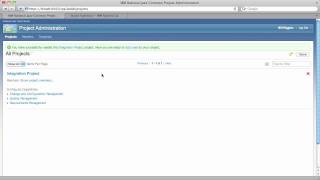
Rational Asset Manager 7.5 M3 - Artifact Links
PublishedAt
2010-07-17T06:11:20Z
Tags
['IBM', 'Rational', 'Jazz', 'Rational Asset Manager', 'RAM', '7.5', 'M3\r\nasset', 'management']
Description(ja)
「Rational Asset Manager 7.5 マイルストーン 3 の新機能 - Artifact Links」の概要デモを見る
Description
Watch an overview demo of "What's new in Rational Asset Manager 7.5 Milestone 3 - Artifact Links"
Video
Rational Asset Manager 7.5 M3 - Artifact Links
Rational Asset Manager 7.5 M3 - Rational Insight
PublishedAt
2010-07-17T14:49:50Z
Tags
['IBM', 'Rational', 'Jazz', 'Rational Asset Manager', 'RAM', '7.5', 'M3\r\nasset', 'management', 'Insight']
Description(ja)
「Rational Asset Manager 7.5 マイルストーン 3 の新機能 - Rational Insight」の概要デモを見る
Description
Watch an overview demo of "What's new in Rational Asset Manager 7.5 Milestone 3 - Rational Insight"
Video
Rational Asset Manager 7.5 M3 - Rational Insight
Rational Asset Manager 7.5 M3 - Lotus Connections
PublishedAt
2010-07-17T16:03:15Z
Tags
['IBM', 'Rational', 'Jazz', 'Rational Asset Manager', 'RAM', '7.5', 'M3\r\nasset', 'management', 'Lotus', 'connections']
Description(ja)
「Rational Asset Manager 7.5 マイルストーン 3 の新機能 - Lotus Connections」の概要デモを見る
Description
Watch an overview demo of "What's new in Rational Asset Manager 7.5 milestone 3 - Lotus Connections"
Video
Rational Asset Manager 7.5 M3 - Lotus Connections
Rational Asset Manager 7.5 M3 - Library
PublishedAt
2010-07-17T17:15:39Z
Tags
['IBM', 'Rational', 'Jazz', 'Rational Asset Manager', 'RAM', '7.5', 'M3\r\nasset', 'management']
Description(ja)
「Rational Asset Manager 7.5 マイルストーン 3 - ライブラリーの新機能」の概要デモを見る
Description
Watch an overview demo of "What's new in Rational Asset Manager 7.5 milestone 3 - Library"
Video
Rational Asset Manager 7.5 M3 - Library
Rational Asset Manager 7.5 M3 - Social gadgets
PublishedAt
2010-07-17T19:03:33Z
Tags
['IBM', 'Rational', 'Jazz', 'Rational Asset Manager', 'RAM', '7.5', 'M3\r\nasset', 'management']
Description(ja)
「Rational Asset Manager 7.5 マイルストーン 3 の新機能 - ソーシャル・ガジェット」の概要デモを見る
Description
Watch an overview demo of "What's new in Rational Asset Manager 7.5 milestone 3 - Social gadgets"
Video
Rational Asset Manager 7.5 M3 - Social gadgets
Rational Asset Manager 7.5 M3 - Rational System Architect
PublishedAt
2010-07-17T19:23:18Z
Tags
['IBM', 'Rational', 'Jazz', 'Rational Asset Manager', 'RAM', '7.5', 'M3\r\nasset', 'management', 'System', 'Architect']
Description(ja)
「Rational Asset Manager 7.5 マイルストーン 3 の新機能 - システム アーキテクト」の概要デモを見る
Description
Watch an overview demo of "What's new in Rational Asset Manager 7.5 milestone 3 - System Architect"
Video
Rational Asset Manager 7.5 M3 - Rational System Architect
Rational Asset Manager 7.5 M3 - Search Facets
PublishedAt
2010-07-17T19:36:10Z
Tags
['IBM', 'Rational', 'Jazz', 'Rational Asset Manager', 'RAM', '7.5', 'M3\r\nasset', 'management']
Description(ja)
「Rational Asset Manager 7.5 マイルストーン 3 の新機能 - 検索ファセット」の概要デモを見る
Description
Watch an overview demo of "What's new in Rational Asset Manager 7.5 Milestone 3 - Search Facets"
Video
Rational Asset Manager 7.5 M3 - Search Facets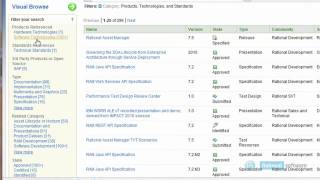
Jazz User Synchronization
PublishedAt
2010-07-22T21:03:59Z
Tags
['jazz', 'users']
Description(ja)
このビデオでは、Rational Team Concert、Rational Quality Manager、および集中化された Jazz Team Server の間でユーザー同期を構成する方法を示します。この方法でユーザー同期を構成すると、これらのアプリケーションのいずれかにユーザーを追加でき、他のアプリケーションと自動的に同期されます。これは、Rational Workbench for Collaborative Lifecycle Management ベータ版 (Jazz.net で入手可能) で使用可能になったばかりの新機能であることに注意してください。現在リリースされている製品では使用できません。
Description
This video demonstrates how to configure user synchronization between Rational Team Concert, Rational Quality Manager, and a centralized Jazz Team Server. By configuring user synchronization in this manner, you can add a user to any of these applications and it will be automatically synchronized to the other applications. Note that this is a new feature that just became available with the Rational Workbench for Collaborative Lifecycle Management beta, available on Jazz.net; it is not available in currently released products.
Video

Configuring Common Project Administration (2010 Beta 1)
PublishedAt
2010-07-28T13:55:08Z
Tags
['ibm', 'jazz', 'setup', 'configuration', 'cpa', 'calm', 'clm', 'beta']
Description(ja)
このビデオでは、アプリケーションと機能にまたがるプロジェクトの作成を簡素化するために IBM Rational Jazz チームが開発している新しい IBM Jazz Common Project Administration アプリケーションを正しく構成する方法を示します。
完全なセットアップ手順については、Jazz.net のこの wiki ページを参照してください (登録が必要です): https://jazz.net/wiki/bin/view/Main/CommonProjectAdminSetup
このデモは、Common Project Administration のベータ版を示していることに注意してください。
Rational Team Concert は、最大 10 人の開発者が http://jazz.net から無料でダウンロードできます。
Description
This video demonstrates how to successfully configure the new IBM Jazz Common Project Administration application that the IBM Rational Jazz team are developing to simplify creation of projects that span applications and capabilities.
For full setup instructions, refer to this wiki page on Jazz.net (registration required): https://jazz.net/wiki/bin/view/Main/CommonProjectAdminSetup
Note that this demo shows a beta version of the Common Project Administration.
You can download Rational Team Concert free for up to 10 developers at http://jazz.net.
Video
Configuring Common Project Administration (2010 Beta 1)
Create plans and work items in the RTC client for Microsoft Visual Studio IDE
PublishedAt
2010-09-09T17:43:10Z
Tags
['IBM', 'Rational', 'Jazz', 'Rational Team Concert', 'team concert', 'team', 'visual studio', 'plans', 'work items']
Description(ja)
このビデオでは、IBM® Rational® Team Concert Client for Microsoft® Visual Studio IDE を使用して計画と作業項目を作成する方法を示します。
Description
This video demonstrates how to use the IBM® Rational® Team Concert Client for Microsoft® Visual Studio IDE to create plans and work items.
Video
Create plans and work items in the RTC client for Microsoft Visual Studio IDE
Configuring Jazz Team Server with RM, CCM, and QM - 3.0 Beta 2
PublishedAt
2010-09-19T19:08:55Z
Tags
['jazz', 'jts', 'setup', 'config', 'howto']
Description(ja)
このビデオでは、コードの 3.0 Beta 2 バージョンを使用して、アプリケーション要件管理 (RM)、変更および構成管理 (CCM)、および品質管理 (QM) で Jazz Team Server (JTS) を構成する方法を示します。このデモで注目に値するのは、更新された JTS セットアップ ウィザードです。これにより、JTS と 3 つのアプリケーション全体のセットアップが統合されるようになりました。
Description
This video demonstrates how to configure Jazz Team Server (JTS) with the applications Requirements Management (RM), Change and Configuration Management (CCM), and Quality Management (QM) using the 3.0 Beta 2 version of the code. Notable in this demo is the updated JTS Setup Wizard, which now unifies setup across the JTS and the three applications.
Video
Configuring Jazz Team Server with RM, CCM, and QM - 3.0 Beta 2
Rational Asset Manager as a definitive software library - Part 1
PublishedAt
2010-09-21T16:32:31Z
Tags
['RAM', 'definitive', 'software', 'library']
Description(ja)
Rational Asset Manager を決定的なソフトウェア ライブラリとして使用して、組織内で共有または参照される成果物を管理します。
Description
Use Rational Asset Manager as a definitive software library to govern deliverables to be shared or referenced in your organization.
Video
Rational Asset Manager as a definitive software library - Part 1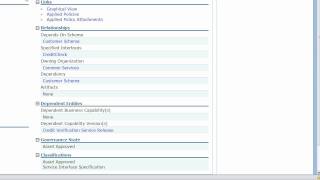
Rational Asset Manager as a definitive software library - Part 2
PublishedAt
2010-09-21T18:06:28Z
Tags
['RAM', 'definitive', 'software', 'library']
Description(ja)
Rational Asset Manager を決定的なソフトウェア ライブラリとして使用して、組織内で共有または参照される成果物を管理します。
Description
Use Rational Asset Manager as a definitive software library to govern deliverables to be shared or referenced in your organization.
Video
Rational Asset Manager as a definitive software library - Part 2
Rational Asset Manager as a definitive software library - Part 3
PublishedAt
2010-09-21T18:46:48Z
Tags
['RAM', 'definitive', 'software', 'library']
Description(ja)
Rational Asset Manager を決定的なソフトウェア ライブラリとして使用して、組織内で共有または参照される成果物を管理します。
Description
Use Rational Asset Manager as a definitive software library to govern deliverables to be shared or referenced in your organization.
Video
Rational Asset Manager as a definitive software library - Part 3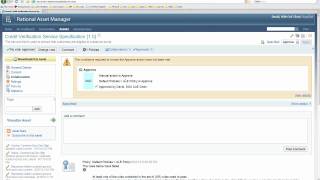
Rational Asset Manager as a definitive software library - Part 4
PublishedAt
2010-09-21T19:49:20Z
Tags
['RAM', 'definitive', 'software', 'library']
Description(ja)
Rational Asset Manager を決定的なソフトウェア ライブラリとして使用して、組織内で共有または参照される成果物を管理します。
Description
Use Rational Asset Manager as a definitive software library to govern deliverables to be shared or referenced in your organization.
Video
Rational Asset Manager as a definitive software library - Part 4
Rational Asset Manager as a definitive software library - Part 5
PublishedAt
2010-09-21T20:21:38Z
Tags
['RAM', 'definitive', 'software', 'library']
Description(ja)
Rational Asset Manager を決定的なソフトウェア ライブラリとして使用して、組織内で共有または参照される成果物を管理します。
Description
Use Rational Asset Manager as a definitive software library to govern deliverables to be shared or referenced in your organization.
Video
Rational Asset Manager as a definitive software library - Part 5
What's new in Rational Asset Manager 7.5
PublishedAt
2010-09-21T20:52:46Z
Tags
['Rational', 'Asset', 'Manager', 'RAM', '7.5', "what's", 'new']
Description(ja)
Rational Asset Manager 7.5 で追加された注目すべき新機能とサポートの概要デモをご覧ください。
Description
Watch an overview demo of new and noteworthy features and support added during Rational Asset Manager 7.5.
Video
What's new in Rational Asset Manager 7.5
Linking assets in Rational Asset Manager to work items and requirements
PublishedAt
2010-09-22T17:05:40Z
Tags
['linking', 'assets', 'RAM', 'jazz', 'server']
Description(ja)
Rational Asset Manager 内のアセットを、Rational Team Concert または Rational Requirements Composer などの Jazz サーバー・アプリケーション上のリソースに接続する方法
Description
How to connect assets in Rational Asset Manager to resources on Jazz server applications such as Rational Team Concert or Rational Requirements Composer
Video
Linking assets in Rational Asset Manager to work items and requirements
Rational Asset Manager 7.5 - Mail Template
PublishedAt
2010-09-22T17:52:22Z
Tags
['RAM', 'mail', 'template']
Description(ja)
Rational Asset Manager 7.5 に追加された注目すべき新機能とサポートの概要デモをご覧ください - メール テンプレートの変更.
Description
Watch an overview demo of new and noteworthy features and support added in Rational Asset Manager 7.5 - Modifying the mail template.
Video
Rational Asset Manager 7.5 - Mail Template
Rational Asset Manager 7.5 - Social Gadgets
PublishedAt
2010-09-22T18:58:00Z
Tags
['RAM', 'Social', 'Gadgets']
Description(ja)
Rational Asset Manager 7.5 - Support for Social Gadgets に追加された注目すべき新機能とサポートの概要デモをご覧ください。
Description
Watch an overview demo of new and noteworthy features and support added in Rational Asset Manager 7.5 - Support for Social Gadgets.
Video
Rational Asset Manager 7.5 - Social Gadgets
Rational Asset Manager 7.5 - Library
PublishedAt
2010-09-23T13:57:20Z
Tags
['RAM', 'library']
Description(ja)
Rational Asset Manager 7.5 で追加された注目すべき新機能とサポートの概要デモをご覧ください - ライブラリーの重複と属性の共有に関するライブラリーの改善。
Description
Watch an overview demo of new and noteworthy features and support added in Rational Asset Manager 7.5 - Library improvements for overlapping libraries and sharing attributes.
Video
Rational Asset Manager 7.5 - Library
Rational Asset Manager 7.5 - Artifact Links
PublishedAt
2010-09-23T13:58:46Z
Tags
['RAM', 'artifacts', 'links']
Description(ja)
Rational Asset Manager 7.5 で追加された注目すべき新機能のサポートの概要デモをご覧ください。アーティファクトのリンクが改善されました。
Description
Watch an overview demo of new and noteworthy features support added in Rational Asset Manager 7.5 Improved for artifacts links.
Video
Rational Asset Manager 7.5 - Artifact Links
Rational Asset Manager 7.5 - Rational Insight
PublishedAt
2010-09-23T13:59:54Z
Tags
['integrate', 'RAM', 'rational', 'insight']
Description(ja)
Rational Asset Manager 7.5 - Integrate with Rational Insight に追加された注目すべき新機能とサポートの概要デモをご覧ください。
Description
Watch an overview demo of new and noteworthy features and support added in Rational Asset Manager 7.5 - Integrate with Rational Insight.
Video
Rational Asset Manager 7.5 - Rational Insight
Rational Asset Manager 7.5 - Rational System Architect
PublishedAt
2010-09-23T14:01:21Z
Tags
['RAM', 'integrate', 'Rational', 'System', 'Architect']
Description(ja)
Rational Asset Manager 7.5 - Integrate with Rational System Architect に追加された注目すべき新機能とサポートの概要デモをご覧ください。
Description
Watch an overview demo of new and noteworthy features and support added in Rational Asset Manager 7.5 - Integrate with Rational System Architect.
Video
Rational Asset Manager 7.5 - Rational System Architect
Rational Asset Manager 7.5 - Lotus Connections
PublishedAt
2010-09-23T14:01:54Z
Tags
['RAM', 'integrate', 'Lotus', 'Connections']
Description(ja)
Rational Asset Manager 7.5 - Integrate with Lotus Connections に追加された注目すべき新機能とサポートの概要デモをご覧ください。
Description
Watch an overview demo of new and noteworthy features and support added in Rational Asset Manager 7.5 - Integrate with Lotus Connections.
Video
Rational Asset Manager 7.5 - Lotus Connections
Rational Asset Manager 7.5 - Policies
PublishedAt
2010-09-23T20:33:34Z
Tags
['RAM', 'Policies']
Description(ja)
Rational Asset Manager 7.5 で追加された注目すべき新機能とサポートの概要デモをご覧ください - 7.5 の新しいポリシー。
Description
Watch an overview demo of new and noteworthy features and support added in Rational Asset Manager 7.5 - New policies in 7.5.
Video
Rational Asset Manager 7.5 - Policies
Preserve component and workspace configuration in the RTC Client for Microsoft Visual Studio
PublishedAt
2010-09-29T20:05:02Z
Tags
['rtc', 'preserve', 'workspace', 'configuration', 'visual', 'studio']
Description(ja)
このビデオでは、IBM Rational Team Concert Client for Microsoft Visual Studio IDE を使用して、コンポーネントとワークスペースの構成を保存する方法を示します。コンポーネントのベースラインを作成する方法を学習します。着信ベースラインと変更セットを受け入れます。スナップショットを作成、昇格、探索します。
Description
This video demonstrates how to use the IBM Rational Team Concert Client for Microsoft Visual Studio IDE to preserve component and workspace configuration. You will learn how to create a component baseline; accept incoming baselines and change sets; and create, promote, and explore a snapshot.
Video
Preserve component and workspace configuration in the RTC Client for Microsoft Visual Studio
Manage builds with Jazz Team Build in the RTC Client for Microsoft Visual Studio
PublishedAt
2010-09-29T22:12:33Z
Tags
['jazz', 'team', 'build', 'rtc', 'visual', 'studio']
Description(ja)
このビデオでは、IBM Rational Team Concert Client for Microsoft Visual Studio IDE を使用して Jazz Team Build でビルドする方法を示します。ビルド定義とビルド エンジンを使用して Jazz Team Build でビルドする方法を学習します。ビルドをリクエストします。ビルド結果を調べます。
Description
This video demonstrates how to use the IBM Rational Team Concert Client for Microsoft Visual Studio IDE to build with Jazz Team Build. You will learn how to use build definitions and build engines to build with the Jazz Team Build; request builds; and explore build results.
Video
Manage builds with Jazz Team Build in the RTC Client for Microsoft Visual Studio
Accessing Rational product help: Options for local, intranet, and remote delivery
PublishedAt
2010-10-12T21:23:31Z
Tags
['IBM', 'Rational', 'Jazz', 'help', 'documentation', 'software', 'Rational Team Concert']
Description(ja)
Rational 製品のヘルプにアクセスするには、次の 3 つの方法があります。1) ハード ドライブにローカルにインストールする、2) システム管理者に企業規模のサーバーにインストールする、または 3) アクセスするようにシステムを構成するWeb 上の Rational インフォメーション センター。
Description
There are three ways to access the Rational product help: 1) you can install it locally on your hard drive, 2) you can have your system administrator to install it on an enterprise wide server, or 3) you can configure your system to access the Rational information center on the Web.
Video
Accessing Rational product help: Options for local, intranet, and remote delivery
Performing team builds using the IBM i Build Specification
PublishedAt
2010-10-18T23:20:40Z
Tags
['project2']
Description(ja)
この Rational Team Concert for Power のデモンストレーションでは、IBM i Build Specification を使用したチーム ビルドについて説明します。これには、ビルド定義の作成とその呼び出しが含まれ、結果のビルド結果が示されます。
Description
This Rational Team Concert for Power demonstration covers team builds using the IBM i Build Specification. It includes the creation of the build definition, its invocation, and illustrates the resulting build results.
Video
Performing team builds using the IBM i Build Specification
Rational Collaborative Lifecycle Management demo (using 3.0 Beta 2)
PublishedAt
2010-10-20T13:32:14Z
Tags
['IBM', 'Jazz', 'Rational Team Concert', 'Rational Quality Manager', 'Rational Requirements Composer', 'requirements', 'planning', 'agile', 'software']
Description(ja)
本当にリリースする準備ができているかどうかは、どうやってわかりますか?この質問に答えるには、プロジェクト管理、要件、コーディング、ビルド、およびテストの成果物にまたがる ALM の可視性が必要です。このデモでは、Agile チームが ALM で成功するために必要なエンドツーエンドの可視性を Rational ソリューションがどのように提供するかを示します。デモは、計画項目、要件、およびテスト ケース間の関係を示す開発計画から始まります。リリース バックログに新しい計画項目を追加することで、プロジェクト マネージャー、アナリスト、開発者、および品質担当者の一連のチーム アクティビティがどのように推進されるかがわかります。
Rational Team Concert、Rational Quality Manager、および Rational Requirements Composer は、3.0 Beta 2 バージョンを使用してデモされました。
次のリリースの詳細については、jazz.net をご覧ください。
Description
How do you know when you're really ready to release? Answering this question requires ALM visibility spanning project management, requirements, coding, build and testing artifacts. In this demo, we show how the Rational solution provides the end-to-end visibility agile teams need to succeed with ALM. The demo starts with a development plan that shows the relationship among plan items, requirements and test cases. We see how adding a new plan item to the release backlog drives a choreographed set of team activities for project managers, analysts, developers and quality professionals.
Rational Team Concert, Rational Quality Manager, and Rational Requirements Composer were demoed using the 3.0 Beta 2 versions.
Visit jazz.net to learn more about our next releases.
Video
Rational Collaborative Lifecycle Management demo (using 3.0 Beta 2)
RTCv3References
PublishedAt
2010-11-02T19:23:36Z
Tags
['RTCv3References']
Description(ja)
特定の定義をどこで使用したかを思い出すのが難しい場合があります。このデモでは、特定のシステム定義 (データ セット定義、言語定義、トランスレーターなど) に関連付けられているアーティファクトを見つける方法を学習します。また、1 つの簡単な操作で一連の成果物を別の定義に再度関連付ける練習も行います。また、定義をアーカイブする前に、この関数を使用して、アーカイブによって壊れる参照を確認し、アーカイブされていない定義に関連付け (リファクタリング) して、参照整合性を確保できることにも注意してください。
Description
Sometimes it is difficult to remember where you have used a given definition. In this demo you will learn how to find out what artifacts are associated with a given system definition (e.g. data set definition, language definition, translator). You will also practice re-associating a set of artifacts with a different definition in one easy operation. Note also that before archiving a definition you can use this function to ascertain what references would be broken by archiving, and then associate (re-factor) to a non-archived definition, thus ensuring referential integrity.
Video

RTC 3.0: Using the ISPF client to work with host files in the SCM and submit builds
PublishedAt
2010-11-03T19:55:52Z
Tags
['ispfclient']
Description(ja)
Web および Eclipse クライアントに加えて、TSO/ISPF グリーン スクリーン インターフェースに慣れているユーザー向けに ISPF クライアントを提供するようになりました。このクライアントには、SCM 対話用に調整された Eclipse クライアント機能のサブセット (Web クライアントと同様) があります。
Description
In addition to the web and Eclipse clients, we now offer an ISPF client for those users familiar with TSO/ISPF green screen interfaces. This client has a subset of the Eclipse client function (just as the web client does) tailored to SCM interaction.
Video
RTC 3.0: Using the ISPF client to work with host files in the SCM and submit builds
Share changes with your team in the Rational Team Concert Client for Microsoft Visual Studio IDE
PublishedAt
2010-11-08T16:43:13Z
Tags
['rtc', 'vs', 'share', 'work']
Description(ja)
このビデオでは、IBM Rational Team Concert Client for Microsoft Visual Studio IDE を使用してチーム内で作業を共有する方法を示します。
Description
This video demonstrates how to use the IBM Rational Team Concert Client for Microsoft Visual Studio IDE to share work within a team.
Video
Share changes with your team in the Rational Team Concert Client for Microsoft Visual Studio IDE
RTC 3.0: Source code data: gathering, querying, editing, and analyzing dependencies
PublishedAt
2010-11-11T18:40:14Z
Tags
['source code', 'gathering', 'querying', 'editing', 'dependencies', 'Rational Team Concert 3.0']
Description(ja)
ソフトウェアのサイズと複雑さが増すにつれて、ファイル、データ セットなどのコンポーネント間の関係を簡単に思い出したり判断したりすることが難しくなります。この機能を使用すると、既存のパーサーを使用するか、独自のパーサーを追加して、ソースのセットに対して定期的かつ自動的に実行できます。コードに関するデータを収集および更新するためのコード アーティファクト。そのデータは次のようになります。
-依存ビルドで利用
-閲覧および編集
-影響関係を発見するために採掘: 特定のファイルに依存するファイル、および特定のファイルが依存する他のファイル
Description
As software grows in size and complexity it is harder to easily recall or determine relationships between and among components: files, data sets, etc. With this functionality you can use existing parsers or add your own, to run periodically and automatically against sets of source code artifacts to gather and update data about the code. That data can then be:
-utilized in dependency builds
-viewed and edited
-mined to discover impact relationships: files that depend on a given file, and other files upon which a given file depends
Video
RTC 3.0: Source code data: gathering, querying, editing, and analyzing dependencies
Rational Team Concert 3.0: Dependency build: setting up and running
PublishedAt
2010-11-17T19:48:21Z
Tags
['rtc30', 'dependency', 'build']
Description(ja)
ビルドの実行は、システム リソースを大量に消費するタスク (時間、CPU サイクル) になる可能性があります。いくつかのファイルのみに最小限の変更を加えた場合があります。その場合、なぜすべてのファイルを再構築する必要があるのでしょうか。変更されたファイル、または変更されたファイルに依存するファイル、および/または対象のアプリケーションのみを再構築する必要があります。また、ファイルにマイナーな変更を加え、そのファイルを「依存ビルドを無視」としてマークしたい場合があります。これらすべての機能により、ビルドの定義と実行の柔軟な粒度が得られます。
Description
Running a build can be a system resource-intensive task (time, CPU cycles). Sometimes you have made minimal changes to only a few files -- why rebuild ALL files in that case? You want to rebuild only those files that have changed or depend on a file that has changed, and/or applications of interest. Also, you may have made a minor change to a file and want to mark that file as 'ignore for dependency builds'. All these abilities gives you that flexible granularity of build definition and execution.
Video
Rational Team Concert 3.0: Dependency build: setting up and running
Access and Manage Your Work: Navigating Jazz Web Applications
PublishedAt
2010-11-19T14:58:14Z
Tags
['Jazz', 'Web', 'Navigation', 'Features']
Description(ja)
この短いビデオでは、ナビゲーション バーのドロップダウン メニューを使用してリソースを作成したり、既存のリソースにアクセスしたり、クイック検索でリソースを検索したり、ドロップダウン メニューとミニ ダッシュボードから利用可能なリソースを追跡したり、ホームメニューを使用して、同じまたは異なるアプリケーション内のプロジェクトを切り替えることができます。
Description
This brief video will show you how you can use the drop downs menus in the navigation bar to create resources or access existing resources, search for resources with quick search, track resources available from the drop down menus and the mini dashboard, and use the Home menu to switch between projects within the same or different applications.
Video
Access and Manage Your Work: Navigating Jazz Web Applications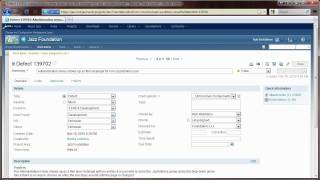
RTC 3.0: Context-Aware Search for source code using semantic analysis of related artifacts
PublishedAt
2010-11-19T19:28:29Z
Tags
['rtc30', 'contextaware', 'search']
Description(ja)
機能が実装されている場所や、作業項目の理解と実装に関連する既存のコードを特定することは、従来の検索テクノロジでは困難な場合があります。開発者は、正規表現やその他のワイルドカード スタイルの検索を効果的に使用できるようにするために、コード構成や命名規則などの既存の詳細に精通している必要がある場合があります。大規模なプロジェクトでは、このような検索は実用的ではない可能性があり、開発者は取得した洞察に頼っています。 Context-Aware Search では、正確なパターンではなく自然言語を使用して検索できます。この機能により、関連するキーワードの作業項目を分析できます。次に、これらのキーワードを使用して、作業項目に関連する可能性のあるソース コードを見つけます。
Description
Determining where functionality is implemented or what existing code may be relevant for understanding and implementing a work item can be difficult using conventional search technologies. A developer may need to already be highly familiar with existing details such as code organization and naming conventions to be able to use regular expression and other wild-card style searches effectively. In large projects such searches may not be practical, and the developer instead relies on acquired insight. Context-Aware Search enables searching using natural language rather than exact patterns. This capability allows analysis of a work item for relevant keywords. Using these keywords it then locates source code that may be relevant for the work item.
Video
RTC 3.0: Context-Aware Search for source code using semantic analysis of related artifacts
Configuring and Setting Up Rational Team Concert 3.0
PublishedAt
2010-11-23T00:01:19Z
Tags
['rtc', 'setup', 'jazz', 'admin']
Description(ja)
このビデオでは、Rational Team Concert 3.0 の構成方法を説明し、実演します。
Description
This video explains and demonstrates how to configure Rational Team Concert 3.0.
Video
Configuring and Setting Up Rational Team Concert 3.0
Promoting Dependency Builds in Rational Team Concert 3.0
PublishedAt
2010-11-24T04:13:22Z
Tags
['IBM', 'Jazz', 'Rational', 'team concert', 'demo', '3.0']
Description(ja)
配信プロセスでコードを次の階層レベルに昇格させる場合、宛先で不必要に再構築する必要はありません (ソースを再スキャンするか、変更が発生していないときにファイルを再構築します)。このタスクは、制御された再現可能な方法で、ソース コード、ソース コード データ、ビルド マップ、および実行可能コードのセットをあるレベル (n) から次のレベル (n+1) にコピーするために必要な手順で構成されます。たとえば、開発およびテスト環境から本番ランタイム環境へ。バイナリはあるホストの場所から別の場所にコピーされ、ソースとソース コード データはリポジトリ内の別のストリームと JFS の場所に (それぞれ) 移動されます。
Description
When promoting code to the next hierarchical level in your delivery process, you don't want to have to rebuild unnecessarily at the destination (rescan the source or rebuild files when no changes have occurred). This task comprises the steps required to copy a set of source code, source code data, build maps and executable code from one level (n) to the next level up (n+1), in a controlled and reproducible manner; for example, from a development and test environment to a production runtime one. Binaries are copied from one host location to another, while source and source code data are moved to a different stream and JFS location (respectively) in the repository.
Video
Promoting Dependency Builds in Rational Team Concert 3.0
Rational Team Concert 3.0: Packaging and deploying the output of a build into a runtime environment
PublishedAt
2010-12-06T17:17:52Z
Tags
['rtc30', 'packaging', 'deployment']
Description(ja)
パッケージ化と展開には、ビルドの出力をパッケージ化し、それらの出力をランタイム環境に展開するための機能が含まれています。パッケージ定義を作成して、パッケージのプロパティ (アプリケーション名、バージョンなど) を定義したり、ビルドからパッケージ化するファイルを検索する場所などを定義したりできます。パッケージ定義は、ビルド サーバー上のビルド エンジンを介して実行し、これらをアーカイブできます。展開可能なバイナリを zip ファイルまたは保存ファイルに。展開定義を作成して、展開に関連するプロパティ (たとえば、展開可能なバイナリを抽出するランタイムの場所) を定義できます。デプロイメント定義は、デプロイ サーバーで実行されているビルド エンジンを介して実行し、コンテンツをダウンロードしてランタイムに抽出できます。
Description
Packaging and Deployment includes features for packaging the output of a build, and deploying those outputs into a runtime environment. Package Definitions can be created to define the properties of a package (e.g. application name, version), where to find the files to be packaged from the build, etc. Package Definitions can be executed through a build engine on the build server to archive these deployable binaries into a zip file or a savefile. Deployment Definitions can be created to define the properties related to deployment (e.g. the runtime location(s) into which to extract the deployable binaries). Deployment Definitions can be executed through a build engine running on the deploy server to download and extract the contents to a runtime.
Video
Rational Team Concert 3.0: Packaging and deploying the output of a build into a runtime environment
Jazz Licensing in Ten Minutes with Rational Team Concert 3.0
PublishedAt
2010-12-10T21:17:32Z
Tags
['jazz', 'licensing', 'in', '10', 'mins']
Description(ja)
Rational Team Concert 3.0 で導入された Jazz ライセンスの概念に関する 10 分間の概要と、ライセンス管理機能に実装された変更点のクイック デモ。
Description
A 10 minute overview on the Jazz licensing concepts introduced in Rational Team Concert 3.0 and quick demo of the changes implemented in the license management capabilities.
Video
Jazz Licensing in Ten Minutes with Rational Team Concert 3.0
Using ClearCase with Rational Team Concert 3.0
PublishedAt
2011-01-24T16:30:34Z
Tags
['using', 'clearcase', 'with', 'rtc']
Description(ja)
このビデオでは、ClearCase ユーザーが Rational Team Concert 3.0 のビルド、ワークアイテム、およびプランニング機能を活用しながら、ClearCase を使用してソース管理されたアーティファクトを管理する方法を紹介します。また、ClearCase Bridge を使用して ClearCase アーティファクトを Rational Team Concert ワークアイテムにリンクする方法についても説明します。
Description
In this video, we demonstrate how ClearCase users can take advantage of the Build, Work Items and Planning features in Rational Team Concert 3.0, while using ClearCase to manage their source-controlled artifacts. We also how how you can link your ClearCase artifacts to Rational Team Concert work items using the ClearCase Bridge.
Video
Using ClearCase with Rational Team Concert 3.0
Tour of Rational Requirements Composer Beta 2a and Lifecycle Linking
PublishedAt
2011-02-14T19:06:25Z
Tags
['IBM', 'Jazz', 'Rational', 'Requirements', 'Composer', 'rrc', 'beta', 'lifecycle', 'links']
Description(ja)
このビデオでは、Rational Requirements Composer (RRC) Beta 2a で提供されている最新機能のいくつかを調べます。これには、コメント ナビゲーション、リッチ テキストの編集、ユース ケース、ユーザー インターフェイス スケッチ、ビジネス プロセス図が含まれます。ダッシュボードには、Rational Team Concert (RTC) および Rational Quality Manager (RQM) テスト ケースを使用した検証で、要件の実装のライフサイクル ステータスを表示するビューレットもあります。これらの要件は、実装計画とテスト計画の両方で、ライフサイクル リンクとしても表示されます。
Description
We examine in this video some of the latest capabilities provide in Rational Requirements Composer (RRC) Beta 2a, including comment navigation, editing rich text, use cases, user-interface sketches and business process diagrams. From the dashboard, we also have viewlets that show the lifecycle status of the implementation of requirements, in Rational Team Concert (RTC) and validation using Rational Quality Manager (RQM) test cases. These requirements are also viewed as lifecycle links, in both the implementation and test plans.
Video
Tour of Rational Requirements Composer Beta 2a and Lifecycle Linking
Tour of Jazz.net
PublishedAt
2011-02-16T15:08:12Z
Tags
['IBM', 'Rational', 'Jazz', 'transparency', 'jazz.net', 'technology', 'downloads', 'software']
Description(ja)
IBM Rational は、透明性とオープン性、そして顧客やユーザーからの早期かつ頻繁なフィードバックが、成功するソフトウェア製品を提供するための鍵であると考えています。そのために、私たちは Jazz.net コミュニティー・サイトを作成しました。
Jazz.net は、Rational Team Concert、Rational Quality Manager、Rational Requirements Composer などを含む、Rational の Jazz ベースの製品の透過的な開発の拠点です。 Jazz.net はまた、ユーザー、開発者、および主題の専門家のコミュニティーでもあり、そこで彼らは集まってアイデアを共有し、支援します。 Jazz.net は、Jazz プラットフォーム上に構築された製品に関連するすべてのもののメイン ホームです。
Jazz.net は、皆さんが学び、試し、交流し、参加できるように設計されています。サイトを見てみましょう。
【ホームページ】
Jazz.net のホームページでは、サンドボックスや肯定的なアナリストのランキングなど、現在注目されている機能やニュースの一部をすばやく確認できます。
Jazz チーム・ブログは開発者によって書かれており、最新の開発についての情報を得るための優れた方法です。ブログの投稿では、デザインや機能強化の根拠など、私たちのやり方についてさらに詳しい洞察を得ることができます。ブログの RSS フィードを購読して、最新情報を逃さないようにしてください。
また、世界中で開催される今後の Jazz 関連イベントのフィードを購読することもできます。
ジャズについて他の人が何を言っているのか興味がある場合は、「ニュース」セクションと「証言」セクションをご覧ください。
【役割】
どのソリューションが自分のニーズに合っているかわからない場合は、役割のページを見て、自分の職務に適した製品を確認してください。
【プロジェクト】
Jazz.net の Projects セクションは、さまざまな Jazz ベースの製品について学び始める場所です。機能について学び、インターフェイスのスクリーンショットを見て、ビデオ ツアーを見ることができます。プロジェクトのメイン ページには、最新のリリースとマイルストーンをダウンロードするためのクイック リンク、および開発プロセスに参加するためのクイック リンクもあります。これについては後で詳しく説明します。
【ダウンロード】
Jazz.net 戦略の最も重要な側面の 1 つは、製品に関する早期のフィードバックを得ることです。これを可能にするために、プレリリース マイルストーンへの早期アクセスを定期的に提供しています。これは、プレベータまたはベータレベルのコードを試して、私たちの進歩を実際に感じることができることを意味します.気に入ったものを見つけたら、ぜひお知らせください。何か不足していたり、期待していたものとはまったく異なる場合は、それについてもお知らせください。
【サンドボックス】
製品のダウンロードとインストールに投資する準備ができていない場合は、サンドボックス デモで一部の製品を利用できます。ここでは、サンドボックス プロジェクト エリアをすばやく作成し、ライブ環境でタイヤを蹴り始めることができます。
[フォーラム]
また、優れたコミュニティ サイトやオープン ソース プロジェクトと同様に、質問に対する回答を検索したり、独自のトピックを開始したり、他のユーザーの質問を支援したりできるアクティブなディスカッション フォーラムがあります。 Jazz.net フォーラムは、Jazz 開発者、サポート技術者、フィールド担当者、およびその他の多くの専門家によって積極的に監視されています。フォーラムは、質問がある場合、またはバグを見つけたと思われる場合でも、開始するのに最適な場所です。
[発達]
Jazz.net の開発部分は、Jazz 開発者が毎日作業する場所です。私たちは独自の Web ベースのツール (主に Rational Team Concert) を実行して、Jazz.net の各チームが使用するバグ追跡システムと計画ツールをホストしています。開発プロジェクトに対するバグや機能強化のリクエストをすばやく記録できます。
【作業内容】
作業項目をログに記録するときは、Rational Team Concert インターフェースを使用して、開発チームがすぐに確認できるバグをログに記録していることになります。作業項目がトリアージされると電子メール通知を受け取り、作業項目について開発者と直接やり取りできるようになります。
【ダッシュボード】
新しい作業項目を開くだけでなく、各チームの開発ダッシュボードを見て、反復作業の進行状況を確認できます。ダッシュボードと作業項目にアクセスすると、開発者が毎日見たり行ったりしていることを正確に確認できます。これが Jazz.net の透明性の真の力であり、あなたの声を聞くための最も簡単な方法です。
[図書館]
Jazz.net ライブラリーは、記事、ビデオ、ヒントとコツ、チュートリアル、資料、プレゼンテーション、およびその他のハウツー・ガイドを参照するための優れたリソースです。ライブラリー資料の大部分は、Jazz 開発者、カスタマー・サポート担当者、およびその他のフィールド・イネーブルメント・スペシャリストによって提供されています。ライブラリはタイプ別、製品別に分類されており、キーワード検索やタグ クラウドを使用して探しているものをすばやく見つけることができます。また、現在の検索結果に基づいてカスタマイズ可能な RSS フィードを購読することもできるため、興味に合った新しい投稿を監視できます。
【ホームページ】
今すぐ jazz.net に登録して、コミュニティ、リソース、および IBM Rational の透明性の利点を最大限に活用してください。
Description
IBM Rational believes that transparency and openness, with early and often feedback from customers and users, are the keys to delivering successful software products. To that end, we created the Jazz.net community site.
Jazz.net is the home for the transparent development of Rational's Jazz-based products, including Rational Team Concert, Rational Quality Manager, Rational Requirements Composer, and others. Jazz.net is also a community of users, developers, and subject-matter experts, where they come together to share ideas and help. Jazz.net is the main home for all things related to products built on the Jazz platform.
We've designed Jazz.net to help you learn, try, interact, and get involved. Let's take a look around the site:
[HOME PAGE]
On the Jazz.net home page, you can quickly see some of the features and news that we are currently highlighting, for example the Sandbox or positive analyst rankings.
The Jazz Team Blog is written by developers and is a great way for you to stay informed about the latest developments. The blog posts often give you extra insight into the way we do things, including rationale for designs and feature enhancements. Subscribe to the blog RSS feed to not miss a beat.
You can also subscribe to feeds for upcoming Jazz-related events that are happening around the world.
If you're interested to see what others are saying about Jazz, you can take a look at our "In the News" and "Testimonials" sections
[ROLES]
If you're not sure which solution might fit your needs, take a look at our Roles page to see what products will match your job duties.
[PROJECTS]
The Projects section of Jazz.net is the place to start learning about the various Jazz-based products. You can learn about the features, see screenshots of the interfaces, and watch video tours. A project's main page also has quick links for downloading the latest release and milestone, as well as quick links for participating in the development process. More on this later!
[DOWNLOADS]
One of the most critical aspects of our Jazz.net strategy is to get early feedback on our products. To make that possible, we provide early access to pre-release milestones on regular intervals. This means that you can try pre-Beta or Beta level code and really get a feel for our progress. If you see something you like, we'd love to hear about it. If something is missing or isn't quite like you expected, we'd love to hear about that too!
[SANDBOX]
If you're not quite ready to invest in downloading and installing a product, some of our products are available in Sandbox demos, where you can quickly create a Sandbox project area and start kicking the tires in live environment.
[FORUMS]
And just like any good community site or open source project, we have an active discussion forum where you can search for answers to your questions, start your own topics, or even help others with their questions. The Jazz.net forums are actively monitored by the Jazz developers, support technicians, field reps, and many other subject matter experts. The forum is a great place to start if you have a question or even if you think you've found a bug.
[DEVELOPMENT]
The Development portion of Jazz.net is where the Jazz developers work every day. We run our own Web-based tools, primarily Rational Team Concert, to host the bug-tracking system and planning tools used by each of the teams on Jazz.net. You can quickly log a bug or enhancement request against any of our development projects.
[WORK ITEMS]
When you log a work item, you are using the Rational Team Concert interface to log a bug that our development teams will see immediately. You will receive email notifications when the work item is triaged and you will be able to interact directly with the developers on your work item.
[DASHBOARD]
In addition to opening new work items, you can look at each team's development dashboard to see their progress as they work through their iterations. Once you are in the dashboards and work items, you are seeing exactly what our developers see and do every day. This is the true power of transparency at Jazz.net and the easiest way to have your voice heard.
[LIBRARY]
The Jazz.net library is an excellent resource to browse for articles, videos, tips & tricks, tutorials, documentation, presentations, and other how-to guides. The majority of the library materials are contributed by Jazz developers, customer support representatives, and other field enablement specialists. The library is categorized by type and by product, and you can quickly do a keyword search or use our tag cloud to find what you are looking for. You can also subscribe to customizable RSS feeds based on your current search results, so you can watch for new submissions that fit your interests.
[HOME PAGE]
Register at jazz.net today to take full advantage of the community, the resources, and the benefits of transparency at IBM Rational.
Video

Rational Asset Manager 7.5.0.2 on the IBM Cloud
PublishedAt
2011-03-16T18:52:20Z
Tags
['RAM', 'IBM', 'cloud']
Description(ja)
IBM Cloud で Rational Asset Manager 7.5.0.2 のインスタンスを作成する方法をご覧ください。
Description
Watch how to create an instance of Rational Asset Manager 7.5.0.2 on the IBM Cloud.
Video
Rational Asset Manager 7.5.0.2 on the IBM Cloud
What's new in Rational Asset Manager 7.5.0.2
PublishedAt
2011-03-16T18:55:22Z
Tags
['RAM', "What's", 'New']
Description(ja)
Rational Asset Manager 7.5.0.2 で追加された注目すべき新機能とサポートの概要デモをご覧ください。
Description
Watch an overview demo of new and noteworthy features and support added during Rational Asset Manager 7.5.0.2.
Video
What's new in Rational Asset Manager 7.5.0.2
Asset Details page improvements in Rational Asset Manager 7.5.1
PublishedAt
2011-04-15T18:03:56Z
Tags
['ram', '7.5.1', 'asset', 'details']
Description(ja)
共同編集者向けに、アセットの操作方法に関するカスタマイズされた指示を追加します。
Description
Add customized instructions for collaborators on how to work with an asset.
Video
Asset Details page improvements in Rational Asset Manager 7.5.1
Lifecycle management improvements in Rational Asset Manager 7.5.1
PublishedAt
2011-04-15T18:16:56Z
Tags
['ram', '7.5.1', 'Lifecycle', 'Management']
Description(ja)
すべてのコミュニティがライフサイクルにアクセスできるように、リポジトリ レベルでライフサイクルを管理します。
Description
Manage lifecycles at the repository level so all communities have access to them.
Video
Lifecycle management improvements in Rational Asset Manager 7.5.1
OSGi framework support in Rational Asset Manager 7.5.1
PublishedAt
2011-04-15T21:12:21Z
Tags
['osgi', 'framework', 'ram', '7.5.1']
Description(ja)
OSGi バンドルを使用して、アプリケーションをパッケージ化およびビルドします。
Description
Use OSGi bundles to package and build applications.
Video
OSGi framework support in Rational Asset Manager 7.5.1
New Microsoft Office integration in Rational Asset Manager 7.5.1
PublishedAt
2011-04-15T21:15:13Z
Tags
['microsoft', 'office', 'RAM', '7.5.1']
Description(ja)
アセット成果物である Microsoft Office ファイルを更新し、Rational Asset Manager に直接追加します。
Description
Make updates to Microsoft Office files that are asset artifacts and add them directly to Rational Asset Manager.
Video
New Microsoft Office integration in Rational Asset Manager 7.5.1
Usability improvements in Rational Asset Manager 7.5.1
PublishedAt
2011-04-15T21:19:07Z
Tags
['usability', 'improvements', 'RAM', '7.5.1']
Description(ja)
マイルストーン 1 にある Rational Asset Manager の使いやすさの向上の一部を参照してください。
Description
See some of the usability improvements in Rational Asset Manager that are in Milestone 1.
Video
Usability improvements in Rational Asset Manager 7.5.1
Permission Request enhancement in Rational Asset Manager 7.5.1
PublishedAt
2011-04-26T15:01:55Z
Tags
['delegate', 'asset', 'permission', 'request', 'rational', 'manager', '7.5.1']
Description(ja)
Rational Asset Manager 7.5.1 でのアセット許可要求の委任。
Description
Delegating asset permission requests in Rational Asset Manager 7.5.1.
Video
Permission Request enhancement in Rational Asset Manager 7.5.1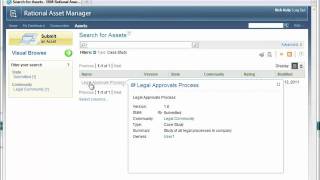
IBM Rational Insight Activity Tracking Demonstration
PublishedAt
2011-06-10T19:14:24Z
Tags
['rational', 'insight', 'activity', 'tracking', 'demo']
Description(ja)
このビデオでは、Rational Insight を Activity Tracking インキュベーター プロジェクトと共に使用して、Rational Team Concert から取得した実際のメトリックを使用してソフトウェア開発者のアクティビティを追跡する方法を示します。開発担当者、マネージャー、プログラマーが、チームからの手動のステータス レポートに頼ることなく、プロジェクトのステータスをよりよく把握するのに役立つ、自動化されたレポートが示されています。
Description
This video demonstrates how to use Rational Insight along with the Activity Tracking incubator project to track software developer activity using real metrics that are pulled from Rational Team Concert. There are automated reports shown that are valuable for development executives, managers and programmers to get better visibility into project status without relying upon manual status reports from the team.
Video
IBM Rational Insight Activity Tracking Demonstration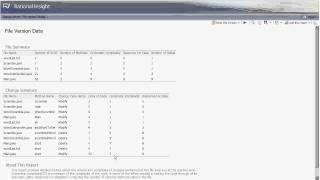
Private Review Features in Rational Asset Manager 7.5.1
PublishedAt
2011-06-10T19:47:41Z
Tags
['ram', '751', 'private', 'review']
Description(ja)
このビデオは、Rational Asset Manager 7.5.1 の非公開レビュー機能に関する洞察を提供します。
Description
This video provides insight on the private review features in Rational Asset Manager 7.5.1
Video
Private Review Features in Rational Asset Manager 7.5.1
Usability Enhancements in Rational Asset Manager 7.5.1
PublishedAt
2011-06-10T19:48:55Z
Tags
['ram', '751', 'usability', 'improvements']
Description(ja)
このビデオでは、Rational Asset Manager 7.5.1 で使用できるいくつかの使いやすさの機能強化を紹介しています。
Description
This video showcases a few of the usability enhancements available in Rational Asset Manager 7.5.1.
Video
Usability Enhancements in Rational Asset Manager 7.5.1
Guidance of Lifecycle in Rational Asset Manager 7.5.1
PublishedAt
2011-06-15T15:06:52Z
Tags
['RAM', '751', 'guidance', 'lifecycle', 'reviewer']
Description(ja)
このビデオでは、Rational Asset Manager 7.5.1 でアセットのライフサイクル全体にわたってレビュー担当者に提供されるガイダンスの概要を説明します。
Description
This video provides an overview of guidance provided to reviewers throughout the lifecycle of an asset in Rational Asset Manager 7.5.1.
Video
Guidance of Lifecycle in Rational Asset Manager 7.5.1
Configuring lifecycles with Rational Asset Manager 7.5.1 M3
PublishedAt
2011-07-25T19:39:10Z
Tags
['ram', '7.5.1', 'configuring', 'lifecycles']
Description(ja)
リポジトリおよびコミュニティ レベルでアセット ライフサイクルを構成するための改善点について説明します。マスター ライフサイクルを通じてアセットを管理し、コミュニティのライフサイクルをカスタマイズします。
Description
Learn about the improvements for configuring asset lifecycles at the repository and community levels. Manage assets through master lifecycles and customize lifecycles for communities.
Video
Configuring lifecycles with Rational Asset Manager 7.5.1 M3
Performance improvements in Rational Asset Manager 7.5.1 M3
PublishedAt
2011-07-25T19:45:10Z
Tags
['ram', '7.5.1', 'm3', 'performance', 'improvements']
Description(ja)
マイルストーン 3 でのパフォーマンスの向上のいくつかを確認してください。たとえば、アセットの更新や実行中のポリシーでの関係の処理などです。
Description
View a few of the performance improvements in milestone 3, such as relationship handling in asset updates and running policies.
Video
Performance improvements in Rational Asset Manager 7.5.1 M3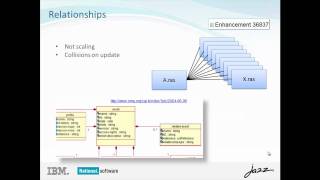
Reporting about asset lifecycles in Rational Asset Manager 7.5.1 M3
PublishedAt
2011-07-25T19:45:49Z
Tags
['ram', '7.5.1', 'reporting', 'asset', 'lifecycle']
Description(ja)
ライフサイクル情報に関する URL レポートの機能を使用する方法をご覧ください。これらの機能には、レビュー担当者のアクション、状態の開始時間、現在の状態、およびマスターまたはコミュニティのライフサイクルが含まれます。
Description
Watch how to use the capabilities for URL reporting about lifecycle information. These capabilities include reviewer actions, state entrance time, current state, and master or community lifecycle.
Video
Reporting about asset lifecycles in Rational Asset Manager 7.5.1 M3
OSGi bundle support and service policies in Rational Asset Manager 7.5.1 M3
PublishedAt
2011-07-25T19:48:23Z
Tags
['ram', '7.5.1', 'm3', 'osgi', 'bundle', 'support', 'service', 'policies']
Description(ja)
SOA アーティファクトと OSGi バンドルの新しいアセット コンテンツ サポートについて学びます。
Description
Learn about the new asset content support for SOA artifacts and OSGi bundles.
Video
OSGi bundle support and service policies in Rational Asset Manager 7.5.1 M3
Event feeds in Rational Asset Manager 7.5.1 M3
PublishedAt
2011-07-25T19:49:17Z
Tags
['ram', '7.5.1', 'm3', 'event', 'feed']
Description(ja)
[マイ ダッシュボード] ページの [マイ フィード] セクションを使用して、イベントやアクティビティに関する通知方法を指定する方法をご覧ください。
Description
Watch how to use the My Feed section of the My Dashboard page to specify how to be notified about events or activities.
Video
Event feeds in Rational Asset Manager 7.5.1 M3
Overview of the Design Management 3.5 M1 Domain Toolkit Editor
PublishedAt
2011-09-01T20:24:41Z
Tags
['design', 'management', 'domain', 'toolkit', 'editor']
Description(ja)
このビデオでは、Design Management 3.5 M1 の Domain Toolkit Editor の概要を説明します。
Description
This video provides an overview of the Domain Toolkit Editor in Design Management 3.5 M1.
Video
Overview of the Design Management 3.5 M1 Domain Toolkit Editor
Rational Quality Manager Version 3.0.1 Tour
PublishedAt
2011-09-12T17:51:57Z
Tags
['Rational Quality Manager', 'RQM', 'CLM']
Description(ja)
Rational Quality Manager は、事実上すべてのプラットフォームおよびテストのタイプにわたって統合されたライフサイクル サポートを提供する単一の共有テスト管理ハブを使用して、組織がプロジェクトの品質を最適化するのを支援します。
Description
Rational Quality Manager helps organizations optimize project quality with a single, shared test management hub that provides integrated lifecycle support across virtually any platform and type of testing.
Video
Rational Quality Manager Version 3.0.1 Tour
"Integration that Matters" Innovate 2011 Keynote - June 7 2011
PublishedAt
2011-09-12T20:52:49Z
Tags
['IBM', 'Rational', 'Rational Team Concert', 'Lifecycle Management', 'Agile']
Description(ja)
2011 年 6 月 7 日、フロリダ州オーランドで開催された IBM Innovate 2011 の基調講演。
ALM の重要事項と 5 つの必須事項の統合
コメディアンのフェリシア・デイが紹介。
IBM Rational 開発ラボのリーダーは、アプリケーション ライフサイクル管理、設計管理、およびエンタープライズ モダナイゼーションの分野における新たな進歩を強調しています。 IBM Rational Collaborative Lifecycle Management の取り組みのテクニカル リードである Scott Rich は、IBM Rational チームが Collaborative Lifecycle Management ソリューションをどのように実装したか、サイロ化されたチームを統合チームに変換するのにどのように役立ったか、およびこのプロセスがどのように行われたかを振り返り、セッションを締めくくります。ソリューション自体の改善につながりました。
Description
June 7, 2011 Keynote session from IBM Innovate 2011 in Orlando Florida.
Integration the Matters and the Five Imperatives of ALM
Introduced by comedian Felicia Day.
The leaders from IBM Rational development labs highlight new advancements in the areas of application lifecycle management, design management, and enterprise modernization. Scott Rich, the technical lead of the IBM Rational Collaborative Lifecycle Management effort, closes the session by reflecting on how the IBM Rational team has implemented their Collaborative Lifecycle Management solution, how it helped to transform siloed teams towards an integrated team, and how this process resulted in an improvements to the solution itself.
Video
"Integration that Matters" Innovate 2011 Keynote - June 7 2011
Using OSLC to integrate JIRA with the Rational solution for Collaborative Lifecycle Management
PublishedAt
2011-09-26T20:38:11Z
Tags
['oslc', 'jira', 'rational', 'collaborative', 'lifecycle', 'management', 'CLM']
Description(ja)
このデモでは、オープン サービス フォー ライフサイクル コラボレーションを使用して、JIRA を Rational for Collaborative Lifecycle Management ソリューションとシームレスに統合する方法を示します。
Description
This demo shows how JIRA can seamlessly integrate with the Rational solution for Collaborative Lifecycle Management using Open Services for Lifecycle Collaboration
Video
Using OSLC to integrate JIRA with the Rational solution for Collaborative Lifecycle Management
Five imperatives for ALM - In-context Collaboration
PublishedAt
2011-09-28T19:42:14Z
Tags
['alm', 'imperatives', 'incontext', 'collaboration']
Description(ja)
これは、5 つの ALM Imperatives のシリーズのビデオで、コンテキスト内コラボレーションの価値と、それが製品価値を最大化する方法に焦点を当てています。
Description
This is a video in the series for the Five ALM Imperatives, focusing on the value of In-context Collaboration and how it can maximize product value.
Video
Five imperatives for ALM - In-context Collaboration
Five imperatives for ALM - Accelerate time to delivery with Real-time Planning
PublishedAt
2011-10-12T14:52:18Z
Tags
['alm', 'imperatives', 'real-time', 'planning']
Description(ja)
これは、5 つの ALM Imperatives のシリーズのビデオで、リアルタイム プランニングで納期を短縮する価値に焦点を当てています。
Description
This is a video in the series for the Five ALM Imperatives, focusing on the value of accelerating time to delivery with Real-time Planning.
Video
Five imperatives for ALM - Accelerate time to delivery with Real-time Planning
Five imperatives for ALM - Improve Quality with Lifecycle Traceability
PublishedAt
2011-10-20T14:16:30Z
Tags
['alm', 'imperatives', 'lifecycle', 'traceability']
Description(ja)
これは、5 つの ALM Imperatives のシリーズのビデオで、ライフサイクル トレーサビリティで品質を向上させる方法に焦点を当てています。
Description
This is a video in the series for the Five ALM Imperatives, focusing on how to improve quality with Lifecycle Traceability.
Video
Five imperatives for ALM - Improve Quality with Lifecycle Traceability
What's new in Rational Asset Manager 7.5.1
PublishedAt
2011-10-25T20:53:18Z
Tags
['rational', 'asset', 'manager', 'ram', '7.5.1', "what's", 'new']
Description(ja)
Rational Asset Manager 7.5.1 に追加された注目すべき新機能とサポートの概要デモをご覧ください。
Description
Watch an overview demo of new and noteworthy features and support added to Rational Asset Manager 7.5.1.
Video
What's new in Rational Asset Manager 7.5.1
Five imperatives for ALM - Improve predictability with Development Intelligence
PublishedAt
2011-10-25T20:57:40Z
Tags
['alm', 'imperatives', 'improve', 'predictability', 'development', 'intelligence']
Description(ja)
これは、5 つの ALM Imperatives のシリーズのビデオで、開発インテリジェンスで予測可能性を向上させる方法に焦点を当てています。
Description
This is a video in the series for the Five ALM Imperatives, focusing on how to improve predictability with Development Intelligence.
Video
Five imperatives for ALM - Improve predictability with Development Intelligence
Five imperatives for ALM - Reduce costs with Continuous Improvement
PublishedAt
2011-10-26T15:27:58Z
Tags
['alm', 'imperatives', 'continuous', 'improvement', 'reduce', 'costs']
Description(ja)
これは、ALM の 5 つの重要事項のシリーズのビデオであり、継続的な改善によってコストを削減する能力に焦点を当てています。
Description
This is a video in the series for the Five ALM Imperatives, focusing on the ability to reduce costs with Continuous Improvement
Video
Five imperatives for ALM - Reduce costs with Continuous Improvement
Explorer Viewpoints in Design Management 3.5 M3
PublishedAt
2011-11-09T22:09:21Z
Tags
['jazz', 'design', 'management', '3.5', 'viewpoints']
Description(ja)
この短いビデオでは、Design Management 3.5 M3 で視点を使用する方法を示します。
Description
This brief videos demonstrates using viewpoints in Design Management 3.5 M3.
Video
Explorer Viewpoints in Design Management 3.5 M3
Using the Quality Dashboard in Rational Quality Manager
PublishedAt
2011-11-18T16:01:56Z
Tags
['rational', 'quality', 'manager', 'rqm', 'clm', 'dashboard']
Description(ja)
Rational Quality Manager のデフォルトの品質ダッシュボードは、QM プロジェクトにアクセスするための直感的でカスタマイズ可能な方法を提供します。
Description
Rational Quality Manager's default quality dashboards provide an intuitive, customizable way to access QM projects.
Video
Using the Quality Dashboard in Rational Quality Manager
Rational Team Concert: Creating an IBM i Project, build engine and build definition
PublishedAt
2011-11-29T22:40:21Z
Tags
['rational', 'team', 'concert', 'rtc', 'ibm', 'project', 'build', 'engine', 'definition']
Description(ja)
このビデオでは、i プロジェクトをインポートし、ビルド エンジンとビルド定義を作成し、IBM i でビルドを実行する方法を示します。
Description
This video demonstrates how to import an i Project, create a build engine and build definition, and run a build on IBM i.
Video
Rational Team Concert: Creating an IBM i Project, build engine and build definition
Rational Team Concert : Using the ISPF client with z/OS UNIX System Services
PublishedAt
2012-01-12T17:23:45Z
Tags
['rational', 'team', 'concert', 'ispf', 'client', 'z/os', 'unix']
Description(ja)
バージョン 3.0.1 から、ISPF クライアント機能が拡張され、z/OS UNIX System Services (USS) 上のディレクトリーおよびファイルを操作できるようになりました。 z/OS 以外のリソースを含むプロジェクトを System z の USS ファイル システム スペースにロードできるようになりました。 ISPF クライアントは、以下をサポートするようになりました。非 z/OS リソースをロードする場所の指定。ASCII エディターを使用した非 z/OS リソースの編集。ロードされた z/OS 以外のリソースに対する他の SCM 操作の実行
Description
Beginning with version 3.0.1, the ISPF client functions are expanded to work with directories and files on z/OS UNIX System Services (USS). Projects that contain non-z/OS resources can now be loaded in the USS file system space on System z. The ISPF client now supports: Specifying where to load non-z/OS resources;Editing non-z/OS resources using an ASCII editor; Performing other SCM operations on loaded non-z/OS resources
Video
Rational Team Concert : Using the ISPF client with z/OS UNIX System Services
Rational Team Concert: Simplifying Local Developments for zComponent Projects
PublishedAt
2012-01-12T18:15:00Z
Tags
['rational', 'team', 'concert', 'developer', 'system', 'local', 'development', 'cobol', 'pl/1']
Description(ja)
このデモンストレーションは、Rational Developer for System z 8.0.3 および Rational Team Concert 3.0.1 の拡張機能を活用して、COBOL および PL/1 アプリケーションのオフホスト (つまりローカル) 開発を簡素化する方法を示しています。
Description
This demonstration illustrates how you can leverage the enhancements in Rational Developer for System z 8.0.3 and Rational Team Concert 3.0.1 to simplify off-host (i.e. local) development for COBOL and PL/1 applications.
Video
Rational Team Concert: Simplifying Local Developments for zComponent Projects
Using Rational Team Concert with Rational ClearTeam Explorer
PublishedAt
2012-01-18T19:25:41Z
Tags
['rational', 'team', 'concert', 'clearteam', 'explorer', 'demo', 'rtc', 'cte']
Description(ja)
このビデオでは、Rational ClearTeam Explorer で Rational Team Concert を使用する方法を示します。
Description
This video demonstrates how to use Rational Team Concert with Rational ClearTeam Explorer.
Video
Using Rational Team Concert with Rational ClearTeam Explorer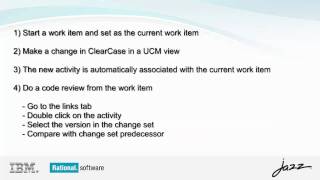
What's new in Rational Asset Manager 7.5.1.1 M1
PublishedAt
2012-01-26T17:09:35Z
Tags
['rational', 'asset', 'manager', 'ram', '7.5.1.1', "what's", 'new']
Description(ja)
Rational Asset Manager 7.5.1.1 M1 に追加された注目すべき新機能とサポートの概要デモをご覧ください。
Description
Watch an overview demo of new and noteworthy features and support added to Rational Asset Manager 7.5.1.1 M1.
Video
What's new in Rational Asset Manager 7.5.1.1 M1
Rational Team Concert: Understanding Build Specifications and Impact Analysis on IBM i
PublishedAt
2012-02-10T19:26:37Z
Tags
['rational', 'team', 'concert', 'build', 'specifications', 'impact', 'analysis', 'ibm']
Description(ja)
このビデオでは、IBM i ビルド仕様を作成および構成し、Enterprise Extensions 影響分析機能を使用する方法を示します。
Description
This video demonstrates how to create and configure IBM i build specifications and use the Enterprise Extensions impact analysis feature.
Video
Rational Team Concert: Understanding Build Specifications and Impact Analysis on IBM i
Design Management 4.0 M7 Model Validation Part 1
PublishedAt
2012-03-05T20:05:28Z
Tags
['design', 'management', 'model', 'validation']
Description(ja)
このビデオは、モデルの検証制約を定義する方法を確認するのに役立ちます。これは 2 のパート 1 です。
Description
This video will help you to see how to define validation constraints on models. This is part 1 of 2.
Video
Design Management 4.0 M7 Model Validation Part 1
Design Management 4.0 M7 Model Validation Part 2
PublishedAt
2012-03-05T20:08:45Z
Tags
['design', 'management', 'model', 'validation']
Description(ja)
このビデオは、モデルの検証制約を定義する方法を確認するのに役立ちます。これはパート 2 の 2 です。
Description
This video will help you to see how to define validation constraints on models. This is part 2 of 2.
Video
Design Management 4.0 M7 Model Validation Part 2
CLM 2012 Beta (RTC) - Locating change sets
PublishedAt
2012-03-14T14:46:20Z
Tags
['IBM Rational Jazz', 'source control', 'SCM']
Description(ja)
多くのバグを修正しましたが、修正箇所を知りたいですか?新しい検索変更セット エディタを使用してください。
Description
You fixed many bugs and want to know where the fixes are? Use the new locate change sets editor!
Video
CLM 2012 Beta (RTC) - Locating change sets
CLM 2012 Beta (RTC) - Deleting file contents from source control
PublishedAt
2012-03-14T15:04:40Z
Tags
['IBM Jazz Rational', 'Rational Team Concert', 'IBM', 'Rational', 'Jazz']
Description(ja)
新しい!管理者は、ファイルのバージョンに関連付けられたコンテンツを削除できます。スペースを再利用するか、不適切なコンテンツを削除します。
Description
New! An administrator can delete the content associated to the version of a file - e.g. to reclaim space or remove improper content.
Video
CLM 2012 Beta (RTC) - Deleting file contents from source control
CLM 2012 Beta (RTC) - File and folder read permissions in source control
PublishedAt
2012-03-14T15:59:32Z
Tags
['IBM', 'Jazz', 'Rational', 'Rational Team Concert', 'Rational Software', 'agile', 'source control']
Description(ja)
Rational Team Concert でファイルとフォルダーに読み取りアクセス許可を設定する方法を学びます。
Description
Learn how to set read access permission on files and folders in Rational Team Concert.
Video
CLM 2012 Beta (RTC) - File and folder read permissions in source control
CLM 2012 Beta (RTC) - Getting started with RTC shell explorer for Microsoft Windows
PublishedAt
2012-03-16T14:47:18Z
Tags
None
Description(ja)
Description
Video
CLM 2012 Beta (RTC) - Getting started with RTC shell explorer for Microsoft Windows
CLM 2012 Beta (RTC) - Configuring dynamic read-only attributes
PublishedAt
2012-03-16T14:47:53Z
Tags
None
Description(ja)
Description
Video
CLM 2012 Beta (RTC) - Configuring dynamic read-only attributes
CLM 2012 Beta (RRC) - Suspect link analysis
PublishedAt
2012-03-16T14:50:41Z
Tags
None
Description(ja)
Description
Video
CLM 2012 Beta (RRC) - Suspect link analysis
CLM 2012 Beta (RRC) - Import and export with ReqIF and Rich Text Documents
PublishedAt
2012-03-16T14:51:14Z
Tags
None
Description(ja)
Description
Video
CLM 2012 Beta (RRC) - Import and export with ReqIF and Rich Text Documents
CLM 2012 Beta (RRC) - An introduction to modules
PublishedAt
2012-03-16T14:51:36Z
Tags
None
Description(ja)
Description
Video
CLM 2012 Beta (RRC) - An introduction to modules
CLM 2012 Beta - Web UI improvements
PublishedAt
2012-03-16T14:55:28Z
Tags
['IBM', 'Rational', 'Jazz', 'Rational Team Concert', 'Web UI', 'CLM', 'beta', 'Rational Software']
Description(ja)
このビデオでは、CLM 2012 Web UI で使用できるいくつかの新機能を紹介しています。これには、製品の一般的なナビゲーション構造の改善と、プロジェクトおよびチーム ダッシュボードへの安定した情報の追加や非 Jazz ベースの環境へのウィジェットのエクスポート機能など、ダッシュボードのいくつかの新機能が含まれます。
Description
This video demonstrates some of the new features available across the CLM 2012 web ui. It includes improvements to the general navigational structure of the products as well as several new capabilities in Dashboards, including the addition of stable information on Project and Team Dashboards and the ability to export widgets to non-Jazz based environments.
Video
CLM 2012 Beta - Web UI improvements
CLM 2012 Beta (RQM) - Better execution planning and tracking
PublishedAt
2012-03-16T18:57:03Z
Tags
['IBM', 'Rational', 'Jazz', 'Rational Quality Manager', 'testing', 'quality management', 'quality', 'Rational Software', 'Planning']
Description(ja)
このデモ・ビデオでは、jazz.net で入手できる Rational Quality Manager の 2012 ベータ版の実行計画と追跡を支援するいくつかの新機能について説明します。また、ライブ ビュー、トレーサビリティ、CSV エクスポートなど、いくつかの新しい UI の機能強化とその他の機能についても説明します。
Description
In this demo video we cover some of the new features that aid with execution planning and tracking in the 2012 Beta version of Rational Quality Manager available on jazz.net. We also cover some new UI enhancements and other features along the way, including live views, traceability, and CSV export.
Video
CLM 2012 Beta (RQM) - Better execution planning and tracking
CLM 2012 Beta (RTC) - Cross Server Process Sharing
PublishedAt
2012-03-23T02:16:35Z
Tags
['IBM', 'Rational', 'Jazz', 'Rational Team Concert', 'CLM', 'Beta', 'demo', 'vido', 'Rational Software', 'Demonstration']
Description(ja)
このビデオは、異なる Jazz Team Server 上のプロジェクト・エリア間でプロセス設定を構成および共有する方法を示しています。
Description
This video demonstrates how to configure and share process settings between project areas on different Jazz Team Servers.
Video
CLM 2012 Beta (RTC) - Cross Server Process Sharing
CLM 2012 Beta (RRDI) - What's new in Rational Reporting
PublishedAt
2012-03-23T02:45:20Z
Tags
['IBM', 'Rational', 'Rational Software', 'RRDI', 'Jazz', 'software', 'reporting']
Description(ja)
このビデオでは、IBM の Mike Fox が、2012 ベータ版の Rational Reporting for Development Intelligence (RRDI) プロジェクトの新しい拡張機能について説明し、その一部を示しています。
Description
In this video, IBM's Mike Fox talks about and shows some of the new enhancements in Rational Reporting for Development Intelligence (RRDI) project in the 2012 Beta.
Video
CLM 2012 Beta (RRDI) - What's new in Rational Reporting
CLM 2012 Beta (RTC) - Clustering demo
PublishedAt
2012-03-23T03:00:57Z
Tags
['IBM', 'Rational', 'Jazz', 'Rational Team Concert', 'Rational Software', 'Beta', 'Demo', 'cluster', 'clustering', 'application', 'lifecycle', 'management']
Description(ja)
このビデオでは、Matt Lavin と Jason Wagner が、Rational Team Concert の新しいクラスタリング サポートと、より広範な Collaborative Lifecycle Management (CLM) ソリューションについて説明し、デモンストレーションを行います。 Websphere Application Server とクラスター化された Jazz Team Server を使用した典型的なアプリケーション・サーバー・クラスター・トポロジーを示し、Jazz Team Server を使用してクラスターを管理する方法を示します。
Description
In this video, Matt Lavin and Jason Wagner explain and demonstrate the new clustering support in Rational Team Concert and the broader Collaborative Lifecycle Management (CLM) solution. They show a typical application server cluster topology with Websphere Application Servers and clustered Jazz Team Servers, and they demonstrate how you can use the Jazz Team Server to manage the clusters.
Video
CLM 2012 Beta (RTC) - Clustering demo
CLM 2012 Beta (RTC) - "Express Setup" demo for Jazz Team Server
PublishedAt
2012-03-23T13:39:23Z
Tags
['IBM', 'Rational', 'Jazz', 'Rational Team Concert', 'Jazz Team Server', 'Rational Software', 'Beta', 'Demo', 'setup', 'wizard']
Description(ja)
このデモでは、Jazz Foundation チームの Jason Wagner が、Jazz Team Server セットアップ・ウィザードの新しい高速セットアップ・オプションを示しています。この Express Setup パスは、ユーザーが基本デフォルトで起動して実行するための迅速なデフォルト パスを提供します。これは、Rational Team Concert の非実稼働環境でタイヤを蹴ったり、サーバーを試したりするのに最適です。
Description
In this demo, Jason Wagner of the Jazz Foundation team shows the new Express Setup option of the Jazz Team Server setup wizard. This Express Setup path gives users a quick default path to get them up and running with base defaults, perfect for kicking the tires or trying out the server in a non-production environment for Rational Team Concert.
Video
CLM 2012 Beta (RTC) - "Express Setup" demo for Jazz Team Server
CLM 2012 Beta - Scriptable setup for Jazz Team Server
PublishedAt
2012-03-23T13:47:19Z
Tags
['IBM', 'Rational', 'Jazz', 'Rational Team Concert', 'Rational Software', 'Beta', 'demo', 'Jazz Team Server', 'setup', 'command line']
Description(ja)
このデモでは、Bo Chulindra が、コマンド ラインから Jazz Team Server セットアップを実行し、すべての構成オプションと応答を応答ファイルに保存し、その後のインストールでその応答ファイルを指定して同一のセットアップを実行する方法を示しています。これは、同じイメージを何度もセットアップする必要がある Rational Team Concert 管理者にとって便利です。
Description
In this demo, Bo Chulindra shows how you can run the Jazz Team Server setup from the command line, save all the configuration options and responses to a response file, then specify that response file in subsequent installations to run identical setups. This is useful for Rational Team Concert administrators who need to set up identical images many times.
Video
CLM 2012 Beta - Scriptable setup for Jazz Team Server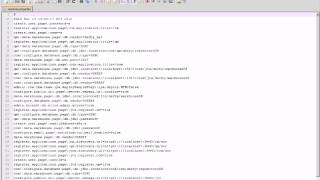
CLM 2012 Beta - Installing the Jazz Team Server
PublishedAt
2012-03-24T03:40:50Z
Tags
['IBM', 'Rational', 'Jazz', 'Rational Team Concert', 'install', 'installation', 'beta', 'demo', 'Jazz Team Server', '2012', 'CLM']
Description(ja)
このビデオでは、Jazz Team Server および CLM アプリケーションのダウンロード、インストール、およびセットアップの手順を示します。 Rational Team Concert、Rational Quality Manager、および Rational Requirements composer 用の Jazz Team Server のインストールは、IBM Installation Manager によって処理され、セットアップは Web ベースのセットアップ・ウィザードによって処理されます。
デモは、Jazz Team Server インストール チームのチーム リーダーである Chris Daly によって行われます。
Description
This video demonstrates the steps for downloading, installing, and setting up the Jazz Team Server and the CLM applications. Installing a Jazz Team Server for Rational Team Concert, Rational Quality Manager, and Rational Requirements composer is handled via IBM Installation Manager, and the setup is handled via a Web-based setup wizard.
The demo is done by Chris Daly, the team lead for the Jazz Team Server install team.
Video
CLM 2012 Beta - Installing the Jazz Team Server
CLM 2012 Beta (RTC) - Authoring process descriptions in the Web UI
PublishedAt
2012-03-26T13:33:05Z
Tags
['IBM', 'Rational', 'Jazz', 'Rational Team Concert', 'process', 'template', 'RTC']
Description(ja)
このビデオでは、Rational Team Concert Web UI を使用して、プロセスの説明を含むプロセス テンプレートを編集および管理する方法を紹介します。
Description
This video demonstrates how you can now use the Rational Team Concert Web UI to edit and manage process templates including process descriptions.
Video
CLM 2012 Beta (RTC) - Authoring process descriptions in the Web UI
Rational Team Concert: Using dependency builds
PublishedAt
2012-03-27T17:18:56Z
Tags
['rational', 'team', 'concert', 'rtc', 'dependency', 'builds']
Description(ja)
Enterprise Extensions の依存関係ビルドは、最後に成功したチーム ビルド以降に変更された、または変更に依存するリソースのみをビルドすることで、ビルド時間とリソースを節約します。
Description
Enterprise Extensions dependency builds save build time and resources by only building resources that have changed or depend on changes that occurred since the last successful team build.
Video
Rational Team Concert: Using dependency builds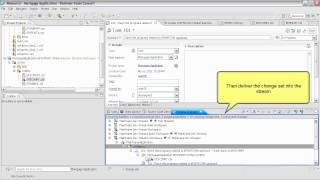
Manually Importing Simulink Modules in to Rhapsody Design Manager
PublishedAt
2012-03-27T18:51:49Z
Tags
['design', 'management', 'rhapsody', 'smiling', 'modules']
Description(ja)
このビューレットは、Simulink モジュールを Rhapsody Design Manager に手動でインポートする方法を示しています。
Description
This viewlet shows how to manually import Simulink Modules in to Rhapsody Design Manager.
Video
Manually Importing Simulink Modules in to Rhapsody Design Manager
Importing Simulink Modules in to Rhapsody Design Manager using Rhapsody Import Engine
PublishedAt
2012-03-27T18:56:12Z
Tags
['design', 'management', 'rhapsody', 'simulink', 'import', 'engine']
Description(ja)
このビューレットは、Rhapsody Import Engine を使用して Rhapsody Design Manager に Simulink モジュールをインポートする方法を示します。
Description
This viewlet demonstrates how to import Simulink Modules in to Rhapsody Design Manager using the Rhapsody Import Engine
Video
Importing Simulink Modules in to Rhapsody Design Manager using Rhapsody Import Engine
Installing the Rhapsody Design Manager Simulink Integration
PublishedAt
2012-03-27T18:56:22Z
Tags
['design', 'management', 'rhapsody', 'simulink', 'integration']
Description(ja)
このビューレットは、Simulink Integration for Rhapsody Design Manager をインストールする方法を示します。
Description
This viewlet demonstrates how to install the Simulink Integration for Rhapsody Design Manager
Video
Installing the Rhapsody Design Manager Simulink Integration
Installing the Rhapsody Design Manager Simulink Client Extension
PublishedAt
2012-03-27T18:58:29Z
Tags
['design', 'management', 'rhapsody', 'simulink', 'client', 'extension']
Description(ja)
このビューレットは、Rhapsody Design Manager 用の Simulink クライアント拡張機能をインストールする方法を示しています
Description
This viewlet demonstrates how to install the Simulink Client Extension for Rhapsody Design Manager
Video
Installing the Rhapsody Design Manager Simulink Client Extension
Managing a Model directly on the Design Management Server using Rhapsody Design Manager 4.0 M7
PublishedAt
2012-03-27T19:02:54Z
Tags
['design', 'management', 'rhapsody', 'model', 'manager', 'client', '4.0', 'm7']
Description(ja)
このビューレットは、Rhapsody Design Management 4.0 M7 クライアントを使用して Rhapsody モデルを Design Management サーバー上で直接管理する方法を示しています。
Description
This viewlet demonstrates how to use the Rhapsody Design Management 4.0 M7 client to manage Rhapsody models directly on the Design Management server.
Video
Managing a Model directly on the Design Management Server using Rhapsody Design Manager 4.0 M7
What's new in Rational Asset Manager 7.5.1.1
PublishedAt
2012-03-30T17:50:48Z
Tags
['rational', 'asset', 'manager', '7.5.1.1', "what's", 'new']
Description(ja)
Rational Asset Manager 7.5.1.1 で追加された注目すべき新機能とサポートの概要デモをご覧ください。
Description
Watch an overview demo of new and noteworthy features and support added during Rational Asset Manager 7.5.1.1.
Video
What's new in Rational Asset Manager 7.5.1.1
"Wake up to Jazz!" Live Performance
PublishedAt
2012-05-30T17:07:32Z
Tags
['ibm', 'rational', 'team concert', 'agile', 'agility at scale', 'music', 'song', 'video', 'alm']
Description(ja)
IBM Rational Jazz は、チームの共同作業の方法を変え、これまで以上にコラボレーションを容易にします。 Rational Team Concert などのアジャイル ツールを使用すると、チームがアジャイルになるだけでなく、成長に合わせてアジャイル ツールを拡張できます。すでに大企業ですか?パーティーに参加してください....フォーチュン 100 社のうち 93 社がすでに IBM Rational を使用しています。
Description
IBM Rational Jazz is changing the way teams work together and making it easier than ever to collaborate. With Agile tools such as Rational Team Concert, not only can your team be agile, but your Agile tools can scale with you as you grow. Already a large enterprise? Join the party....93 of Fortune 100 companies already use IBM Rational.
Video
"Wake up to Jazz!" Live Performance
Enterprise build, promote, and deploy scenario in the CLM 2012 Money that Matters sample
PublishedAt
2012-07-10T20:51:07Z
Tags
['CLM', 'build', 'promote', 'deploy']
Description(ja)
このビデオでは、CLM 2012 Money that Matters サンプルでの企業の構築、宣伝、展開のシナリオを紹介しています。
Description
This video shows the enterprise build, promote, and deploy scenario in the CLM 2012 Money that Matters sample.
Video
Enterprise build, promote, and deploy scenario in the CLM 2012 Money that Matters sample
Rational Quality Manager 4.0 Manual Test Script Recorder
PublishedAt
2012-08-24T18:56:24Z
Tags
['rational', 'quality', 'manager', 'rqm', '4.0', 'features']
Description(ja)
このビデオでは、Rational Quality Manager 4.0 の Manual Test Script Recorder を使用して手動テスト スクリプトを作成する方法を示します。
Description
This video shows how to create manual test scripts using the Manual Test Script Recorder in Rational Quality Manager 4.0.
Video
Rational Quality Manager 4.0 Manual Test Script Recorder
Rational Team Concert: Using the Enterprise Extensions component promotion feature
PublishedAt
2012-08-24T19:59:53Z
Tags
['rational', 'team', 'concert', 'rtc', 'enterprise', 'extensions', 'component', 'promotion']
Description(ja)
このビデオでは、Enterprise Extensions プロモーション機能の概要を説明し、コンポーネント プロモーションの使用方法を示します。ワークアイテムのプロモーションは別のビデオで実演されています。 (バージョン 3.0.1.x)
Description
This video provides an overview of the Enterprise Extensions promotion feature and demonstrates how to use component promotion. Work item promotion is demonstrated in separate videos. (Version 3.0.1.x )
Video
Rational Team Concert: Using the Enterprise Extensions component promotion feature
Rational Team Concert: Using Enterprise Extensions work item promotion feature Part 2
PublishedAt
2012-08-24T20:00:01Z
Tags
['rtc', '3', 'ee', 'wi', 'promotion', 'part', '2']
Description(ja)
作業項目の昇格は、変更要求を開発階層のソース レベルからターゲット レベルに昇格させるために使用されます。このビデオでは、ソース アーティファクトとビルド出力の宣伝に焦点を当てています。このビデオは、2 部構成のシリーズの第 2 部です。 (バージョン 3.0.1.x)
Description
Work item promotion is used to promote change requests from a source level to a target level in a development hierarchy. This video focuses on promoting source artifacts and build outputs. This video is part two of a two-part series. (Version 3.0.1.x)
Video
Rational Team Concert: Using Enterprise Extensions work item promotion feature Part 2
Rational Team Concert: Using Enterprise Extensions work item promotion feature Part 1
PublishedAt
2012-08-24T20:00:08Z
Tags
['rational', 'team', 'concert', 'rtc', 'enterprise', 'extensions', 'work', 'item', 'promotion', 'source', 'artifacts']
Description(ja)
作業項目の昇格は、変更要求を開発階層のソース レベルからターゲット レベルに昇格させるために使用されます。このビデオでは、ソース アーティファクトの宣伝に焦点を当てています。このビデオは、2 部構成のシリーズの第 1 部です。 (バージョン 3.0.1.x)
Description
Work item promotion is used to promote change requests from a source level to a target level in a development hierarchy. This video focuses on promoting source artifacts. This video is part one of a two-part series. (Version 3.0.1.x)
Video
Rational Team Concert: Using Enterprise Extensions work item promotion feature Part 1
Rational Team Concert: Using the Enterprise Extensions work item package and deployment feature
PublishedAt
2012-08-24T20:00:15Z
Tags
['rational', 'team', 'concert', 'rtc', 'enterprise', 'extensions', 'work', 'item', 'package', 'deployment']
Description(ja)
このビデオでは、ビルド出力をパッケージ化し、出力をコンテナーおよびランタイム環境にデプロイする方法を示します。パッケージ化および展開される出力は、作業項目に基づいて選択されます。 (バージョン 3.0.1.x)
Description
This video demonstrates how to package build outputs and deploy the outputs to container and runtime environments. The outputs that are packaged and deployed are selected based on work items. (Version 3.0.1.x)
Video
Rational Team Concert: Using the Enterprise Extensions work item package and deployment feature
Rational Team Concert: Using the Enterprise Extensions package and deployment feature
PublishedAt
2012-08-24T20:00:23Z
Tags
['rational', 'team', 'concert', 'rtc', 'enterprise', 'extensions', 'package', 'deployment']
Description(ja)
このビデオでは、ビルド出力をパッケージ化し、出力をコンテナーおよびランタイム環境にデプロイする方法を示します。パッケージ化されて展開される出力は、出荷リスト ファイルに基づいて選択されます。 (バージョン 3.0.1.x)
Description
This video demonstrates how to package build outputs and deploy the outputs to container and runtime environments. The outputs that are packaged and deployed are selected based on a ship list file. (Version 3.0.1.x)
Video
Rational Team Concert: Using the Enterprise Extensions package and deployment feature
Using Rational Team Concert 4.0 with Rational ClearTeam Explorer
PublishedAt
2012-08-28T18:09:18Z
Tags
['rational', 'team', 'concert', 'rtc', 'clearteam', 'explorer']
Description(ja)
このビデオでは、Rational ClearCase ユーザーが Rational Team Concert 4.0 を活用しながら、Rational ClearTeam Explorer を使用して ClearCase UCM でソース管理されたアーティファクトを管理する方法を示します。
Description
This video demonstrates how Rational ClearCase users can take advantage of Rational Team Concert 4.0 while using Rational ClearTeam Explorer to manage their source-controlled artifacts with the ClearCase UCM.
Video
Using Rational Team Concert 4.0 with Rational ClearTeam Explorer
IBM Smart Cloud Continuous Delivery Overview
PublishedAt
2012-09-04T15:02:25Z
Tags
['IBM', 'jazz.net', 'smart', 'cloud', 'continuous', 'delivery']
Description(ja)
このビデオでは、jazz.net の IBM Smart Cloud Continuous Delivery オファリングの概要を説明します。
Description
This video provides an overview of the IBM Smart Cloud Continuous Delivery offering on jazz.net.
Video
IBM Smart Cloud Continuous Delivery Overview
Design Management 4.0 Web Sketcher Demonstration
PublishedAt
2012-09-06T14:29:32Z
Tags
['jazz.net', 'design', 'management', 'web', 'sketcher']
Description(ja)
これは、Design Management 4.0 の Web スケッチャーのデモです。
Description
This is a demonstration of the Web Sketcher in Design Management 4.0.
Video
Design Management 4.0 Web Sketcher Demonstration
Design Management 4.0 Model Validation Part 1
PublishedAt
2012-09-14T14:27:08Z
Tags
['design', 'management', 'model', 'validation']
Description(ja)
このビデオは、モデルの検証制約を定義する方法を確認するのに役立ちます。これは 3 のパート 1 です。
Description
This video will help you to see how to define validation constraints on models. This is part 1 of 3.
Video
Design Management 4.0 Model Validation Part 1
Design Management 4.0 Model Validation Part 2
PublishedAt
2012-09-14T14:27:21Z
Tags
['design', 'management', 'model', 'validation']
Description(ja)
このビデオは、モデルの検証制約を定義する方法を確認するのに役立ちます。これはパート 2/3 です。
Description
This video will help you to see how to define validation constraints on models. This is part 2 of 3.
Video
Design Management 4.0 Model Validation Part 2
Design Management 4.0 Model Validation Part 3
PublishedAt
2012-09-14T14:27:29Z
Tags
['design', 'management', 'model', 'validation']
Description(ja)
このビデオは、モデルの検証制約を定義する方法を確認するのに役立ちます。これは 3 のパート 3 です。
Description
This video will help you to see how to define validation constraints on models. This is part 3 of 3.
Video
Design Management 4.0 Model Validation Part 3
Rational Team Concert: IBM i Dependency Build
PublishedAt
2012-09-19T22:14:59Z
Tags
['rational', 'team', 'concert', 'dependency', 'build']
Description(ja)
IBM i 依存関係ビルドは、最後に成功したビルド以降の変更の影響を受けるソース ファイルのみをビルドすることで、時間とリソースを節約します。
Description
IBM i dependency builds save time and resources by only building the source files that are affected by changes since the last successful build.
Video
Rational Team Concert: IBM i Dependency Build
The query editor in Rational Design Manager 4.0
PublishedAt
2012-09-27T20:03:03Z
Tags
['rational', 'design', 'manager', 'query', 'editor']
Description(ja)
このビデオでは、Rational Design Manager 4.0 の新しいクエリ エディターのさまざまな機能を使用して、3 つのサンプル クエリを作成および実行する方法を示します。
Description
This video shows the creation and execution of three example queries using the various features of the new query editor in Rational Design Manager 4.0.
Video
The query editor in Rational Design Manager 4.0
ALM Everywhere
PublishedAt
2012-09-28T16:52:47Z
Tags
['collaborative', 'lifecycle', 'management', 'application', 'software', 'rational']
Description(ja)
アプリケーション ライフサイクル管理の 5 つの必須事項。共同ライフサイクル管理のための合理的なソリューション。
Description
5 imperatives for application lifecycle management. Rational solution for Collaborative Lifecycle Management.
Video

Design Management 4.0 Domain Toolkit - Domain Construction Part 2
PublishedAt
2012-10-01T13:52:58Z
Tags
['rational', 'design', 'management', '4.0', 'domain', 'toolkit']
Description(ja)
このビデオは、Design Management 4.0 Domain Toolkit 機能のデモンストレーションです。
Description
This video is a demonstration of the Design Management 4.0 Domain Toolkit capability.
Video
Design Management 4.0 Domain Toolkit - Domain Construction Part 2
Design Management 4.0 Domain Toolkit - Domain Construction Part 1
PublishedAt
2012-10-01T13:53:10Z
Tags
['rational', 'design', 'management', '4.0', 'domain', 'toolkit']
Description(ja)
このビデオは、Design Management 4.0 Domain Toolkit 機能のデモンストレーションです。
Description
This video is a demonstration of the Design Management 4.0 Domain Toolkit capability.
Video
Design Management 4.0 Domain Toolkit - Domain Construction Part 1
Rational Team Concert: Using the ISPF client
PublishedAt
2012-10-17T23:28:36Z
Tags
['rational', 'team', 'concert', 'rtc', 'ispf', 'client']
Description(ja)
このビデオでは、Rational Team Concert バージョン 4 で導入された ISPF クライアントの機能拡張について説明します。
Description
This video demonstrates the ISPF client enhancements introduced in Rational Team Concert version 4.
Video
Rational Team Concert: Using the ISPF client
Rational Team Concert 2012: Enterprise Extensions dependency build overview
PublishedAt
2012-10-26T15:24:40Z
Tags
['enterprise extensions', 'zos', 'ibmi']
Description(ja)
このビデオでは、バージョン 4 で導入された依存関係ビルド機能について説明します。依存関係ビルドは、最後に成功したビルド以降に変更されたアーティファクトのみをビルドすることで、時間とリソースを節約します。
Description
This video highlights the dependency build features introduced in version 4. Dependency builds save time and resources by only building artifacts that have changed since the last successful build.
Video
Rational Team Concert 2012: Enterprise Extensions dependency build overview
What's new in Rational Asset Manager 7.5.1.2 M2
PublishedAt
2012-11-02T18:12:47Z
Tags
['RAM', 'Rational Asset Manager', '7.5.1.2']
Description(ja)
Rational Asset Manager 7.5.1.2 M2 で追加された注目すべき新機能とサポートの概要デモをご覧ください。
Description
Watch an overview demo of new and noteworthy features and support added during Rational Asset Manager 7.5.1.2 M2.
Video
What's new in Rational Asset Manager 7.5.1.2 M2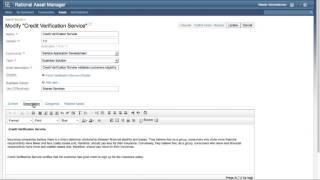
Auto-scroll feature in Rational Team Concert
PublishedAt
2012-11-07T15:52:09Z
Tags
['autoscroll', 'feature', 'Rational Team Concert']
Description(ja)
Rational Solution for Collaborative Lifecycle Management 4.0.1 リリースでの自動スクロールのサポート。
Description
Auto-scrolling support in the Rational Solution for Collaborative Lifecycle Management 4.0.1 release.
Video
Auto-scroll feature in Rational Team Concert
Preconditions and follow-up actions in Rational Quality Manager
PublishedAt
2012-11-13T11:54:31Z
Tags
['Rational Quality Manager']
Description(ja)
チーム・メンバーが Rational Quality Manager Web UI で前提条件とフォローアップ・アクションをどのように処理するかをご覧ください。
Description
Watch how team members work with preconditions and follow-up actions in Rational Quality Manager web UI.
Video
Preconditions and follow-up actions in Rational Quality Manager
Locking features of Requirements Manager
PublishedAt
2012-11-14T17:53:55Z
Tags
['Rational Requirements Manager', 'locking artifacts', 'manage requirements']
Description(ja)
成果物をロックして他のユーザーが編集または削除できないようにするなど、要件マネージャーのロック関連機能のデモを行います。
Description
Demonstrate lock related features in requirements manager, such as locking an artifact to prevent other users from editing or deleting it.
Video
Locking features of Requirements Manager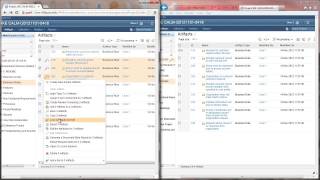
ReqIF feature in Requirements Management
PublishedAt
2012-11-14T18:11:52Z
Tags
['ReqIF', 'requirements management', 'Rational Requirements Composer', 'Rational']
Description(ja)
モジュールを ReqIF ファイルとして要件管理にインポートし、ReqIF Manager UI でプロパティを管理して、レポートを表示し、パートナーと交換するデータを追跡します。
Description
Import a module as a ReqIF file into requirements management, and manage properties in the ReqIF Manager UI to view reports and track data as you exchange it with partners.
Video
ReqIF feature in Requirements Management
Web client enhancements for Requirements Management
PublishedAt
2012-11-14T18:22:10Z
Tags
['Rational Requirements Composer', 'traceability', 'linked preferences', 'collection compare', 'requirements management']
Description(ja)
3 つの Web サイレント機能拡張: マルチレベルの追跡可能性、リンクされた設定、およびコレクションの比較。 Rational Requirements Composer。
Description
Three web cilent enhancements: multi-level traceability, linked preferences, and collection compare. Rational Requirements Composer.
Video
Web client enhancements for Requirements Management
Rational Team Concert client for Microsoft Visual Studio 2012
PublishedAt
2012-11-15T17:14:39Z
Tags
['Rational Team Concert', 'Visual Studio 2012', 'IDE']
Description(ja)
Collaborative Lifecycle Management 4.0.1 でサポートされています。インストールと機能の紹介。
Description
Supported in Collaborative Lifecycle Management 4.0.1. An introduction to installation and features.
Video
Rational Team Concert client for Microsoft Visual Studio 2012
Highlights of the IBM Mobile Development Lifecycle Solution 4.0
PublishedAt
2012-11-15T20:30:44Z
Tags
['Mobile', 'Software', 'IBM Worklight', 'Phone', 'Tablet', 'development']
Description(ja)
このビデオでは、IBM Mobile Development Lifecycle Solution 4.0 の概要を説明します。
Description
This video provides an overview of the IBM Mobile Development Lifecycle Solution 4.0.
Video
Highlights of the IBM Mobile Development Lifecycle Solution 4.0
Import ClearQuest records into Rational Team Concert
PublishedAt
2012-11-29T18:12:51Z
Tags
['ClearQuest', 'Rational Team Concert', 'import', 'ClearQuest records', 'CSV importer']
Description(ja)
CSV インポーターを使用して ClearQuest レコードを Rational Team Concert にインポートし、既に存在する場合は更新します。
Description
Use the CSV importer to import ClearQuest records to Rational Team Concert, and update them if they already exist.
Video
Import ClearQuest records into Rational Team Concert
Rational Team Concert: Output rename feature of dependency builds
PublishedAt
2012-11-29T18:15:01Z
Tags
['zos', 'IBM i systems', 'Rational Team Concert']
Description(ja)
z/OS システムと IBM i システムの両方の依存関係ビルドの出力名前変更機能。ビルドの柔軟性を高めるために、出力オブジェクトの名前を変更できるようになりました。 Program Translator を使用して、これがどのように機能するかを確認してください。
Description
Output rename feature of dependency builds for both z/OS and IBM i systems. Now you can rename output objects for more flexibility for your builds. See how this works using Program Translator.
Video
Rational Team Concert: Output rename feature of dependency builds
Introduction to Modules in Requirements Management
PublishedAt
2012-11-29T18:15:55Z
Tags
['Rational Requirements Composer', 'modules', 'requirements management']
Description(ja)
モジュールのデモ -- 要件管理のために編集できる成果物の構造化されたコレクション。
Description
Demo of Modules -- a structured collection of artifacts which can be edited for requirements management.
Video
Introduction to Modules in Requirements Management
Support member filter with partial name and wild card on z/OS with Rational Team Concert 4.0.1
PublishedAt
2012-12-07T18:54:29Z
Tags
['rational team concert', 'member filter', 'wild card', 'z/os']
Description(ja)
このビデオでは、Rational Team Concert 4.0.1 が、z/OS 上で名前の一部とワイルド カードを使用したメンバー フィルターのサポートをどのように可能にするかを示します。
Description
This video shows how Rational Team Concert 4.0.1 allows for the support of the member filter with partial name and wild card on z/OS.
Video
Support member filter with partial name and wild card on z/OS with Rational Team Concert 4.0.1
Rational Team Concert 2012: Build results management in the ISPF client
PublishedAt
2012-12-07T20:29:00Z
Tags
['rational team concert', 'enterprise extensions', 'z/os', 'ispf']
Description(ja)
このビデオでは、ビルドの表示と管理、ビルド結果の管理、および ISPF クライアントを使用したビルド結果ログの表示方法を示します。
Description
This video demonstrates how to view and manage builds, manage build results, and view build results logs using the ISPF client.
Video
Rational Team Concert 2012: Build results management in the ISPF client
Enhancements to the command line "diff" command in Rational Team Concert 4.0.1
PublishedAt
2012-12-11T21:45:52Z
Tags
['rtc', '401', 'scm', 'cl', 'diff', 'command']
Description(ja)
このビデオでは、Rational Team Concert 4.0.1 でのコマンド ライン「diff」コマンドの機能強化について説明します。
Description
This videos shows the enhancements to the command line "diff" command in Rational Team Concert 4.0.1.
Video
Enhancements to the command line "diff" command in Rational Team Concert 4.0.1
Rational Team Concert: Enterprise Extensions 4.0 dependency build enhancements
PublishedAt
2012-12-20T20:49:03Z
Tags
['build40', 'part2', 'final']
Description(ja)
このビデオでは、バージョン 4.0 で依存関係ビルド機能に追加されたビルド サブセットとビルド レポートの機能強化について説明します。
Description
This video demonstrates the build subset and build report enhancements that were added to the dependency build feature in version 4.0.
Video
Rational Team Concert: Enterprise Extensions 4.0 dependency build enhancements
Managing the flowtargets of a workspace or a stream using Rational Team Concert SCM CLI
PublishedAt
2012-12-20T21:41:47Z
Tags
['rtc', '40', 'scmcl', 'get', 'set', 'owners']
Description(ja)
このビデオでは、RTC SCM CLI クライアントを使用して、ワークスペースまたはストリームのフロー ターゲットを変更および表示する方法を示します。
Description
This video demontrates how to modify and view the flowtargets of a workspace or a stream using the RTC SCM CLI client.
Video
Managing the flowtargets of a workspace or a stream using Rational Team Concert SCM CLI
Getting/setting properties of SCM artifacts using Rational Team Concert SCM CLI
PublishedAt
2012-12-20T22:05:50Z
Tags
['rtc', '40', 'scmcli', 'get', 'set', 'properties']
Description(ja)
このビデオでは、RTC SCM CLI クライアントを使用して、ワークスペース、ストリーム、コンポーネント、ベースライン、およびスナップショットのプロパティを変更および一覧表示する方法を示します。
Description
This video demonstartes how to modify and list the properties of a workspace, stream, component, baseline, and a snapshot using the RTC SCM CLI client.
Video
Getting/setting properties of SCM artifacts using Rational Team Concert SCM CLI
Using decimal attributes in Rational Team Concert work items
PublishedAt
2013-01-10T15:31:57Z
Tags
['merged', 'final', 'draft']
Description(ja)
このビデオでは、Rational Team Concert ワークアイテムでの 10 進属性の使用に関する洞察を提供します。
Description
This video provides insight on using decimal attributes in Rational Team Concert work items.
Video
Using decimal attributes in Rational Team Concert work items
Demonstration of Build Forge and SmartCloud Continuous Delivery
PublishedAt
2013-02-08T20:54:14Z
Tags
['sccd', 'demo', 'build forge']
Description(ja)
このビデオでは、Build Forge と SmarterCloud Continuous Delivery のデモンストレーションを提供します。
Description
This video provides a demonstration of Build Forge and SmartCloud Continuous Delivery.
Video
Demonstration of Build Forge and SmartCloud Continuous Delivery
SmartCloud Continuous Delivery Milestone Live Stream
PublishedAt
2013-02-22T17:03:00Z
Tags
['#hangoutsonair', 'Hangouts On Air', '#hoa']
Description(ja)
Description
Video
SmartCloud Continuous Delivery Milestone Live Stream
Rational Team Concert 2012: Working with Enterprise Extensions Builds (Part 3)
PublishedAt
2013-03-19T22:18:38Z
Tags
['enterprise extensions', 'zos', 'ibmi', 'dependency_build']
Description(ja)
このビデオでは、Rational Team Concert バージョン 4 で導入された依存関係ビルドの機能強化について説明します。
Description
This video demonstrates the dependency build enhancements that were introduced in Rational Team Concert version 4.
Video
Rational Team Concert 2012: Working with Enterprise Extensions Builds (Part 3)
Rational Team Concert 2012: Using the context-aware search
PublishedAt
2013-03-19T22:18:51Z
Tags
['enterprise_extensions', 'zos', 'ibmi']
Description(ja)
コンテキスト認識検索ツールを使用すると、自由検索に基づいてコード内の情報を見つけることができます。このビデオは、Rational Team Concert バージョン 4 で導入されたコンテキスト認識検索機能の改善を示しています。
Description
The context-aware search tool allows you to locate information in your code based on free searches. This video demonstrates improvements to the context-aware search capabilities that were introduced in Rational Team Concert version 4.
Video
Rational Team Concert 2012: Using the context-aware search
Rational Team Concert 2012: Application development using Rational Developer for System z and RTC
PublishedAt
2013-03-19T22:19:08Z
Tags
['enterprise_extensions', 'zos', 'ibmi', 'RDz']
Description(ja)
このビデオでは、Rational Team Concert バージョン 4 で導入された Rational Developer for System z 統合機能の改善点を紹介しています。
Description
This video demonstrates improvements to the Rational Developer for System z integration feature that were introduced in Rational Team Concert version 4.
Video
Rational Team Concert 2012: Application development using Rational Developer for System z and RTC
Using RSS effectively with the jazz.net forum
PublishedAt
2013-05-29T17:28:16Z
Tags
None
Description(ja)
このビデオでは、jazz.net フォーラムで RSS を効果的に活用する方法について説明します。
Description
This video provides insight on how to leverage RSS effectively with the jazz.net forum.
Video
Using RSS effectively with the jazz.net forum
Rational Team Concert: Enterprise Extensions source code data collection service overview
PublishedAt
2013-06-04T13:03:05Z
Tags
['Enterprise Extensions', 'zos', 'ibmi']
Description(ja)
ソース コード データ収集サービスは、ソース コード データを定期的に更新するため、依存関係ビルドを実行すると、ソース コード データが最新のソース コード変更と同期されます。このビデオでは、ソース コード データ収集サービスで利用できる最新のクエリ機能を紹介しています。
Description
The source code data collection service regularly updates your source code data so that when you run a dependency build, the source code data is in sync with your most recent source code changes. This video demonstrates the latest query capabilities that are available with the source code data collection service.
Video
Rational Team Concert: Enterprise Extensions source code data collection service overview
The Process History Tab in Rational Collaborative Lifecycle Management 4.0.3
PublishedAt
2013-06-14T14:17:53Z
Tags
['Rational Software', 'process history', 'CLM']
Description(ja)
このビデオでは、Rational Collaborative Lifecycle Management 4.0.3 の [プロセス履歴] タブについて説明します。
Description
This video gives you a look at the Process History tab in Rational Collaborative Lifecycle Management 4.0.3.
Video
The Process History Tab in Rational Collaborative Lifecycle Management 4.0.3
Feed throttle management in Rational Collaborative Lifecycle Management 4.0.3
PublishedAt
2013-06-14T14:18:33Z
Tags
['Rational Software', 'CLM']
Description(ja)
このビデオでは、Rational Collaborative Lifecycle Management 4.0.3 でのフィード スロットル管理について説明します。
Description
This video provides a look at feed throttle management in Rational Collaborative Lifecycle Management 4.0.3
Video
Feed throttle management in Rational Collaborative Lifecycle Management 4.0.3
New artifact template features in Rational Quality Manager 4.0.3
PublishedAt
2013-06-14T14:18:33Z
Tags
['IBM Rational Quality Manager']
Description(ja)
このビデオでは、Rational Quality Manager 4.0.3 の新しい成果物テンプレート機能のデモを行います。
Description
This video demos the new artifact template features in Rational Quality Manager 4.0.3.
Video
New artifact template features in Rational Quality Manager 4.0.3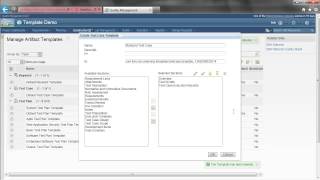
z/OS link-edit support enhancement in Rational Team Concert 4.0.3
PublishedAt
2013-06-14T14:18:33Z
Tags
['IBM Rational', 'IBM Rational Team Concert', 'Z/OS (Software)']
Description(ja)
このビデオでは、Rational Team Concert 4.0.3 での z/OS リンク エディット サポートの機能強化について説明します。
Description
This video demonstrates the z/OS link-edit support enhancement in Rational Team Concert 4.0.3.
Video
z/OS link-edit support enhancement in Rational Team Concert 4.0.3
ClearCase History Importer enhancements in Rational Team Concert 4.0.3
PublishedAt
2013-06-14T14:18:33Z
Tags
['IBM Rational Team Concert']
Description(ja)
このビデオでは、Rational Team Concert 4.0.3 での ClearCase History Importer の機能拡張について説明します。
Description
This video describes ClearCase History Importer enhancements in Rational Team Concert 4.0.3.
Video
ClearCase History Importer enhancements in Rational Team Concert 4.0.3
Manual Test Script Editor Tech Preview in Rational Quality Manager 4.0.3
PublishedAt
2013-06-14T14:18:33Z
Tags
['IBM Rational Quality Manager']
Description(ja)
このビデオでは、Rational Quality Manager 4.0.3 の手動テスト スクリプト エディターのプレビューを提供します。
Description
This video offers a preview of the manual test script editor in Rational Quality Manager 4.0.3.
Video
Manual Test Script Editor Tech Preview in Rational Quality Manager 4.0.3
Rational Team Concert 4.0.3 SCM CLI: refresh.local.changes preference
PublishedAt
2013-06-14T14:18:33Z
Tags
['IBM Rational Team Concert', 'SCM', 'Command Line Interface']
Description(ja)
このビデオでは、refresh.local.changes 設定を変更して、Rational Team Concert 4.0.3 SCM CLI で実行されるファイル システムの自動更新を有効または無効にする方法を示しました。
Description
This video demonstrated how to enable or disable the automatic file system refreshes performed in the Rational Team Concert 4.0.3 SCM CLI by changing the refresh.local.changes preference.
Video
Rational Team Concert 4.0.3 SCM CLI: refresh.local.changes preference
Customizing the menu in Rational Quality Manager 4.0.3
PublishedAt
2013-06-14T14:18:33Z
Tags
['IBM Rational Quality Manager']
Description(ja)
このビデオでは、Rational Quality Manager 4.0.3 でメニューをカスタマイズする方法をデモします。
Description
This video demos how to customize the menu in Rational Quality Manager 4.0.3.
Video
Customizing the menu in Rational Quality Manager 4.0.3
"My Dashboard" for the Rational Team Concert Client for Microsoft Visual Studio IDE
PublishedAt
2013-06-14T14:18:33Z
Tags
['IBM Rational', 'IBM Rational Team Concert']
Description(ja)
このビデオでは、Rational Team Concert Client for Microsoft Visual Studio IDE で使用可能な「マイ ダッシュボード」機能の使用方法を示します。
Description
This video shows how to use the "My Dashboard" feature available in the Rational Team Concert Client for Microsoft Visual Studio IDE
Video
"My Dashboard" for the Rational Team Concert Client for Microsoft Visual Studio IDE
Rational Team Concert SCM CLI: Setting and listing client preferences
PublishedAt
2013-06-14T14:18:33Z
Tags
['IBM Rational', 'IBM Rational Team Concert', 'SCM', 'Command Line Interface']
Description(ja)
このビデオでは、CLI コマンドを使用して、Rational Team Concert 4.0.3 でコマンド ライン クライアント設定を設定および一覧表示する方法を示します。
Description
This video demonstrates how to use CLI commands to set and list the command line client preferences in Rational Team Concert 4.0.3.
Video
Rational Team Concert SCM CLI: Setting and listing client preferences
Improvements in cross project plans in Rational Team Concert 4.0.3
PublishedAt
2013-06-14T14:18:33Z
Tags
['Rational Software', 'Rational Team Concert', 'project', 'planning']
Description(ja)
このビデオでは、Rational Team Concert 4.0.3 でクロス プロジェクト計画に加えられた改善点を示します。
Description
This video shows improvements made to cross project plans in Rational Team Concert 4.0.3
Video
Improvements in cross project plans in Rational Team Concert 4.0.3
Timesheet Information Reports in Rational Team Concert 4.0.3
PublishedAt
2013-06-14T14:18:33Z
Tags
['IBM Rational Team Concert', 'Timesheet', 'reports']
Description(ja)
このビデオは、Rational Team Concert 4.0.3 の新しいタイムシート情報レポートを示しています。
Description
This video demonstrates the new Timesheet Information Reports in Rational Team Concert 4.0.3.
Video
Timesheet Information Reports in Rational Team Concert 4.0.3
The Permissions UI in Rational Collaborative Lifecycle Management 4.0.3
PublishedAt
2013-06-14T14:18:33Z
Tags
['Rational Software', 'permissions', 'CLM']
Description(ja)
このビデオは、Rational Collaborative Lifecycle Management 4.0.3 の許可 UI を示しています。
Description
This video shows the permissions UI in Rational Collaborative Lifecycle Management 4.0.3.
Video
The Permissions UI in Rational Collaborative Lifecycle Management 4.0.3
Simplified ranking for plans in Rational Team Concert 4.0.3
PublishedAt
2013-06-14T14:18:33Z
Tags
['IBM Rational', 'IBM Rational Team Concert', 'ranking']
Description(ja)
このビデオでは、Rational Team Concert 4.0.3 でのプランの簡易ランキングを示しています。
Description
This video demonstrates simplified ranking for plans in Rational Team Concert 4.0.3
Video
Simplified ranking for plans in Rational Team Concert 4.0.3
New duplicate artifact features in Rational Quality Manager 4.0.3
PublishedAt
2013-06-14T14:18:33Z
Tags
['IBM Rational Quality Manager']
Description(ja)
このビデオでは、Rational Quality Manager 4.0.3 の新しい複製アーティファクト機能について説明します。
Description
This video demonstrates the new duplicate artifact features in Rational Quality Manager 4.0.3.
Video
New duplicate artifact features in Rational Quality Manager 4.0.3
Using Smartesting CertifyIt with Rational
PublishedAt
2013-06-25T14:24:22Z
Tags
['IBM Rational', 'Rational Software (Organization)', 'Rational Requirements Composer', 'Smartesting CertifyIt', 'Rational Quality Manager']
Description(ja)
パートナー ビデオ - このビデオでは、Smartesting CertifyIt for IBM Rational の使用方法を示します。 Smartesting CertifyIt は、Rational Requirements Composer および Rational Quality Manager と統合されています。
Description
Partner Video - This video demonstrates using Smartesting CertifyIt for IBM Rational. Smartesting CertifyIt integrates with Rational Requirements Composer and Rational Quality Manager.
Video
Using Smartesting CertifyIt with Rational
Configuring the ClearQuest and Rational Team Concert Bridge Integration
PublishedAt
2013-06-27T02:45:27Z
Tags
['Rational Software', 'Rational Team Concert', 'ClearQuest', 'RTC']
Description(ja)
このビデオでは、OSLC ベースの Rational ClearQuest と Rational Team Concert Bridge の統合の構成について説明します。
Description
This video demonstrates configuring the OSLC based Rational ClearQuest and Rational Team Concert Bridge Integration.
Video
Configuring the ClearQuest and Rational Team Concert Bridge Integration
Accepting multiple change sets with gaps in the RTC Client for Eclipse IDE
PublishedAt
2013-06-27T02:45:27Z
Tags
['Integrated Development Environment (Software Genre)', 'Eclipse (Software)', 'Rational Team Concert', 'Rational Software']
Description(ja)
このビデオでは、Rational Team Concert Client for Eclipse IDE でギャップのある複数の変更セットを受け入れる方法を示します。
Description
This video shows how to accept multiple change sets with gaps in the Rational Team Concert Client for Eclipse IDE.
Video
Accepting multiple change sets with gaps in the RTC Client for Eclipse IDE
Accepting a change set with a gap in the RTC Client for Eclipse IDE
PublishedAt
2013-06-27T02:45:27Z
Tags
['Integrated Development Environment (Software Genre)', 'Eclipse (Software)', 'Rational Team Concert', 'Rational Software']
Description(ja)
このビデオでは、Rational Team Concert Client for Eclipse IDE でギャップのある変更セットを受け入れる方法を示します。
Description
This video demonstrates how to accept a change set with a gap in the Rational Team Concert Client for Eclipse IDE.
Video
Accepting a change set with a gap in the RTC Client for Eclipse IDE
Using the ClearQuest Importer with Rational Team Concert
PublishedAt
2013-06-27T02:45:27Z
Tags
['Rational Software', 'IBM Rational ClearQuest', 'IBM Rational Team Concert', 'importer']
Description(ja)
このビデオでは、Rational Team Concert で Rational ClearQuest Importer を使用する方法を示します。
Description
This video demonstrates how to use the Rational ClearQuest Importer with Rational Team Concert.
Video
Using the ClearQuest Importer with Rational Team Concert
Accepting multiple change sets with gaps in the RTC Client for Microsoft Visual Studio IDE
PublishedAt
2013-06-27T02:45:27Z
Tags
['Integrated Development Environment (Software Genre)', 'Microsoft Visual Studio (Software)', 'Rational Team Concert', 'Rational Software']
Description(ja)
このビデオでは、Rational Team Concert Client for Microsoft Visual Studio IDE でギャップのある複数の変更セットを受け入れる方法を示します。
Description
This video demonstrates how to accept multiple change sets with gaps in the Rational Team Concert Client for Microsoft Visual Studio IDE.
Video
Accepting multiple change sets with gaps in the RTC Client for Microsoft Visual Studio IDE
Accepting a change set with a gap in the RTC Client for Microsoft Visual Studio IDE
PublishedAt
2013-06-27T02:45:27Z
Tags
['Integrated Development Environment (Software Genre)', 'Microsoft Visual Studio (Software)', 'Rational Team Concert', 'Rational Software']
Description(ja)
このビデオでは、Rational Team Concert Client for Microsoft Visual Studio IDE でギャップのある変更セットを受け入れる方法を示します。
Description
This video demonstrates how to accept a change set with a gap in the Rational Team Concert Client for Microsoft Visual Studio IDE.
Video
Accepting a change set with a gap in the RTC Client for Microsoft Visual Studio IDE
Use ClearQuest and Rational Team Concert Bridge Integration
PublishedAt
2013-06-27T02:45:27Z
Tags
['Rational Software', 'Rational Team Concert', 'RTC', 'ClearQuest', 'Integration']
Description(ja)
このビデオでは、OSLC ベースの Rational ClearQuest と Rational Team Concert Bridge Integration の使用方法を示します。
Description
This video demonstrates using the OSLC based Rational ClearQuest and Rational Team Concert Bridge Integration.
Video
Use ClearQuest and Rational Team Concert Bridge Integration
ARCAD-Rational Power Pack: ARCAD Build with Rational Team Concert
PublishedAt
2013-06-27T03:40:53Z
Tags
['ARCAD', 'Rational Software', 'Rational Team Concert', 'build', 'Power', 'IBM i']
Description(ja)
パートナー ビデオ - このビデオでは、IBM i 向けに開発する際に、Rational Team Concert および Rational Developer for Power Systems と一緒に ARCAD-Rational Power パックを使用して、変更の影響を確認し、すべての依存関係を含むビルドを実行するために必要な簡単な手順を示します。
Description
Partner Video - This video demonstrates the simple steps required when developing for IBM i to check the impact of a change and perform a build including all dependencies using the ARCAD-Rational Power pack together with Rational Team Concert and Rational Developer for Power Systems.
Video
ARCAD-Rational Power Pack: ARCAD Build with Rational Team Concert
ARCAD-Rational Power Pack: ARCAD Deliver with Rational Team Concert
PublishedAt
2013-06-27T03:40:53Z
Tags
['ARCAD', 'Rational Software', 'Rational Team Concert', 'deliver', 'Power', 'IBM i', 'enterprise extensions']
Description(ja)
パートナー ビデオ - このビデオでは、Rational Team Concert と共に ARCAD-Rational Power pack を使用して、IBM i プラットフォームにソフトウェアをインテリジェントに展開するために必要な簡単な手順を紹介します。
Description
Partner Video - This video demonstrates the simple steps required to do an intelligent deployment of software to the IBM i platform using the ARCAD-Rational Power pack together with Rational Team Concert.
Video
ARCAD-Rational Power Pack: ARCAD Deliver with Rational Team Concert
ARCAD-Rational Power Pack: ARCAD Observer with Rational Team Concert
PublishedAt
2013-06-27T03:40:53Z
Tags
['ARCAD', 'Rational Software', 'Rational Team Concert', 'observer', 'Power', 'IBM i', 'enterprise extensions']
Description(ja)
パートナー ビデオ - このビデオは、Rational Team Concert および Rational Developer for Power Systems と一緒に ARCAD-Rational Power パックを使用して依存関係を分析するために、IBM i 向けに開発する際に必要な簡単な手順を示しています。
Description
Partner Video - This video demonstrates the simple steps required when developing for IBM i to analyse dependencies using the ARCAD-Rational Power pack together with Rational Team Concert and Rational Developer for Power Systems.
Video
ARCAD-Rational Power Pack: ARCAD Observer with Rational Team Concert
ARCAD-Rational Power Pack: ARCAD Audit with Rational Team Concert
PublishedAt
2013-06-27T03:40:53Z
Tags
['ARCAD', 'Rational Software', 'Rational Team Concert', 'audit', 'Power', 'IBM i', 'enterprise extensions']
Description(ja)
パートナー ビデオ - このビデオでは、Rational Team Concert にソフトウェアをロードする前に、ARCAD-Rational Power Pack を使用して IBM i プラットフォーム上のソフトウェア アプリケーションを監査およびクリーンアップするために必要な簡単な手順を示します。
Description
Partner Video - This video demonstrates the simple steps required to audit and clean software applications on the IBM i platform using the ARCAD-Rational Power Pack before loading the software into Rational Team Concert.
Video
ARCAD-Rational Power Pack: ARCAD Audit with Rational Team Concert
Simulated builds with Rational Team Concert
PublishedAt
2013-08-28T00:46:31Z
Tags
['zOS', 'iSeries', 'IBM Rational Team Concert', 'Software Build (Software Genre)']
Description(ja)
ユーザーは、z/OS または IBM iSeries のシミュレートされた依存関係ビルドを実行できます。
Description
Users can run a simulated dependency build for z/OS or IBM iSeries.
Video
Simulated builds with Rational Team Concert
E-Signature and test result audit improvements for Rational Quality Manager
PublishedAt
2013-08-28T18:06:36Z
Tags
['Quality Manager', 'E-Signature', 'Software Testing (Software)', 'regulatory']
Description(ja)
Rational Quality Manager: 電子署名機能とテスト結果監査の改善。
Description
Rational Quality Manager: E-Signature feature and test result audit improvements.
Video
E-Signature and test result audit improvements for Rational Quality Manager
Rational Team Concert: Packaging and deploying with Enterprise Extensions
PublishedAt
2013-09-06T14:57:08Z
Tags
['IBM Rational Team Concert', 'Rational Software (Organization)', 'Enterprise Extensions', 'zos', 'ibmi']
Description(ja)
Enterprise Extensions のパッケージ化および展開機能を使用すると、ビルド出力をパッケージ化し、そのパッケージを他のシステムのランタイム環境に展開できます。このビデオには、シップ リストと作業項目のパッケージ化、およびロールバック デプロイのデモが含まれています。
Description
The Enterprise Extensions packaging and deployment features allow you to package build outputs and deploy the packages to runtime environments on other systems. This video includes demonstrations of ship list and work item packaging and rollback deployments.
Video
Rational Team Concert: Packaging and deploying with Enterprise Extensions
What's new in Rational Asset Manager 7.5.2
PublishedAt
2013-09-09T14:20:50Z
Tags
['Rational Asset Manager', 'IBM', '7.5.2', 'jazz.net']
Description(ja)
Rational Asset Manager 7.5.2 で追加された注目すべき新機能とサポートの概要デモをご覧ください。
Description
Watch an overview demo of new and noteworthy features and support added during Rational Asset Manager 7.5.2.
Video
What's new in Rational Asset Manager 7.5.2
Timestamp configuration in Rational Team Concert
PublishedAt
2013-09-09T14:20:50Z
Tags
['Team Concert', 'timestamp']
Description(ja)
Rational Team Concert でのタイム・スタンプの日付と時刻の完全な値を指定します。
Description
Specifiy full date and time values for timestamps in Rational Team Concert.
Video
Timestamp configuration in Rational Team Concert
Easier importing of ClearQuest data in Rational Team Concert
PublishedAt
2013-09-09T14:20:50Z
Tags
['ClearQuest', 'Rational Team Concert']
Description(ja)
以前にインポートされた既存の作業項目を更新するための再インポートのサポート。
Description
Support for re-import to update existing work items previously imported.
Video
Easier importing of ClearQuest data in Rational Team Concert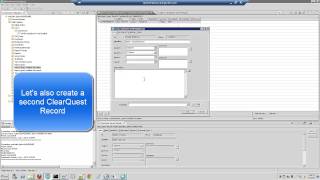
Better work item editing in the Rational Team Concert web UI
PublishedAt
2013-09-09T14:20:50Z
Tags
['Team Concert', 'Rich text editor']
Description(ja)
Web UI の Rational Team Concert リッチ・テキスト・エディターは、フォーマット設定とリンク、およびキーボード・ショートカットのサポートを強化しています。
Description
The Rational Team Concert rich-text editor in the web UI provides better support for formatting and linking, and keyboard shortcuts.
Video
Better work item editing in the Rational Team Concert web UI
Patch Service feature in Rational Requirements Composer
PublishedAt
2013-09-09T14:20:50Z
Tags
['Requirements Composer', 'serviceability', 'Rational']
Description(ja)
/rmadmin ページを使用して、開発チームからサーバーへのコードのパッチと修正を管理および展開します。
Description
Manage and deploy code patches and fixes from the development team to the server by using the /rmadmin page.
Video
Patch Service feature in Rational Requirements Composer
Certificate authentication in Rational Team Concert
PublishedAt
2013-09-09T14:20:50Z
Tags
['IBM Rational Team Concert', 'certificate', 'authentication']
Description(ja)
Rational Team Concert で証明書認証を利用する
Description
Utilize certificate authentication in Rational Team Concert
Video
Certificate authentication in Rational Team Concert
IBM Rational's Continuous Delivery Journey
PublishedAt
2013-10-02T19:16:33Z
Tags
['IBM', 'Rational Software (Organization)', 'Jazz.net', 'DevOps', 'Continuous Delivery', 'Technology']
Description(ja)
Rational Development 担当副社長の Dibbe Edwards が、IBM が継続的デリバリーと DevOps の模範となる組織になるまでの道のりについて説明します。
Description
Dibbe Edwards, Vice President of Rational Development, discusses IBM's journey to becoming a role model organization for continuous delivery and DevOps.
Video
IBM Rational's Continuous Delivery Journey
Work Item guidance in Rational Team Concert
PublishedAt
2013-10-03T20:06:05Z
Tags
['IBM Rational Team Concert']
Description(ja)
Rational Team Concert で作業項目のガイダンスを取得します。
Description
Get work item guidance in Rational Team Concert.
Video
Work Item guidance in Rational Team Concert
SCM command-line interface usability improvements in Rational Team Concert
PublishedAt
2013-11-27T03:51:10Z
Tags
['Rational Team Concert', 'source control management']
Description(ja)
このビデオでは、Rational Team Concert での SCM コマンド行インターフェースの使いやすさの改善について説明します。
Description
This video provides a demonstration of SCM command-line interface usability improvements in Rational Team Concert.
Video
SCM command-line interface usability improvements in Rational Team Concert
Create a plan with multiple sprints/iterations in Rational Team Concert
PublishedAt
2013-12-05T19:10:14Z
Tags
['IBM Rational Team Concert', 'software planning', 'sprints']
Description(ja)
Description
Video
Create a plan with multiple sprints/iterations in Rational Team Concert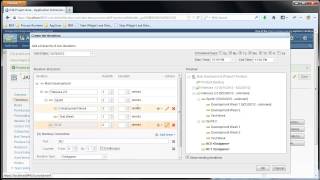
Adding preconditions to manage test plan approval in Rational Quality Manager
PublishedAt
2013-12-05T19:42:53Z
Tags
['IBM Rational Quality Manager', 'software testing']
Description(ja)
Description
Video
Adding preconditions to manage test plan approval in Rational Quality Manager
Drag and drop enhancements for Rational Requirements Composer
PublishedAt
2013-12-06T15:43:08Z
Tags
['Rational Requirements Composer', 'requirements management', 'software requirements']
Description(ja)
4.0.5 リリースで提供される使いやすさの改善。
Description
Usability improvements delivered with the 4.0.5 release.
Video
Drag and drop enhancements for Rational Requirements Composer
Accepting a change set with a gap in the RTC 4.0.5 Client for Microsoft Visual Studio IDE
PublishedAt
2013-12-06T15:44:49Z
Tags
['Rational Team Concert', 'Microsoft Visual Studio (Software)', 'Integrated Development Environment (Software Genre)']
Description(ja)
このビデオでは、Rational Team Concert Client for Microsoft Visual Studio IDE でギャップのある変更セットを受け入れる方法を示します。
RTC 4.0.5 Client for Microsoft Visual Studio ID でギャップのある複数の変更セットを受け入れる方法のデモンストレーション、およびこのビデオで言及されていないその他のギャップ関連機能については、次のページにアクセスしてください: http:/ /youtu.be/ysEY95_OOwY
RTC Client for Eclipse IDE の同様の機能を示す次のビデオも参照してください。
http://youtu.be/TucVu_BgB7E
http://youtu.be/28raag5RdzU
Description
This video demonstrates how to accept a change set with a gap in the Rational Team Concert Client for Microsoft Visual Studio IDE.
For a demonstration on how to accept multiple change sets with a gap in the RTC 4.0.5 Client for Microsoft Visual Studio ID, as well as other gap related features that were not mentioned in this video, please visit the following page: http://youtu.be/ysEY95_OOwY
Please also see the following videos which show similar features in the RTC Client for Eclipse IDE:
http://youtu.be/TucVu_BgB7E
http://youtu.be/28raag5RdzU
Video
Accepting a change set with a gap in the RTC 4.0.5 Client for Microsoft Visual Studio IDE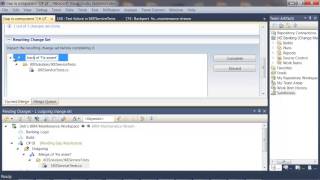
Accepting a change set with a gap in the RTC 4.0.5 client for Eclipse IDE
PublishedAt
2013-12-06T15:49:54Z
Tags
['Rational Team Concert', 'Eclipse (Software)', 'Integrated Development Environment (Software Genre)']
Description(ja)
このビデオでは、Rational Team Concert Client for Eclipse IDE でギャップのある変更セットを受け入れる方法を示します。
Eclipse クライアントでギャップのある複数の変更セットを受け入れる方法のデモ、およびこのビデオで言及されていないその他のギャップ関連機能については、http://youtu.be/28raag5RdzU にアクセスしてください。
Microsoft Visual Studio IDE の RTC クライアントの同様の機能を示す次のビデオもご覧ください。
http://youtu.be/PNtSrmqLSjs
http://youtu.be/ysEY95_OOwY
Description
This video demonstrates how to accept a change set with a gap in the Rational Team Concert Client for Eclipse IDE.
For a demonstration on how to accept multiple change sets with a gap in the Eclipse client, as well as other gap related features that were not mentioned in this video, please visit: http://youtu.be/28raag5RdzU
Please also see the following videos which show similar features in the RTC Client for Microsoft Visual Studio IDE:
http://youtu.be/PNtSrmqLSjs
http://youtu.be/ysEY95_OOwY
Video
Accepting a change set with a gap in the RTC 4.0.5 client for Eclipse IDE
Accepting multiple change sets with gaps in the RTC 4.0.5 Client for Microsoft Visual Studio IDE
PublishedAt
2013-12-06T15:50:12Z
Tags
['Rational Team Concert', 'Microsoft Visual Studio (Software)', 'Integrated Development Environment (Software Genre)']
Description(ja)
このビデオでは、Rational Team Concert Client for Microsoft Visual Studio IDE でギャップのある複数の変更セットを受け入れる方法を示します。
RTC 4.0.5 Client for Microsoft Visual Studio ID でギャップのある単一の変更セットを受け入れてマージする方法のデモ、およびこのビデオで言及されていないその他のギャップ関連機能については、次のページにアクセスしてください。 http://youtu.be/PNtSrmqLSjs
RTC Client for Eclipse IDE の同様の機能を示す次のビデオも参照してください。
http://youtu.be/TucVu_BgB7E
http://youtu.be/28raag5RdzU
Description
This video shows how to accept multiple change sets with gaps in the Rational Team Concert Client for Microsoft Visual Studio IDE.
For a demonstration on how to accept and merge a single change set with a gap in the RTC 4.0.5 Client for Microsoft Visual Studio ID, as well as other gap related features that were not mentioned in this video, please visit the following page: http://youtu.be/PNtSrmqLSjs
Please also see the following videos which show similar features in the RTC Client for Eclipse IDE:
http://youtu.be/TucVu_BgB7E
http://youtu.be/28raag5RdzU
Video
Accepting multiple change sets with gaps in the RTC 4.0.5 Client for Microsoft Visual Studio IDE
Accepting multiple change sets with gaps in the RTC 4.0.5 client for Eclipse IDE
PublishedAt
2013-12-06T15:50:25Z
Tags
['Rational Team Concert', 'Eclipse (Software)', 'Integrated Development Environment (Software Genre)']
Description(ja)
このビデオでは、Rational Team Concert Client for Eclipse IDE でギャップのある複数の変更セットを受け入れる方法を示します。
Eclipse クライアントでギャップのある単一の変更セットを受け入れてマージする方法のデモンストレーション、およびこのビデオで言及されていないその他のギャップ関連機能については、次のページにアクセスしてください: http://youtu.be/ TucVu_BgB7E
Microsoft Visual Studio IDE の RTC クライアントの同様の機能を示す次のビデオもご覧ください。
http://youtu.be/PNtSrmqLSjs
http://youtu.be/ysEY95_OOwY
Description
This video shows how to accept multiple change sets with gaps in the Rational Team Concert Client for Eclipse IDE.
For a demonstration on how to accept and merge a single change set with a gap in the Eclipse client, as well as other gap related features that were not mentioned in this video, please visit the following page: http://youtu.be/TucVu_BgB7E
Please also see the following videos which show similar features in the RTC Client for Microsoft Visual Studio IDE:
http://youtu.be/PNtSrmqLSjs
http://youtu.be/ysEY95_OOwY
Video
Accepting multiple change sets with gaps in the RTC 4.0.5 client for Eclipse IDE
Improved test workflow support with additional test plan sections in Rational Quality Manager
PublishedAt
2013-12-06T15:50:37Z
Tags
['IBM Rational Quality Manager', 'Test Plan', 'workflow support']
Description(ja)
このビデオでは、Rational Quality Manager での追加のテスト計画によるテスト ワークフローのサポートの改善について説明します。
Description
This video demonstrates improved test workflow support with additional test plans in Rational Quality Manager.
Video
Improved test workflow support with additional test plan sections in Rational Quality Manager
New category functionality in Rational Quality Manager 4.0.5
PublishedAt
2013-12-06T15:50:49Z
Tags
['IBM Rational Quality Manager', 'category']
Description(ja)
このビデオは、Rational Quality Manager 4.0.5 の新しいカテゴリー機能を示しています。
Description
This video demonstrates the new category functionality in Rational Quality Manager 4.0.5.
Video
New category functionality in Rational Quality Manager 4.0.5
Migrate plans to use explicit ranking in Rational Team Concert
PublishedAt
2013-12-06T15:51:46Z
Tags
['IBM Rational Team Concert', 'software planning', 'plan ranking']
Description(ja)
このビデオでは、古い属性スタイルのランキングを使用していたプランを新しい明示的なランキング スタイルに移行できる新しい「ランクの移行」機能について説明します。
Description
This video explain the new "migrate rank" feature which allows you to migrate plans which used the older attribute style of ranking to the new explicit style of ranking.
Video
Migrate plans to use explicit ranking in Rational Team Concert
Work item query results enhancements in Rational Team Concert
PublishedAt
2013-12-06T15:52:20Z
Tags
['IBM Rational Team Concert']
Description(ja)
承認とコメントは、作業項目の使用可能なクエリ結果列として選択できます。リンクと承認の一括編集が可能です。
Description
Approvals and comments can be selected as available query results columns for work items. Bulk editing links and approvals is possible.
Video
Work item query results enhancements in Rational Team Concert
Configuring preconditions and follow-up actions in the Rational Team Concert web client
PublishedAt
2013-12-06T15:52:34Z
Tags
['IBM Rational Team Concert']
Description(ja)
Rational Team Concert Web UI を使用して、ワークアイテムの前提条件とフォローアップ アクションを構成します。
Description
Configure the preconditions and follow-up actions for work items using the Rational Team Concert web UI.
Video
Configuring preconditions and follow-up actions in the Rational Team Concert web client
IBM UrbanCode Deploy integration with Rational Team Concert build
PublishedAt
2013-12-06T15:52:48Z
Tags
['IBM Rational Team Concert', 'UrbanCode', 'software builds', 'DevOps', 'continuous deployment', 'continuous delivery']
Description(ja)
このビデオでは、IBM UrbanCode Deploy と IBM Rational Team Concert ビルド間の統合を使用する方法を示します。このデモンストレーションでは、Apache http サーバー上の .txt ファイルが新しい IBM Rational Team Concert ビルドによってビルドされ、IBM UrbanCode Deploy サーバーに公開され、その http サーバーにデプロイされることがわかります。
目次:
0:46 RTC で
1:44 ビルド後のデプロイ
2:50 デプロイ プロセスの実行をリクエストする
3:06 ビルドをリクエストする
3:26 新しいコンポーネントのバージョンを見る
4:45 そのコンポーネントのバージョンをデプロイする
5:20 UrbanCode Deploy の詳細
Description
This video shows how to use the integration between IBM UrbanCode Deploy and IBM Rational Team Concert build. In the demonstration, you'll see a .txt file on an apache http server get built by a new IBM Rational Team Concert build, then published to an IBM UrbanCode Deploy server, then deployed in that http server.
TOC:
0:46 In RTC
1:44 Post-build deploy
2:50 Request deploy process to run
3:06 Request the build
3:26 See new component version
4:45 Deploy that component version
5:20 Details in UrbanCode Deploy
Video
IBM UrbanCode Deploy integration with Rational Team Concert build
Manage JazzHub projects in the Rational Team Concert Eclipse client
PublishedAt
2013-12-06T15:53:03Z
Tags
['IBM Rational Team Concert', 'JazzHub']
Description(ja)
Description
Video
Manage JazzHub projects in the Rational Team Concert Eclipse client
Team Concert plugin for Jenkins
PublishedAt
2013-12-20T19:07:27Z
Tags
['IBM Rational Team Concert', 'Jenkins']
Description(ja)
このビデオでは、Jenkins の Team Concert プラグインについて説明します。
Description
This videos describes the Team Concert plugin for Jenkins.
Video
Team Concert plugin for Jenkins
Continuous upgrade with IBM UrbanCode Deploy
PublishedAt
2014-02-14T18:55:31Z
Tags
['Urbancode (Business Operation)', 'IBM (Organization)', 'Rational Software (Organization)', 'IBM Jazz']
Description(ja)
このビデオでは、継続的なアップグレードに IBM UrbanCode Deploy を利用する利点について説明します。
Description
This video discuses the benefits of utilizing IBM UrbanCode Deploy for continuous upgrade.
Video
Continuous upgrade with IBM UrbanCode Deploy
Traceability to test script enhancement for Rational Quality Manager 4.0.6
PublishedAt
2014-02-28T13:56:13Z
Tags
['Rational Quality Manager', 'Rational DOORS']
Description(ja)
Rational Quality Manager 4.0.6 および Rational DOORS Web Access 9.5.2.1
Description
Rational Quality Manager 4.0.6 and Rational DOORS Web Access 9.5.2.1
Video
Traceability to test script enhancement for Rational Quality Manager 4.0.6
Module preferred artifact types in Rational Requirements Composer 4.0.6
PublishedAt
2014-02-28T13:56:33Z
Tags
['IBM Rational Requirements Composer']
Description(ja)
アーティファクト形式としてモジュールを使用して新しいアーティファクト タイプを定義するときに、優先アーティファクト タイプ (優先モジュール コンテンツ フィールド) を使用する方法を参照してください。この新しいフィールドを使用すると、このタイプのモジュールで使用するアーティファクト タイプを指定できます。
Description
See how to use the preferred artifact type (Preferred Module Content field) when defining a new artifact type with Module as the artifact format. This new field enables specifying the artifact types that you prefer to work with for modules of this type.
Video
Module preferred artifact types in Rational Requirements Composer 4.0.6
ClearCase Importer features for Rational Team Concert 4.0.6
PublishedAt
2014-02-28T15:15:41Z
Tags
['IBM Rational Team Concert']
Description(ja)
ClearCase を Rational Team Concert ソース管理に移行するために使用されるインポーターの機能。
Description
Features for the importer used to migrate ClearCase to Rational Team Concert source control.
Video
ClearCase Importer features for Rational Team Concert 4.0.6
Tracking and planning enhancements in Rational Team Concert 4.0.6
PublishedAt
2014-02-28T15:16:05Z
Tags
['IBM Rational Team Concert']
Description(ja)
あるブラウザ ウィンドウから別のブラウザ ウィンドウにプラン アイテムを簡単にドラッグできます。また、ツリーでの計画項目の表示も改善されています。
Description
You can conveniently drag plan items from one browser window to another. Also, there are improvement for displaying plan items in a tree.
Video
Tracking and planning enhancements in Rational Team Concert 4.0.6
Build definition folders in Rational Team Concert 4.0.6
PublishedAt
2014-02-28T15:16:34Z
Tags
['IBM Rational Team Concert']
Description(ja)
ビルド定義フォルダーを使用してビルドを整理し、見つけやすくします。
Description
Use build definition folders to organize builds so that they're easier to find.
Video
Build definition folders in Rational Team Concert 4.0.6
Automatically generate version of an Urban Code Deploy component from Rational Team Concert
PublishedAt
2014-05-22T16:00:44Z
Tags
['IBM Rational Team Concert', 'Rational Software (Organization)', 'Urban Code', 'DevOps']
Description(ja)
Description
Video
Automatically generate version of an Urban Code Deploy component from Rational Team Concert
What's new in Rational Asset Manager 7.5.2.1
PublishedAt
2014-05-27T17:35:27Z
Tags
['Rational Asset Manager', 'IBM (Organization)', 'Rational Software (Organization)']
Description(ja)
このビデオは、Rational Asset Manager の 7.5.2.1 リリースの新機能についての洞察を提供します。
Description
This video provides insight to what's new in the 7.5.2.1 release of Rational Asset Manager.
Video
What's new in Rational Asset Manager 7.5.2.1
Enhancements to SCM CLI in Rational Team Concert 5.0
PublishedAt
2014-06-02T15:38:53Z
Tags
None
Description(ja)
Rational Team Concert 5.0 での SCM CLI の機能拡張のデモンストレーション。
Description
A demonstration of the enhancements to the SCM CLI in Rational Team Concert 5.0.
Video
Enhancements to SCM CLI in Rational Team Concert 5.0
Client extensions capability in Rational DOORS Next Generation 5.0
PublishedAt
2014-06-02T15:38:53Z
Tags
['IBM Rational DOORS Next Generation']
Description(ja)
Description
Video
Client extensions capability in Rational DOORS Next Generation 5.0
Finding Plans Faster: Improved browsing and searching of plans in Rational Team Concert
PublishedAt
2014-06-02T15:38:53Z
Tags
['IBM Rational Team Concert', 'Rational Software (Organization)']
Description(ja)
Description
Video
Finding Plans Faster: Improved browsing and searching of plans in Rational Team Concert
Showing version IDs in the Rational Team Concert 5.0 client for Eclipse IDE and RTC CLI
PublishedAt
2014-06-02T15:38:53Z
Tags
['IBM Rational Team Concert', 'Rational Software (Organization)', 'Eclipse (Software)', 'Integrated Development Environment (Software Genre)', 'Command-line Interface (Computing Platform)']
Description(ja)
Description
Video
Showing version IDs in the Rational Team Concert 5.0 client for Eclipse IDE and RTC CLI
Working with Rational Team Concert and Git
PublishedAt
2014-06-02T15:38:53Z
Tags
['IBM Rational Team Concert', 'Rational Software (Organization)', 'Git (Revision Control Software)']
Description(ja)
Description
Video
Working with Rational Team Concert and Git
ClearQuest Synchronizer option to automatically create OSLC links
PublishedAt
2014-06-02T15:38:53Z
Tags
['Rational Team Concert', 'IBM Rational ClearQuest', 'Open Services For Lifecycle Collaboration', 'Rational Software (Organization)']
Description(ja)
Description
Video
ClearQuest Synchronizer option to automatically create OSLC links
Rational Team Concert 5.0 Enterprise Extensions: System definition history
PublishedAt
2014-06-02T15:38:53Z
Tags
['IBM Rational Team Concert', 'Rational Software (Organization)']
Description(ja)
Description
Video
Rational Team Concert 5.0 Enterprise Extensions: System definition history
The new ClearCase version importer features in Rational Team Concert 5.0
PublishedAt
2014-06-02T15:38:54Z
Tags
['IBM Rational Team Concert', 'IBM Rational ClearCase (Revision Control Software)', 'Rational Software (Organization)']
Description(ja)
Description
Video
The new ClearCase version importer features in Rational Team Concert 5.0
User interface improvements for Rational DOORS Next Generation 5.0
PublishedAt
2014-06-02T15:38:54Z
Tags
['IBM Rational DOORS Next Generation']
Description(ja)
Description
Video
User interface improvements for Rational DOORS Next Generation 5.0
Enforcing test artifact name uniqueness in Rational Quality Manager
PublishedAt
2014-06-02T15:38:54Z
Tags
['Rational Quality Manager', 'Rational Software (Organization)']
Description(ja)
テスト成果物名の一意性を強制する方法のデモ。
Description
Demo of how to enforce test artifact name uniqueness.
Video
Enforcing test artifact name uniqueness in Rational Quality Manager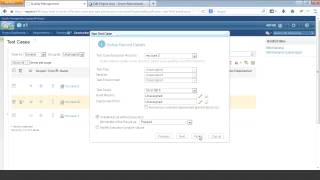
Fine-grained customization of configuration data in CLM 4.0.1
PublishedAt
2014-07-22T16:03:43Z
Tags
['IBM', 'Rational']
Description(ja)
このビデオでは、構成データのきめ細かなカスタマイズについて説明します。
Description
This video demonstrates fine-grained customization of configuration data.
Video
Fine-grained customization of configuration data in CLM 4.0.1
Creating OSLC links from local RSA models
PublishedAt
2014-07-22T20:21:53Z
Tags
['Open Services For Lifecycle Collaboration', 'IBM', 'Rational Software Architect', 'design management']
Description(ja)
Description
Video
Creating OSLC links from local RSA models
ClearCase Importer features for Rational Team Concert 4.0.5
PublishedAt
2014-07-24T20:21:07Z
Tags
['Rational Team Concert', 'IBM Rational ClearCase (Software)', 'Rational Software (Software Developer)', 'IBM (Award Winner)']
Description(ja)
ClearCase を Rational Team Concert ソース管理に移行するために使用されるインポーターの機能。
Description
Features for the importer used to migrate ClearCase to Rational Team Concert source control.
Video
ClearCase Importer features for Rational Team Concert 4.0.5
Test Artifact dashboard widget in Rational Quality Manager 5.0.1
PublishedAt
2014-09-09T15:05:29Z
Tags
['Dashboard (Software)', 'Rational Software (Software Developer)', 'Quality', 'Software (Industry)']
Description(ja)
新しいダッシュボード ウィジェット Test Artifact がウィジェット カタログに追加されました。新しいウィジェットは、すべての主要なテスト アーティファクトに対して、個人用クエリと共有クエリの両方をサポートします。ウィジェットを使用して、クエリの結果をダッシュボードに直接埋め込むことができます。
Description
A new dashboard widget, Test Artifact, is added to the widget catalog. The new widget supports both personal and shared queries for all major test artifacts. You can use the widget to embed the results of a query directly onto a dashboard.
Video
Test Artifact dashboard widget in Rational Quality Manager 5.0.1
Improved Kanban Board and Taskboard views in Rational Team Concert 5.0.1
PublishedAt
2014-09-09T15:05:29Z
Tags
['Rational Software (Software Developer)', 'Rational Team Concert', 'Demo', 'Software (Industry)', 'Tech', 'Live', 'Demonstration']
Description(ja)
スクラムとかんばん方式を組み合わせて使用するチームは、新しいかんばんボードとタスクボード ビューを使用して、作業の流れを視覚的に管理および最適化することが容易になりました。
Description
For teams who use a combination of scrum and Kanban methods, it's now easier to visually manage and optimize the flow of work with our new Kanban board and Taskboard views.
Video
Improved Kanban Board and Taskboard views in Rational Team Concert 5.0.1
Improved Test Suite Execution scenarios in Rational Quality Manager 5.0.1
PublishedAt
2014-09-09T15:05:29Z
Tags
['Rational Software (Software Developer)', 'Software (Industry)', 'Quality', 'demo']
Description(ja)
コマンド行スクリプトや Rational Functional Tester スクリプトなど、テスト・スイートのすべてのステップに同じタイプのテスト・スクリプトが含まれている場合に、テスト・スイートを実行するために 1 つのアダプターのみが選択されるように、デフォルトの動作を変更できるようになりました。実行設定で、[テスト スイートのすべてのステップに同じ種類のテスト スクリプトが含まれている場合は、テスト スイート用に単一のマシンを選択する] チェック ボックスをオンにします。
Description
You can now change the default behavior so that only one adapter is selected to run a test suite if all of the steps of the test suite contain the same type of test script, such as command-line scripts or Rational Functional Tester scripts. In the execution preferences, select the Select a single machine for the test suite if all steps in the test suite contain the same type of test script check box.
Video
Improved Test Suite Execution scenarios in Rational Quality Manager 5.0.1
ClearCase Importer data verification tool in Rational Team Concert 5.0.1
PublishedAt
2014-09-09T15:05:29Z
Tags
['IBM Rational ClearCase (Software)', 'Rational Software (Software Developer)', 'Rational Team Concert', 'IBM (Award Winner)', 'Software (Industry)', 'Demo', 'Demonstration']
Description(ja)
Rational Team Concert 5.0.1 では、ClearCase Version Importer によって移行されたデータを検証するツールにアクセスできるようになりました。このツールには、新しい CLI コマンド (「ccc compare ccase」)、1 回の操作による複数の構成の検証、ベースラインとビューを比較するためのベースライン検証、すべてのバージョンを比較するためのバージョン履歴などの追加機能が含まれています。
Description
With Rational Team Concert 5.0.1 you now have access to a tool that verifies data migrated by the ClearCase Version Importer. This tool includes additional features like a new CLI Command, ('ccc compare ccase'), multiple configurations verification with single operation, baseline verification for comparing baselines and views, a version history for the comparison of all versions.
Video
ClearCase Importer data verification tool in Rational Team Concert 5.0.1
Quick Planner Enhancement in Rational Team Concert
PublishedAt
2014-12-05T16:12:32Z
Tags
['Rational Software (Software Developer)', 'Rational Team Concert', 'Software (Industry)']
Description(ja)
カスタマイズ機能を含む、個人や小規模なチーム向けのより効率的な方法で作業項目を作成および計画します。
Description
Create and plan work items in a more efficient ways for individuals and small teams, which includes customization features.
Video
Quick Planner Enhancement in Rational Team Concert
Jazz Reporting Service in Rational Team Concert 5.0.2
PublishedAt
2014-12-05T16:12:32Z
Tags
['Rational Software (Software Developer)', 'Rational Team Concert', 'Jazz']
Description(ja)
このビデオでは、RTC 5.0.2 の Jazz Reporting Service に関する情報を提供します
Description
This video provides information on the Jazz Reporting Service in RTC 5.0.2
Video
Jazz Reporting Service in Rational Team Concert 5.0.2
Pessimistic Locking in Rational Team Concert
PublishedAt
2014-12-05T16:12:32Z
Tags
['Rational Software (Software Developer)', 'IBM Personal Computer (Computer)', 'Rational Team Concert', 'IBM (Award Winner)', 'Software (Industry)']
Description(ja)
このビデオでは、Rational Team Concert 内のファイルに対する自動ロック機能の使用について説明します。この機能により、あるユーザーは、他のユーザーが特定のファイルの変更セットを配信できるかどうかを制御できます。
Description
This video highlights the use of the Auto-locking feature on files within Rational Team Concert. The feature enables one user to control if other users are allowed to deliver change sets on a certain file.
Video
Pessimistic Locking in Rational Team Concert
Deleting Obsolete Outputs in Rational Team Concert 5.0.2
PublishedAt
2014-12-05T16:12:33Z
Tags
['Rational Software (Software Developer)', 'Rational Team Concert', 'Software (Industry)']
Description(ja)
ビルド可能なファイルによって生成されなくなった出力を削除するための新しい機能強化。
Description
New enhancements for deleting outputs that are no longer produced by any build-able files.
Video
Deleting Obsolete Outputs in Rational Team Concert 5.0.2
Custom Attributes on File Versions in Rational Team Concert 5.0.2
PublishedAt
2014-12-05T16:12:33Z
Tags
['Rational Software (Software Developer)', 'Rational Team Concert', 'Software (Industry)']
Description(ja)
この機能は、ソース ファイルの拡張性とトレーサビリティをサポートするために使用されます。
Description
This feature is used to support extensibility and traceability for source files.
Video
Custom Attributes on File Versions in Rational Team Concert 5.0.2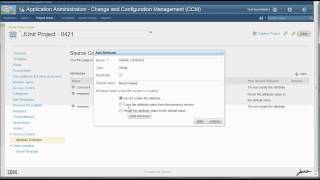
GIT Integration for Rational Team Concert 5.0.2
PublishedAt
2014-12-05T16:12:33Z
Tags
['Rational Team Concert', 'Git (Software)', 'Rational Software (Software Developer)', 'Software (Industry)']
Description(ja)
GIT の作業項目の統合が改善されました。このデモには、読み取りアクセス許可、GIT コミット用の Web UI、Jenkins プラグインなどの機能が含まれています。
Description
Better work item integrations for GIT. This demo contains features like read access permissions, web UI for GIT commit, and Jenkins plug-ins.
Video
GIT Integration for Rational Team Concert 5.0.2
What's new in Rational Quality Manager 5.0.2
PublishedAt
2014-12-31T17:32:17Z
Tags
['Rational Quality Manager', 'Rational Software (Software Developer)', 'Software (Industry)', 'IBM']
Description(ja)
このビデオでは、IBM Rational Quality Manager の 5.0.2 リリースで使用可能な新機能について概説します。
Description
This video outlines new features available in the 5.0.2 release of IBM Rational Quality Manager
Video
What's new in Rational Quality Manager 5.0.2
Rational Team Concert 6.0.1 - Introduction to Code Review (Part 3)
PublishedAt
2016-01-08T18:28:13Z
Tags
['ibm', 'rational team concert', 'code', 'review', 'rtc']
Description(ja)
これは、IBM Rational Team Concert のバージョン 6.0.1 の新しいコード レビュー機能を紹介する一連のビデオのパート 3 です。
Description
This is part three in a series of videos introducing the new code review functionality in version 6.0.1 of IBM Rational Team Concert.
Video
Rational Team Concert 6.0.1 - Introduction to Code Review (Part 3)
Rational Team Concert 6.0.1 - Introduction to Code Review (Part 1)
PublishedAt
2016-01-08T18:28:13Z
Tags
['ibm', 'rational team concert', 'code', 'review', 'rtc']
Description(ja)
これは、IBM Rational Team Concert のバージョン 6.0.1 の新しいコード レビュー機能を紹介する一連のビデオのパート 1 です。
Description
This is part one in a series of videos introducing the new code review functionality in version 6.0.1 of IBM Rational Team Concert.
Video
Rational Team Concert 6.0.1 - Introduction to Code Review (Part 1)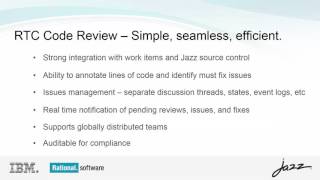
Rational Team Concert 6.0.1 - Introduction to Code Review (Part 2)
PublishedAt
2016-01-08T18:28:13Z
Tags
['ibm', 'rational team concert', 'code', 'review', 'rtc']
Description(ja)
これは、IBM Rational Team Concert のバージョン 6.0.1 の新しいコード レビュー機能を紹介する一連のビデオのパート 2 です。
Description
This is part two in a series of videos introducing the new code review functionality in version 6.0.1 of IBM Rational Team Concert.
Video
Rational Team Concert 6.0.1 - Introduction to Code Review (Part 2)
Rational Team Concert 6.0.1 - Bulk Editing
PublishedAt
2016-01-08T19:17:49Z
Tags
['ibm', 'rational team concert', 'bulk edit', 'rtc']
Description(ja)
このビデオでは、IBM Rational Team Concert のバージョン 6.0.1 の一括編集機能について説明します。
Description
This video demonstrates the bulk edit functionality in version 6.0.1 of IBM Rational Team Concert.
Video
Rational Team Concert 6.0.1 - Bulk Editing
Rational Team Concert 6.0.1 - Export to CSV
PublishedAt
2016-01-08T19:17:49Z
Tags
['ibm', 'rational team concert', 'export', 'csv', 'rtc']
Description(ja)
このビデオでは、IBM Rational Team Concert のバージョン 6.0.1 の CSV へのエクスポート機能について説明します。
Description
This video demonstrates the export to CSV functionality in version 6.0.1 of IBM Rational Team Concert.
Video
Rational Team Concert 6.0.1 - Export to CSV
Rational Team Concert 6.0.1 - Blocked Cards
PublishedAt
2016-01-08T19:17:49Z
Tags
['ibm', 'rational team concert', 'blocked cards', 'rtc']
Description(ja)
このビデオでは、IBM Rational Team Concert のバージョン 6.0.1 でのブロックされたカード機能について説明します。
Description
This video demonstrates the blocked cards functionality in version 6.0.1 of IBM Rational Team Concert.
Video
Rational Team Concert 6.0.1 - Blocked Cards
Rational Team Concert 6.0.1 - My Stuff
PublishedAt
2016-01-08T19:17:49Z
Tags
['ibm', 'rational team concert', 'my stuff', 'rtc']
Description(ja)
このビデオでは、IBM Rational Team Concert のバージョン 6.0.1 の My Stuff について説明します。
Description
This video discuses My Stuff in version 6.0.1 of IBM Rational Team Concert.
Video
Rational Team Concert 6.0.1 - My Stuff
Rational Team Concert 6.0.1 - Duplicate Link Check
PublishedAt
2016-01-08T19:17:49Z
Tags
['ibm', 'rational team concert', 'duplicate link', 'rtc']
Description(ja)
このビデオでは、IBM Rational Team Concert のバージョン 6.0.1 の重複リンク チェック機能について説明します。
Description
This video demonstrates the duplicate link check functionality in version 6.0.1 of IBM Rational Team Concert.
Video
Rational Team Concert 6.0.1 - Duplicate Link Check
Rational Team Concert 6.0.1 - Default Categories in Planning
PublishedAt
2016-01-08T19:17:49Z
Tags
['ibm', 'rational team concert', 'export', 'categories', 'planning', 'rtc']
Description(ja)
このビデオでは、IBM Rational Team Concert のバージョン 6.0.1 での計画におけるデフォルトのカテゴリーについて詳しく説明しています。
Description
This video details the default categories in planning in version 6.0.1 of IBM Rational Team Concert.
Video
Rational Team Concert 6.0.1 - Default Categories in Planning
Rational Team Concert 6.0.1 - PLE Plan Linking
PublishedAt
2016-01-08T19:17:49Z
Tags
['ibm', 'rational team concert', 'ple', 'plan linking', 'rtc']
Description(ja)
このビデオでは、IBM Rational Team Concert のバージョン 6.0.1 の機能をリンクする PLE 計画について説明します。
Description
This video demonstrates the PLE plan linking functionality in version 6.0.1 of IBM Rational Team Concert.
Video
Rational Team Concert 6.0.1 - PLE Plan Linking
Rational Team Concert 6.0.1 - Out of Sync Project Handling
PublishedAt
2016-01-08T19:44:00Z
Tags
['ibm', 'rational team concert', 'out of sync', 'project', 'rtc']
Description(ja)
このビデオでは、IBM Rational Team Concert のバージョン 6.0.1 での非同期プロジェクトの処理について説明します。
Description
This video demonstrates out of sync project handling in version 6.0.1 of IBM Rational Team Concert.
Video
Rational Team Concert 6.0.1 - Out of Sync Project Handling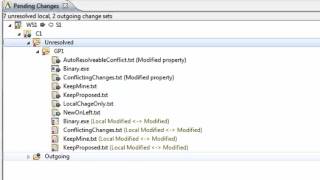
Rational Team Concert 6.0.1 - Directional Flow
PublishedAt
2016-01-08T19:44:00Z
Tags
['ibm', 'rational team concert', 'directional flow', 'rtc']
Description(ja)
このビデオは、IBM Rational Team Concert のバージョン 6.0.1 の指向性フロー機能を示しています。
Description
This video demonstrates the directional flow features in version 6.0.1 of IBM Rational Team Concert.
Video
Rational Team Concert 6.0.1 - Directional Flow
Rational Team Concert 6.0.1 - Access Groups
PublishedAt
2016-01-08T19:44:00Z
Tags
['ibm', 'rational team concert', 'access groups', 'rtc']
Description(ja)
このビデオでは、IBM Rational Team Concert バージョン 6.0.1 のアクセス グループについて説明します。
Description
This video demonstrates access groups in version 6.0.1 of IBM Rational Team Concert
Video
Rational Team Concert 6.0.1 - Access Groups
Rational Team Concert 6.0.1 - Build Re-use
PublishedAt
2016-01-08T19:55:11Z
Tags
['ibm', 'rational team concert', 'build', 'rtc']
Description(ja)
このビデオでは、IBM Rational Team Concert のバージョン 6.0.1 でのビルドの再利用について説明します。
Description
This video demonstrates build re-use in version 6.0.1 of IBM Rational Team Concert.
Video
Rational Team Concert 6.0.1 - Build Re-use
Rational Team Concert 6.0.1 - Advanced Dependency Build Scoping
PublishedAt
2016-01-08T19:55:11Z
Tags
['IBM', 'rational team concert', 'build', 'scoping', 'rtc']
Description(ja)
このビデオでは、IBM Rational Team Concert のバージョン 6.0.1 での高度な依存関係ビルドの対応について説明します。
Description
This video demonstrates advanced dependency build coping in version 6.0.1 of IBM Rational Team Concert.
Video
Rational Team Concert 6.0.1 - Advanced Dependency Build Scoping
Rational Team Concert for Microsoft Visual Studio Client 6.0.1 - Hierarchical Components
PublishedAt
2016-01-08T21:05:07Z
Tags
['ibm', 'rational team concert', 'hierarchical components', 'rtc']
Description(ja)
このビデオでは、Rational Team Concert for Microsoft Visual Studio Client のバージョン 6.0.1 の階層コンポーネントについて説明します。
Description
This video demonstrates hierarchical components in version 6.0.1 of Rational Team Concert for Microsoft Visual Studio Client.
Video
Rational Team Concert for Microsoft Visual Studio Client 6.0.1 - Hierarchical Components
Rhapsody Tip #3 - Deleting Events and usages in one step (Advanced)
PublishedAt
2016-01-10T16:45:02Z
Tags
['ibm', 'rational', 'rhapsody', 'rational rhapsody', 'sysml', 'mbse']
Description(ja)
この非常に短いビデオは、Java で記述されたカスタム ヘルパーを使用して、イベントおよび関連する EventReception と図の参照の削除を自動化する方法を示しています。このようなヘルパーは、反復的なタスクを削除してチームの生産性を向上させるために使用を簡素化できます。
Description
This super short video shows how it's possible to use a custom Helper written in Java to automate the deletion of Events and related EventReceptions and diagram references. Helpers like this can simplify usage in increase a team's productivity be removing repetitive tasks.
Video
Rhapsody Tip #3 - Deleting Events and usages in one step (Advanced)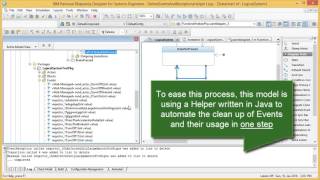
IBM Rational Rhapsody Advanced Tip #4 - Applying format using a stereotype
PublishedAt
2016-01-14T21:02:43Z
Tags
['sysml', 'omg sysml', 'rhapsody', 'rational rhapsody', 'ibm rational', 'mbse', 'ibm rational rhapsody']
Description(ja)
IBM Rational Rhapsody を使用するためのこの基本的なヒントは、私が常に使用しているものです。最初にステレオタイプを右クリックし、そこでフォーマットを設定することで、ステレオタイプを使用してフォーマットを適用することがいかに簡単かを示しています。ステレオタイプを要素に適用すると、設定したフォーマットが自動的に伝達されるようになりました。 www.mbsettraining.com
Description
This basic tip for using IBM Rational Rhapsody is something I use all the time. It shows how easy it is to apply format using a stereotype, by first right-clicking on the stereotype and setting the Format there. Now when you apply the stereotype to an element, the Format you set is conveyed automatically. www.mbsetraining.com
Video
IBM Rational Rhapsody Advanced Tip #4 - Applying format using a stereotype
What's New in Rational Asset Manager 7.5.2.4
PublishedAt
2016-01-18T14:01:17Z
Tags
None
Description(ja)
このビデオでは、Rational Asset Manager の 7.5.2.4 バージョン リリースで使用可能な新機能を垣間見ることができます。
Description
This video provides a glimpse of the new features available in the 7.5.2.4 version release of Rational Asset Manager.
Video
What's New in Rational Asset Manager 7.5.2.4
Rhapsody Tip #5 - Using the BackUps property (Simple)
PublishedAt
2016-01-21T22:29:20Z
Tags
['ibm rational', 'rational rhapsody', 'telelogic', 'mbse', 'sysml', 'ibm rational rhapsody', 'rhapsody 8.1.3', 'mbsetraining']
Description(ja)
数千ある便利なプロパティの 1 つにすぎません。このプロパティをモデルに設定して、保存するたびに以前のバージョンのコピーを保存することができます。これは、Rhapsody を「ソロ」で使用している場合、つまり SCM ツールを構成していない場合に、バックアップを提供するのに便利です。
Description
Just one of a thousand useful properties, this property can be set on a model to get it to save a copy of the previous version, every time you save. This can be handy to give you Backups when using Rhapsody "solo", i.e. without an SCM tool configured.
Video
Rhapsody Tip #5 - Using the BackUps property (Simple)
Rhapsody Tip #6 - Using guard-based STM pattern (Advanced)
PublishedAt
2016-01-29T12:28:25Z
Tags
['harel statechart', 'rational', 'rational rhapsody', 'ibm rational rhapsody', 'mbse', 'state machines', 'transitions', 'event driven', 'real-time systems', 'omg sysml', 'systems modeling language']
Description(ja)
リアルタイム システム開発では、STM でより継続的な動作をキャプチャすることが役立つ場合があります。特に、エンジニアがイベント/シグナルではなくガードの観点から考える傾向にある自動車では、キャプチャしたい動作が要求されるためです。それ。高度な Rhapsody STM に関するこの 2 分間のビデオでは、2 つのステート マシンが対比されています。 1 つ目は、非同期イベントによって遷移がトリガーされる従来の STM を使用します。 2 つ目は、null トリガー遷移を持つ Guard を使用して同様の動作をキャプチャするために使用できる並列領域パターンを示しています。
Description
Sometimes in real-time systems development it can help to capture more continuous behavior in an STM, particularly in automotive where engineers may be more orientated to think in terms of guards rather than events/signals, but also because the behavior we want to capture demands it. This 2 minute video on advanced Rhapsody STM's contrasts two state machines. The first uses a conventional STM where transitions are triggered by asynchronous events. The second shows a parallel region pattern that can be used to capture similar behavior using Guards with null-triggered transitions.
Video
Rhapsody Tip #6 - Using guard-based STM pattern (Advanced)
Rhapsody Tip #7 - Customizing a drawing toolbar to ease usage (Intermediate)
PublishedAt
2016-02-05T17:47:33Z
Tags
['sysml', 'rational rhapsody', 'rhapsody', 'ibm rational rhapsody', 'mbse', 'mbsetraining', 'omg sysml', 'activity diagrams']
Description(ja)
Rhapsody のツールバーを変更して、必要な描画ツールを単純化または追加したいと思ったことはありませんか?実際、やることはとても簡単です。個々の図で行うか、プロジェクト全体で行うかのオプションもあります。このビデオでは、SysML/UML アクティビティ図で Toolbar プロパティをオーバーライドする方法を示します。たとえば、モデラーがステレオタイプの依存関係を 1 ステップで追加できるようにするためです。
Description
Ever wanted to modify Rhapsody’s toolbar to simplify or add the drawing tools that you want? Actually, it’s pretty simple to do. We have the option also whether to do it on individual diagrams or across the project. This video shows how you can override the Toolbar property on a SysML/UML Activity Diagram, e.g., so that a modeler can add a Dependency with stereotype in a single step.
Video
Rhapsody Tip #7 - Customizing a drawing toolbar to ease usage (Intermediate)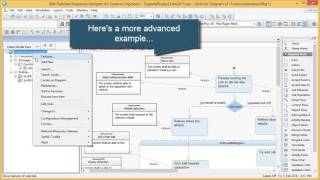
Rhapsody Tip #8 - Using and extending the Enhanced Tooltip (Intermediate)
PublishedAt
2016-02-14T15:06:34Z
Tags
['ibm rational rhapsody', 'rational rhapsody', 'sysml', 'omg sysml', 'rhapsody', 'tips and tricks', 'mbse', 'mbsetraining']
Description(ja)
Rhapsody の使いやすさの機能強化の 1 つは、強化されたツールチップです。クリックできるハイパーリンク付きのプレビューが表示されます。ダイアグラムでは、Shift+Alt+F2 を押して有効にするか、General::Model::ShowModelTooltipInGE プロパティを Enhanced に設定できます。 Ctrl+F2 は、ツールチップを別のウィンドウに分割します。また、Rhapsody の機能をメソッド固有の使いやすさの強化で拡張することもできます。たとえば、関連する要件の仕様テキストを表示することができます。
Description
One of Rhapsody's usability enhancements has been an Enhanced Tooltip. It gives a preview with hyperlinks that can be clicked. On diagrams it can be enabled by pressing Shift+Alt+F2 or, we can set the General::Model::ShowModelTooltipInGE property to Enhanced. Ctrl+F2 will break the tooltip out into a separate Window. We can also extend Rhapsody's capabilities with method-specific usability enhancements, for example to view the specification text of related requirements.
Video
Rhapsody Tip #8 - Using and extending the Enhanced Tooltip (Intermediate)
Rhapsody Tip #9 - Using a query to find (and delete) requirements removed from view (Intermediate)
PublishedAt
2016-02-21T21:59:16Z
Tags
['ibm', 'ibm rational', 'ibm rational rhapsody', 'omg sysml', 'sysml', 'rhapsody', 'mbse', 'mbsetraining']
Description(ja)
IBM Rational Rhapsody では、ダイアグラムに要素を作成した後、考えを変えることがあります。コンテキスト メニューでは、モデルから削除するか、ビューから削除することができます (ただし、モデルは保持します)。 「削除」を押すだけで、ビューから削除されます (つまり、安全なオプション)。これは私たちの意図ではない場合があります。追跡可能性のない要素を見つけるために、モデルでユーザー定義のクエリを作成できます。クエリはブラウザに存在し、永続化された検索用語です。クエリを作成して、着信依存関係がまったくない要件を検索できます。クエリをダブルクリックすると、出力ウィンドウに要素が一覧表示されます。これらはデフォルトでブラウザ フィルタとしてもリストされており、プルダウン ブラウザ フィルタ リストから選択できます。出力ウィンドウまたはブラウザーで、モデルから削除する要素を複数選択できます。
Description
On occasion in IBM Rational Rhapsody, we may create elements on diagrams and then change our minds. In the context menu we can either Delete from model or remove from view (but keep in model). Just pressing 'Delete' will remove from view (i.e. the safe option). This is sometimes not our intent. To find elements that have no traceability we could create a user-defined Query in the model. Queries exist in the browser and are persisted search terms, e.g. we can create a Query to search for requirements with exactly zero incoming dependencies. Double-clicking a Query lists the elements in the output window. They are also listed as browser filters, by default, and we can pick them from the pull-down browser filter list. In either the output window, or the browser, we can multi-select elements to delete from model.
Video
Rhapsody Tip #9 - Using a query to find (and delete) requirements removed from view (Intermediate)
Rhapsody Tip #10 - What are new term stereotypes? (Intermediate)
PublishedAt
2016-03-06T18:33:38Z
Tags
None
Description(ja)
IBM Rational Rhapsody を使用すると、UML/SysML を独自の用語で拡張できます。これは、UML/SysML で仮装をするようなものです。標準的なステレオタイプ メカニズムは、かなり透過的な拡張メカニズム (ジェームズ ボンドのテーマ パーティー?) を提供します。ストップを引き出したい場合は、ステレオタイプを新しい用語としてマークし、新しいブラウザ アイコンを与えることができます。これは、ピンクパンサーのドレスアップに似ています。
Description
IBM Rational Rhapsody allows us to extend the UML/SysML with our own terms. It's a bit like playing fancy dress with UML/SysML. Standard stereotype mechanisms provide us with a fairly transparent extension mechanism (a James Bond theme party?). If we want to pull out the stops then we can mark a stereotype as a New Term and give it new browser icons. This is more akin to dressing up as the Pink Panther.
Video
Rhapsody Tip #10 - What are new term stereotypes? (Intermediate)
Rhapsody Tip #11 - Understanding Rhapsody's property hierarchy (Intermediate)
PublishedAt
2016-03-12T10:55:20Z
Tags
['mbse', 'sysml', 'omg sysml', 'mbe', 'rational rhapsody', 'rhapsody', 'ibm rational rhapsody', 'uml', 'mbsetraining']
Description(ja)
IBM Rational Rhapsody には、動作方法をカスタマイズするための何千ものプロパティーがあります。ダイアグラム表示のデフォルト、ツールバー メニュー、ブラウザー、コード、またはシミュレーション生成動作はすべて、プロジェクトや会社のニーズに合わせて調整できます。たとえば、要件に表示されるコンパートメントです。この機能にアクセスするには、プロパティ階層を理解する必要があります。 www.mbsettraining.com からのこの短い 2 分間のビデオでは、実際のプロパティ階層が強調されています。
Description
IBM Rational Rhapsody has thousands of properties to customize the way it works. Diagram display defaults, toolbar menus, the browser, code or simulation generation behavior can all be tailored for your project or company needs. For example, the compartments shown for requirements. Accessing this power requires understanding of the property hierarchy. This short 2 minute video from www.mbsetraining.com highlight's the property hierarchy in action.
Video
Rhapsody Tip #11 - Understanding Rhapsody's property hierarchy (Intermediate)
Rhapsody Tip #12 - The General:: Model:: RenameUnusedFiles property (Intermediate)
PublishedAt
2016-03-23T22:54:31Z
Tags
['mbse rhapsody', 'mbse', 'sysml', 'ibm rational rhapsody', 'rational', 'uml', 'mbsetraining', 'mbse training', 'ibm', 'model-based systems engineering']
Description(ja)
このビデオは、Rhapsody が UML/SysML プロジェクトをファイル システムに保存する方法に関するいくつかの基本原則を説明するために作成しました。フォルダー構造とユニットの概念。上級ユーザー向けに、ユニットの名前を変更するとどうなるか、および Rhapsody がどのように機能するかを制御するために構成できる多くのプロパティの 1 つについても強調しました。プロパティを使用する必要があるかどうかは、セットアップによって異なります。少なくとも、ビデオは知っておく価値のあるいくつかの基本的な概念を提供します。
Description
I created this video to help explain some basic principles about how Rhapsody stores UML/SysML projects on the file-system; the folder structure and the concepts of units. For more advanced users I've also highlighted what happens when you rename units, plus one of many properties Rhapsody has that can be configured to control how it works. Whether you need to use the property may depend on the setup. At the very least, the video gives a few basic concepts worth knowing.
Video
Rhapsody Tip #12 - The General:: Model:: RenameUnusedFiles property (Intermediate)
Rhapsody Tip #13 - Managing Unresolved elements/units (Intermediate)
PublishedAt
2016-03-31T21:04:25Z
Tags
['mbse', 'rational rhapsody', 'ibm rational rhapsody', 'omg sysml', 'systems modeling language', 'sysml', 'model-based systems engineering', 'rhapsody designer', 'rhapsody architect for systems', 'mbsetraining', 'executable mbse']
Description(ja)
このビデオでは、IBM Rational Rhapsody のハウスキーピングのヒントをいくつか紹介します。モデルは「定義上」、同じアーティファクトをさまざまな方法で表示できるため、絵を描くこととは異なります。共通のデータ ディクショナリは、情報やアイデアが進化しても一貫性を保つことができることを意味します。しかし、あなたが持っていない別のモデルのプロファイルまたはユニットを参照するモデルが誰かから送られてきた場合、または CM 戦略が関連ファイルが一緒に伝播されることを保証できなかった場合はどうなるでしょうか?このビデオが説明に役立つことを願っています。また、「モデルに追加」ダイアログを使用して他のプロファイルを参照する方法と、Rhapsody の「高度な検索と置換」ダイアログを使用して未解決の要素についてモデルをチェックする方法も示しています。
Description
This video gives some housekeeping tips for IBM Rational Rhapsody. A model is 'by definition' differs from drawing pictures because you have the ability to view the same artifacts in many different ways. The common data dictionary means that we can keep things consistent as the information and ideas evolve. But what if someone sends you a model that references a profile or units in a different model that you don't have, or your CM strategy fails to ensure related files are propagated together? This video hopefully helps to explain. It also shows how you can use the Add to model dialog to reference other profiles and Rhapsody's Advanced Search and Replace dialog to check a model for unresolved elements.
Video
Rhapsody Tip #13 - Managing Unresolved elements/units (Intermediate)
Rhapsody Tip #14 - Using make default and drawing interruptible edges (Simple)
PublishedAt
2016-04-13T18:29:57Z
Tags
['ibm rational rhapsody', 'mbse', 'sysml', 'omg sysml', 'mbsetraining', 'executable mbse', 'rhapsody', 'rational rhapsody', 'uml']
Description(ja)
このビデオでは、Rhapsody の描画面を操作する際の簡単なヒントをいくつか紹介します。 1 つ目は、右クリックして Make Default... を選択して新しいデフォルト サイズを選択する機能です。どちらも私が実際によく使うものなので、動画にまとめてみようと思いました。
Description
This video shows a couple of simple tips when working with Rhapsody's drawing surface. The first is the ability to choose a new default size for things by right-clicking and choosing Make Default... The second tip is a workaround for drawing a jagged edge coming out of an interruptible region by adding user points. Both are things I actually use quite often, hence I thought I'd bottle them into a video.
Video
Rhapsody Tip #14 - Using make default and drawing interruptible edges (Simple)
MBSE Rhapsody SysML Method #1 - Requirements Analysis and Use Cases
PublishedAt
2016-04-17T15:24:09Z
Tags
['rational rhapsody', 'ibm rational rhapsody', 'omg sysml', 'systems modeling language', 'sysml', 'methods', 'mbse method', 'mbsetraining', 'mbse consulting', 'sysml consulting']
Description(ja)
これは、MBSE Training and Consulting Ltd が開発したメソッド アクセラレータ プラグインを示す 10 分間のビデオで、アクティビティ モデルを使用してテキスト ユース ケースの分析から機能要件を生成する軽量の SysML メソッドを高速化します。メソッド ヘルパーは、Fraser Chadburn によって開発されたオープン ソース プロジェクトです。この方法は、Rhapsody から Rational DOORS への要件の双方向同期のために Rhapsody Gateway のあまり知られていない機能を利用しており、Rhapsody を使用する MBSE に慣れていない人がすぐに利用できるように設計されています。
Description
This is 10 minute video that shows a method accelerator plugin developed by MBSE Training and Consulting Ltd to speed up a light-weight SysML method to generate functional requirements from analysis of textual use case using an activity model. The method helper is an open source project developed by Fraser Chadburn. The method makes use of a little known feature in the Rhapsody Gateway for bi-directional synchronization of requirements from Rhapsody to Rational DOORS and is designed as a quick win for people new to MBSE with Rhapsody.
Video
MBSE Rhapsody SysML Method #1 - Requirements Analysis and Use Cases
Rational Team Concert v. 6.0 - Understanding the Plan Ranking Feature
PublishedAt
2016-04-21T14:23:11Z
Tags
['Rational Team Concert', 'RTC', 'Collaborative Lifecycle Management', 'CLM', 'plan ranking', 'plans']
Description(ja)
このビデオは、RTC 6.0 で利用可能なプラン ランキング機能について理解を深めるのに役立ちます。
Description
This video helps you to understand more about the Plan Ranking feature available in RTC 6.0.
Video
Rational Team Concert v. 6.0 - Understanding the Plan Ranking Feature
Rhapsody Tip #15 - Changing the default project directory (Intermediate)
PublishedAt
2016-04-24T09:35:11Z
Tags
['mbse', 'sysml', 'omg syml', 'rational rhapsody', 'ibm rational rhapsody', 'mbse training', 'executable mbse', 'rhapsody', 'uml']
Description(ja)
これはあまり知られていないヒントです。 Rhapsody でプロジェクトを作成すると、デフォルトで、「新規プロジェクト」ダイアログは、新規プロジェクトのデフォルト・ルートとしてインストール済みフォルダーを選択します。通常、これは望ましい場所ではなく、読み取り/書き込みができない可能性があるため、新しいルートを参照する必要があります。プロジェクトを作成するたびにこれを行うのは、特にトレーニングやデモの作成時に煩わしい場合があります。幸いなことに、行 ProjectsDirectory= を rhapsody.ini ファイルに追加することで、デフォルトのフォルダーを調整できます。このビデオはこれを示しています。
Description
This is a lesser known tip. When you create a project in Rhapsody, the New Project dialog will, by default, choose an installed folder as the default root for new projects. This is not usually a desired location and may not be read/write, requiring you to browse to a new root. Doing this every time you create a project can be annoying especially when training or creating demos. Fortunately, you can tailor the default folder by adding a line ProjectsDirectory= to the rhapsody.ini file. This video illustrates this.
Video
Rhapsody Tip #15 - Changing the default project directory (Intermediate)
Rational Team Concert 6.0.2 - Stream and Component Locking
PublishedAt
2016-04-25T14:28:55Z
Tags
['Rational Team Concert', 'RTC', 'stream', 'component', 'locking']
Description(ja)
このビデオでは、Rational Team Concert (RTC) 6.0.2 のストリームとコンポーネントのロック機能を紹介しています。
Description
This video demonstrates the stream and component locking capability in Rational Team Concert (RTC) 6.0.2.
Video
Rational Team Concert 6.0.2 - Stream and Component Locking
Rational Team Concert 6.0.2 - z/OS Build Log Enhancements
PublishedAt
2016-04-25T14:35:02Z
Tags
['Rational Team Concert', 'RTC', 'build log', 'z/OS']
Description(ja)
このビデオでは、Rational Team Concert で z/OS ビルド ログに加えられた機能強化について説明します。 6.0.2。
Description
This video demonstrates enhancements made to the z/OS build log in Rational Team Concert. 6.0.2.
Video
Rational Team Concert 6.0.2 - z/OS Build Log Enhancements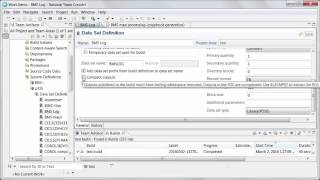
Rational Team Concert 6.0.2 client for Microsoft Visual Studio IDE - History Graph
PublishedAt
2016-04-25T17:15:27Z
Tags
['Rational Team Concert', 'RTC', 'history graph', 'Microsoft Visual Studio IDE']
Description(ja)
このビデオでは、Microsoft Visual Studio IDE 用の Rational Team Concert 6.0.2 クライアントのヒストリー グラフ機能について説明します。
Description
This video demonstrates the history graph feature in Rational Team Concert 6.0.2 client for Microsoft Visual Studio IDE.
Video
Rational Team Concert 6.0.2 client for Microsoft Visual Studio IDE - History Graph
Rational Team Concert 6.0.2 - Graphical Views of Baseline
PublishedAt
2016-04-26T19:32:08Z
Tags
['Rational Team Concert', 'RTC', 'graphical view', 'baseline']
Description(ja)
このビデオは、Rational Team Concert 6.0.2 に追加されたベースライン機能の新しいグラフィカル ビューを示しています。
Description
This video demonstrates the new graphical views of baseline feature added to Rational Team Concert 6.0.2.
Video
Rational Team Concert 6.0.2 - Graphical Views of Baseline
Rational Team Concert 6.0.2 - 'Planned For' Drop-down Options
PublishedAt
2016-04-26T20:09:59Z
Tags
['Rational Team Concert', 'RTC', 'Planned For', 'drop-down options']
Description(ja)
このビデオでは、Rational Team Concert 6.0.2 の「計画対象」ドロップダウン オプションの更新について説明します。
Description
This video demonstrates updates to the 'Planned For" drop-down options in Rational Team Concert 6.0.2.
Video
Rational Team Concert 6.0.2 - 'Planned For' Drop-down Options
Rational Team Concert 6.0.2 - String Variables in Work Item Templates
PublishedAt
2016-05-03T15:11:07Z
Tags
['Rational Team Concert', 'RTC', 'work item templates', 'string variables']
Description(ja)
このビデオでは、Rational Team Concert 6.0.2 でストリング変数を使用して作業項目テンプレートを作成する方法を示しています。
Description
This video demonstrates creating work item templates with string variable in Rational Team Concert 6.0.2.
Video
Rational Team Concert 6.0.2 - String Variables in Work Item Templates
Rational Team Concert 6.0.2 - RTC plugin for Jenkins 1.2
PublishedAt
2016-05-03T16:16:12Z
Tags
['Rational Team Concert', 'RTC', 'Jenkins']
Description(ja)
このビデオでは、Jenkins 1.2 用の Rational Team Concert 6.0.2 プラグインで使用できる新機能について説明します。
Description
This video demonstrates the new features available in the Rational Team Concert 6.0.2 plugin for Jenkins 1.2.
Video
Rational Team Concert 6.0.2 - RTC plugin for Jenkins 1.2
Rhapsody Tip #16 - Some magic drawing key tips to know (Simple)
PublishedAt
2016-05-06T17:01:50Z
Tags
['model-based systems engineering', 'rational rhapsody', 'ibm', 'ibm rational rhapsody', 'rhapsody', 'sysml', 'omg sysml', 'mbse training', 'mbse', 'uml']
Description(ja)
IBM Rational Rhapsody には、ダイアグラムを描画するときに使用できる便利なキー操作が多数用意されています。たとえば、含まれる要素のサイズ変更を防ぐために Alt キーを押したままにすることは、ほとんどの人が最初に学ぶことですが、他にもあります。含まれている要素を移動せずにナッジします。この短いビデオでは、それらの多くを示しています。
Description
IBM Rational Rhapsody has a number of handy key presses you can use when you're drawing diagrams. E.g., holding down the alt key to prevent re-sizing contained elements is the one most people learn first but there are others, e.g., press Shift while re-sizing will keep the shape's symmetry, and pressing Shift while moving an element with arrows allows you to nudge without moving the contained elements. This short video shows a bunch of them.
Video
Rhapsody Tip #16 - Some magic drawing key tips to know (Simple)
Rhapsody Tip #17 - Making space on sequence diagrams using the Shift key (Simple)
PublishedAt
2016-05-14T17:32:40Z
Tags
['ibm rational rhapsody', 'ibm rational', 'rhapsody', 'sysml', 'omg sysml', 'uml', 'mbse', 'model-based systems engineering', 'rational rhapsody']
Description(ja)
ヒント #16 に続いて、この短いビデオでは、要素をクリックして移動する前に SHIFT キーを押して、IBM Rational Rhapsody シーケンス図に空白を作成する簡単な手法を示します。モデリングを高速化するために使用できます。
Description
Following on from tip #16 this short video shows a simple technique for creating white space in IBM Rational Rhapsody sequence diagrams by holding down the SHIFT key before clicking and moving an element. It can be used to speed up your modeling.
Video
Rhapsody Tip #17 - Making space on sequence diagrams using the Shift key (Simple)
Installing the executable MBSE SysMLHelperProfile
PublishedAt
2016-05-27T18:52:14Z
Tags
None
Description(ja)
SysMLHelperProfile は、IBM Rational Rhapsody ユーザーが要件をトレースした実行可能な MBSE プロジェクトを迅速に作成できるようにするために作成された Java プラグインです。プロファイルは、GNU Public License v3.0 の下でオープン ソース プロジェクトとして利用できるようになりました。この短いビデオでは、それを見つけてダウンロードする方法について説明しています。
Description
The SysMLHelperProfile is a Java plugin written to speed up the ability of IBM Rational Rhapsody users to create executable MBSE projects traced to requirements. The profile has been made available as an open source project under GNU Public License v3.0. This short video gives instructions on how to find and download it.
Video
Installing the executable MBSE SysMLHelperProfile
Rhapsody Tip #18 - Exporting high-quality vector-based images out of Rhapsody (Simple)
PublishedAt
2016-06-03T20:10:51Z
Tags
['sysml', 'omg sysml', 'model-based systems engineering', 'rational rhapsody', 'rhapsody', 'ibm rational', 'ibm rational rhapsody', 'uml', 'mbsetraining', 'mbse']
Description(ja)
多くの場合、Rhapsody からダイアグラムをすばやく取得して、人々に送信したり、手動で作成したドキュメントに含めたりしたいと考えています。これを行うにはいくつかのオプションがありますが、最適なオプションが必ずしも最も明白であるとは限りません。このビデオでは、[ダイアグラム イメージのエクスポート] を使用するための 2 つの代替手法を紹介しています。最も簡単な方法は、Ctrl-A、Ctrl-C、およびダイアグラム キャンバスからのダイアグラムからの貼り付け (Ctrl-V) です。人々がレビューするために写真を送信したい場合、別の非常に便利なアイデアは、PDF に印刷することです (Windows 10 の組み込み機能またはサードパーティの PDF プリンター ツール (できれば、安全で bloat をインストールしないもの) と組み合わせて使用します。 -)。
Description
We often want to quickly get diagrams out of Rhapsody to send to people or include in manually-created documents. There are a number of options to do this, but the best option is not necessarily the most obvious. This video shows two alternative techniques to using the Export Diagram Image... The easiest is to Ctrl-A, Ctrl-C and Paste (Ctrl-V) from diagram from the diagram canvas. If you want to send pictures for people to review another really handy idea is to Print to PDF (in conjunction with either Windows 10's built in feature, or a third-party PDF printer tool (preferably one that's safe and doesn't install bloat 😉.
Video
Rhapsody Tip #18 - Exporting high-quality vector-based images out of Rhapsody (Simple)
Create the requirements analysis package structure
PublishedAt
2016-12-29T22:31:45Z
Tags
['MBSE', 'sysml', 'executablembse', 'executable mbse', 'rational rhapsody', 'ibm', 'ibm rational rhapsody', 'rhapsody', 'omg sysml']
Description(ja)
これは、v2 ヘルパーを使用した要件分析プロジェクトの初期設定を示しています。これには、Gateway および Rational DOORS を操作するためのオプションのダイアログが含まれています。
Description
This shows initial Requirements Analysis project set-up using the v2 helper. It includes the optional dialog for working with the Gateway and Rational DOORS.
Video
Create the requirements analysis package structure
Create brainstorm the use cases and actors
PublishedAt
2016-12-29T22:59:01Z
Tags
['omg sysml', 'sysml', 'rhapsody', 'rational rhapsody', 'ibm', 'ibm rational rhapsody', 'designer edition', 'executable mbse', 'mbse', 'systems engineering']
Description(ja)
ユースケースとアクターについてブレインストーミングを行うときは、ワークショップで行います。この機会を利用して、利害関係者を関与させます。システムが行う機能ではなく、エンドツーエンドの目標を扱う「大きなユースケース」について考えてください。シナリオをユース ケースに合理化し、重要な目標をテキスト要件として捉えて、ユース ケースを補完し、情報を提供します。
Description
When brainstorming the use cases and actors do it in a workshop. Use the opportunity to get stakeholders engaged. Think about "big use cases" that deal with the end-to-end goals, not functions the system does. Rationalize scenarios into use cases and capture important goals as textual requirements so they complement and inform the use cases.
Video
Create brainstorm the use cases and actors
Create steps for use case using a simplified activity diagram
PublishedAt
2016-12-29T23:13:52Z
Tags
['sysml', 'omg sysml', 'rational rhapsody', 'rhapsody', 'ibm', 'designer', 'mbse', 'executable mbse', 'executablembse', 'systems engineering', 'requirements definition', 'rational doors']
Description(ja)
アクティビティ図は、同じキャンバスでユース ケースの晴れた日と雨の日 (代替) シナリオの両方を探索するのに最適です。決定ノード、並列アクション、割り込みなど、さまざまなセマンティクスをグラフィカルに伝えることができます。
Description
Activity diagrams are great for exploring both the sunny day and rainy day (alternate) scenarios of use case on the same canvas. A range of semantics can be conveyed graphically, including decision nodes, parallel actions, and interrupts.
Video
Create steps for use case using a simplified activity diagram
ExecutableMBSE.com - Method 1: Initial Requirements Analysis
PublishedAt
2016-12-30T18:25:34Z
Tags
['sysml', 'omg sysml', 'rational rhapsody', 'ibm rational rhapsody', 'rhapsody', 'rhapsody designer edition', 'executable mbse', 'mbse', 'rational doors', 'systems engineering', 'model-based systems engineering', 'requirements analysis', 'harmonyse', 'executablembse']
Description(ja)
要求分析は、IBM Rational Rhapsody を使用してチームとして実行可能な SysML モデルを構築するための多段階ロケットの最初のフェーズです。これにより、簡素化されたアクティビティ図を使用して記述された相互接続されたユース ケース モデルを備えた一連の機能要件が得られます。 Harmony/SE を自動車用に改造した 3 段階の手法の第 1 部です。これは 10 分間の方法です。つまり、Rhapsody モデルの生成、ユース ケースの生成、要件の生成、要件の DOORS への取り込みを 10 分未満で誰かに見せることができます。これは、オープンソースの SysMLHelper プロファイル (www.executablembse.com を参照) によって提供されるツールの自動化によって実現されます。
Description
Requirements Analysis is the first phase in a multi-stage rocket for building an executable SysML model as a team using IBM Rational Rhapsody. It results in a set of functional requirements with an interconnected use case model describing using simplified activity diagrams. This part 1 of a 3 stage method based on a modification of Harmony/SE for automotive applications. It's a 10 minute method, i.e. possible to show someone the end of end of generating a Rhapsody model, generating the use cases, generating the requirements and getting requirements into DOORS in less than 10 minutes. This is accomplished by tool automation provided by the open-source SysMLHelper profile (see www.executablembse.com).
Video
ExecutableMBSE.com - Method 1: Initial Requirements Analysis
ExecutableMBSE.com - Method Part 2: Functional Analysis (executing textual requirements)
PublishedAt
2017-01-01T20:06:35Z
Tags
['sysml', 'omg sysml', 'rational rhapsody', 'ibm rational rhapsody', 'mbse', 'model-based systems engineering', 'systems engineering', 'rhapsody designer', 'harmony', 'automotive', 'modeling', 'executable mbse', 'executablembse']
Description(ja)
Functional Analysis は、SysMLHelperPlugin (www.executablembse.com を参照) と呼ばれる無料のオープンソース プラグインを使用して、IBM Rational Rhapsody で実行可能な MBSE メソッドのパート 2 です。この方法は Harmony/SE に基づいていますが、IBM の方法とは異なります。テーラリングは、前の要件分析フェーズの制約を軽減することを目的としています。たとえば、テキストのステップを表現して、それを要件定義フェーズとして扱うことができます。機能分析ステージの目的は、テキストのステップをシステム機能、イベント、および属性に変換し、モデルの実行を通じてモデルを検証することです。この「レフト シフト」アプローチは、レビューで見つからなかった問題を検出して解決し、アーキテクチャに統合するための豊富なモデルも提供します。このビデオは、ヘルパーの v2.0 を示しています。
Description
Functional Analysis is part 2 of an executable MBSE method with IBM Rational Rhapsody using a free open-source plugin called the SysMLHelperPlugin (see www.executablembse.com). The method is based on Harmony/SE but differs from the IBM method. The tailoring is targeted to reduce constraints in the preceding requirements analysis phase allowing, for example, textual steps to be expressed and treating it more as a requirements definition phase. The purpose of the Functional Analysis stage is to convert the textual steps into system functions, events and attributes and verify the model through model execution. This "left shift" approach detects and resolves issues not found in review and also supplies a rich model for integration into an architecture. This video shows v2.0 of the Helper.
Video
ExecutableMBSE.com - Method Part 2: Functional Analysis (executing textual requirements)
Rhapsody Tip #19 - Smart Routing and some other 8.2 diagramming enhancements (Simple)
PublishedAt
2017-01-08T22:07:22Z
Tags
['sysml', 'systems engineering', 'mbse', 'ibm rational', 'rhapsody', 'ibm rational rhapsody', 'model-based systems engineering', '8.2', 'rhapsody 8.2', 'executable mbse', 'ibm', 'omg sysml']
Description(ja)
この短いビデオでは、図表作成に関連する IBM Rational Rhapsody 8.2 の 3 つの新機能 (スマート ルーティング、配置ガイド、丸みを帯びた直線形状オプション) について説明します。実際、彼らはかなりクールです。ただし、スマート ルーティングをデフォルトで機能させるには、プロパティを設定する必要があります。
Description
This short video covers 3 new features in IBM Rational Rhapsody 8.2 that relate to diagramming: Smart Routing, Alignment Guides, and the Rounded Rectilinear line shape option. Actually, they're pretty cool. You do need to set a property to get Smart Routing to work by default though.
Video
Rhapsody Tip #19 - Smart Routing and some other 8.2 diagramming enhancements (Simple)
Rhapsody Tip #20- Adding a HyperLinkShortCut list to graphical elements for navigation (Simple)
PublishedAt
2017-01-15T21:09:17Z
Tags
['ibm', 'ibm rational', 'ibm rational rhapsody', 'rhapsody', '8.2', 'mbse', 'model-based systems engineering', 'systems engineering', 'sysml', 'omg sysml', 'executable mbse']
Description(ja)
IBM Rational Rhapsody v8.2 (2016 年 12 月リリース) では、ダイアグラム内の個々のグラフィック要素からのナビゲーションを強化するために、要素のタイトル バーからアクセスできるショートカットのリストを追加できます。このリリースでは、この機能は、クラス、オブジェクト、複合クラス、およびこれらの要素に基づく「新しい用語」要素でのみ使用できることに注意してください。ただし、それでも便利です。この非常に短いビデオは、その方法を示しています。
Description
In IBM Rational Rhapsody v8.2 (released Dec 2016) to enhance navigation from individual graphic elements in diagrams, you can add a list of shortcuts that are accessible from the title bar of the element. Note that in this release, the feature is only available for classes, objects, composite classes, and any "new term" elements based on these elements. It's still useful, however. This super short video shows how to do it.
Video
Rhapsody Tip #20- Adding a HyperLinkShortCut list to graphical elements for navigation (Simple)
Rational Team Concert 6.0.3 - Plan configuration in RTC web client
PublishedAt
2017-02-13T14:11:26Z
Tags
['IBM', 'Rational Team Concert', 'RTC', 'configuration', 'planning']
Description(ja)
このビデオでは、バージョン 6.0.03 の Rational Team Concert Web クライアントを使用して計画要素を構成する方法を示しています。
Description
This video demonstrates configuring planning elements using the Rational Team Concert web client in version 6.0.03
Video
Rational Team Concert 6.0.3 - Plan configuration in RTC web client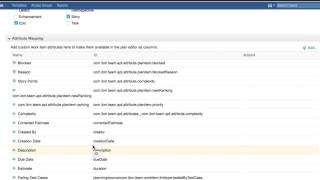
Rational Team Concert 6.0.3 - Extended rich text feature
PublishedAt
2017-02-13T15:21:59Z
Tags
['IBM', 'Rational Team Concert', 'RTC', 'extended', 'rich text']
Description(ja)
このビデオは、Rational Team Concert 6.0.3 で使用できる拡張リッチ テキスト機能を示しています。注: この機能はデフォルトで無効になっており、管理者が有効にする必要があります
Description
This video demonstrates the extended rich text feature available in Rational Team Concert 6.0.3. Note: This feature is disabled by default, and needs to be enabled by an administrator
Video
Rational Team Concert 6.0.3 - Extended rich text feature
Rational Team Concert 6.0.3 - Web interface for importing work items
PublishedAt
2017-02-13T15:50:49Z
Tags
['IBM', 'Rational Team Concert', 'RTC', 'work item', 'importer']
Description(ja)
このビデオは、ワークアイテム インポーターの Web ユーザー インターフェイスを示しています。
Description
This video demonstrates the web user interface for the work item importer.
Video
Rational Team Concert 6.0.3 - Web interface for importing work items
Rational Team Concert 6.0.3 - File traceability link
PublishedAt
2017-02-13T16:56:50Z
Tags
['IBM', 'Rational Team Concert', 'RTC', 'Microsoft', 'Visual Studio', 'file traceability', 'link']
Description(ja)
このビデオでは、Microsoft Visual Studio 用の RTC クライアントを使用して、Rational Team Concert 6.0.3 のファイル トレーサビリティ リンク機能を紹介しています。
Description
This video demonstrates the file traceability link feature in Rational Team Concert 6.0.3 using the RTC client for Microsoft Visual Studio.
Video
Rational Team Concert 6.0.3 - File traceability link
Rational Team Concert 6.0.3 - Integrated web editor
PublishedAt
2017-02-13T19:03:35Z
Tags
['IBM', 'Rational Team Concert', 'RTC', 'Microsoft', 'Visual Studio', 'integrated web editor']
Description(ja)
このビデオでは、Microsoft Visual Studio 用の Rational Team Concert クライアント (6.0.3) の統合 Web エディターを紹介します。
Description
This video demonstrates the integrated web editor for Rational Team Concert client (6.0.3) for Microsoft Visual Studio.
Video
Rational Team Concert 6.0.3 - Integrated web editor
4 Representations of Use Cases in IBM Rational Rhapsody and OMG SysML/UML
PublishedAt
2017-04-18T17:08:40Z
Tags
['mbse', 'sysml', 'uml', 'rational rhapsody', 'ibm rational', 'ibm rational rhapsody', 'rhapsody architect', 'use cases', 'executable mbse']
Description(ja)
このビデオでは、OMG SysML と IBM Rational Rhapsody を使用した 3 日間の Mastering MBSE トレーニングのサンプル モデルの 1 つを使用して、構造化テキスト、アクティビティ図、シーケンス図を使用した相互作用モデル、または実行可能なステート マシン モデル。クールなことは、私たちがあなたが好きなものを自由に使うことができるということです. SysML も UML も、ユース ケースがどのように見えるかを指定していません。考慮すべき主な点は、ユースケースが分析から設計までの旅に出るということです。
Description
This video uses one of the example models from my 3 day Mastering MBSE with OMG SysML and IBM Rational Rhapsody training to show 4 different forms for how use cases might be represented including structured text, an activity diagram, an interaction model with sequence diagrams, or an executable state machine model. The cool thing is that we’re free to use whatever you like. Neither SysML nor the UML specify how a use case shall look. The main thing to consider is that use cases take on a journey from analysis to design.
Video
4 Representations of Use Cases in IBM Rational Rhapsody and OMG SysML/UML
Rational Team Concert 6.0.3 - Shell enhancements
PublishedAt
2017-04-21T13:39:30Z
Tags
['Rational Team Concert', 'RTC', '6.0.3', 'shell enhancements']
Description(ja)
このビデオでは、Rational Team Concert 6.0.3 で利用可能になったシェルの機能拡張について説明します。
Description
This video demonstrates the shell enhancements made available in Rational Team Concert 6.0.3.
Video
Rational Team Concert 6.0.3 - Shell enhancements
Rational Team Concert 6.0.3 - HFS Build
PublishedAt
2017-04-21T13:41:03Z
Tags
['IBM', 'Rational Team Concert', 'RTC', '6.0.3', 'HFS']
Description(ja)
このビデオは、Rational Team Concert 6.0.3 での HFS ファイルのビルドに対する新しいサポートを示しています。
Description
This video demonstrates the new support for building HFS files in Rational Team Concert 6.0.3
Video
Rational Team Concert 6.0.3 - HFS Build
Rational Team Concert - Quick Planner Demo
PublishedAt
2017-05-25T13:29:17Z
Tags
['IBM', 'Rational Team Concert', 'RTC', 'Quick Planner']
Description(ja)
このビデオでは、Rational Team Concert の Quick Planner 機能を紹介しています。
Description
This video demonstrates the Quick Planner feature in Rational Team Concert.
Video
Rational Team Concert - Quick Planner Demo
Rational Team Concert Quick Planner Next Preview
PublishedAt
2017-05-25T13:32:25Z
Tags
['IBM', 'Rational Team Concert', 'RTC', 'Quick Planner Next']
Description(ja)
このビデオは、Rational Team Concert の Quick Planner Next 機能をプレビューします
Description
This video previews the Quick Planner Next features in Rational Team Concert
Video
Rational Team Concert Quick Planner Next Preview
Rhapsody Tip #22 - Why you can't draw connectors between Blocks in SysML (Intermediate)
PublishedAt
2017-06-25T17:17:47Z
Tags
['mbse', 'sysml', 'omg sysml', 'rhapsody designer', 'ibm rational rhapsody', 'rational rhapsody', 'rational rhapsody architect for systems engineers', 'systems engineering', 'uml', 'rhapsody']
Description(ja)
ブロックとパーツの違いを理解すること (したがって、BDD と IBD の違いは、SysML 実践者にとって非常に重要なトピックであり、トレーニングを受けていない Rhapsody ユーザーはほとんど理解できないものです。ブロック、あきらめ、代わりにフローを使用することを選択. ブロック、パーツ、ポート/コネクタ機能全体は非常に強力ですが. このビデオは、典型的な質問に光を当てようとしています: ポート間のコネクタを描画できないのはなぜですか? two Blocks. ビデオは IBM Rational Rhapsody 8.2.1 (2017 年 6 月リリース) を使用しています。
Description
Understanding the difference between Blocks and Parts (and thus the difference between BDDs and IBDs is a massively important topic for a SysML practitioner and something that very few Rhapsody users with no training will understand. I'm forever finding users who try to draw connectors between Blocks, give up, and choose to use Flows instead. The whole Block, Part, Port/Connector capability is really powerful though. This video tries to shed some light on the typical question: Why can't I draw a connector between ports on two Blocks. The video is using IBM Rational Rhapsody 8.2.1 (released June 2017)
Video
Rhapsody Tip #22 - Why you can't draw connectors between Blocks in SysML (Intermediate)
Rhapsody Tip #23 - Enhanced usability with Quick Navigation icons in 8.2.1 (Intermediate)
PublishedAt
2017-06-30T14:37:07Z
Tags
['ibm rational rhapsody', 'rational rhapsody', 'mbse', 'systems engineering', 'model-based systems engineering', 'rhapsody designer', 'rhapsody designer for systems engineers', 'rational architect for systems engineers', 'uml', 'syml', 'omg sysml']
Description(ja)
システム エンジニアにとって、階層をドリルダウンするなど、ダイアグラム間を移動できることはますます重要になっています。このビデオでは、Rhapsody 8.2.1 (2017 年 6 月) に追加された新機能を紹介し、さまざまなダイアグラムと要素タイプでサポートを拡大しています。この短いビデオに示されているように、この新しい機能は EnableQuickNavigation プロパティを設定することで有効になります。表示されるタイプのカテゴリは、QuickNavigationCategories プロパティを使用して、個々のダイアグラムまたは要素のタイプに合わせて調整できます。個々のグラフィック要素の [コンパートメント] タブを使用して、さらに細かく調整することもできます。
Description
Being able to navigate between diagrams, including drilling through hierarchies is increasingly important for systems engineers. In this video we show a new feature added to Rhapsody 8.2.1 (June 2017) to widen support for this across a range of diagrams and element types. As illustrated in this short video, this new feature is enabled by setting the EnableQuickNavigation property. The categories of displayed types can then be tailored for individual diagram or element types using QuickNavigationCategories properties. Further refinement is also possible using the Compartment tab of individual graphical elements.
Video
Rhapsody Tip #23 - Enhanced usability with Quick Navigation icons in 8.2.1 (Intermediate)
Rhapsody Tip #24 - Using change events with flowports (Intermediate)
PublishedAt
2017-09-02T21:32:27Z
Tags
['sysml', 'executablembse', 'mbse', 'model-based systems engineering', 'ibm', 'ibm rational', 'ibm rational rhapsody', 'rhapsody', 'rhapsody designer']
Description(ja)
SysML 1.3 でプロキシ ポートが導入されたにもかかわらず、フロー ポートはシステムをシミュレートするときに非常に役立ちます。このビデオでは、IBM Rational Rhapsody でフロー ポートを使用して、異なるブロックで定義されたパーツからデータ値を転送し、受信ブロックを送信ブロックの値の変更に反応させる方法を示します。フローポートの良い点の 1 つは、それらがマルチキャストであることです。コネクタを複数のパーツに描画することができます。これは、細かい粒度と相まって、自動車システムのシミュレーションに非常に役立ちます。プロキシ ポートの背後にある意図には感服しますが、フロー ポートが有用であり続けるのには実際的な理由があると思います。これらは、Rhapsody での Simulink 統合の基礎でもあり、すぐに廃止されないもう 1 つの理由です。 Rhapsody でのシミュレーションにフロー・ポートを使用する秘訣は、命名規則が使用されていることを理解することです。このビデオでは、変更イベント (chSpeed など) とセッター (setVehSpeed など) の使用方法と、フローポートと値プロパティ/属性の間の名前の等価性を組み合わせて、シミュレーションで機能させる方法を示しています。 http://www.mbsettraining.com/2017/09/rhapsody-tip-24-using-change-events.html
Description
Despite the introduction of proxy ports in SysML 1.3, flow-ports remain very useful when simulating systems. In this video I demonstrate how to use flow-ports in IBM Rational Rhapsody to transfer data values from Parts defined by different Blocks, and get the receiving Block to react to changes to the value in the transmitting Block. One of the good things about flow-ports is that they are multi-cast, e.g. it's possible to draw connectors to multiple parts. This, in combination with the fine granularity makes them very useful for simulating automotive systems. While I admire the intent behind proxy-ports, I think there are practical reasons therefore why flow-ports persist as useful. They are also the basis of Simulink integration in Rhapsody, another reason why they are not going away quickly. The trick to using flow-ports for simulation in Rhapsody is to understand that it uses naming conventions. This video illustrations the use of a change event (e.g. chSpeed) and a setter (e.g. setVehSpeed), together with name equivalence between the flow-port and the value property/attribute to get it working for simulation. http://www.mbsetraining.com/2017/09/rhapsody-tip-24-using-change-events.html
Video
Rhapsody Tip #24 - Using change events with flowports (Intermediate)
Rhapsody Tip #25 - Exporting just diagrams into existing DOORS modules (Intermediate)
PublishedAt
2017-09-23T09:45:07Z
Tags
['mbse', 'sysml', 'omg sysml', 'rational rhapsody', 'ibm rational rhapsody', 'rhapsody architect', 'rhapsody gateway', 'reqtify', 'rhapsody developer', 'ibm rational rhapsody designer', 'ibm rational rhapsody architect', 'systems engineering', 'rational doors', 'ibm rational doors', 'doors synchronizer']
Description(ja)
従来の Rhapsody Gateway の使用法は、要件を含む正式なモジュールへのリンクを使用して、Rhapsody モデルを DOORS のサロゲート モジュールとしてエクスポートすることです。しかし、DOORS へのドキュメントのエクスポート機能を使用して、Rhapsody ダイアグラムを既存の DOORS モジュールに追加できることをご存知でしたか?これは、理解しやすく追加の意味を伝える図式情報でテキスト要件を補足するのに役立ちます。それは簡単です。ただし、期待どおりに動作させるには、設定を慎重に行う必要があります。 www.rhapsodytraining.com のこの短いビデオで説明します。
Description
Conventional Rhapsody Gateway usage would be to export a Rhapsody model as a surrogate module in DOORS with links to a formal module that contains the requirements. However, did you know that the Export Document to DOORS functionality can be used to add Rhapsody diagrams to an existing DOORS module? This can be useful for supplementing textual requirements with diagrammatic information that makes them easier to understand and conveys additional meaning. It's straight forward. However, the settings need to be done carefully to make it work as expected. This short video from www.rhapsodytraining.com illustrates.
Video
Rhapsody Tip #25 - Exporting just diagrams into existing DOORS modules (Intermediate)
Rhapsody Tip #26 - Avoiding kinky lines, e.g., when drawing activity diagrams (Simple)
PublishedAt
2017-10-01T18:57:03Z
Tags
['mbse', 'rational rhapsody', 'omg sysml', 'systems modeling language', 'rhapsody designer', 'rhapsody developer', 'rhapsody architect', 'ibm rational rhapsody', 'control flow', 'object flow', 'uml', 'model-based systems engineering']
Description(ja)
Rational Rhapsody でダイアグラム (SysML/UML のアクティビティー・ダイアグラムなど) を描いているとき、コントロールやオブジェクト・フローなどのねじれを取り除くために、ダイアグラムに戻ることがよくあります。これを防ぐ簡単な方法は、線を描くときに Ctrl キーを押すことです。この非常に短い 1 分 15 秒のビデオがそれを示しています。これは、描画したばかりの線を調整するために戻って時間を費やす必要がないことを意味する、単純で積極的な手法です。このビデオは、Rhapsody 8.2.1 を使用しているため、新しいオンダイアグラム ツールバーのクイック ビューも提供します。これにより、描画ツールバーに戻る必要が減り、スタンプ モードもあることがわかります。これにより、アクティビティ図でのアクションの配線を高速化できます。
Description
When I'm drawing a diagram in Rational Rhapsody - such as an activity diagram in SysML/UML - I often end up going back to the diagram to remove kinks in things like control or object flows. A simple technique to stop this happening is to press the Ctrl key when drawing the line. This very short 1’15’’ video illustrates. This is a simple proactive technique that means you spend less time going back to adjust lines you’ve just drawn. This video, as it uses Rhapsody 8.2.1, also gives a quick view of the new on-diagram toolbar which also speeds things up as it reduces the need to go back to the drawing toolbar, and reminds you that there’s also a Stamp Mode that can speed up wiring up actions on an activity diagram.
Video
Rhapsody Tip #26 - Avoiding kinky lines, e.g., when drawing activity diagrams (Simple)
Rhapsody Tip #27 - Controlling which Sequence Diagrams get animated (Simple)
PublishedAt
2017-10-22T10:16:53Z
Tags
['mbse', 'ibm rational rhapsody', 'rhapsody', 'rational rhapsody', 'rhapsody designer edition', 'rhapsody developer edition', 'omg sysml', 'sysml', 'uml', 'executablembse', 'systems engineering', 'software engineering']
Description(ja)
IBM Rational Rhapsody でシミュレーションを実行する場合、新規ユーザーがアニメーション化されたシーケンス図を大量に開いてしまうのはよくあることです。この問題は、実行するたびに悪化する可能性があります。このビデオでは、この状況を回避するための簡単な手法について説明し、Rhapsody の動作を制御する SequenceDiagram::General::AutoLaunchAnimation プロパティの使用方法を概説します。ビデオでは、アニメーション化されたシーケンス図を単純化するために使用できる DisplayMessagesToSelf プロパティについても説明されているため、ライフライン間のメッセージのみに焦点を当てています。
Description
When running simulations in IBM Rational Rhapsody, it's common for new users to end up with a proliferation of animated sequence diagrams open. This problem can compound itself each time you run. This video covers simple techniques for avoiding this situation and overviews the use of the SequenceDiagram::General::AutoLaunchAnimation property that controls this Rhapsody behavior. Also covered in the video is the DisplayMessagesToSelf property which can be used to simplify animated sequence diagrams, so they only focus on the messages between lifelines.
Video
Rhapsody Tip #27 - Controlling which Sequence Diagrams get animated (Simple)
IBM Rational Quality Manager Preview
PublishedAt
2017-11-14T21:09:05Z
Tags
None
Description(ja)
ソフトウェアの品質を向上させたいですか? IBM Rational Quality Manager と IBM Rational Quality Manager on Cloud が、テストの計画と管理をエンジニアリングのライフサイクルに統合することで、それを実現する方法をご覧ください。
このビデオは、https://jazz.net/previews/ にある一連のインタラクティブなデモの一部です。そこでは、各ツールを実際に体験しながら説明ビデオを視聴することで、IBM Internet of Things 継続的エンジニアリング製品をすばやく簡単にプレビューできます。
試してみて、いつも欲しかった品質を手に入れる方法を見つけてください!
Description
Want to improve your software quality? See how IBM Rational Quality Manager and IBM Rational Quality Manager on Cloud can help you do that by integrating test planning and management into the engineering lifecycle.
This video is part of a series of interactive demos found at https://jazz.net/previews/. There, you can quickly and easily preview IBM Internet of Things continuous engineering products by watching instructional videos while getting some hand-on experience with each tool.
Give it a spin, and discover how to get the quality you've always wanted!
Video
IBM Rational Quality Manager Preview
IBM Continuous Engineering Overview
PublishedAt
2017-11-15T16:55:48Z
Tags
None
Description(ja)
Description
Video
IBM Continuous Engineering Overview
How Previews Work
PublishedAt
2017-11-21T18:05:51Z
Tags
None
Description(ja)
「How Previews Work」では、https://jazz.net/previews/ で IBM Internet of Things 継続的エンジニアリング製品を迅速かつ簡単にプレビューする方法について説明しています。各ツールを実際に使って貴重な経験を積みながら、楽しい説明ビデオのさまざまな使用方法を学びましょう。
Description
"How Previews Work" explains how to quickly and easily preview IBM Internet of Things continuous engineering products at https://jazz.net/previews/. Learn the various ways that you can use our fun instructional videos while getting valuable hands-on experience with each tool.
Video

IBM Rational Team Concert Preview
PublishedAt
2017-11-22T15:11:42Z
Tags
None
Description(ja)
チームの俊敏性、生産性、コラボレーションを向上させたいですか? IBM Rational Team Concert、IBM Team Concert on Cloud、および IBM Track and Plan on Cloud が、リリース計画、変更管理、欠陥追跡など、ソフトウェア開発のすべての側面を管理することによって、それを実現する方法をご覧ください。
このビデオは、https://jazz.net/previews/ にある一連のインタラクティブなデモの一部です。そこでは、各ツールを実際に体験しながら説明ビデオを視聴することで、IBM Internet of Things 継続的エンジニアリングおよびコラボレーティブ ライフサイクル管理製品をすばやく簡単にプレビューできます。
Description
Want to improve your team's agility, productivity, and collaboration? See how IBM Rational Team Concert, IBM Team Concert on Cloud, and IBM Track and Plan on Cloud can help you do that by managing all aspects of software development, including release planning, change management, defect tracking, and much more.
This video is part of a series of interactive demos found at https://jazz.net/previews/. There, you can quickly and easily preview IBM Internet of Things continuous engineering and Collaborative Lifecycle Management products by watching instructional videos while getting hand-on experience with each tool.
Video
IBM Rational Team Concert Preview
Rational Team Concert 6.0.5 - Features in Quick Planner
PublishedAt
2017-12-05T14:49:59Z
Tags
['IBM', 'RTC', 'Jazz', 'Rational Team Concert', 'quick planner']
Description(ja)
このビデオは、Rational Team Concert 6.0.5 で使用可能な Quick Planner で使用可能な機能の更新を提供します。
Description
This video provides an update to the features available with the Quick Planner available in Rational Team Concert 6.0.5.
Video
Rational Team Concert 6.0.5 - Features in Quick Planner
Jazz Reporting Service Overview
PublishedAt
2017-12-12T15:05:57Z
Tags
None
Description(ja)
Jazz Reporting Service (JRS) を使用して、IBM Rational Collaborative Lifecycle Management (CLM) およびその他のツール間でデータを迅速かつ簡単に統合する方法をご覧ください。 JRS は、CLM と IBM Internet of Things Continuous Engineering Solution に含まれています。
Description
See how you can use Jazz Reporting Service (JRS) to quickly and easily consolidate data across IBM Rational Collaborative Lifecycle Management (CLM) and other tools. JRS is included in CLM, as well as in the IBM Internet of Things Continuous Engineering Solution.
Video
Jazz Reporting Service Overview
Rhapsody Tip #28 - Using explicit vs derived configs to define what to build (Intermediate)
PublishedAt
2017-12-22T16:39:38Z
Tags
['omg sysml', 'sysml', 'rhapsody', 'rational rhapsody', 'model-based systems engineering', 'mbse', 'systems engineering', 'ibm rational', 'ibm', 'uml']
Description(ja)
Rhapsody モデルのシミュレーション用に何を構築するかを定義する方法を説明するように求められることがあります。これは、グローバル パーツ (ブラウザーに存在する) を使用するか、複合構造 (つまり、パーツが結合されたブロック) を使用して行うことができます。後者は、「アセンブリー・ブロック」を使用して構築するモデルのビットを導出するよう Rhapsody に指示できるため、実際にはより強力です。 HighlightElementsInActiveScope というプロパティを使用すると、どの要素がアクティブ スコープ内にあるか、つまりビルドされるかをブラウザーで確認できます。このビデオでうまく説明できます。
Description
I sometimes get asked to explain how to define what to build for a Rhapsody model simulation. You can do this either using global parts (which exist in the browser) or using a composite structure, i.e. a Block that has parts which are then connected together. The latter is actually the more powerful as you can tell Rhapsody to derive the bits of the model to build using the "assembly block". Using the property called HighlightElementsInActiveScope you can see in the browser which elements are in active scope, i.e. will be built. This video hopefully explains.
Video
Rhapsody Tip #28 - Using explicit vs derived configs to define what to build (Intermediate)
Rhapsody Tip #29 - Understanding UML standard ports vs. SysML proxy ports (Intermediate)
PublishedAt
2018-01-28T21:25:53Z
Tags
['mbse', 'rational rhapsody', 'ibm rational rhapsody', 'rhapsody developer', 'rhapsody designer', 'rhapsody architect for systems engineers', 'uml', 'omg sysml', 'systems modeling language', 'systems modelling language']
Description(ja)
インストラクター主導の SysML および MBSE トレーニングの重要なトピックの 1 つは、UML/SysML モデルのさまざまな種類のポートとインターフェイスを理解することです。 SysML は 1.3 で 2 つの新しいポート (フル ポートとプロキシ ポート) を導入していますが、標準ポートとフロー ポートがより適切な選択である可能性があるモデルや、新しいポート形式より前のプロジェクトがまだ存在する可能性があります。適切なものを選択することは、価値を高める上で非常に重要ですが、コンテキスト、制約、およびニーズに大きく依存します。
このサイレント ビデオは、講師主導の 3 日および 4 日間のトレーニングの新しいラボに基づいており、UML 標準ポートと、SysML 1.3 以降の新しいタイプのポートである SysML プロキシ ポートを対比しています。主な違いのすべてではありませんが、一部を強調しています。
Description
One of the key topics in my instructor-led SysML and MBSE training is getting to grips with different types of ports and interfaces in UML/SysML models. While SysML introduces two new ports in 1.3, full and proxy, there may be still models where standard and flow ports may be a better choice, or projects that predate the new port forms. Choosing the right one is crucial to value but depends a lot on context, and constraints, and needs.
This silent video based on a new lab in my instructor-led 3 and 4 day training contrasts UML standard ports with SysML proxy ports, a new type of port in SysML 1.3 on-wards. It highlights some, but not all, of the key differences.
Video
Rhapsody Tip #29 - Understanding UML standard ports vs. SysML proxy ports (Intermediate)
Jazz Reporting Service Preview
PublishedAt
2018-03-08T13:57:56Z
Tags
None
Description(ja)
さまざまなソースからのデータを、簡単にカスタマイズできるレポートにすばやく統合したいとお考えですか? Collaborative Lifecycle Management (CLM) ソリューションに同梱されているレポート作成ツールである Jazz Reporting Service を使用してそれを行う方法を学んでください。
このビデオは、https://jazz.net/previews/ にある一連のインタラクティブなデモの一部です。そこでは、各ツールを実際に体験しながら説明ビデオを視聴することで、IBM Continuous Engineering および Collaborative Lifecycle Management 製品を素早く簡単にプレビューできます。試してみる!
Description
Want to quickly consolidate data from a variety of sources into reports that you can easily customize? Learn how to do that with Jazz Reporting Service, the reporting tool shipped with the Collaborative Lifecycle Management (CLM) solution.
This video is part of a series of interactive demos found at https://jazz.net/previews/. There, you can quickly and easily preview IBM Continuous Engineering and Collaborative Lifecycle Management products by watching instructional videos while getting hand-on experience with each tool. Give it a try!
Video
Jazz Reporting Service Preview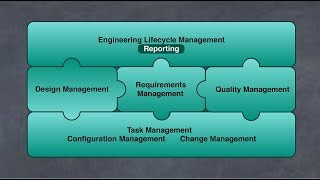
Rhapsody Tip #30 - Understanding units and the Edit Unit dialog (Intermediate)
PublishedAt
2018-04-02T17:05:15Z
Tags
['mbse', 'rhapsody rhapsody', 'omg sysml', 'sysml', 'ibm rational rhapsody', 'rhapsody', 'units', 'scm', 'rtc', 'uml']
Description(ja)
Rhapsody の「ユニット」は、モデル情報が保管されるファイル・システム上のファイルです。ユニットの概念を理解することは、ソース・コード管理ツールの制御下で Rhapsody プロジェクトを構成したり、ファイル・システム上のプロジェクト間で情報を共有したりするための基礎知識です。デフォルトでは、パッケージごとにユニットが作成されます。コンポーネント、クラス、オブジェクト、ダイアグラムに基づく要素など、より細かい粒度でユニットを作成することもできます。これは、個別に行うことも、プロジェクト プロパティを設定することによって行うこともできます。このビデオでは、これらの概念のいくつかを探り、[ユニットの編集] ダイアログの詳細な概要を説明します。フォローアップ ビデオでは、プロジェクト間でユニットを共有する方法について説明します。
Description
A 'Unit' in Rhapsody is a files on the File System in which model information is stored. Understanding the concept of units is base knowledge for those wanting to configure Rhapsody projects under source-code management tool control, or to share information across projects on the file system. By default units are created for each package. It's also possible to create units at a finer level of granularity, e.g., for elements based on components, classes, objects and diagrams. This can be done individually or by setting project properties.This video explores some of these concepts and provides an in depth overview of the Edit Unit dialog. A follow-up video will cover sharing units between projects.
Video
Rhapsody Tip #30 - Understanding units and the Edit Unit dialog (Intermediate)
IBM Rational DOORS Next Generation Preview
PublishedAt
2018-04-02T20:35:19Z
Tags
None
Description(ja)
ソフトウェア要件をより簡単に管理したいですか? IBM Rational DOORS Next Generation および IBM DOORS Next Generation on Cloud が、適切な機能を開発し、今日の製品およびシステム エンジニアリング環境における変化と複雑さを把握するのにどのように役立つかを発見してください。
このビデオは、https://jazz.net/previews/ にある一連のインタラクティブなデモの一部です。そこでは、各ツールを実際に体験しながら説明ビデオを視聴することで、IBM Internet of Things 継続的エンジニアリング製品をすばやく簡単にプレビューできます。
試してみて、要件の管理方法を改善してください。
Description
Want an easier way to manage your software requirements? Discover how IBM Rational DOORS Next Generation and IBM DOORS Next Generation on Cloud can help you develop the right features and stay on top of change and complexity in today's product and systems engineering environments.
This video is part of a series of interactive demos found at https://jazz.net/previews/. There, you can quickly and easily preview IBM Internet of Things continuous engineering products by watching instructional videos while getting some hand-on experience with each tool.
Give it a try, and improve how you manage your requirements!
Video
IBM Rational DOORS Next Generation Preview
Rhapsody Tip #31 - Referencing units in other projects (Intermediate)
PublishedAt
2018-04-13T21:35:13Z
Tags
['uml', 'rational rhapsody', 'ibm rational rhapsody', 'rhapsody developer', 'rhapsody designer', 'rhaPSDY ARCHITECT FOR SYSTEMS', 'rhapsody architect for software', 'omg sysml', 'mbse', 'units', 'rhapsody', 'mbsetraining', 'executable mbse']
Description(ja)
この Rational Rhapsody ヘルパー ビデオは、ユニットに関する私のビデオ #30 の続きです。このビデオでは、他の Rhapsopdy プロジェクトのユニットを参照しています。相互に参照するプロジェクトのファミリーを構築することは、多くの場合、単一のモノリシック プロジェクトを作成するよりも優れています。プロジェクト間での関心の分離は、プロジェクトを別々の場所で個別に管理し、個別のバージョン管理を使用しながら、共通の要素またはインターフェイスを共有できることを意味します。このビデオでは、2 つのプロジェクトが別のプロジェクトの同じ共通ユニットを参照する方法を示します。ビデオはまた、私がごく最近まで知らなかった何かを示しています。同じサード・パーティー・ユニットを参照してネストする 2 つのプロジェクトをインポートすることに成功した場合、Rhapsody は、リンクされたユニットを作成することによって、重複したインポートの状況に対処します。通常、この問題は、参照先のユニットを他のユニットに移動した場合にのみ発生しますが、まだ知っておくべきことがあるということは興味深いことです。
Description
This Rational Rhapsody helper videos follows on from my video #30 on units. In this video we look at referencing units from other Rhapsopdy projects. Building families of projects that reference each other can often be better than having a single monolithic project. Separation of concern across projects means that projects can be managed separately, in different locations, and with separate versioning yet they can share common elements or interfaces. In this video I show how two projects can reference the same common unit in another project. The video also shows something that I didn't know until very recently. If you manage to import two projects that reference and nest the same third party unit, then Rhapsody will deal with the duplicate import situation by creating a linked unit. Generally, this problem will only occur if you move referenced units until other units, but it's interesting to know that there are still things to know.
Video
Rhapsody Tip #31 - Referencing units in other projects (Intermediate)
Rational Team Concert Overview
PublishedAt
2018-04-17T21:31:36Z
Tags
None
Description(ja)
これは、Quick Planner による反復計画、変更と欠陥の管理、ソース管理の管理、ビルドの自動化など、IBM Rational Team Concert のいくつかの機能の概要です。 Web、Eclipse、および Microsoft Visual Studio クライアントの使用方法を示します。
Rational Team Concert がチームのコラボレーション、プロセスの効率、およびソフトウェアの品質をどのように向上させるかをご覧ください。 Rational Team Concert を含む IBM IoT 継続的エンジニアリング・ツールの紹介については、https://jazz.net/previews/ にアクセスしてください。
Description
This is an overview of some of the features of IBM Rational Team Concert, including iteration planning with the Quick Planner, change and defect management, source control management, and build automation. It demonstrates use of the web, Eclipse, and Microsoft Visual Studio clients.
See how Rational Team Concert can improve the collaboration of your team, efficiency of your processes, and quality of your software. Go to https://jazz.net/previews/ for an introduction to IBM IoT continuous engineering tools, including Rational Team Concert.
Video
Rational Team Concert Overview
Rhapsody Tip #32 - Graphical merge using Rhapsody's 3-way DiffMerge tool (Intermediate)
PublishedAt
2018-04-28T20:05:22Z
Tags
['mbse', 'sysml', 'rational rhapody', 'ibm rational rhapsody', 'rhapsody developer', 'rhapsody architect', 'rhapsody designer', 'omg sysml']
Description(ja)
Rational Rhapsody には Design Manager で使用可能なマルチユーザー・リポジトリーがありますが、歴史的には、構成管理ツールと直接統合するファイル・ベースのツールがあります。 Core to SCM では、選択したツール (RTC、ClearCase、Synergy など) が Rational Rhapsody DiffMerge ツールを使用するように構成されていることを確認します。したがって、DiffMerge は、Rhapsody プロジェクトとそれらのマージ方法を理解する、Rhapsody とは独立して起動される別個のツールです。これには、3 方向マージと呼ばれる非常に高度な機能が含まれています。このビデオでは、同じプロジェクトと図への並行変更を処理する際の DiffMerge の基本操作を示します。これの重要な側面は、DiffMerge がすべての些細な並行変更を自動的に解決し、重要でない変更、つまり競合する場所やユーザーの選択が必要な場所に対処することをユーザーに任せることです。このビデオは、2 人のユーザーが同じ図を変更する例を示しています。
Description
Although Rational Rhapsody has a multi-user repository in Design Manager available, it has historically a file-based tool which integrates directly with configuration management tools. Core to SCM is making sure the tool of choice (e.g. RTC, ClearCase, Synergy) is configured to use the Rational Rhapsody DiffMerge tool. DiffMerge is therefore a separate tool launched independent to Rhapsody that understands Rhapsody projects and how to merge them. Included in this is a very advanced feature known as 3-way merge. This video shows the basic operation of the DiffMerge when dealing with parallel changes to the same project and diagrams. Key aspects of this are that the DiffMerge will automatically resolve all trivial parallel changes, leaving the user to deal with changes that are non-trivial, i.e. conflicting or where a user choice is needed. This video illustrates an example where two users change the same diagram.
Video
Rhapsody Tip #32 - Graphical merge using Rhapsody's 3-way DiffMerge tool (Intermediate)
Executable MBSE - The "Destroy a Planet (in 10 minutes)" use case
PublishedAt
2018-05-11T15:22:47Z
Tags
['executable mbse', 'mbse', 'sysml', 'omg sysml', 'rational rhapsody', 'ibm rational rhapsody']
Description(ja)
これは、Rational Rhapsody Designer と Cygwin/gcc コンパイラーを使用して実行可能な MBSE のフレーバーを提供するビデオです。このビデオは、私の SysMLHelper プロファイルの第 2 世代に基づいています。私は現在、第3世代に取り組んでいます。次はマンゴークラッシャーにしようかな!
Description
This is a video that gives a flavor of executable MBSE using Rational Rhapsody Designer with the Cygwin/gcc compiler. This video is based on the second generation of my SysMLHelper profile. I'm currently working on the 3rd Generation. I might do the Mango Crusher next!
Video
Executable MBSE - The "Destroy a Planet (in 10 minutes)" use case
Rhapsody Tip #33 - Conveying Standard Content using stereotypes
PublishedAt
2018-05-17T09:24:31Z
Tags
['ibm', 'ibm rational', 'ibm rational rhapsody', 'rhapsody developer', 'rhapsody designer', 'rhapsody architect for software', 'rhapsody architect for systems engineers', 'sysml', 'omg sysml', 'omg uml', 'uml', 'omg']
Description(ja)
このサイレント ヘルパー ビデオは、標準コンテンツと呼ばれる IBM Rational Rhapsody の組み込み機能を示しています。この機能を使用すると、ステレオタイプをモデル要素に適用するたびに適用する標準コンテンツを定義できます。まず、標準コンテンツ、つまりテンプレートを定義する必要があります。次に、適用するステレオタイプから依存関係を確立し、事前定義されたタイプから «StandardContent» を使用して依存関係をステレオタイプ化する必要があります。これで、ステレオタイプをモデル要素に適用するたびに、標準コンテンツが要素コンテンツとマージされます (競合がある場合は既存のコンテンツを保持します)。 StandardContent は、すべてのタイプの要素で機能します。また、新語のステレオタイプにも対応しています。モデルの変換が不要な場合は、テンプレートをすばやく作成できます。作成時にモデル変換を実行したい場合は、Java プラグインの作成が必要になる場合があります。必要に応じて、コンサルティングやトレーニングを提供できます 😉。
Description
This silent helper video illustrates a built-in feature of IBM Rational Rhapsody called Standard Content. This feature allows you to define standard content that you want to apply whenever you apply the stereotype to a model element. First off, you need to define the standard content, i.e. the template. You then need to establish a dependency to it from the stereotype you want to apply, and stereotype the dependency using «StandardContent» from the pre-defined types. Now, whenever you apply the stereotype to a model element, the standard content will be merged with the elements content (preserving existing content if there's a conflict). StandardContent works with all types of elements. It also works with New Term stereotypes. It provides a quick way of templating things, when no model transformation is required. If you want to perform a model transformation on creation then writing a Java plugin may be needed, something I can provide consulting or training on, if required 😉.
Video
Rhapsody Tip #33 - Conveying Standard Content using stereotypes
Making MBSE with Rhapsody simple (SysMLHelper 3rd generation enhancements)
PublishedAt
2018-05-21T09:36:31Z
Tags
['sysml helper', 'omg sysml', 'rhapsody profile', 'ibm rational', 'ibm rational rhapsody', 'rhapsody designer', 'rhapsody architect', 'rhapsody developer', 'ibm rational rhapsody architect for systems engineers', 'uml', 'mbse', 'executable mbse']
Description(ja)
このビデオでは、第 3 世代の SysMLHelper プロファイルのために取り組んでいるいくつかのアイデアを探ります。 IBM Rational Rhapsody のオープンソース プロファイルです。このプロファイルは、自動化を追加することで「Rhapsody を使用した MBSE をシンプルにする」ように設計されており、エンジニアがツールのセットアップや構成方法ではなく、楽しく創造的なタスクに集中できるようになっています。これにより、MBSE および SysML モデリング手法を大規模なチームに簡単に展開できます。ヘルパーは機能することが知られている方法に基づいているため、自動化と製品の調整により、最初から生産的な成功を収める可能性が高くなります。使いやすさの強化が豊富にあるということは、より豊富でカスタマイズされたツールセットを利用できることを意味します。ヘルパーはオープンソースであるため、Rhapsody テクニカル コンサルタントおよびトレーナーとしての 11 年以上の経験を利用して、組織やプロセスに合わせて調整することもできます。
Description
In this video I explore some ideas I'm working on for my 3rd generation of the SysMLHelper profile; an open-source profile for IBM Rational Rhapsody that is designed to "Make MBSE with Rhapsody simple" by adding automation that enables engineers to focus on the fun and creative tasks, rather than how to set-up and configure the tool. This makes it easier to deploy MBSE and SysML modelling techniques to a larger team. Automation and product tailoring increases the chance that you will achieve productive success first time because the helper is based on methods known to work. The wealth of usability enhancements mean that you have a richer but tailored toolset available. As the helper is open-source there is also the option that I could tailor it for your organisation and processes, making use of over 11 years of experience as a Rhapsody technical consultant and trainer.
Video
Making MBSE with Rhapsody simple (SysMLHelper 3rd generation enhancements)
Rhapsody Tip #34 - Diagrams: Bridges for line intersections (8.3.1 Open Beta)
PublishedAt
2018-06-05T15:10:03Z
Tags
['mbse', 'model-based systems engineering', 'ibm rational rhapsody', 'ibm rational', 'rhapsody developer', 'rational rhapsody developer', 'uml', 'omg sysml', 'sysml', 'systems modeling language', 'rational rhapsody architect for systems engineers', 'systems engineering', 'systems modeling']
Description(ja)
リリース パイプラインに 8.3.1 が含まれているため、このビデオでは、RC1 オープン ベータで顧客から要求された使いやすさの機能強化の 1 つを体験できます。もちろん、Visio はこの種のことを行いますが、チームが IBM Rational Rhapsody の作図機能に磨きをかけているのを見るのはうれしいことです。これは私のお気に入りの 1 つです。この機能は、線が rectilinear_arrows または rounded_rectilinear_arrows の場合に機能します。それを制御するために、2 つの General::Graphics プロパティを使用できます。 RectilinearBridgeDrawing はオンとオフを切り替え、RectilinearBridgeShape は Rounded、Rectangle、Triangle、または Space に設定できます。その他の 8.3.1 ビデオにご期待ください。
Description
With 8.3.1 in the release pipeline, this video gives taster of one of the customer-requested usability enhancements in the RC1 open beta. Of-course, Visio does this kind of thing but it's nice to see that the team are polishing IBM Rational Rhapsody's diagramming capabilities and this is one of my favorites. The feature works when the line is rectilinear_arrows or rounded_rectilinear_arrows. Two General::Graphics properties can be used to control it. RectilinearBridgeDrawing turns it on and off, and RectilinearBridgeShape can be set to Rounded, Rectangle, Triangle, or Space. Stay tuned for more 8.3.1 videos.
Video
Rhapsody Tip #34 - Diagrams: Bridges for line intersections (8.3.1 Open Beta)
Benefits of abstraction in UML/SysML Systems-of-Systems and Use Cases: An Insulin System
PublishedAt
2018-06-08T09:39:15Z
Tags
['mbse', 'sysml', 'omg sysml', 'uml', 'systems modeling language', 'abstraction', 'systems thinking', 'rational rhapsody', 'ibm rational rhapsody', 'rational rhapsody developer', 'rational rhapsody architect for systems engineers', 'systems engineering', 'rational rhapsody architect', 'rhapsody architect', 'rhapsody designer', 'designer for systems engineers', 'model-based systems engineering', 'use cases', 'booch']
Description(ja)
UML/SysML のユース ケースは、システムの境界について考えさせられる前に素晴らしいものです。そうは言っても、私は多くの会議に出席しており、全員がユースケースに同意していますが、実際には参加者はシステムのコンテキストについてまったく異なる認識を持っています. 「速度の制御は私のシステムとは何の関係もなく、この別のシステムによって行われている」というステートメントのように、Cruise Control について話すときは興味深いものです。システムが車両である場合、システムが速度を制御していることは明らかです。システムが車両のサブセットである場合は、所有しているビットによって異なります。このビデオでは、インスリン ポンプ システムの例、より正確には、インスリン管理システムに関連する 2 つのシステムについて説明し、各レベルでユース ケースがどのように存在するかを示しますが、ユース ケースは抽象化のレベルが異なります。重要なのは、抽象化の概念により、本質的な詳細のみに焦点を当てることで、システム オブ システム レベルでの複雑さに対処できるようになることです。また、詳細が具体化されるにつれて、物事を有効かつ最新の状態に保つことを可能にするのも抽象化です。私の見解では、各レベルで異なるユース ケースを作成し、チームに所有権を与える必要があります。スカイダイバーが飛行機から飛び降りるときのように、彼らが最初に探すのはフィールドのゲートではありません。同じことがモデルにも当てはまります。このビデオでは、インスリン ポンプ管理システムを使用して、抽象化の価値と、割り当てウィザードを使用してシステム機能を割り当てる方法を説明しています。
Description
UML/SysML use cases are great before they force you to think about your system boundary. That said, I've been in plenty of meetings where everybody is agreeing on the use case, but participants actually have completely different perceptions of the system context. Like the statement "controlling the speed has nothing to do with my system, it's done by this other system" is an interesting one when talking about Cruise Control. Clearly if your system is a vehicle then the system will be controlling the speed. If your system is a sub-set of the vehicle, then it will depend on which bit you own. In this video I walk through an example of an insulin pump system, or more precisely, two systems that relate to an insulin management system to show how each level can have use cases, but that the use cases differ in the level of abstraction. The key is that the concept of abstraction allows us to deal with complexity at the system-of-system level by focusing on essential detail only. It's also abstraction that enables us to keep things valid and current as the detail is fleshed out. My view is that one should create different use cases at each level and give ownership to the teams. Like when a sky-diver jumps out of an airplane, the first thing they look for is not the gate in the field. The same thing applies with models. This video illustrates using an Insulin Pump Management System to illustrate the value of abstraction and how to allocate system functions using an allocation wizard.
Video
Benefits of abstraction in UML/SysML Systems-of-Systems and Use Cases: An Insulin System
Rhapsody Tip #35 - Nested ports in SysML 1.3 (Intermediate)
PublishedAt
2018-06-12T14:09:34Z
Tags
['mbse', 'sysml', 'omg sysml', 'rational rhapsody designer', 'rational rhapsody architect', 'architect for systems engineers', 'architect for software engineers', 'ibm rational rhapsody', 'rational rhapsody', 'telelogic rhapsody', 'rhapsody 8.3']
Description(ja)
Rhapsody は、ネストされたポートの SysML の概念をサポートしています。ただし、これらを有効にする方法を覚えておくのは必ずしも容易ではありません。 mbsettraining.com からのこの短いビデオは、SysML プロキシ ポートとそれに関連付けられた InterfaceBlock を使用してポートをネストする方法を示しています。ネストされたポートは、SysML ポートの右クリック メニューから有効にできます。興味深いことに、ネストされたポートをポートに追加すると、ポートを入力している Block または InterfaceBlock に追加されます。このビデオは、InterfaceBlock を使用したプロキシ ポートの例を示しています。 Rhapsody は、FullPorts で同じ機能もサポートしています。そのため、同様の手順を使用して、ブロックによって型指定されたフル ポートを使用して物理インターフェイスをモデル化できます。これはすべて、さまざまな種類のタペストリーを織り込むことができる SysML 言語の一部です。織るのに最適なタペストリーを知りたい場合は、お気軽にお問い合わせください。ビデオでは 8.3 を使用していますが、この機能は 8.1.3 で初めて導入されました。
Description
Rhapsody supports the SysML concept of nested ports. However, it's not always easy to remember how to enable these. This short video from mbsetraining.com illustrates how to do nested ports with SysML proxy ports and their associated InterfaceBlock. Nested ports are enabled via a right-click menu on the SysML port. Interestingly when you add a nested port to a port, then it is added to the Block or InterfaceBlock that is typing the port. This video shows a proxy port example with an InterfaceBlock. Rhapsody also supports the same capability with FullPorts. As such you could use similar steps to model physcial interfaces with Full Ports typed by Blocks. This is all part of a SysML language that can weave many different types of tapestries. If you want to know which is the best tapestry to weave then feel free to get in touch. The video uses 8.3 although this capability was first introduced in 8.1.3.
Video
Rhapsody Tip #35 - Nested ports in SysML 1.3 (Intermediate)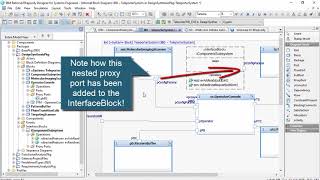
Rhapsody Tip #36 - Stamp Mode including double-click in 8.3.1 (Simple)
PublishedAt
2018-06-19T21:57:30Z
Tags
['mbse', 'rational rhapsody', 'ibm rational rhapsody', 'rhapsody developer', 'rhapsody architect', 'architect for software engineering', 'architect for systems engineers', 'ibm rational rhapsody designer edition', 'sysml', 'omg sysml', 'uml']
Description(ja)
スタンプ モードは、長い間 IBM Rational Rhapsody の描画ツールバーにありました。この短い情報ビデオでは、その仕組みと目的を示し、Rhapsody v8.3.1 (2018) での改善点も強調しています。ツールをシングルクリックではなくダブルクリックすると、基本的にスタンプモードが有効になります。これにより、回転が容易になり、有効にするために必要な労力が軽減されます。
Description
Stamp Mode has been in the IBM Rational Rhapsody drawing toolbar for a long while. This short info video shows how it works and what it's for and also highlights an improvement to it in Rhapsody v8.3.1 (2018). If you double rather than single click a tool then essentially stamp mode will become enabled. This reduces the effort required to enable it by making it easier to turn.
Video
Rhapsody Tip #36 - Stamp Mode including double-click in 8.3.1 (Simple)
Rational Team Concert: Managing build engines in the RTC Web Client
PublishedAt
2018-06-26T19:40:59Z
Tags
['IBM', 'Rational Team Concert', 'RTC', 'build engines', 'web client']
Description(ja)
このビデオは、Rational Team Concert 6.0.6 Web クライアントを使用してビルド エンジンを管理する方法を示しています。
Description
This video demonstrates how to manage build engines using the Rational Team Concert 6.0.6 web client.
Video
Rational Team Concert: Managing build engines in the RTC Web Client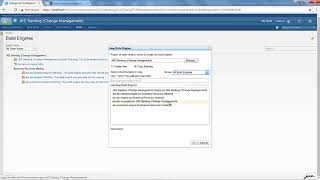
Rhapsody Tip #37 - Filter diagrams and the browser with CustomViews (Intermediate)
PublishedAt
2018-07-10T08:01:11Z
Tags
['mbse', 'rhapsody', 'rational rhapsody', 'ibm rational rhapsody', 'rhapsody developer', 'rhapsody architect for systems engineers', 'rhapsoy architect for software engineers', 'omg', 'omg sysml', 'omg uml', 'uml', 'model-based systems engineering']
Description(ja)
CustomViews を使用すると、それ自体が強力すぎるという印象を簡単に得ることができます。ただし、可能性は無限にあるため、解き放つことができる多くの抑圧された力があります.最初は 8.2.1 で導入されましたが、このビデオでは実際に 8.3.1 を使用してそれらを表示しています (そのため、私が描画ツールバーをダブルクリックしてスタンプ モードを有効にしているのがわかります!)。 CustomViews は、既存のレイヤーの上にあるレイヤーであるため、このビデオでは、基礎レベルから物事を構築しようとします。最初に ASIL A から D の評価のタグを作成し、ステレオタイプを使用してタグの値を複数の要素に伝えます。次に、特定のタグ値を持つ要素を検索できるクエリ要素をブラウザーで簡単に作成できます。たとえば、amn ASIL タグ値が D のすべての要素を検索するクエリです。クエリを作成したら、クエリ。 Query 要素と同様に、CustomView はブラウザーに表示されるため、プロファイル内のプロジェクト間で共有できます。ブラウザのフィルタリングにも使用できます。これは老眼鏡をかけるのと少し似ています (持っている場合)。ブラウザーをクエリでフィルター処理するのとは異なり、CustomView を複数選択して、ブラウザーまたは図に表示できます (遠近両用メガネをかけるように?)。もちろん、この動画は使い方の一例です。他にも多くの可能性があります (モデリング バリアントが思い浮かびます)。それが役に立てば幸い!
Description
You can easily get the impression with CustomViews that they're too powerful for their own good. The possibilities are endless though, hence they have a lot of pent-up power you can unleash. First introduced in 8.2.1, this video actually uses 8.3.1 to show them (hence you'll see me double-click the drawing toolbar to enable stamp mode!). CustomViews are a layer on top-up of existing layers, hence this video tries to build things up from the ground level. I first create a tag for ASIL A to D ratings tand use a stereotype to convey the tag value to multiple elements. I can then easily create Query elements in the browser able to find elements with particular tag values, e.g., a query that finds all the elements with amn ASIL tag value of D. Once I have the Queries built then I form some simple CustomViews that use the queries. Like Query elements, CustomViews appear in the browser, hence can be shared between projects in a profile. They can alo be used to filter the browser. This is a bit like putting your reading glasses on (if you have them). Unlike filtering the browser with queries, you can multi-select the CustomViews to show in the browser or on diagrams (like putting on bifocal glasses?). Of course, this video just shows one example of usage. There are many other possibilities (modeling variants is one that springs to mind). Hope it helps!
Video
Rhapsody Tip #37 - Filter diagrams and the browser with CustomViews (Intermediate)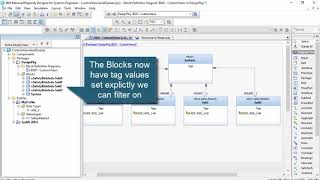
Rhapsody Tip #38 - Introducing Diagram Views, new in 8.3.1 (Intermediate)
PublishedAt
2018-07-16T14:41:07Z
Tags
['ibm rational rhapsody', 'rational rhapsody', 'rhapsody', 'rhapsody designer for systems engineers', 'rhapsody architect for systems engineers', 'rhapsody developer edition', 'mbse', 'uml', 'omg sysml', 'sysml', 'systems modeling language', 'custom views', 'diagram views', 'modeling']
Description(ja)
前回の Rhapsody のヒントとコツのビデオでは、カスタム ビューとして知られる IBM Rational Rhapsody の機能について説明しました。この機能は、クエリなどと組み合わせて機能し、フィルター処理されたビューを作成しました。これらのビューの強力な点は、Rhapsody でダイアグラムとブラウザーの両方をフィルタリングできることです。問題は、カスタム ビューがアクティブな場合にのみ、フィルター処理されたダイアグラムが表示されるということです。 8.3.1 では、Rhapsody 開発チームは、これらのビューをブラウザーで保持できるようにすることで、Rational Rhapsody の機能を拡張しました。これらの永続化されたビューは、ダイアグラム ビューと呼ばれます。ユーザーがアクセスしやすくなるだけでなく、モデルから生成されたドキュメントに含めるのも簡単になります。これは、クールな新しい機能を追加する他のレイヤーの上にあるレイヤーです。この短いビデオでは、前のビデオで作成されたプロジェクトに基づいて、ダイアグラム ビューの基本概念を示します。
Description
In my previous Rhapsody tips and tricks video I covered a feature of IBM Rational Rhapsody known as Custom Views. This capability worked in conjunction with things like Queries to create filtered views. The powerful thing about these views is that they can filter both the diagrams and the browser in Rhapsody. The thing is that the filtered diagrams would only be visible if the Custom View was active. In 8.3.1, the Rhapsody development team have expanded Rational Rhapsody’s capabilities by allowing these views to be persisted in the browser. These persisted views are known as diagrams views. As well as making it easier for users to access them, it also makes them easier to include in documents generated from the model. It’s a layer on top of other layers that adds a cool new capability. This short video demonstrates the base concepts of Diagram Views by building on the project created in the previous video.
Video
Rhapsody Tip #38 - Introducing Diagram Views, new in 8.3.1 (Intermediate)
Introduction to Rational Team Concert
PublishedAt
2018-07-19T14:38:54Z
Tags
None
Description(ja)
これは、反復とリリースの計画、変更管理、欠陥の追跡、ソース管理、ビルドの自動化などでチームを支援するソフトウェア開発ツールである Rational Team Concert の追跡および計画機能の紹介です。
Rational Team Concert については、https://jazz.net/products/rational-team-concert/ にアクセスしてください。
Description
This is an introduction to the tracking and planning capabilities of Rational Team Concert, a software development tool that helps teams with iteration and release planning, change management, defect tracking, source control, build automation, and more.
To learn about Rational Team Concert, go to https://jazz.net/products/rational-team-concert/.
Video
Introduction to Rational Team Concert
Introduction to Track and Plan on Cloud
PublishedAt
2018-07-19T20:41:34Z
Tags
None
Description(ja)
これは IBM Track and Plan on Cloud の紹介です。IBM Track and Plan on Cloud は、チームがイテレーションとリリース計画、変更管理、欠陥追跡などを行うのに役立つソフトウェア開発ツールです。
Description
This is an introduction to IBM Track and Plan on Cloud, a software development tool that helps teams with iteration and release planning, change management, defect tracking, and more.
Video
Introduction to Track and Plan on Cloud
Rhapsody Tip #39 - Nested states, the art of state-machine design (Intermediate)
PublishedAt
2018-07-28T14:35:09Z
Tags
['sysml', 'uml', 'omg sysml', 'systems modeling language', 'ibm rational rhapsody', 'rational rhapsody', 'rhapsody designer for systems engineers', 'rhapsody designer', 'rhapsody developer', 'harel', 'harel statecharts']
Description(ja)
私の IBM Rational Rhapsody トレーニングでは、グループ演習として UML/SysML ダイアグラムを描くことで、エンジニア同士がコミュニケーションを取るようになることが増えています。他の自然言語と同様に、同じことを複数の言い方で表現できることがよくあります。最善の方法を知ることは、時には芸術です。ネストされた状態の使用は、そのような例の 1 つです。ステート マシンを構築していて、同じイベントに反応する状態が多数あることに気付いた場合、「スーパーステートを作成する必要がありますか?」という小さな声が頭に浮かびます。スーパーステートが優れているかどうかが明らかな場合もあれば、そうでない場合もあります (それが芸術です)。重要なことは、図の読みやすさを考慮する必要があるということです。結局のところ、私たちはそれらを使ってコミュニケーションを取っています。この例では、ビルドして実行し、ユーザーが対話できる単純なステートマシンを使用して、Rhapsody プロジェクトをゼロからビルドします。次に、スーパー ステートを導入することで、同じ動作を別の方法でモデル化する方法を示します。もちろん、このようなテクニックを知ることも経験から来ています。私は、それはトレーニングからも得られると考えています。トレーニングの価値は、コミュニケーションに UML や OMG システム モデリング言語を使用することに対する人々の自信を築くことです。
Description
Increasingly in my IBM Rational Rhapsody training I've been getting engineers to communicate with each other by drawing UML/SysML diagrams as a group exercise. Like with any natural language there is often more than one way to say the same thing. Knowing the best way is sometimes an art. The use of nested states is one such example. If you're building a state machine and I find I have many states reacting to the same event, then this little voice pops into my head which says "should I create a superstate?". Sometimes it's obvious whether a superstate is good, sometimes less so (that's the art). The key thing is that we do need to consider the readibility of diagrams. We are, after all, using them to communicate. In this example I build a Rhapsody project from scratch with a simple state-machine that builds and executes and the user can interact with. I then show how the same behavior can be modeled in a different way by introducing a super state. Of course, knowing techniques like this also comes from experience. I like to think it also comes from training and the value of training is building people's confidence in using UML or the OMG Systems Modeling Language to communicate.
Video
Rhapsody Tip #39 - Nested states, the art of state-machine design (Intermediate)
Rhapsody Tip #40 - Using context patterns to show a chain of elements in a table (Advanced)
PublishedAt
2018-08-08T07:24:59Z
Tags
['ibm ational rhapsody', 'rational rhapsody', 'rhapsody designer edition', 'rhapsody architect for system engineers', 'rhapsody architect for software engineers', 'rhapsody developer', 'rational rhapsody developer', 'table views', 'context patterns', 'table layouts', 'omg sysml', 'syml', 'systems modeling language', 'uml']
Description(ja)
動画40になりました!これは、コンテキスト パターンを使用してテーブル レイアウトを構築するための概要です。 IBM Rational Rhapsody の単純な表でさえ、非常に強力です。 TableLayout を作成すると、各行がモデル内の 1 つの要素を表し、各列がその要素に関する情報を表示することができます。行が 2 つの要素間の関係を表す関係テーブルを作成することもできます。または、テーブル内の行にモデル内の要素の階層を表すこともできます。一連の要素を表の行として構築するには、コンテキスト パターンと呼ばれるより高度な概念を使用できます。コンテキスト パターンは、カンマで区切られたトークンのリストです。モデル内の要素のパスを記述する方法です。パターン内の各トークンは、コア タイプまたは用語のいずれかである Rational Rhapsody メタタイプ名です。この短いビデオでは、ハザードに関連する安全目標 (Rhapsody のプロファイルに追加した新しい用語タイプ) にブロックがどのように関連するかを示す表を作成しています。重要なヒントは、リレーション タイプの最後に移動するには、コロン (😃 を使用できることを知っておくことです。これにより、たとえば、relatedTo 依存関係をトラバースしてハザードを見つけることができます。中かっこ内のテキストは、コンテキストの一意の名前です。このために列リストでコンテキストを選択できます。最初の列を折りたたむ、順序を変更する、[既定値を入力] ボタンを使用するなど、他のいくつかのオプションも表示されます。楽しみ!
Description
I've reached video 40! This is an introduction to building table layouts with context patterns. Even simple tables in IBM Rational Rhapsody can be quite powerful. When we create a TableLayout, we can have each row represent a single element in the model, with each column displaying information about that element. We can also build relation tables, where the row represents a relationship between two elements. Alternatively, we can have a row in the table represent a hierarchy of elements in the model. To build a chain of elements as a table row, we can use a more advanced concept called a context pattern. A context pattern is a comma-separated list of tokens. It is a way to describe a path of elements in the model. Each token in the pattern is a Rational Rhapsody metatype name that is either a core type or a term. This short video shows building a table that shows how blocks relate to safety goals which relate to hazards (new term types I've added to Rhapsody in a profile). The key tip is to know that to navigate to the end of a relation type you can put a colon (😃. This, for example, allows us to traverse the relatesTo dependency to find the Hazard. The text in the curley brackets is a unique name for the context, weI can select the context in the Columns list for this. A couple of other options are also shown, such as collapsing the first column, changing the order, and using the Fill Defaults button. Enjoy!
Video
Rhapsody Tip #40 - Using context patterns to show a chain of elements in a table (Advanced)
Rational Rhapsody Tip #41 - Making the recent files list wider (Advanced)
PublishedAt
2018-08-15T07:08:05Z
Tags
['ibm rational rhapsody', 'rational rhapsody', 'rhapsody', 'rhapsody designer', 'rhapsody developer', 'rhapsody architect for systems engineers', 'rhapsody designer for system engineers', 'mbse', 'omg sysml', 'uml', 'systems modeling', 'systems modelling']
Description(ja)
この IBM Rational Rhapsody のヒントとコツのビデオでは、[ファイル] メニューの [最近使用したファイル] リストを表示するときに、Rhapsody でより多くの文字を使用する方法を示しています。この変数は MaxDisplayLength と呼ばれ、.ini ファイルの [General] セクションで設定する必要があります。これは Rhapsody 8.3.1 の新機能であるため、動作させるにはアップグレードが必要になる場合があります。変数の値は、表示したい文字数でなければなりません。 MaxDisplayLength を -1 に設定すると、メニューの幅に制限がなくなります。ただし、注意してください。 Rhapsody は .ini ファイルに書き込みます。すべての手動の .ini ファイル変更と同様に、編集時に Rhapsody が実行されていないことを確認してください。
Description
This IBM Rational Rhapsody tips and tricks video shows how to get Rhapsody to use more characters when displaying the Recent Files list in the File menu. The variable is called MaxDisplayLength and needs to be set in the [General] section of the .ini file. This was new in Rhapsody 8.3.1, hence you may have to upgrade for it to work. The value of the variable should be the number of characters that you want to have displayed. If you set MaxDisplayLength to -1, there is no limit on the width of the menu. Be careful though. Rhapsody writes to the .ini file. As with all manual .ini file changes be sure that Rhapsody is not running when you edit it.
Video
Rational Rhapsody Tip #41 - Making the recent files list wider (Advanced)
Rational Rhapsody Tip #42 - Create dependencies between read-only elements
PublishedAt
2018-09-11T10:44:46Z
Tags
['ibm rational rhapsody', 'rhapsody developer', 'rhapsody architect for systems engineers', 'omg sysml', 'ong uml', 'uml', 'rational rhapsody', 'rhapsody', 'mbse', 'model-based systems engineering']
Description(ja)
これは最近、数人の顧客に出てきました。どちらも「所有者が読み取り専用の場合、依存関係を作成するにはどうすればよいですか?」と尋ねていました。これは IBM Rational Rhapsody で可能です。ただし、Rhapsody 8.3 以降 (2018 年 1 月) が必要です。 8.3 では、[機能] ダイアログの [全般] タブに、依存要素と依存要素の両方のリストが個別に表示されます。所有者は要素の場所から暗黙的であるため、通常、最初に (読み書き可能な所有者の下で) 依存関係を作成してから、それを移動する必要があります。ドラッグして依存関係を移動すると、ソース、ターゲット、またはその両方を変更するかどうかを尋ねるダイアログが表示されます。依存関係を移動して関係を同じに保つには、変更元のみを選択する必要があります。この短いヒントとコツのビデオでは、最初に読み取り/書き込み可能な 2 つの要素間の依存関係を描画し、次に 2 つの要素が読み取り専用の場合に同じことを試すことを強調しています。また、要素が読み取り専用であり、真の依存関係の所有者がモデル内の別の場所にある場合でも、Rhapsody が依存要素の下に推測された「ソース依存関係」カテゴリーを作成する方法も示しています。依存関係を所有する要素には、「所有されている依存関係」カテゴリがあります。このような依存関係は、所有権の変更にもかかわらず、ゲートウェイによって引き続き同じ方法で分析されるため、読み取り専用の 2 つの要素間の依存関係を確立し、トレーサビリティ目的でこれを報告することができます。
Description
This came up recently with a couple of customers. Both were asking "how can I create dependencies if the owner is read-only?". Well, this is possible with IBM Rational Rhapsody. However, you need Rhapsody 8.3, or later (January 2018). In 8.3 the General tab of the Features dialog has separate listings for both the Dependent and Depends On element. The owner is implicit from the element’s location, so generally you need to create the dependency first (under an owner that is read-write) and then move it. When you drag to move a Dependency then a dialog pops up to ask if you want to change the source, the target or both? To move the dependency but keep the relationship the same then you need to choose change source only. This short tips and tricks video highlights, by first drawing a dependency between two elements that are read-write and then trying the same thing when the two elements are read-only. It also shows how Rhapsody creates an inferred "source dependency" category under the dependent element, even though the element is read-only and the true dependency owner is elsewhere in the model. The element which owns the dependency will have the "owned dependency" category. Such dependencies are still analyzed by the gateway in the same way, despite their change of ownership, enabling you to establish dependencies between two elements that are read-only and have this reported for traceability purposes.
Video
Rational Rhapsody Tip #42 - Create dependencies between read-only elements
Rational Rhapsody Tip #43 - Toggling between specification vs structured views (Basic and Advanced)
PublishedAt
2018-09-30T14:29:04Z
Tags
['omg sysml', 'syml', 'rational rhapsody', 'ibm rational rhapsody', 'rhapsody', 'rhapsody developer', 'rhapsody architect for systems engineers', 'mbse', 'rhapsody architect', 'rhapsody designer edition']
Description(ja)
このヒントは、IBM Rational Rhapsody でクラス/ブロックのコンパートメントを追加および削除する方法を説明していた最近の電子メール交換から得られました。最初の基本的な知識は、ブロックまたはクラスをダイアグラムで見るときに、構造化ビュー モードまたは仕様ビュー モードのいずれかで表示できることを理解することです。仕様ビューはコンパートメント ビューとも呼ばれ、選択したデータを表示するコンパートメントをいくつでも表示できます。これは、本質的に内部ブロック図 (または複合構造図) を示す構造化ビューとは対照的です。ズーム ツールバーのアイコンを使用して、ビューを切り替えることができます。短いビデオの最後に、AdditionalCompartments プロパティを使用して使用可能なコンパートメントのリストをカスタマイズすることによる、より高度なヒントも示します。
Description
This tip came from a recent email exchange I had where I was explaining how to add and remove compartments on classes/blocks in IBM Rational Rhapsody. The first basic bit of knowledge is to understand that when you look at the Block or Class on a diagram it can be shown in either structured or specification view mode. The specification view is also known as a compartment view and allows the user to show any number of compartments with selected data shown. It contrasts with the structured view which essentially shows an internal block diagram (or composite structure diagram). You can toggle between the views using an icon in the zoom toolbar. At the end of the short video I also show a more advanced tip by customizing the list of available compartments using the AdditionalCompartments property.
Video
Rational Rhapsody Tip #43 - Toggling between specification vs structured views (Basic and Advanced)
Rational Rhapsody Tip #44 - RMM 6.0.6 accept/deliver workflow and icons (Intermediate)
PublishedAt
2018-10-12T08:40:24Z
Tags
['mbse', 'rhapsody rhapsody', 'rhapsody model manager', 'rmm', 'ibm rational rhapsody', 'rhapsody developer', 'rhapsody architect', 'rhapsody architect for software', 'rational team concert', 'rtc', 'jazz', 'sysml', 'omg sysml', 'uml', 'omg']
Description(ja)
IBM Rational Rhapsody での共同作業について多くの人から問い合わせがあったため、IBM Rhapsody Model Manager (Jazz/am) を示すこのビデオをすぐに見つけました。このソリューションの優れた点の 1 つは、Rhapsody ブラウザーで SCM 状況を可視化できることです。アイコンは基本的に、(RMM が構築されている) Rational Team Concert のアイコンを反映しています。これは、開発者がストリーム内で何が起こっているかをすぐに確認し、統合の決定を下せることを意味します。 Rhapsody クライアントの反応性もかなり良好です。明らかに、他の開発者の変更を統合する前に、より長く待つことが重要な問題です (分離と統合の難問)。ただし、これにより、ユーザーは自分に影響する変更に迅速に対応できます。 Rhapsody Model Manager は、モデル用に設計された RTC のバージョンであるため、統合は類似していますが、RTC 統合に改善されています (つまり、6.0.6 で改善されています)。また、Rhapsody の右クリック メニューに追加のコマンドが含まれているため、RTC クライアントに簡単に移動できます。 RMM は Design Manager に従ってライセンスされているため、ライセンスに既にバンドルされている可能性があります (確認する必要があります)。
Description
I've had quite a few people asking about collaborative working in IBM Rational Rhapsody so I quickly knocked up this video that shows IBM Rhapsody Model Manager (Jazz/am). One of the nice things about the solution is seeing the visibility of the SCM status in the Rhapsody browser. The icons essentially mirror those of Rational Team Concert (on which RMM is built). This means that developers can see what's moving in the stream as soon as it occurs, and make an integration decision. The re-activeness of the Rhapsody client is also pretty good. Obviously the longer you wait before integrating other developers changes is a key question (the isolation vs integration conundrum). However, this enables users to react quickly to changes that affect them. Rhapsody Model Manager is a version of RTC designed for models, hence the integration is similar but improved to the RTC integration (i.e. better in 6.0.6). Included are also more commands in the right-click menu in Rhapsody, that makes it's easy to navigate to the RTC Client. RMM is licensed as per Design Manager hence potentially already bundled in your licensing (something to check).
Video
Rational Rhapsody Tip #44 - RMM 6.0.6 accept/deliver workflow and icons (Intermediate)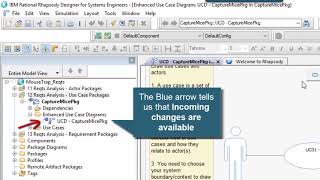
Rational Rhapsody Tip #45 - Making safe use of the ReferenceUnitFile property (Advanced)
PublishedAt
2018-10-21T15:30:49Z
Tags
['omg sysml', 'ibm rational rhapsody', 'rational rhapsody', 'rhapsody developer', 'rhapsody architect for systems engineers', 'mbse', 'uml', 'rhapsody architect for software engineers', 'ibm rational']
Description(ja)
このビデオでは、General::Model::ReferenceUnitPath プロパティーの使用について説明します (IBM Rational Rhapsody v8.3.1 を使用)。このプロパティーは、モデルに追加するたびにユニット・ファイルへの相対参照を設定するよう Rhapsody に指示します。これは、Rhapsody Model Manager (ここでは Jazz/am 6.0.6 が示されています) などの SCM ツールに複数のコンポーネントがある場合に特に役立ちます。これは、ユーザーごとに、プロジェクトを保存してアクセスするローカル ファイル システムのルート フォルダーが異なるためです。相対参照を使用しないと、プロジェクトを開くときに多くの「ユニットが見つからない」という問題が発生します。 ReferenceUnitPath プロパティを設定することで、これらの問題を軽減できます (すべてのコンポーネントが同じルートを共有していると仮定します)。ただし、1 つの大きな落とし穴があります。プロパティは、設定後に追加するプロファイルにも影響します。プロファイルはプロジェクトに対して相対的ではなく、インストールに含まれているため、相対参照を使用してプロファイルを参照することもお勧めできません。通常、Rhapsody は、$OMROOT 変数を使用してユニットへのパスを事前に固定することにより、インストール内のプロファイルを処理します。幸いなことに、誤ってパスが間違ってしまった場合は、[ユニットの編集] ダイアログを使用して手動で修正できます (ここに示すように)。このビデオでは、Rhapsody Model Manager 6.0.6 を使用して作成された対応するコンポーネントを含む Rhapsody 8.3.1 プロジェクトを示します。
Description
This video covers use of the General::Model::ReferenceUnitPath property (using IBM Rational Rhapsody v8.3.1). This property tells Rhapsody to set a relative reference to the unit file whenever you do Add to model. This is particularly useful when you have multiple components in an SCM tool such as Rhapsody Model Manager (Jazz/am 6.0.6 is shown here). This is because different users will have different root folders on their local file system where they will store and access the projects. Not using relative references would result in lots of "cannot find unit" problems when opening projects. By setting the ReferenceUnitPath property you can alleviate these problems (assuming all the components share the same roots). However, there is one major pitfall, in that the property will also affect Profiles that you add after setting it. Referencing the profiles using relative references is also a bad idea because profiles are not relative to the project, but rather contained in the installation. Rhapsody normally deals with profiles in the installation by pre-fixing the path to the unit using the $OMROOT variable. Fortunately, if you accidentally end up with the paths being wrong then you can use the Edit Unit dialog to manually fix them (as shown here). This video shows Rhapsody 8.3.1 projects with corresponding components being created using Rhapsody Model Manager 6.0.6.
Video
Rational Rhapsody Tip #45 - Making safe use of the ReferenceUnitFile property (Advanced)
Rational Rhapsody Tip #46 - Adding editable units outside the project directory (Advanced)
PublishedAt
2018-10-25T20:22:22Z
Tags
['omg syml', 'uml', 'ibm rational rhapsody', 'rational rhapsody developer', 'rational rhapsody', 'rhapsody developer', 'rhapsody architect for systems engineers', 'rhapsody architect for software engineers', 'sysml', 'units', 'references']
Description(ja)
通常、IBM Rational Rhapsody プロジェクトでは、書き込み可能なユニットはすべて、モデルの一部として _rpy フォルダーの下に構成されます。そのため、参照されるユニットは歴史的に常に読み取り専用でした。 Rhapsody 8.1.5 では、参照されるユニットをプロジェクト ディレクトリの外に追加し、そのユニットを書き込み可能にすることが可能になりました。これを行うには、ユニットを追加するときに [モデルにコピー] オプションの選択を解除する必要があります。このビデオでは、Rhapsody 8.3.1 を使用してデモを行います。この機能は、Rational Team Concert または Rhapsody Model Manager で別々のモデルを別々のコンポーネントとして使用している場合にも機能します (これは最後のデモに挿入しました)。それが役立つことを願っています!
Description
Normally with an IBM Rational Rhapsody project the writable units are all configured as part of the model under the _rpy folder. As such referenced units would historically always be read-only. In Rhapsody 8.1.5 it became possible to add a referenced unit outside the project directory and have that unit be writable. To do this you need to deselect the Copy into model option when adding the unit. This video demonstrates with Rhapsody 8.3.1. The feature also works when you have separate models as different components in Rational Team Concert or Rhapsody Model Manager (I slipped this into the demo at the end). Hope that helps!
Video
Rational Rhapsody Tip #46 - Adding editable units outside the project directory (Advanced)
Rational Rhapsody Tip #47 - Condition Marks On Sequence Diagrams (Intermediate)
PublishedAt
2018-11-18T17:09:51Z
Tags
['uml', 'omg sysml', 'sequence diagrams', 'sd', 'rational rhapsody', 'ibm rational', 'ibm rational rhapsody', 'rhapsody developer', 'rhapsody architect for systems engineers', 'rhapsody architect', 'rhapsody architect for software engineers', 'rhapsody designer', 'rhapsody designer for systems engineers']
Description(ja)
これは実際には、シーケンス図のコンディション マークを詳しく説明する締めくくりのビデオです。興味深いことに、Rhapsody を 10 年間使用しているにもかかわらず、Rhapsody がモデル要素にバインドできることを発見したのは、最近の自動化作業のみでした。なぜ見逃したのかわからない。とにかく、それはあなたの顔をじっと見つめているものの 1 つであり、一瞬ではありませんでした。そのため、この「ユーレカ」発見をビデオにスピンアップしようと思いました (わかりました。正直、それほどエキサイティングではありませんが、新しい Rhapsody ビデオが必要です。トピック!)。基本的に、IBM Rational Rhapsody シーケンス図の条件マークを使用して、シーケンス内のある時点でのオブジェクトの状態に関する情報に注釈を付けることができます。通常、それらはオブジェクトのステート マシンの状態を表しますが、属性の状態に関する情報 (またはその他の重要なもの) を提供することもできます。デフォルトでは、フリー フロー テキストになります。ただし、このビデオが示すように、ボックスをチェックして要素を選択することができます (最も明白なのは、関連するステート チャートのステートです)。もちろん、これが価値があるかどうかは、あなたが何をしているかによるかもしれません。このビデオが示すように、モデルをアニメーション化できる場合は、状態値の注釈が付けられた状態マークを持つシーケンスをオンザフライで作成できます。楽しみ。誰かの役に立てば幸いです。
Description
This is really a rounding out video that delves into Condition Marks on sequence diagrams. Interestingly, despite 10 years of working with Rhapsody it was only through recent automation work that I discovered that they could be bound to model elements. I'm not sure why I missed it. Anyway, it was one of those staring you in the face, not seeing it moments, so I thought I'd spin this "eureka" finding into a video (ok, I admit, it's not that exciting, but I need new Rhapsody video topics!). Basically, Condition Marks in IBM Rational Rhapsody sequence diagrams can be used to annotate information about the state of an object at a time in a sequence. Usually they represent states in the object's state machine, although you can also provide information about the state of attributes (or anything else as it matters). By default, they will be free flowing text. As this video shows, however, you can check a box and choose to select an element (the most obvious being a state in the relevant state chart). Whether this is valuable may depend on what you’re doing, of course. As this video shows, if you’re able to animate your model then you can create sequence on the fly that have the state value’s annotated in the condition marks. Enjoy. I hope it’s useful to someone.
Video
Rational Rhapsody Tip #47 - Condition Marks On Sequence Diagrams (Intermediate)
Rational Rhapsody Tip #48 - Pessimistic Locking and Rhapsody Model Manager 6.0.6 (Advanced)
PublishedAt
2018-12-07T22:08:26Z
Tags
['rmm', 'rational rhapsody', 'ibm rational rhapsody', 'rhapsody developer', 'rhapsody model manager', 'jazz', 'ibm jazz', 'omg sysml', 'uml', 'rhapsody designer', 'rhapsody architect', 'ibm rational rhapsody architect for systems engineers', 'rational team concert', 'rtc']
Description(ja)
ファイルベースのモデル管理は、いくつかの理由で非常に強力です。第一に、これは、人々がクライアント側で単独で効果的に作業できることを意味します (これは、コンパイル/シミュレーションを含む作業を行う場合に不可欠です)。また、大規模なデータベース テーブルからデータを追加または削除する必要なく、クライアント側でマージを処理できるため、並行して作業するときにクライアントからサーバーに情報を転送する効率的な方法でもあります。ファイルベースのモデル管理に関して多くの人が最初に抱く質問の 1 つは、他のユーザーが同時に編集できないようにファイルをロックできるかどうかということです。 Rhapsody の DiffMerge ツール。デフォルトでは、RTC と RMM は両方とも、変化に対して非常に近代的な楽観的な戦略を持っています。つまり、ファイルをロックしません。実際、チェックアウト解析はなく、RMM/RTC がファイルへの変更を自動的に追跡し、変更セットにグループ化します。変更セットは、いくつかの理由で気の利いたものです。ただし、このビデオでは、必要に応じて戦略を悲観的に変更できることを示しています。これを行うには、ファイルが読み取り専用になるようにファイルを自動ロックするようにストリームを構成できます。これにより、ユーザーは変更を行うために読み取り/書き込みステータスを変更する必要があり、このステータスの変更を使用してファイルをロックし、他の誰も編集できないようにすることができます。その後、配信が行われると、ロックが解除されます。このように、悲観的なアプローチを取ることができます。このビデオには、Rational Rhapsody 8.3.1 (iFix2) および Rhapsody Model Manager 6.0.6 を使用したデモが含まれています。
Description
File-based model management is extremely powerful for a number of reasons. Firstly, it means that people are able to work effectively on client side in isolation (this is essential when doing work that involves compilation/simulation). It's also an efficient way to transfer information from the client to server when working in parallel as merges can be handled on the client side without needing to add or remove data from large database tables. One of the first questions a lot of people have when it comes to file-based model management is whether it is possible to lock files so that other users cannot edit them at the same time, the goal being to remove the need to merge changes with Rhapsody's DiffMerge tool. Well, by default RTC and RMM both have a very modern optimistic strategy towards changes. That is they won't lock files. In fact, there is no check-out parsay, rather RMM/RTC track changes to the files automatically and group them into changesets. Changesets are nifty for a number of reasons. In this video, however, I show that it is possible to change the strategy to pessimistic if you want. To do this you can configure the stream to auto-lock files so they are read-only. This forces the user to have to change the read/write status in order to make changes and this change of status can be used to lock the file so that nobody else can edit them. When a deliver is then made, then the lock can be released. In this way a pessimistic approach can be taken. This video includes demo of this with Rational Rhapsody 8.3.1 (iFix2) and Rhapsody Model Manager 6.0.6.
Video
Rational Rhapsody Tip #48 - Pessimistic Locking and Rhapsody Model Manager 6.0.6 (Advanced)
Rational Rhapsody Tip #49 - 3 ways to open an animated state machine (Simple)
PublishedAt
2018-12-21T12:35:42Z
Tags
['mbse', 'syml', 'omg sysml', 'systems modeling language', 'ibm rational', 'ibm rational rhapsody', 'rhapsody developer', 'rhapsody designer edition', 'simulation', 'executable mbse', 'uml', 'harel statecharts', 'harel', 'rhapsody developer C++', 'C++']
Description(ja)
この IBM Rational Rhapsody の「ヒントとコツ」ビデオは、Rhapsody でアニメーション化されたステートチャートを開く 3 つの古典的な方法を示しています。覚えておくべき主なことは、これを行うにはインスタンスを実行する必要があるということです。初期化シーケンスをデバッグできるようにするために、シミュレーションは初期化されていない状態で開始されるため、通常は [アイドル状態にする] または [実行] をクリックしてインスタンスを初期化します。次に、3 つのオプションがあります。[ツール] メニューを使用するか、アニメーション化されたシーケンス図のライフラインを右クリックするか、ブラウザーでインスタンスを見つけます。最初にブラウザーをアニメーション ビューにフィルターすると、後者の方が簡単になります。 [ツール] メニューを使用してインスタンスを見つけるのは、大量にある場合は手間がかかるため、通常はアニメーション シーケンス図のアプローチを使用します。 Viola さん、システムにイベントを発生させて、緊急の動作を確認できます。
Description
This super quick "tips and tricks" video for IBM Rational Rhapsody shows the 3 classic ways to open an animated statechart in Rhapsody. The main thing to remember is that you need running instances in order to do this. Simulations start in the un-initialized state in order to enable you to debug the initialization sequences so you usually click Go Idle or Go to initialize the instances. You then have 3 options: Either the Tools menu, via right-click on an animated sequence diagram lifeline or by finding the instance in the browser. The latter is made easier if you first filter the browser to animation view. Finding the instance when using the Tools menu can be labor some when you have a lot, hence I normally go for the animated sequence diagram approach. Viola, you can then fire events into the system and view its emergent behavior.
Video
Rational Rhapsody Tip #49 - 3 ways to open an animated state machine (Simple)
Rational Rhapsody Tip #50 - Using Rhapsody automation to simply usage (Advanced)
PublishedAt
2019-01-04T14:16:01Z
Tags
['sysml', 'omg sysml', 'systems modeling language', 'uml', 'rational rhapsody', 'ibm rational rhapsody', 'rhapsody designer edition', 'rhapsody designer', 'ibm rational rhapsody designer', 'rhapsody architect edition', 'rhapsody developer']
Description(ja)
以前は、Rhapsody を使用して純粋な SysML/UML とトリックを教えるだけで十分だと考えていました。しかし、私の 50 回目のヒントとコツのビデオでは、特に Rhapsody をより広いユーザー コミュニティに展開する場合に、過去数年間で最も生産的な MBSE の価値が見られた領域の 1 つに焦点を当てたいと思いました。このビデオでは、プロファイルとサポート プラグインを使用した調整の例を示します。コード ベース自体は、私の SysML Helper (v3) プロファイル開発の一部であり、実行可能な MBSE だけに焦点を合わせていたものから、さまざまな方法をサポートするものに移行しました。自動化の重要な点は、専門家がツールのセットアップ方法を定義できることです。その後、自動化と IBM Rational Rhapsody 製品の深い知識を活用できるため、エンドユーザーはツールではなく、解決しようとしているエンジニアリングの問題に集中できます。私の最新の手法は、システムを機能ブロックに階層的に分解することに重点を置いたプロファイルを示すこの例に示されているように、新しい用語パッケージをさらに活用することです。
Description
I used to think it was sufficient to teach pure SysML/UML and tricks using Rhapsody. However, in my 50th tips and tricks video I thought I'd highlight one of the areas where I've seen the most productive MBSE value come over the last few years, particularly when deploying Rhapsody to a wider community of users. This video shows an example of tailoring using a profile and supporting plug-in. The code base itself is part of my SysML Helper (v3) profile development which has moved from being just focused on executable MBSE, to supporting a range of different methods. The key thing about automation is that experts can define how to set-up the tool. I can then utilise automation and deep IBM Rational Rhapsody product knowledge, so that end-users can focus on the engineering problems they're trying to solve rather than the tool. My latest technique is to make use of new term packages a lot more, as illustrated in this example, that shows a profile that focuses on supporting the hierarchical decomposition of a system into functional blocks.
Video
Rational Rhapsody Tip #50 - Using Rhapsody automation to simply usage (Advanced)
Rational Rhapsody Tip #51 - SysML vs UML: The RepresentParts property (Intermediate)
PublishedAt
2019-01-14T08:59:21Z
Tags
['omg sysml', 'sysml', 'uml', 'systems modeling language', 'systems modelling language', 'rational rhapsody', 'ibm rational rhapsody', 'rhapsody developer', 'rhapsody architect for systems', 'rhapsody designer for systems', 'ibm rational']
Description(ja)
Rhapsody を使用したモデル駆動型ソフトウェア開発に長けたソフトウェア エンジニアでありながら (私は C++ のトレーニングを 4 年間維持しました)、ここ数年は SysML で多くのことを行っており、コンポジションが作成するという事実に慣れていることもあります。一部。これが常に当てはまるとは限らなかったことを忘れています。このビデオでは、これを制御するプロパティについて説明します。プロパティは ObjectModelGe::Composition::RepresentParts と呼ばれます。このビデオは、ある意味で、SysML でのシステム モデリングと UML でのソフトウェア モデリングの相違点の 1 つを反映したものでもあります。 SysML は構成関係を使用したシステムの階層的分解に重点を置いていますが、ソフトウェア モデラーは関連付けを使用することがよくあります。 RepresentParts プロパティーは、BDD での Rhapsody の動作を切り替えて、構成関係 = パーツとなるようにします。これにより、bdd と ibd の図がより近くなり、bdd を使用してブロックとパーツの階層を描くことができます (これが、私がしばしばペアで踊ると言う理由です)。この短いヒントとコツのビデオでは、違いを説明しています...
Description
Despite being a software engineer adept at model-driven software development with Rhapsody (I maintained the C++ training for 4 years), in recent years I’ve been doing a lot with SysML and sometimes I get so used to the fact that a composition creates a part. I forget that this wasn’t always the case. In this video I explain the property that controls this. The property is called ObjectModelGe::Composition::RepresentParts. The video is also a reflection, in a way, of one of the differences systems modeling in the SysML and software modeling in the UML. SysML puts a strong emphasis on the hierarchical decomposition of systems using composition relations, whereas software modelers often use associations. The RepresentParts property switches Rhapsody behavior on BDDs so that composition relations = parts. This brings the bdd and ibd diagrams closer together, allowing bdds to be used to draw hierarchies of Blocks and Parts (which is why I often say that they dance in pairs). This short tips and tricks video illustrates the difference, ...
Video
Rational Rhapsody Tip #51 - SysML vs UML: The RepresentParts property (Intermediate)
Rational Rhapsody Tip #52 - Making user-defined types appear in selection dialogs (Simple)
PublishedAt
2019-02-01T20:29:51Z
Tags
['sysml', 'rhapsody properties', 'ibm rational', 'ibm rational rhapsody', 'omg sysml', 'uml', 'rhapsody designer', 'rhapsody architect for systems engineers', 'rational rhapsody architect for software engineers', 'c++', 'ada', 'java', 'MBSE', 'rhapsody developer edition', 'rhapsody developer']
Description(ja)
最近の IBM Rational Rhapsody トレーニングで、あるユーザーから、追加 (またはリバース エンジニアリング) したデータ型を、ユーザーが属性または操作引数の型を選択したときにプルダウン リストに表示されるようにする方法を尋ねられました。短い Rhapsody のヒントとコツのビデオの別のトピックのように思えたので、ヒント 52 番です。もちろん、Rhapsody の多くのものと同様に、役立つプロパティがあります。それは General::Model::CommonTypes と呼ばれ、モデル レベルまたはプロファイルで設定できます。プロパティは、属性、変数、および引数の代替としてリストされる型を指定します。よく使用されるタイプに簡単にアクセスできるようにし、パッケージのリストを指定できます。関連トピックとして、定義済みの型をブラウザーから削除したい場合は、それを行うために使用できる Browser プロパティもあります。これは ShowPredefinedPackage (Browser::Settings) と呼ばれます。楽しむ。
Description
In a recent IBM Rational Rhapsody training, a user asked me how they could get data types they’ve added (or reverse engineered) to appear in the pull-down list when a user selects the type for an attribute or operation argument. Sounds like another topic for a short Rhapsody tips and tricks video, I thought, so here you are, tip number 52! Of course, like many things in Rhapsody there’s a property to help, it’s called General::Model::CommonTypes, and can be set at either the model level or in a profile. The property specifies which types are listed as alternatives for attributes, variables, and arguments. It makes commonly used types easily accessible and you can specify a list of packages. On a related topic, if you want to remove the predefined types from the browser, there’s also a Browser property you can use to do that. It’s called ShowPredefinedPackage (Browser::Settings). Have fun.
Video
Rational Rhapsody Tip #52 - Making user-defined types appear in selection dialogs (Simple)
Rational Rhapsody Tip #53 - Linking Rhapsody to DOORS NG using a Lifecycle Project (Intermediate)
PublishedAt
2019-02-15T08:15:40Z
Tags
['omg sysml', 'omg uml', 'sysml', 'systems modeling language', 'ibm rational', 'ibm rational rhapsody', 'rational rhapsody', 'rhapsody developer', 'rhapsody architect', 'rhapsody architect for systems engineers', 'systems engineering', 'ratonal doors', 'dng', 'doors next generation', 'doors next gen', 'jazz', 'ibm jazz', 'oslc', 'oslc links']
Description(ja)
上向きと上向き。この 7 分間のビデオは、Rhapsody プロジェクトと Rational DOORS Next Generation (DNG) の間の OSLC リンクについて説明する 2 つのビデオのうちの最初のものです。これは、簡単な評価環境をセットアップするために私がよく使用するトリックを示しています。秘訣は、最初に Rhapsody Model Manager (/am) および DOORS NG Requirements Management (/rm) プロジェクト・エリアを (AMR システム・サンプルを使用して) 作成し、次に Jazz ライフサイクル・プロジェクト・エリア・ウィザードを使用して関連付けを作成することです。ビデオに示されているもう 1 つのことは、DNG のモジュール ビューを使用して、リンクする要件を定義することです。 DNG プロジェクト・エリアには、さまざまなタイプの何千もの成果物を含めることができます。ビューを使用すると、Rhapsody ブラウザーに表示されるものを制限できます。 /rm プロジェクト・エリアに関連付けを作成すると、Remote Artifacts Package カテゴリーにデータを入力して、DNG の要件を Rhapsody ブラウザーに直接表示できます。もちろん、これらはインポートされません。むしろ、Rhapsody は OSLC インターフェースを使用して、モデル化の目的で /rm データベースに保管されている要件を公開できます (これは次のビデオのトピックになります)。
Description
Onwards and upwards. This 7 min video is the first of two looking at OSLC linking between Rhapsody projects and Rational DOORS Next Generation (DNG). It shows a trick I often use to set up a simple evaluation environment. The trick is to create the Rhapsody Model Manager (/am) and DOORS NG Requirements Management (/rm) project areas first (using the AMR system sample) and then use the Jazz Lifecycle Project Area wizard to create the associations. Another thing shown in the video is the use of a Module View in DNG to define requirements to link. A DNG project area can have many thousand artifacts of many different types. A View allows you to limit what's shown in the Rhapsody browser. With an association created to an /rm project area, the Remote Artifacts Package category can then be populated to show the requirements in DNG directly in the Rhapsody browser. They're not imported, of course, rather Rhapsody is able to use the OSLC interface to expose requirements that are stored in the /rm database, for modeling purposes (which will be the topic of the next video).
Video
Rational Rhapsody Tip #53 - Linking Rhapsody to DOORS NG using a Lifecycle Project (Intermediate)
Rational Rhapsody Tip #54 - Linking models to remote requirements in DOORS NG 6.0.6 (Intermediate)
PublishedAt
2019-02-23T19:55:40Z
Tags
['omg sysml', 'sysml', 'rational rhapsody', 'rmm', '6.0.6', 'ibm rational rhapsody', 'rhapsody developer', 'rhapsody developer edition', 'rhapsody architect edition.', 'rational rhapsody architect for systems engineers', 'rhapsody model manager', 'ibm jazz', 'jazz', 'uml', 'systems engineering', 'model-based systems engineering', 'mbse']
Description(ja)
この 2 番目の 7 分間のビデオは、前のビデオ (#53) の続きであり、Rhapsody /am プロジェクト・エリアを DOORS NG /rm プロジェクト・エリアに関連付けた後で何ができるかを示しています。これはまさに、OSLC リンクの核心です。現在使用しているツールを離れることなく、データを他のライフサイクル アーティファクトに接続できます。私の意見では、Rhapsody 開発チームは、Rhapsody Model Manager (RMM) の 6.0.6 実装 (サーバー側) で実際にここで良い仕事をしました。バックエンド。私にとって良いことは、OMG SysML アプローチの十分に確立されたメカニズムを完全にサポートし、モデルの要件とトレーサビリティがグラフィカルと図の両方でキャプチャされることです。これにより、DOORS NG の要件と Rhapsody のモデリング成果物が別々のアプリケーションであるにもかかわらず、これらの要件を適合させることができます。 6.0.6 (Rhapsody 8.3.1) 実装のその他の優れた点は、Web クライアントから Rhapsody リッチ クライアントにナビゲートする機能と、リンクの迅速さです。要件は別のアプリケーションによって提供され、リンクされているにもかかわらず、要件がモデルの一部であるように見えます。
Description
This second 7 min video follows on from the previous one (#53) and shows what you can do once you've associated a Rhapsody /am project area with a DOORS NG /rm project area. This is really the core of what OSLC linking is all about. You can connect data to other lifecycle artefacts without leaving the tool that you're in. In my opinion the Rhapsody development team have actually done a good job here with the 6.0.6 implementation of Rhapsody Model Manager (RMM) - its server-side back-end. The good thing for me is that it fully supports the well established mechanisms of an OMG SysML approach with requirements in the model and traceability captured both graphically and in diagrams. It allows you to dovetail requirements in DOORS NG with modeling artifacts in Rhapsody despite them being separate applications. Other good things in the 6.0.6 (Rhapsody 8.3.1) implementation are the ability to navigate from the web-client to the Rhapsody rich client, and the quickness of the linking. It's almost like the requirements are part of the model, despite the fact that they're being provided and linked to by an separate application.
Video
Rational Rhapsody Tip #54 - Linking models to remote requirements in DOORS NG 6.0.6 (Intermediate)
Rational Rhapsody Tip #55 - Getting to grips with the CSVImporter
PublishedAt
2019-04-21T17:16:43Z
Tags
['ibm rational rhapsody', 'rational rhapsody', 'mbse', 'model-based systems engineering', 'rhapsody designer', 'rhapsody architect', 'rhapsody architect for systems engineers', 'rhapsody developer edition', 'rhapsody developer', 'uml', 'omg sysml', 'omg', 'sysml', 'systems modeling language']
Description(ja)
CSVImporter は、しばらくの間 Rhapsody の機能でした。先月クライアントでそれを使用して、DOORS からスプレッドシートとしてエクスポートされたデータを、モデル内のステレオタイプ オブジェクトとしてインポートしました。とても役に立つことが証明されたので、良いヒントとコツのビデオになると思いました.それが役に立つことを願っています。列の値をタグとして、または説明フィールドなどの組み込みフィールドとしてキャプチャできることに注意してください。ビデオに示されている覚えておくべき重要なヒントがいくつかあります。たとえば、Rhapsody には通常、オブジェクトまたはクラス (またはパーツ/ブロック) である要素の名前にスペースが含まれないようにするための制限があることを忘れないでください。したがって、スプレッドシートの名前にスペースが含まれている場合は、Rhapsody でこの動作を制御するために使用される正規表現を緩和することをお勧めします (興味深いことに、Rhapsody ではインポートを続行できますが、設定しないと、いくつかの悪い副作用が見つかりました。それに応じてプロパティ)。クールな機能もいくつかあります。たとえば、インポートしたデータのテーブル ビューを簡単に作成する機能や、テーブル ビューを CSV ファイルとしてエクスポートする機能です。
Description
The CSVImporter has been a feature in Rhapsody for a while. I was using it with a client just last month to import some data exported as a spreadsheet from DOORS as stereotyped objects in the model. It was proving so useful that I thought it would make a good tips and tricks video. I hope it proves useful. It's worth noting that you can capture column values as either tags or built in fields such as the Description field. There are some important tips to remember shown in the video. For example, don't forget that Rhapsody normally has restrictions to prevents elements that are Objects or Classes (or parts/Blocks) having spaces in their name. If your spreadsheet has spaces in names, therefore, it is best to relax the regular expression that is used to control this behavior in Rhapsody (interestingly Rhapsody allows the import to proceed, however, I found some bad side effects if you don't set the property accordingly). there are also a couple of cool features. For example, the ability to easily create a table view of the imported data, and the ability to export a table view as a CSV file.
Video
Rational Rhapsody Tip #55 - Getting to grips with the CSVImporter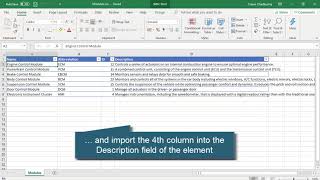
Program Board - Rational Team Concert 6.0.6.1
PublishedAt
2019-04-23T18:16:55Z
Tags
['IBM', 'Rational', 'Rational Team Concert', 'IBM Engineering', 'Workflow Management', 'RTC', 'IBM Engineering Workflow Management', 'EWM', 'program board']
Description(ja)
このビデオでは、Rational Team Concert 6.0.6.1 で使用できる新しいプログラム ボード機能について説明します。
Description
This video demonstrates the new Program Board feature available in Rational Team Concert 6.0.6.1.
Video
Program Board - Rational Team Concert 6.0.6.1
Query Organization Using Tags - Rational Team Concert 6 0 6 1
PublishedAt
2019-04-23T18:16:58Z
Tags
['IBM', 'Rational', 'Rational Team Concert', 'IBM Engineering', 'Workflow Management', 'RTC', 'IBM Engineering Workflow Management', 'EWM', 'query organization', 'tags']
Description(ja)
このビデオでは、Rational Team Concert 6.0.6.1 の新しい Web ベースのタグ付き照会機能について説明します。以下の関連リンクを表示...
関連情報リンク:
[CCM] Web クライアントでタグを使用して組織を照会する - テクノロジープレビュー (472270) - https://jazz.net/jazz/resource/itemName/com.ibm.team.workitem.WorkItem/472270
[CCM] Web クライアント GA でタグを使用して組織を照会する (474454) - https://jazz.net/jazz/resource/itemName/com.ibm.team.workitem.WorkItem/474454
Description
This video demonstrates the new web-based tagged queries feature in Rational Team Concert 6.0.6.1 View related links below...
Related Information Links:
[CCM] Query organization using tags in web client - Technology Preview (472270) - https://jazz.net/jazz/resource/itemName/com.ibm.team.workitem.WorkItem/472270
[CCM] Query organization using tags in web client GA (474454) - https://jazz.net/jazz/resource/itemName/com.ibm.team.workitem.WorkItem/474454
Video
Query Organization Using Tags - Rational Team Concert 6 0 6 1
Rational Rhapsody Tip 56 - Using Allocation relations In SysML
PublishedAt
2019-05-14T08:36:42Z
Tags
['ibm rational', 'ibm rational rhapsody', 'rhapsody', 'rhapsody architect for systems engineers', 'rhapsody architect', 'rational rhapsody', 'ibm', 'sysml', 'systems modeling language', 'systems modeling', 'uml', 'omg']
Description(ja)
以下は、SysML での割り当ての概念を説明するためのトレーニングで最近行った小さなデモです。もちろん、全体的な概念は非常に単純です。つまり、割り当ては、UML 依存関係を基本型として使用する分野横断的な構造です。この「ゼロからモデルを作成する」ビデオでは、2 つの階層 (1 つは構造的、もう 1 つは動作) を作成し、それらを «allocate» 依存関係を使用して関連付け、コンパートメント内の関係を視覚化する例を示しています。これを説明するために、新しい用語 «FunctionBlock» ステレオタイプを作成します (もちろん、これは少し高度な議論のトピックですが、特に自動車の顧客との間で頻繁に出てくるトピックです)。
重要事項:
SysML プロファイルは、«allocate» と呼ばれる依存関係のステレオタイプを提供します。
多くの場合、割り当ては、動作要素を構造要素に割り当てたい場合に使用されます。つまり、動作要素を構造要素に割り当てます。
割り当ては、[表示オプション...] ダイアログを使用して表示できる AllocatedTo や AllocatedFrom などのコンパートメントで視覚化できます。
割り当てコンパートメントは、オペレーション、ブロック、アクティビティーなど、Rhapsody のさまざまな要素に対して機能します。
Description
The following is a little demo I did recently on a training to illustrate the concept of allocation in SysML. Overall the concept is very simple, of course, which is that allocation is a cross-cutting construct that uses a UML dependency as its base type. This "create a model from scratch" video shows an example of creating two hierarchies, one structural and one behavioral, and then relating them using «allocate» dependencies, and visualizing the relations in compartments. I illustrate this by creating a New Term «FunctionBlock» stereotype (this is a slightly more advanced topic of discussion, of course, but is a topic that comes up a lot, especially with my automotive customers).
Key things:
The SysML profile provides a dependency stereotype called «allocate»
Often allocation is used where you want to allocate behavior elements to structural elements, i.e. behavioral to structural allocation.
Allocation can be visualized in compartments, e.g., AllocatedTo and AllocatedFrom, that can be shown using the Display Options... dialog.
Allocation compartments work for a range of elements in Rhapsody, including Operations, Blocks and Activities.
Video
Rational Rhapsody Tip 56 - Using Allocation relations In SysML
Rational Rhapsody Tip #57 - Allocation tables and matrices, incl a context pattern
PublishedAt
2019-05-22T08:47:37Z
Tags
['mbse', 'sysml', 'mbsetraining', 'systems modeling language', 'omg sysml', 'uml', 'ibm', 'ibm rational', 'ibm rational rhapsody', 'rational rhapsody', 'rhapsody developer', 'rhapsody designer', 'rhapsody architect for systems engineers', 'rhapsody architect for software engineers', 'modeling', 'modelling']
Description(ja)
このビデオはヒント #56 の続きで、Rhapsody でのテーブルとマトリックスの作成を示しています。割り当ては SysML の新しい用語の依存関係のタイプであるため、このトリックは新しい用語の依存関係に実際に適用されます。たとえば、要件のトレーサビリティ関係で機能します。このビデオは、単純なマトリックスとリレーション テーブル ビュー (最初にレイアウトを作成する必要があります) から始まり、コンテキスト パターン テーブル ビューの作成方法を示します。後でわかるように、コンテキスト パターンが目的の動作をするようになるまで少し時間がかかり、それをテストする必要があります。重要なことは、モデルの構造に従わなければならない関係テーブルを構築することです。ただし、列の順序は任意です。最初の列を折りたたんで、より簡潔にすることもできます。楽しみ!
Description
This video follows on from Tip #56 and shows creation of tables and matrices in Rhapsody. Allocation is a SysML new term dependency type, hence the tricks really apply to any new term dependency, e.g., they'd work for requirement traceability relations. The video starts with simple matrix and relation tables views (you have to create the layouts first) and then goes on to show how to create a context pattern table view. As you'll see it takes a little while to get the context pattern to do what you want and you need test it, but once you have it the views that are possible are huge. The key thing is that you build the relation table you have to follow the structure of the model. The order of the columns, however, can be in any order. You can also collapse the first column to make it more succinct. Enjoy!
Video
Rational Rhapsody Tip #57 - Allocation tables and matrices, incl a context pattern
Rational Rhapsody Tip #58 - Another look at unresolved references
PublishedAt
2019-05-26T20:55:25Z
Tags
['ibm rational', 'rational rhapsody', 'rhapsopdy developer', 'rhapsody', 'ibm rational rhapsody', 'ibmrational', 'mbse', 'sysmnl', 'sysml', 'uml', 'omg sysml', 'updm', 'modeling']
Description(ja)
この短い「ヒントとコツ」ビデオでは、IBM Rational Rhapsody プロジェクトで未解決の参照が発生する原因とその修正方法について説明します。これらは、モデルの一貫性を維持するために Rhapsody が要素を変更する必要があるが、所有するユニット (つまりファイル) が読み取り専用である場合に発生する可能性があります。これは、Rhapsody Model Manager などの最新の SCM ツールが楽観的なマージを積極的に許可し、モデルが矛盾するのを防ぐ一貫した変更セットの伝播を強調するため、悲観的なマージと楽観的なマージの相対的な利点を議論する際に話題の主題になります.. ビデオは、ユーザーがファイルをチェックアウトする必要がある悲観的な戦略でモデルを管理することから生じる問題のいくつかを強調しています。ビデオでわかるように、Rhapsody はモデラーに警告することで問題を回避しようとします。モデルの一貫性を保つために、ユニットを自動的にチェックアウトすることもできます。
重要なヒントは、高度な検索と置換ダイアログを使用すると、未解決の参照をモデルで検索して削除できることです。モデルの存在が使用上の問題を示している可能性があるため、このハウスキーピング手法を使用してモデルを定期的にチェックすることはおそらく価値があります。
Description
This short "tips and tricks" video takes a look at what causes and how to fix unresolved references in an IBM Rational Rhapsody project. These can occur when Rhapsody needs to change an element to keep model consistent but the owning units (i.e. files) are read-only. This makes it a topical subject when it comes to discussing the relative merits of pessimistic vs optimistic merging as modern SCM tools such as Rhapsody Model Manager do actively allow optimistic merging and emphasize the propagation of consistent change sets that prevent models becoming inconsistent.. The video highlights some of the issues that come from managing a model with a pessimistic strategy that requires users to check-out files. As you'll see in the video Rhapsody attempts to circumvent the problem by warning the modeler. It can even automatically check out the units to keep a model consistent.
A key tip is that the Advanced Search and Replace dialog allows you to search models for unresolved references and remove them. It's probably worth periodically checking models using this a housekeeping technique as their existence may point to usage problems.
Video
Rational Rhapsody Tip #58 - Another look at unresolved references
Rational Rhapsody Tip #59 - Using a perspectives toolbar to simplify the UI
PublishedAt
2019-06-16T07:23:14Z
Tags
['uml', 'sysml', 'ibm rational', 'rational rhapsody', 'rhapsody developer', 'rhapsody architect for systems engineers', 'rhapsody architect for software engineers', 'rhapsody', 'omg sysml', 'perspectives toolbar']
Description(ja)
このビデオは、1 週間ほど前に Rhapsody トレーニングでクライアントに応えて作成したものです。彼らは、Rhapsody のユーザー・インターフェースで、古いタイプの SysML ポート (標準およびフロー・ポート) と、新しいタイプ (プロキシーおよびフル・ポート) がまだ使用可能であると不満を漏らしていました。私の説明は、さまざまなユーザーがまだそれらを使用したいと思っており、すべての人を満足させるのは難しいということでした.ただし、パースペクティブ ツールバーは、プルダウン リストに基づいてメニューを簡素化できるため、これを実行できる可能性があります。ここにキャッチがあります。標準の SysML Perspectives ツールバーは、私が使用するものではありません。私にとって、精通したユーザーは自分で作成します。このビデオでは、すぐに使えるパースペクティブ ツールバーと自分で作成したものの両方を紹介します。 Rhapsody のほとんどのものと同様に、すべてが Rhapsody プロパティーでカスタマイズ可能です。
Description
I did this video in response to a client in my Rhapsody training a week or so ago. They were complaining that the user interface of Rhapsody had the old type of SysML ports (standard and flow ports) still available as well as the new ones (proxy and full). My explanation was really that different users still want to use them and it's difficult to keep everybody happy. The perspectives toolbar, however, offers the potential to do this because you can simplify the menus based on a pull-down list. Here's the catch, the standard SysML Perspectives toolbar isn't something I'd use. For me, the savvy user would create their own. In this video I show both the out-of-the-box perspectives toolbar and one I created myself. Like most things in Rhapsody, everything is customizable with Rhapsody properties.
Video
Rational Rhapsody Tip #59 - Using a perspectives toolbar to simplify the UI
Rational Rhapsody Tip #60 - Initializing your history connector (in state machines)
PublishedAt
2019-07-05T21:24:20Z
Tags
['rational rhapsody', 'ibm rational', 'ibm rational rhapsody', 'rhapsody developer', 'rhapsody architect for sytems enigneers', 'uml', 'omg uml', 'unified modeling language', 'sysml', 'omg sysml', 'rmm', 'jazz', 'ibm jazz', 'rhapsody model manager', 'doors ng', 'dng']
Description(ja)
このビデオは、今週の Rhapsody トレーニング コースで誰かがステート マシンについて尋ねた質問に基づいています。ステート マシンに状態を記憶させ、元の状態に移行したときに再度入力させる方法だけの問題ではありませんでしたが、さらに重要なことは、Rhapsody でそれらを描画して、必要に応じて動作させる方法です。これの鍵は、デフォルトの遷移をヒストリ コネクタに描画してから、ヒストリ コネクタからデフォルトにしたい状態への遷移を描画することです。最後に用語が少し混同されていても、ビデオで説明できれば幸いです。
Description
This video came from a question someone asked in my Rhapsody training course this week about state-machines. It wasn't just a question about how to get a state-machine to remember a state and re-enter it when you transition back in, but more importantly how to draw them in Rhapsody so that they work as desired. The key to this is really to draw the default transition to the history connector and then draw a transition from the history connector to the state you want the default to be. The video hopefully explains, even if I get my terminology mixed up a little bit at the end.
Video
Rational Rhapsody Tip #60 - Initializing your history connector (in state machines)
Rational Rhapsody Tip #61 - Checking RTC Eclipse is set-up for IBM Rational Rhapsody use
PublishedAt
2019-07-28T16:01:33Z
Tags
['ibm rational rhapsody', 'rational rhapsody', 'rhapsody designer edition', 'rhapsody architect edition', 'rhapsody developer edition', 'rhapsody model manager', 'rmm', 'rtc', 'rational team concert', 'rational jazz', 'ibm jazz', 'jazz', 'scm', 'rtc eclipse', 'eclipse']
Description(ja)
Rhapsody で使用するために RTC Eclipse クライアントが正しくセットアップされているかどうかを確認する方法に関連する、最近のトレーニングでの質問の 1 つです。 RTC クライアントは、Rational Model Manager (RMM) と Rational Team Concert (RTC) の両方の統合のために Rhapsody と連携して使用されます。クライアントを正しく設定していない場合、特に Rhapsody DiffMerge ツールではなくテキスト マージを使用しようとすると、重大な問題が発生する可能性があります。 Rhapsody v8.3.1 と Jazz/am 6.0.6 を示すこのビデオでは、実行できる 4 つのチェックについて説明しています。
Description
One of the questions I had recently in training related to how to check whether your RTC Eclipse client is correctly set-up for use with Rhapsody. The RTC Client is used in concert with Rhapsody for both the Rational Model Manager (RMM) and Rational Team Concert (RTC) integration. If you have incorrectly set up the client then this may cause significant issues, particularly if it tries to use a textual merge, rather than the Rhapsody DiffMerge tool. This video which shows Rhapsody v8.3.1 with Jazz/am 6.0.6 covers 4 checks that you can do.
Video
Rational Rhapsody Tip #61 - Checking RTC Eclipse is set-up for IBM Rational Rhapsody use
Rational Rhapsody Tip #62 - Orthogonal regions in state machines
PublishedAt
2019-08-11T08:48:00Z
Tags
['mbse', 'sysml', 'uml', 'rhapsody', 'rational rhapsody', 'ibm rational rhapsody', 'rhapsody developer edition', 'rhapsody architect', 'rhapsody architect edition', 'unified modeling language', 'systems modeling language', 'omg sysml', 'omg', 'statecharts', 'state machines', 'stms']
Description(ja)
この 4 分間のサイレント ビデオでは、ステート マシンでの直交領域の使用に関する実行可能なセマンティクスの一部について説明します。これらのセマンティクスのほとんどは、1980/90 年代に David Harel 博士と彼の同僚がステートチャートで行った作業に由来し、その後、統一モデリング言語に組み込まれ、SysML に継承されました。ステート マシンの本質的に直交する領域は、所有状態の一部として同時に実行される領域です。各領域は、所有状態になるとアクティブになります。 Rhapsody では、And Line を使用してこれらをいくつでも作成できます。直交領域が互いに影響を与える可能性があります。これらのビデオでは、次の 3 つの方法について説明します。 1. 領域の 1 つを取得してイベントを生成できます。基本的に、イベントはスレッドのイベント キューに配置され、別の並列領域でトリガーとして消費されます。 2. 2 番目のアプローチは、IBM Rational Rhapsody の IS_IN マクロを使用して、並列/直交領域が別の領域の状態を照会することです。このマクロを使用すると、ステート マシンが特定の状態にあるかどうかを問い合わせることができます。 3. 3 つ目の方法は、属性の状態を照会することです。ステート マシンのスコープは分類子であるため、属性はステート マシンで表示され、ガードベースの遷移で使用できます。ここで注意点があります。ガードベースの遷移は、状態へのエントリ時、または直交領域が遷移を実行するときにテストされます。ガードベースの遷移を再テストするには、直交領域の 1 つで遷移を実行する必要があります。このビデオはこれを強調しています。
Description
This 4 min silent video explores some of the executable semantics around the use of orthogonal regions in state machines. Most of these semantics come from work done by Dr David Harel and his colleagues in the 1980/90's on statecharts, which were subsequently subsumed into the Unified Modeling Language, and inherited by SysML. Essentially orthogonal regions in a state machine are regions that execute concurrently as part of an owning state. Each region becomes active when its owning state is entered. In Rhapsody we can create any number of these using an And Line. It's possible for orthogonal regions to influence each other. These video explores 3 ways: 1. We could get one of the regions to generate an event. Essentially, the event would be placed on the event queue for the thread and then consumed as a trigger in another parallel region. 2. A second approach would be for a parallel/orthogonal region to query the state of another region using IBM Rational Rhapsody's IS_IN macro. This macro allows you to query if the state machine is in a particular state. 3. A third approach would be to query the state of an attribute. As the scope of the state machine is a classifier, the attribute would be visible in the state machine and could be used in a guard-based transition. There's a caveat here. Guard-based transitions are tested on entry to a state or when an orthogonal region performs a transition. To get guard-based transition to be re-tested then a transition needs to be performed in one of the orthogonal regions. This video highlights this.
Video
Rational Rhapsody Tip #62 - Orthogonal regions in state machines
Rational Rhapsody Tip #63 - Snippet-based auto-generated html reports (new in 8.4)
PublishedAt
2019-08-25T17:55:45Z
Tags
['mbse training', 'rational rhapsody', 'rhapsody', 'ibm rational rhapsody', 'rhapsopdy developer', 'rhapsody developer', 'architect for systems engineers', 'rhapsody architect edition', 'rational publising engine', 'rpe', 'rpe templates', 'omg', 'omg syml', 'syml', 'uml', 'systems modeling language']
Description(ja)
この短いヒントとコツのビデオでは、IBM Rational Rhapsody 8.4 に追加された、プロジェクトのブラウザー構造に基づいて HTML レポートを自動生成する新機能を紹介しています。このレポートは、Rhapsody インストールの一連のミニ テンプレート スニペットを使用して、モデル構造に基づいて RPE テンプレートを自動的に作成します。結果の html レポートには、ナビゲートできるハイパーリンクと、javascript を使用するブラウザー構造が含まれています。レポート ジェネレーターは、Rational Publishing Engine (RPE) を必要としません。ただし、RPE ドキュメント スタジオがある場合は、スニペットを変更できます。詳細については、次のサポート ページを参照してください。
Description
This short tips and tricks video shows a new feature added in IBM Rational Rhapsody 8.4 to auto-generate a html report based on the project's browser structure. The report uses a set of mini-template snippets in the Rhapsody installation to automatically create an RPE template based on the model structure. The resulting html report contains hyperlinks that can be navigated as well as a browser structure that uses javascript. The report generator doesn't require Rational Publishing Engine (RPE). However, if you have RPE document studio then you'd be able to modify the snippets. For more info have a look at the support page: https://www.ibm.com/support/knowledgecenter/en/SSB2MU_8.4.0/com.ibm.rhp.reporting.doc/topics/rhp_c_customizable_html_reports.html
Video
Rational Rhapsody Tip #63 - Snippet-based auto-generated html reports (new in 8.4)
Rational Rhapsody Tip #64 - Customizing Rhapsody's C/C++ code generator using a simplifier plugin
PublishedAt
2019-09-01T19:28:52Z
Tags
['rtionl rhapsody', 'rational rhapsody', 'rhapsody', 'ibm rational rhapsody', 'rhapsody developer', 'rhapsody c++ code generation', 'code simplifier', 'mda', 'developer edition', 'uml', 'obm sysml', 'sysml', 'mdd', 'model-driven development']
Description(ja)
私は最近、IBM Rational Rhapsody Developer Edition を使用して、より多くの Web ベースのトレーニングを行っています。これにより、C/C++ コード生成の基礎に関するいくつかのビデオを表示するようになりました。このビデオでは、組み込みの C/C++ コード生成テクノロジの基礎となる 2 段階のプロセスの「内部」を紹介します。 Rhapsody のサンプル フォルダーにある UsersSimplifiers.rpy プロジェクトの修正バージョンに基づいて、プラグインのカスタマイズを使用して、多くのファイルに対して生成されたコードに 1 つの変更を加える方法を示します。最初の段階は簡素化と呼ばれ、2 番目の段階はライティングと呼ばれます。 CPP_CG::Configuration::ShowCgSimplifiedModelPackage プロパティを設定し、コードを再生成することで、単純化のモデルからモデルへの変換を表示できます。このビデオでは、この例を示し、Java プラグインを使用してコード生成の簡素化段階をカスタマイズする方法を強調しています。プロセスに新しいギアを追加するのと同じように、このようなカスタマイズを使用して、多くのファイルに対して生成されたコードに 1 つの変更を加えることができます。
Description
I've been doing more web-based training lately with the IBM Rational Rhapsody Developer Edition. This has promoted me to show a few videos on the fundamentals of C/C++ code generation. This video gives an "under the hood" look at the two stage process that underlies the built-in C/C++ code generation technology. Based on a modified version of the UsersSimplifiers.rpy project in the Rhapsody samples folder, it shows how we can use plugin customisation to make a single change to the generated code for many files. The first stage is called Simplification, the second called Writing. We can view the simplifier's model-to-model transform by setting the CPP_CG::Configuration::ShowCgSimplifiedModelPackage property and regenerating the code. This videos shows an example of this and highlights how it's possible to customize the simplification stage of code generation using a Java plugin. Like adding a new gear to your process, using customisations like this we can make a single change to the generated code for many files.
Video
Rational Rhapsody Tip #64 - Customizing Rhapsody's C/C++ code generator using a simplifier plugin
Rational Rhapsody Tip #65 - Linking to Jazz/qm test cases using Rhapsody Model Manager (6.0.6)
PublishedAt
2019-09-13T15:13:23Z
Tags
['ibm', 'rational rhapsody', 'ibm rational rhapsopdy', 'rhapsody developer', 'rhapsody architect', 'rhapsody designer', 'rtc', 'rqm', 'rmm', 'rhapsody model manager', 'ibm jazz', 'jazz', 'tst cases', 'quality manager', 'rational quality manager', 'oslc', 'oslc links']
Description(ja)
「Rhapsody から直接 Jazz/qm テスト ケースにリンクできますか?」最近、私の IBM Rational Rhapsody ソフトウェア トレーニングの 1 つに出てきました。その方法を示す短いビデオを次に示します。このビデオでは、Rhapsody 8.3.1 と Jazz/am 6.0.6 Web アプリケーションについて説明しています。このサーバー・サイド・アプリケーションを含む IBM 製品名は Rhapsody Model Manager (RMM) で、現在 4 リリースを超えています。 Rational Team Concert を基盤として使用し、Web ブラウザーを介して Rhapsody モデルを表示する機能を追加します。 Jazz/qm アプリケーション内のテスト・ケースへの OSLC リンクを提供するのは、この Web サーバー機能です (テスト・ケースのオーサリングは、Rational Quality Manager ライセンスによってライセンス交付されます)。
Description
"Can I link to Jazz/qm test cases directly from Rhapsody?" came up recently in one of my IBM Rational Rhapsody software training's. Here's a short video that shows how. The video illustrates Rhapsody 8.3.1 with the Jazz/am 6.0.6 web application. The IBM product name that includes this server-side application is Rhapsody Model Manager (RMM) and is over 4 releases in now. It uses Rational Team Concert as it's foundation and adds the ability to view Rhapsody models via a web browser. It is this web server capability that services the OSLC linking to test cases in the Jazz/qm application (test case authoring is licensed via Rational Quality Manager licenses).
Video
Rational Rhapsody Tip #65 - Linking to Jazz/qm test cases using Rhapsody Model Manager (6.0.6)
Rational Rhapsody Tip #66 - What are .hep files used for?
PublishedAt
2019-10-07T10:02:11Z
Tags
['mbse', 'sysml', 'omg sysml', 'systems modeling language', 'profiles', 'uml', 'uml profiles', 'ibm rational rhapsody', 'ibm rational', 'rational rhapsody', 'rhapsody developer', 'rhapsody designer', 'rhapsody designer edition', 'rhapsody', 'rhapsody architect', 'architect for systems']
Description(ja)
.hep ファイルは、IBM Rational Rhapsody ヘルパー ファイルです。これらは Rhapsody のメニューを拡張するために使用され、通常はプロファイルに関連付けられています。 Rhapsody の標準プロファイルの多くは、.hep ファイルを使用して、プロファイルが存在する場合に追加のメニューを追加します。このビデオは、Rhapsody のファクトリー SysML プロファイルの一部であるカップルを示しています。 Hep ファイルは、プロセス内で実行される Java プラグインを呼び出すことも、外部 Java アプリケーションを呼び出すために使用することもできます。 .hep ファイルにプロファイルと同じ名前を付けると、ロードされます。 General::Model::HelpersFile や General::Model::AdditionalHelperFiles など、多くのプロパティを設定してヘルパー ファイルをロードすることもできます。
Description
.hep files are IBM Rational Rhapsody helper files. They are used to extend Rhapsody's menus and usually associated with profiles. Many of Rhapsody's standard profiles use .hep files to add additional menus when the profile is present. This video illustrates a couple that are part of Rhapsody's factory SysML profile. Hep files can either invoke Java plugin that runs in process, or can be used to invoke an external Java application. Naming the .hep file the same as the profile will cause it to be loaded. It's also possible to set a number of properties to load a helper file, such as General::Model::HelpersFile and General::Model::AdditionalHelperFiles
Video
Rational Rhapsody Tip #66 - What are .hep files used for?
Rational Rhapsody Tip #67 - What are implicit classes? (Intermediate)
PublishedAt
2019-10-23T08:15:42Z
Tags
['uml', 'sysml', 'omg sysml', 'omg', 'systems modeling language', 'ibm rational', 'ibm rational rhapsody', 'rational rhapsody', 'rhapsody', 'rhapsody developer', 'rhapsody architect', 'c++', 'c programming', 'objects', 'classes', 'ports', 'connectors', 'parts', 'rhapsody designer', 'architect edition rhapsody']
Description(ja)
IBM Rational Rhapsody に関するこの短いヒントとコツのビデオでは、Rhapsody のオブジェクトを使用して、クラスを使用せずにソフトウェアまたはシステム アーキテクチャをモデル化する方法の概要を説明します。次に、これをクラスを使用する利点と比較します。重要なことは、Rhapsody で型指定されていないオブジェクトを作成すると、クラスが可能なすべての概念をサポートできるということです。内部で暗黙的なクラスを作成することでこれを行いますが、オブジェクトをブラウザーに表示するだけです。クラスを公開する主な理由は、再利用を有効にする必要がある場合、または要素の定義とその使用法を分離する必要がある場合です。これが、可能な場合は常にクラス (UML) またはブロック (SysML) を使用することをお勧めする傾向がある理由です。それは、将来に対応する一貫したアプローチを持つことができることを意味します。
Description
In this short tips and tricks video for IBM Rational Rhapsody I give an overview of how objects in Rhapsody can be used for modeling software or systems architectures without using classes. I then compare this with the benefits of using classes. The key thing is that if you create an object in Rhapsody that is not typed, then it can support all the concepts that a class can. It does this by creating an implicit class under-the-hood, but just showing the object in the browser. The key reason you expose classes is where you need to enable re-use, or a separation of concern between the definition of an element and its usage. This is why I tend to recommend always using classes (in UML), or blocks (in SysML), if you can. It means you can have a consistent approach that copes with the future.
Video
Rational Rhapsody Tip #67 - What are implicit classes? (Intermediate)
Rational Rhapsody Tip #68 - Installing the Rhapsody integration for RTC plugin (Intermediate)
PublishedAt
2019-10-29T22:08:52Z
Tags
['ibm rational rhapsody', 'rhapsody', 'rational rhapsody', 'ibm rhapsody developer', 'rtc', 'rational team concert', 'rmm', 'rhapsody model manager', 'ibm jazz', 'jazz']
Description(ja)
Rational Team Concert プラグイン用の IBM Rational Rhapsody 統合は、RTC Eclipse クライアントにインストールされ、RTC または Rhapsody Model Manager プロジェクトと IBM Rational Rhapsody の間のサポートされている直接統合を可能にします。この短いヒントとコツのビデオでは、インストール方法を紹介しています。
Description
The IBM Rational Rhapsody integration for Rational Team Concert plugin is installed into the RTC Eclipse client to enable a direct and supported integration between RTC or Rhapsody Model Manager project and IBM Rational Rhapsody. This short tips and tricks video shows you how to install it.
Video
Rational Rhapsody Tip #68 - Installing the Rhapsody integration for RTC plugin (Intermediate)
Rational Rhapsody Tip #69 - Timing diagrams in Rational Rhapsody (Simple)
PublishedAt
2019-11-11T09:14:02Z
Tags
['rational rhapsody', 'ibm rational rhapsody', 'rhapsody developer', 'sysml', 'omg sysml', 'uml', 'unified modeling langauge', 'unified modelling language', 'unified modeling language', 'systems modeling language', 'rhapsody architect', 'rhapsody designer']
Description(ja)
Rhapsody の 100 のヒントとコツのビデオにたどり着くために、この 8 分間のビデオは、UML と SysML のさまざまな図の種類をカバーするシリーズの最初のものです。システム エンジニアとソフトウェア エンジニアの両方に Rhapsody トレーニングを提供し、自動車、防衛/航空宇宙、産業用リアルタイムおよび組み込み市場 (www.mbsettraining.com) などのさまざまな分野でツールを最大限に活用することに重点を置いています。タイミング図は、UML の相互作用図の一種です。これらは、UML 2.0 として知られるメジャー リビジョン (2005 年) で最初に追加されました。このビデオは、Rhapsody の図のコンパクトで精巧な形式の両方を示しています。ここでは Rhapsody 8.4 を使用します (2019)。ダイアグラムのコンパクトな形式は、8.0.5 (2013) で初めて Rhapsody に追加されました。このダイアグラムは、サイドのシーケンス図によく似ています。ライフラインは、クラス/オブジェクト、アクター、ユース ケースなどの分類子を表します。ライフラインの状態が時間とともにどのように変化するかを示しています。シーケンスに注釈を付けて、分類子の条件を時間の経過とともに変化させるメッセージまたはイベントと、シーケンスの時間または期間に関する観察または制約の両方を示すことができます。
Description
In my effort to get to 100 Rhapsody tips and tricks video's this 8 min video is the first in a series covering the different diagram types in UML and SysML. I provide Rhapsody training for both systems and software engineers, focused on getting the best of the tool in different domains such as automotive, defence/aerospace and industrial real-time and embedded markets (www.mbsetraining.com). Timing Diagrams are a type of Interaction diagram in UML. They were first added in the major revision known as UML 2.0 (in 2005). The video shows both the compact and elaborated form of the diagram in Rhapsody. I use Rhapsody 8.4 here (2019). The compact form of the diagram was first added to Rhapsody in 8.0.5 (2013). The diagram is much like a sequence diagram on its side. Lifelines represent classifiers like classes/objects, actors or use cases. They show how the condition of the lifeline changes with respect to time. The sequence can be annotated to show both the messages or events that cause the conditions of the classifier to change over time, and observations or constraints about the time or duration in the sequence.
Video
Rational Rhapsody Tip #69 - Timing diagrams in Rational Rhapsody (Simple)
Rational Rhapsody Tip #70 - Class diagrams in Rational Rhapsody (Simple)
PublishedAt
2019-11-21T21:35:24Z
Tags
['uml', 'sysml', 'class diagrams', 'ood', 'ooa', 'oo', 'object orientated design', 'object oriented', 'rhapsody', 'rhapsody developer', 'rational rhapsody', 'ibm rational', 'ibm rational rhapsody', 'rhapsody architect for software', 'c++', 'code generation', 'code gen', 'rhapsody architect', 'omg', 'omg uml', 'omg sysml', 'systems modeling', 'generalization', 'association', 'aggregation', 'composition']
Description(ja)
これは、UML と SysML のさまざまなダイアグラムに関するシリーズの 2 回目です。クラス図は、統一モデリング言語の重鎮であり、オブジェクト指向設計でクラス間の関係を記述する方法として、1997 年に誕生しました。このビデオでは、クラスまたは分類子間の主要な関係について説明します。つまり、構成、集約、関連、および一般化です。これを少し拡張して、実現と依存関係を備えたインターフェイスも示します。また、C++ コード生成も少し加えて、すべてをもう少し現実的で抽象的でないように見せます。
Description
This is my second in a series on the different diagrams in UML and SysML. Class diagrams are a stalwart of the Unified Modeling Language and date right back to it's origins in 1997 as a way to describe the relationship between classes in an object orientated design. This video takes you through the core relationships between classes or classifiers; namely compositions, aggregation, associations and generalizations. I expand on this a bit to also show Interfaces with realizations and dependencies, together with a bit of C++ code generation to make it all seem a bit more real and a little less abstract.
Video
Rational Rhapsody Tip #70 - Class diagrams in Rational Rhapsody (Simple)
Rational Rhapsody Tip #71 - Use Case diagrams in Rational Rhapsody (Simple)
PublishedAt
2019-12-12T21:57:05Z
Tags
['rational rhapsody', 'sysml', 'systems modeling', 'mbse', 'systems modelling', 'systems modeling language', 'rhapsody designer edition', 'rational rhapsody designer', 'rhapsody developer edition', 'rational rhapsody developer', 'use cases', 'uml', 'omg', 'actors', 'use case diagrams', 'ucd', 'uc', 'ibm rational rhapsody', 'ibm rational']
Description(ja)
これは、統合およびシステム モデリング言語 (UML/SysML) での Rational Rhapsody のダイアグラムの実装を示す、私が作成した一連のビデオの 3 番目です。ナレーションを含むこのビデオでは、ユース ケース図について説明します。ユース ケース図は、UML と SysML の両方で中心的な表記法です。ただし、特にエンジニアが、ユースケースが実際には図に記述されているのではなく、その関係のみで記述されていることを忘れている場合は、単純であると同時に間違いやすい表記の 1 つと見なすことがよくあります。この 10 分間のビデオでは、ユース ケース図の作成を示し、アクターの概念を説明してから、ユース ケース図で使用できる 3 つの関係を探ります。一般化、包含、および拡張。ビデオの最後で、ユースケースの範囲または主題を理解することの重要性を強調し、ユースケースとテキスト要件の間の補完関係についてのヒントを示します。 Rhapsody の専門家として、私は世界中のクライアントと協力して、システムおよびソフトウェア エンジニアリング用のプロファイルおよびさまざまなモデルベースの方法を使用してモデリング タスクを高速化し、指示することにより、モデリングから価値を高められるように支援しています。
Description
This is the 3rd in a series of videos I'm created showing Rational Rhapsody's implementation of diagrams in the Unified and Systems Modeling Languages (UML/SysML). This video, which includes narration, covers the use case diagram. Use case diagrams are a core notation in both UML and SysML. However, I often find them one of the notations that is both simple but easy to get wrong, particularly when engineers forget that the use case isn't actually described in the diagram, just its relations. In this 10 minute video I show the creation of a use case diagram, explain the concept of actors, and then explore 3 relations that you might use on a use case diagram; generalization, include and extend. At the end of the video I highlight the importance of understanding the scope, or subject, of the use case and hint on the complementary relationship between use cases and textual requirements. As an expert in Rhapsody, I work with clients across the world to help them extract increased value from modeling by speeding up and directing modeling tasks using profiles and different model-based methods for systems and software engineering.
Video
Rational Rhapsody Tip #71 - Use Case diagrams in Rational Rhapsody (Simple)
Rational Rhapsody Tip #72 - Composite structure diagrams in Rational Rhapsody (Intermediate)
PublishedAt
2020-01-02T09:52:39Z
Tags
None
Description(ja)
ナレーション付きのやや長い一連のビデオの第 4 回目では、UML 2.x の複合構造図がどのように機能するかを、IBM Rational Rhapsody での実装に焦点を当てて説明します (実際には Rhapsody では構造図と呼ばれています)。ビデオでは Rhapsody 8.4 を使用していますが、機能のコアは非常に長い間存在しています。これに関連するのは、ポート、パーツ、およびコネクターの概念と、構造化された分類子 (パーツを所有して接続するクラス) を使用してシステムを階層的に分解できるという考えです。このビデオでは、標準の UML インターフェイスに焦点を当てています (SysML の内部ブロック図については、後で説明します)。このビデオでは、横断歩道の信号シーケンスを模倣したモデルを使用して概念を強調し、ポートとインターフェイスがコンポーネント ベースの設計をどのようにサポートするかを示します。接続されたポートに提供されたインターフェイスと必要なインターフェイスを提供することで、機能のさまざまな実装をプラグ アンド プレイで実行できます。準拠しています。ビデオの最後に向けて、Rhapsody で StructuredClassView と呼ばれるプロパティーを切り替えて、ダイアグラムのフレームが分類子を表す方法も示します。このプロパティは SysML プロファイルによって使用され、通常はモデルを構築する前に事前に設定するものです。また、ダイアグラム上のクラス シンボルを構造化ビューに切り替える方法も示します。構造化ビューでは、クラス シンボルのコンパートメントが複合構造図のように機能します。これは、同じ図に深いネストを表示したい場合に便利です。とにかく、それが役立つことを願っています。 Rhapsody についてご不明な点がございましたら、お気軽にお問い合わせください。
Description
In this 4th in a series of slightly longer videos with narration, I explain how composite structure diagrams in UML 2.x work with a focus on their implementation in IBM Rational Rhapsody (they're actually called structure diagrams in Rhapsody). The video uses Rhapsody 8.4 but the core of the functionality has been around for a very long time. Related to this are are concepts of ports, parts and connectors and the idea that you can hierarchically decompose systems using structured classifiers, i.e. classes that own and connect parts. This video focuses on standard UML interfaces (I'll cover SysML Internal Block Diagrams in a later one). In this video I highlight the concepts with a model that mimics a pedestrian cross light sequence and I show how ports and interfaces support component-based design where you can plug-and-play different implementations of functionality provided the provided and required interfaces on connected ports are compliant. Towards the end of the video I also show how it's possible to switch a property in Rhapsody called StructuredClassView so that the frame on the diagram represents the Classifier. This property is used by the SysML profile and is normally something you'd set up front before building the model. I also show how it's possible to switch the class symbol on a diagram to a structured view, in which the compartment of the class symbol acts like a composite structure diagram. This is useful when you want to show deep nesting on the same diagram. Anyway, hope it helps. If anybody has any questions about Rhapsody then feel free to get in contact.
Video
Rational Rhapsody Tip #72 - Composite structure diagrams in Rational Rhapsody (Intermediate)
Rational Rhapsody Tip #73 - Block Definition Diagrams in Rational Rhapsody (Simple)
PublishedAt
2020-02-14T11:00:14Z
Tags
None
Description(ja)
統一言語とシステム モデリング言語のさまざまなダイアグラムに関するビデオ シリーズの第 5 回では、SysML のブロック定義ダイアグラムについて説明します。これは、UML クラス図に関するシリーズの 2 番目のビデオの続きです。これは、SysML の BDD がシステム エンジニアに対して、UML のクラス図がソフトウェア エンジニアに対して行うのと同じことを行うためです。どちらも、構造要素の分類とそれらの間の関係の確立を伴います。主な違いは、SysML がブロックと呼ばれる定型化されたクラスを使用することです。もちろん、ブロックは概念的には、組織構造、物理要素、システム、サブシステム、およびコンポーネントなどの非コーディングのものであることがよくあります。ブロックの機能を示すだけでなく、ブロック定義図 (略して BDD) を使用すると、関連付け、構成、集約、一般化、依存関係などのブロック間の関係を定義して表示できます。ただし、分類ツリー、つまりシステムの階層的な分解に重点が置かれることがよくあります。このビデオでは、基本的な概念を説明し、パースペクティブ ツールバーなど、Rhapsody でサポートされているより高度な機能のヒントも示しています。
Description
In this 5th in a series of videos about the different diagrams in the Unified and the Systems Modeling Languages, I cover Block Definition Diagrams in SysML. This is really a follow on from my second video in the series which was on UML Class Diagrams. This is because BDDs in SysML do for systems engineer’s what class diagrams in UML do for software engineers. They both involve the classification of structural elements and the establishment of relationships between them. The key difference is that SysML uses a stereotyped class called a Block, and of course, Blocks conceptually will often be non-coding things such as organisational structures, physical elements, or systems, subsystems & components. As well as showing Block's features, Block Definition Diagrams, or BDDs for short, allow us to define and show relationships between blocks such as associations, compositions, aggregations, generalizations, and dependencies. An emphasis is often placed, however, on classification trees, i.e. the hierarchical decomposition of systems. This video illustrates the basic concepts and also hints at some of the more advanced features supported by Rhapsody such as the perspectives toolbar.
Video
Rational Rhapsody Tip #73 - Block Definition Diagrams in Rational Rhapsody (Simple)
Rational Rhapsody Tip #74 - State Machine Diagrams in Rational Rhapsody (Intermediate)
PublishedAt
2020-03-16T15:45:31Z
Tags
None
Description(ja)
これは、UML と SysML のさまざまなダイアグラム タイプに関する一連のビデオの 5 番目であり、IBM Rational Rhapsody のクラス、ブロック、アクターの下で作成できる動作ダイアグラムのタイプであるステート マシンに焦点を当てています。 Rhapsody は、ワイツマン工科大学の David Harel 教授と I-Logix (当時 Statemate と呼ばれるツールも持っていた) で行われた研究の起源から成長して、長い間ステート マシンと強い関連性を持っていました。これにより、1996 年に Rhapsody の最初のバージョンに実行可能な構文が組み込まれました。この頃、Harel ステートチャート表記が UML に組み込まれました。このビデオでは、COVID-19 ウイルスの発生に対する英国政府の対応計画のステート マシン モデルをゼロから構築し、これを使用して、イベント トリガー、ガード、時間ベースの遷移、および OR、並列、または直交領域、およびネストされた状態。
Description
This is my 5th in a series of videos on the different diagram types in UML and SysML, and focuses on state machines, a type of behavior diagram that can be created under classes, blocks and actors in IBM Rational Rhapsody. Rhapsody has long had a strong association with state machines, having grown from the origins of work done by Prof. David Harel at the Weizmann Institute of Technology and at I-Logix (which had a tool called Statemate also at the time). This resulted in the incorporation of executable syntax into the first version of Rhapsody in 1996, around the time that Harel statechart notation was subsumed into the UML. In this video I build a state machine model of the UK government's response plan to the COVID-19 virus outbreak from scratch and use this to cover basic syntax related to event triggered, guard and time-based transitions, as well as OR, parallel or orthogonal regions, and nested states.
Video
Rational Rhapsody Tip #74 - State Machine Diagrams in Rational Rhapsody (Intermediate)
Rational Rhapsody Tip #75 - Installing IBM Rhapsody 9.0 with Cygwin C/C++ (Intermediate)
PublishedAt
2020-03-29T10:26:35Z
Tags
None
Description(ja)
このビデオでは、ソフトウェアとシステムのトレーニングのために IBM Rhapsody を通常どのようにインストールするかを示します。 9.0 では、IBM Rational Rhapsody は IBM Engineering Systems Design Rhapsody に名前が変更されました。最小限の gcc コンパイラと GNU make ツール (Cygwin の setup-x86_64.exe を使用) をダウンロードしてインストールする手順を含めました。 Designer for Systems Engineers と Architect for Systems Engineers Edition のショートカットもインストールする Developer をインストールすることをお勧めしますが、Architect for Software Engineers はインストールしません。最後に、実行中のアプリケーションを作成して、コンパイラー環境がインストールされ、機能していることを確認する方法も示します (事前にコンパイルされたライブラリー・ファイルが出荷されなくなったため、フレームワーク・ライブラリーが存在しない場合、Rhapsody がフレームワーク・ライブラリーを自動的にビルドする方法が強調されています)。 .また、TELELOGIC_LICENSE_FILE システム環境変数を使用して、使用中のライセンスを構成する方法も示します。注意すべき点: マシンの管理者権限を持っていないパワー ユーザーでない限り、アップグレードする場合は、通常、最初に以前の Rhapsody をアンインストールすることをお勧めします (そうしないと、以前のバージョンをアンインストールすると、追加に使用される COM コンポーネントの登録に影響を与える可能性があります)。 -ins)。これが発生した場合、インストールを修正できる可能性がありますが、ほとんどのユーザーは、これが発生したことに気付くことはありません。
Description
In this video I show how I normally install IBM Rhapsody for my software and systems training. In 9.0 IBM Rational Rhapsody was renamed IBM Engineering Systems Design Rhapsody. I've included the steps for downloading and installing the minimal gcc compiler and GNU make tools (using Cygwin's setup-x86_64.exe). I suggest to install Developer which also installs Designer for Systems Engineers and Architect for Systems Engineers Edition shortcuts but not Architect for Software Engineers. At the end I also show how to verify that the compiler environment is installed and working by creating running application (which highlights how Rhapsody now builds the framework libraries automatically if they don't exist, as pre-compiled library files are no longer shipped). I also show the use of the TELELOGIC_LICENSE_FILE system environment variable to configure license being used. One thing to note: Unless you have admin privileges on your machine and are a power user, if you're upgrading I generally recommend to uninstall previous Rhapsody first (otherwise the uninstall of earlier version may affect the registration of the COM component used for add-ins). It's possible fix an install if this happens, but this is not something most users will realize has happened.
Video
Rational Rhapsody Tip #75 - Installing IBM Rhapsody 9.0 with Cygwin C/C++ (Intermediate)
IBM Engineering Workflow Management - Enhancements to Quick Planner in EWM 7.0
PublishedAt
2020-04-01T14:00:39Z
Tags
['ibm', 'elm', 'ewm', 'clm', 'rtc', 'Engineering Lifecycle Management', 'Engineering Workflow Management', 'quick planner', 'enhancements']
Description(ja)
このビデオでは、IBM Engineering Workflow Management のバージョン 7.0 における Quick Planner の機能拡張について簡単に説明します。
Description
This video provides a quick look at the enhancements to Quick Planner in version 7.0 of IBM Engineering Workflow Management.
Video
IBM Engineering Workflow Management - Enhancements to Quick Planner in EWM 7.0
IBM Engineering Workflow Management - Query organization using tags in EWM 7.0
PublishedAt
2020-04-01T14:05:44Z
Tags
['ibm', 'elm', 'ewm', 'clm', 'rtc', 'Engineering Lifecycle Management', 'Engineering Workflow Management', 'query', 'tags', 'web client']
Description(ja)
このビデオでは、Engineering Workflow Management のバージョン 7.0 の Web クライアントでタグを使用してクエリを編成する機能の概要を説明します。
Description
This video provides an overview of the ability to organizing queries using tags in the web client of version 7.0 of Engineering Workflow Management.
Video
IBM Engineering Workflow Management - Query organization using tags in EWM 7.0
Rational Rhapsody Tip #76 - Using Visual Studio source-code debugger with Rhapsody (Advanced)
PublishedAt
2020-04-16T13:23:37Z
Tags
None
Description(ja)
この 7' 35 インチの Rhapsody の高度なヒント ビデオは、クライアントが非常に古い iLogix Rhapsody バージョン (5.02) で作成されたプロジェクトを新しい Rhapsody バージョン (8.3.1) に移行するのを支援する最近の作業からのものです。フレームワークがかなり変更されたため、 Rhapsody TestConductor アドオンを作成およびサポートしている、ドイツの BTC Embedded Systems AG の Hartmut W に感謝します。彼はここでいくつかの高度なヒントを提供してくれました (結局、彼らはコードの正式なテストの専門家です 😉.私は特に、USE_PDB=TRUE でフレームワークを再コンパイルし、プログラムによるブレークポイントを設定して Rhapsody に直接追加できるようにするトリックが気に入っています。誰かの役に立てば幸いです!
Description
This 7' 35" Rhapsody advanced tips video came from some recent work helping a client migrate a project created with a really old iLogix Rhapsody version (5.02) to a later Rhapsody version (8.3.1). Because the framework has changed quite bit, it proved useful to be able to step-through the executing framework code at source-level to get a real handle on what was happening. Many thanks to Hartmut W at BTC Embedded Systems AG in Germany who produce and support the Rhapsody TestConductor add-on. He provided some of the advanced tips here (they are experts in formal testing of code afterall 😉. I particularly like the trick to recompile the framework with USE_PDB=TRUE, and setting programmatic breakpoints so that you can add them directly in Rhapsody. Hope it helps someone!
Video
Rational Rhapsody Tip #76 - Using Visual Studio source-code debugger with Rhapsody (Advanced)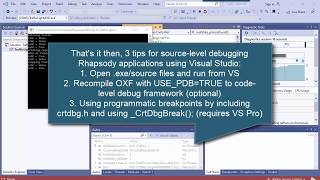
IBM Rhapsody Tip #77 - How to animate user-defined types in sequence diagrams (serialization)
PublishedAt
2020-05-04T08:57:42Z
Tags
None
Description(ja)
何千ものプロパティーを探索できる IBM Rational Rhapsody は、システムとソフトウェア・エンジニアリングの両方のための強力で構成可能なツールです。この短いサイレントのヒントとコツのビデオは、購読者のリクエストに応じて提供されます!その中で、IBM Rhapsody を使用して、シーケンス図の列挙型や構造体などのユーザー定義型をアニメーション化する方法を探っています。単純なアプローチ (CPP_CG::Type::GenerateSerializationFunctions プロパティを設定する) と、CPP_CG::Type::AnimSerializeOperation および CPP_CG を使用して独自のシリアル化および非シリアル化グローバル関数を指定する、より高度なケースの両方をカバーしています。 :Type::AnimUnserializeOperation プロパティ。独自のものを作成するのは難しい場合があります。特に、引数と戻り値の型を正しく取得し、メモリを適切に解放する必要があります。ビデオでは、IBM Engineering Systems Design Rhapsody 9.0 を使用していますが、(ほとんどの) 以前のバージョンでも同じことが機能します。 Rhapsody の詳細については、私の Rhapsody ブログ (www.mbsettraining.com) を購読してください。
Description
With thousands of properties to explore IBM Rational Rhapsody is a powerful and configurable tool for both systems and software engineering. This short silent tips and tricks video comes at subscriber request! In it I explore how you can get IBM Rhapsody to animate user-defined types such as enums and structs on sequence diagrams. It covers both the simple approach (which is to set the CPP_CG::Type::GenerateSerializationFunctions property) and the more advanced case, which is to specify your own serialization and unserialization global functions using the CPP_CG::Type::AnimSerializeOperation and CPP_CG::Type::AnimUnserializeOperation properties. Creating your own can be tricky, particularly getting the arguments and return types right and ensuring you release memory appropriately. In the video I use IBM Engineering Systems Design Rhapsody 9.0 but the same works for (most) earlier versions. If you want more info on Rhapsody then you're welcome to subscribe to my Rhapsody blog at www.mbsetraining.com.
Video
IBM Rhapsody Tip #77 - How to animate user-defined types in sequence diagrams (serialization)
IBM Rhapsody Tip #78 - Keeping user code consistent using Refactor: Rename
PublishedAt
2020-05-24T15:39:54Z
Tags
None
Description(ja)
この短い (サイレント) ヒントとコツのビデオでは、型やクラスなどのコードに生成された要素を右クリックすると IBM Rational Rhapsody で使用できる [Refactor: Rename] ダイアログについて簡単に説明します。重要なことは、Refactor: Rename は参照を更新するだけでなく、検索と置換のダイアログの形式であり、ユーザー コード セクション内でも更新を行うことです。ダイアログを使用して、名前変更の前後の両方を確認できます。これにより、クラス、操作、型、属性などの要素の名前をリファクタリングするときに、ユーザー コード セクションの一貫性を保つことができます。
Description
This short (silent) tips and tricks video takes a quick look at the Refactor: Rename dialog, available in IBM Rational Rhapsody when you right-click elements generated into code like types and classes. The key thing is that Refactor: Rename does more than just update references, it's a form of search and replace dialog and will do an update inside user code sections as well. Using the dialog you can review both before and after the rename. This helps you keep user code sections consistent when refactoring names of elements such as classes, operations, types and attributes.
Video
IBM Rhapsody Tip #78 - Keeping user code consistent using Refactor: Rename
IBM Rhapsody Tip #79 - Some shortcuts you may or may not know! (Simple)
PublishedAt
2020-06-23T13:26:40Z
Tags
None
Description(ja)
私たちは皆、習慣の生き物だと思います。そのため、これらを行う独自の方法を見つける傾向があり、それが常に最速であるとは限りません。 IBM Rational Rhapsody UML/SysML ツールに関するこの短い (そしてほとんど無音の) ヒントとコツのビデオは、私が IBM と行った最近のウェビナーで、私が使用しているメニューの 1 つに使用していないショートカットを誰かが指摘したところから来ました。常に使用します。これにより、ショートカットに関する小さなビデオが人々にとって良い復習になると思いました.このビデオでは、「アクセラレータ」(アクションを実行するキー) とモディファイア (アクションを変更するキー) について説明しています。
Description
We're all creatures of habit, I guess, hence we tend to find our own ways of doing these and sometimes it's not always the fastest. This short (and mostly silent) tips and tricks video for the IBM Rational Rhapsody UML/SysML tool came off the back of a recent webinar I did with IBM where somebody pointed out a shortcut I don't use for one of the menus that I use all the time. This made me think that a little video on shortcuts would be a good refresher for people. The video covers some "accelerators" (keys that perform actions) and modifiers (keys that modify actions) that you may or may not know.
Video
IBM Rhapsody Tip #79 - Some shortcuts you may or may not know! (Simple)
IBM Rational Rhapsody Tip #80 - Package Diagrams in UML/SysML (Simple)
PublishedAt
2020-07-21T18:41:28Z
Tags
None
Description(ja)
公開が少し遅れましたが、これは UML と SysML のさまざまなタイプのダイアグラムに関する一連のビデオの 7 番目です。このビデオでは、SysML が UML から変更されずに継承する最も単純な構造図の 1 つであるパッケージ図について説明します。一般に、これらはパッケージ間の包含関係と依存関係を示しますが、要件やブロックのネストされた階層などの構造要素も表示される場合があることに注意することが重要です。このビデオでは、表示する包含関係のスタイルに応じて TreeContainmentStyle プロパティーを設定するなど、Rhapsody を最大限に活用するためのいくつかのヒントとコツについて説明します。このビデオでは、Rhapsody 9.0.1 (2020 年 7 月 7 日リリース) を使用しています。
Description
Slightly delayed on getting this one out but this is the seventh in a series of videos on the different types of diagrams in UML and SysML. This video covers Package Diagrams one of the simplest structure diagrams that SysML inherits unmodified from UML. In general they show containment and dependency relationships between packages, although it's important to note that any of the structural elements might also be shown such as nested hierarchies of requirements or blocks. The video covers some tips and tricks to get the most out of Rhapsody including setting the TreeContainmentStyle property depending on the style of containment relationship that you want to show. The video uses Rhapsody 9.0.1 (released July 7 2020).
Video
IBM Rational Rhapsody Tip #80 - Package Diagrams in UML/SysML (Simple)
IBM Rational Rhapsody Tip #81 - Understanding actor test benches (intermediate)
PublishedAt
2020-08-03T07:50:15Z
Tags
None
Description(ja)
これは、ユース ケースのコードを生成し、アクターのコードを生成するボックスにチェックを入れる必要があるかどうかについて、人々から寄せられたいくつかの質問に応えて作成したものです。これに答えるには、もちろん、システム シミュレーションに関して自分が何をしているのかをよりよく理解する必要があります。このビデオでは、アクター テスト ベンチの概念について説明します。アクター テスト ベンチは、アクターの役割を果たすシミュレーションの一部です。アクターをより高いレベルのシステムに含めることで、システムの境界ではなく、名前付きの外部エンティティとの相互作用を示すことができます。 Rhapsody では、アクターが完全な分類子ステータスを持っているため、これが可能です。つまり、ブロックと同じように、ポート、操作、イベント受信 (シグナル)、および状態マシンを持つことができます。注: これは、すべての UML/SysML ツールに当てはまるわけではありません。これは私の無声動画の 1 つです (音声付きの動画を作成するには時間がかかるため、時間とお金を稼ぐ必要があります)。
Description
I did this in response to a few questions that people have asked as to whether they should tick the box to generate code for use case and generate code for actors? To answer this you need, of course, to understand better what you're doing when it comes to system simulation. In this video I look at the concept of actor test benches. An actor test bench is part of a simulation that plays the role of an actor. By including the actor in a higher level system, you can show the interactions that is has with named external entities, rather than with the system border. In Rhapsody, this is possible because actors have full classifier status, i.e. they can have ports, operations, event receptions (signals), and state machines, in the same way as blocks do. Note: This is not the case for all UML/SysML tools. This is one of my silent videos (it takes longer to create videos with sound, hence I need to balance my time with paid work).
Video
IBM Rational Rhapsody Tip #81 - Understanding actor test benches (intermediate)
IBM Rational Rhapsody Tip #82 - Modelling Domain Specific Notation & Profiles (Advanced)
PublishedAt
2020-08-25T10:57:58Z
Tags
None
Description(ja)
これは、私がより関与し、ナレーションを付けたビデオの 1 つです。 IBM Rational Rhapsody を使用したドメイン固有のプロファイリングのトピックをカバーしています。その中で、自動車のモデルベースのシステム エンジニアリングのプロファイルの例を垣間見ることができ、新しい用語要素の種類と図を追加して、選択した方法に従って SysML/UML をより簡単に利用できるようにする方法を示しています。 Rhapsody でのドメイン固有のプロファイリングは、ステレオタイプのプロパティーによって制御されます。最後に、私が移行したより高度な手法の 1 つは、モデルベースの手法を使用してそのようなプロファイルを構築および維持することです。つまり、要素の型を表すドメイン固有のメタモデルのクラス モデルを描画します (メタモデリングとも呼ばれます! 😉。
Description
This is one of my more involved and narrated videos. It covers the topic of domain specific profiling with IBM Rational Rhapsody. In it, I give a glimpse of an example profile for automotive model-based systems engineering, showing how it's possible to add new term element types and diagrams to make SysML/UML more easily consumable when following a chosen method. Domain specific profiling in Rhapsody is controlled via properties on stereotypes. At the end I also show one of the more advanced techniques I've moved to is to build and maintain such a profile using model-based techniques, i.e., drawing a class model of the domain specific meta-model that represents the element types (also known as meta-modeling! 😉.
Video
IBM Rational Rhapsody Tip #82 - Modelling Domain Specific Notation & Profiles (Advanced)
IBM Rational Rhapsody Tip #83 - Enhanced tooltip customisation using a plugin method (Secret)
PublishedAt
2020-09-21T07:26:15Z
Tags
None
Description(ja)
私の最も初期の IBM Rational Rhapsody ビデオの 1 つは、約 5 年前に SysMLHelper プロファイルに行ったカスタマイズ (ビデオ ヒント #8) を Rhapsody 拡張ツールヒント機能に適用するデモで終わります。私がそれをどのように達成したかについては詳しく説明しませんが、数人が尋ねてきました。実際、このビデオを実行していると、プラグイン メソッドをプロファイルにフックするために使用したプロパティが製品に記録されていないことに気付きました。それでも (9.0.1 までは) 動作するように見えるので、この「ボンネットの下」の外観のビデオをまとめました。このプロパティは、Model::Stereotype::ModelTooltipPluginMethod と呼ばれます。 Rhapsody の上級ユーザー向けのこの 5 分間のビデオでは、Java プラグイン、プロファイル、およびプロパティーを使用して Rhapsody をカスタマイズする役割についても少し説明しています。このビデオはサイレント ビデオです。つまり、キャプションを読んで理解する必要があります。
Description
One of my earliest IBM Rational Rhapsody videos ends with a demo that shows a customisation I made to my SysMLHelper profile around 5 years ago (video tip #8) to Rhapsody enhanced tooltip feature. It doesn't go into detail about how I achieved it though and a few people have asked. Actually, in doing this video I realize that the property I used to hook the plugin method into the profile is no longer documented in the product, which is why people have asked! It still seems to work though (up to 9.0.1) hence I've put together this "under the hood" look video. The property is called Model::Stereotype::ModelTooltipPluginMethod. This 5 min video, for advanced users of Rhapsody, also gives a bit of a look at the role of customizing Rhapsody with Java plugins, profiles, and properties. This video is a silent one, i.e. you'll need to read the captions to understand it.
Video
IBM Rational Rhapsody Tip #83 - Enhanced tooltip customisation using a plugin method (Secret)
IBM Rational Rhapsody Tip #84 - Getting statecharts to react to change events (Advanced)
PublishedAt
2020-10-01T18:23:20Z
Tags
None
Description(ja)
この短いサイレント キャプション ベースのヒントとコツのビデオは、変更イベントを SysML プロキシ ポートで正しく実行する方法について、私に電子メールで問い合わせてきた購読者からのものです。 2 つのビデオのうちの最初のこのビデオでは、Rhapsody ステートチャートの変更イベントがどのように機能するか、およびその目的についていくつかの基本事項を要約したいと思います。このビデオの重要なヒントは、属性/値プロパティの値を変更するときにセッター操作を使用することを確認する必要があるということです。セッターとゲッター (C++ ではミューテーターとアクセサーと呼ばれることが多い) は自動生成されます。セッターは、set という単語の後に大文字の属性の名前が続くという規則に従います。変更イベントは、Rhapsody ステートチャートでデータの変更に反応するためのトリガーとして使用されます。また、文字 (ch) の後にプロパティ名 (大文字) が続く命名規則に従います。興味のある方は動画で説明してくれると嬉しいです!
Description
This short and silent caption-based tips and tricks video came from a subscriber emailing me for help on getting change events to execute correctly with SysML proxy ports. In this first of two videos, I thought I'd recap some of the fundamentals about how change events in Rhapsody statecharts work, and what they're for. The key tips in this video are really that you need to make sure that you use the setter operation when changing the value of attributes / value properties. Setters and getters (what are often called a mutators and accessors in C++) are auto-generated. The setter will follow the convention of the word set followed by the name of the attribute capitalized. Change events are used as triggers in Rhapsody statecharts for reacting to a change of data. They also follow a naming convention which is the characters (ch) followed by the name of property (capitalized). Hopefully the video explains for those who're interested!
Video
IBM Rational Rhapsody Tip #84 - Getting statecharts to react to change events (Advanced)
IBM Engineering Rhapsody Tip #85 - Using change events with SysML proxy ports (Advanced)
PublishedAt
2020-10-09T09:26:08Z
Tags
None
Description(ja)
わかりました、私はより定期的な更新ビデオに戻ります。これもやや高度なトピックですが、SysML プロキシ ポートとインターフェイス ブロックとは何か、およびそれらが標準の UML ポートおよびインターフェイスと異なる点の 1 つについても少し説明します。この IBM エンジニアリングのヒントとコツのビデオは、ビデオ #85 の続きであり、フロー プロパティを取得し、イベントを変更して SysML プロキシ ポートでシミュレートする方法を示しています。重要なことは、変更イベントと自動生成されたセッターを使用することに加えて、両方のポートを動作ポートとして設定する必要があるということです。この短い (そしてキャプション駆動の、つまり無音の) ビデオが示すように、これは実際には Rhapsody モデル チェッカーによって警告として検出されます。 http://www.mbsettraining.com/2020/10/ibm-engineering-rhapsody-tip-85-using.html
Description
Ok, I'm back into more regular update videos. This again, is a slightly more advanced topic, although it also explains a little about what SysML proxy ports and Interface Blocks are and one of the ways they differ from standard UML ports and interfaces. This IBM Engineering tips and tricks video follows on from video #85 and shows how to get flow properties and change events to simulate with SysML proxy ports. The key thing is that in addition to using the change event and the auto-generated setter, you need to set both ports as behaviour ports. This is actually picked up by the Rhapsody model checker as a warning, as this short (and caption-driven, i.e. silent) video illustrates. http://www.mbsetraining.com/2020/10/ibm-engineering-rhapsody-tip-85-using.html
Video
IBM Engineering Rhapsody Tip #85 - Using change events with SysML proxy ports (Advanced)
IBM Engineering Rhapsody Tip #86 - The Parts Browser (a SysML profile feature) (Intermediate)
PublishedAt
2020-10-23T09:08:56Z
Tags
None
Description(ja)
Rhapsody でカスタム要件トレーサビリティー・ブラウザーを作成する方法を示したかったのです。ただし、最初に、Rhapsody のパーツ ブラウザーを理解しておくことは価値があります。 Rhapsody のファクトリー SysML プロファイルによって追加された機能。パーツ ブラウザを使用すると、ブラウザを起動してブロック/パーツ階層ツリーをドリルダウンできます。パーツ ブラウザは、右クリックの [階層の参照] メニューのサブメニューとして使用できます。ブラウザは、モデル内の関係を走査してブラウザを形成する方法を定義するコンテキスト パターンを使用して形成されます。この短いキャプション ベースの (つまり、サイレント) ビデオでは、その仕組みを示し、その背後にあるいくつかのプロパティを見ていきます。このシリーズの次のビデオでは、同様の手法を使用して、要件のトレーサビリティを表示するブラウザーを作成する方法を紹介します。
Description
I wanted to show how it's possible to create a custom requirement traceability browser in Rhapsody. First off, though, it's worth understanding the Parts Browser in Rhapsody; a feature added by Rhapsody's factory SysML profile. The parts browser allows you to launch a browser to drill down a Block/part hierarchy tree. The parts browser is available as a submenu on the right-click 'Browse Hierarchy' menu The browser is formed using a context pattern which defines how to traverse relationships in the model to form the browser. In this short, caption-based (i.e. silent) video, I show how it works and then look at some of the properties behind it. In the next video in this series, I'll show how it's possible to use a similar technique to create a browser for showing requirements traceability.
Video
IBM Engineering Rhapsody Tip #86 - The Parts Browser (a SysML profile feature) (Intermediate)
IBM Engineering Rhapsody Tip #87 - Custom browsers: A requirements Traceability example (Advanced)
PublishedAt
2020-10-28T16:58:32Z
Tags
None
Description(ja)
この IBM Rational/Engineering Rhapsody のヒントとコツのビデオは、SysML プロファイルのパーツ ブラウザーに関する以前のビデオ (#86) の続きです。このビデオでは、独自の「ブラウズ階層」サブメニューを作成して、さまざまなコンテキスト パターンに基づいてブラウザーを起動する方法について説明します。この例では、Rhapsody Gateway の影響分析ビューを模倣する要件への追跡可能性を表示するための新しいブラウザーを作成しますが、必要はありません。アドオンの使用. 依存関係の逆方向をナビゲートすること (Andy Lapping のこの領域の掘り下げに感謝) を含むコンテキスト パターンの使用と、コンテキスト パターンの一部としてのプラグイン メソッドの使用を示します (私は維持する必要がありますRhapsody を自分のプロファイルで拡張することにより、SysML を特定のタスクに集中させることができ、ユーザーが導入ライフサイクルの早い段階でより高いビジネス価値を簡単に得ることができるようになります. http://www. mbsettraining.com/2020/10/ibm-engineering-rhapsody-tip-87-custom.html
Description
This IBM Rational/Engineering Rhapsody tips and tricks videos follows on from the previous video (#86) on the SysML Profile's part browser. This video covers how it's possible to create your own "browse hierarchy' submenu's to launch browsers based on different context patterns. In this example I create a new browser for viewing traceability to requirements that mimics the Rhapsody Gateway's impact analysis view but doesn't require use of the Add On. I show use of the context pattern, including navigating reverse direction of a dependency (thanks' to Andy Lapping's digging in this area) and then use of a plugin method as part of the context pattern (I need to keep it as geeky as possible 😉. By extending Rhapsody with my own profiles, I'm able to focus SysML to specific tasks, making it easier for users to get higher business value earlier in their adoption lifecycle. http://www.mbsetraining.com/2020/10/ibm-engineering-rhapsody-tip-87-custom.html
Video
IBM Engineering Rhapsody Tip #87 - Custom browsers: A requirements Traceability example (Advanced)
IBM Engineering Rhapsody Tip #88 - Exploring how RMM has changed, 6.0.6 to 7.0.1 - 1 (Intermediate)
PublishedAt
2020-11-12T12:55:38Z
Tags
None
Description(ja)
過去 3 から 4 のリリースで IBM Engineering Rhapsody 開発が多くの労力を費やした分野の 1 つは、Rhapsody Model Manager (RMM) サーバー・サイド・テクノロジーを使用した IBM Jazz プラットフォームへの統合です。もちろん、これは、Jazz の上に構築された IBM の Web ベースの要件管理 (RM) テクノロジーである DOORS Next Generation との統合にとって非常に重要です。 RMM は、モデルの Web ビュー、作業項目および計画とのリンク、モデルへの共有構成アクセスも可能にします。 Jazz のバージョン 7 では、/am アプリケーションによって提供される機能が、別個のエンティティーではなく、/ccm アプリケーションの拡張機能になったという点で、大幅な変更がありました。これらのリリースでは、Rhapsody ブラウザーでより多くの機能を直接利用できるようにする作業も行ってきました。この最初の 2 つのビデオでは、変更点の例をいくつか紹介したいと思います (特に、古いバージョンを使用していて、移行を考えている人に)。
Description
One of the areas where the IBM Engineering Rhapsody development invested a lot of effort in the last 3-4 releases is in its integration into the IBM Jazz platform with the Rhapsody Model Manager (RMM) server-side technology. This is crucial, of course, for its integration with DOORS Next generation, IBM's web-based Requirements Management (RM) technology built on top of Jazz. RMM also enables web views of the model and linking with work items and planning and shared configured access to models. In version 7 of Jazz there was a significant change, in that the functionality provided by the /am application became an extension to the /ccm application, rather than a separate entity. Over the releases they've also done work to make more functionality available directly in the Rhapsody browser. In this first of two videos, I wanted to give some examples of things that have changed (especially to those who are user older versions and thinking of migrating).
Video
IBM Engineering Rhapsody Tip #88 - Exploring how RMM has changed, 6.0.6 to 7.0.1 - 1 (Intermediate)
IBM Engineering Rhapsody Tip #89 - Exploring how RMM has changed, 6.0.6 to 7.0.1 - 2 (Intermediate)
PublishedAt
2020-11-20T08:50:14Z
Tags
None
Description(ja)
これは、Jazz ベースの Rhapsody Model Manager の動作が 6.0.6 から 7.0.1 への 3 つのリリースでどのように変化したかを説明する 2 つのビデオの 2 つ目です。 #88 の続きです。主な変更点は、/am 機能が /ccm アプリケーションの拡張機能として提供されるようになったことです。これは、作業項目とモデル管理が同じリポジトリに格納されることを意味します。 /ccm サーバーを Rhapsody モデルのみ、または Rhapsody モデルとソース・コードのいずれかに使用できるようにする新しいライセンスもあります。このキャプションベースのビデオでは、7.0.1 を使用するいくつかの側面を見ていきます。たとえば、変更を作業項目に関連付けたり、Rhapsody ブラウザーから変更セットを直接受け入れるなど、より多くの機能を実行できるようになったりします。また、IBM Engineering Requirements Management DOORS Next アプリケーション (/rm) で要件へのリンクを確立する方法も要約しますが、これは新しいことではありません。 http://www.mbsettraining.com/2020/11/ibm-engineering-rhapsody-tip-89.html
Description
This is the second of two videos that explores how Jazz-based Rhapsody Model Manager workings have changed in the 3 releases from 6.0.6 to 7.0.1. It follows on from tip #88. The main change is that the /am functionality is now provided as an extension to the /ccm application. This means that work items and model management are stored in the same repository. There is also a new license that enables the /ccm server to be used for either just Rhapsody models, or Rhapsody models and source code. In this caption-based video I look at a few aspects of using 7.0.1, including associating changes to work items, and being able to do more functions like accepting change sets directly from the Rhapsody browser. I also recap how to establish links to requirements in the IBM Engineering Requirements Management DOORS Next application (/rm) - although this is not new. http://www.mbsetraining.com/2020/11/ibm-engineering-rhapsody-tip-89.html
Video
IBM Engineering Rhapsody Tip #89 - Exploring how RMM has changed, 6.0.6 to 7.0.1 - 2 (Intermediate)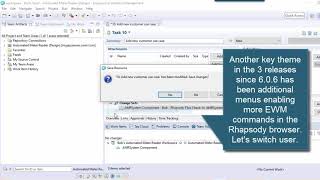
IBM Engineering Rhapsody Tip #90 - Switching requirements from Rhapsody to DOORS Next (Intermediate)
PublishedAt
2020-11-27T09:20:00Z
Tags
None
Description(ja)
私は、モデル要素を要件まで追跡するだけでなく、ユースケース分析を使用してシステムの要件を定義することの大ファンです。モデリングが要件を偽造できる強力で視覚的なワークショップを提供する方法と、要件管理が、結果として得られた作品が前進するように展示される「ギャラリー」であるという例えが好きです。これは単に管理する要件を作成することではなく、管理する要件のより優れた完全なセットを取得する方法を見つけることであり、図を使用してテキストの要件ではできない方法で伝達することでもあります。これは、ROCKETS (R=Requirements) などの手法を Rhapsody や Jazz/rm (別名 DOORS Next) で動作するように適応させるために行った暫定的な作業の一部をカバーするビデオです。この作業では、csv インポーターの形で既存のテクノロジーを使用して、最初に要件を DOORS Next モジュールに取り込みます。次に、要件をモデルに追加し、Rhapsody でプロファイル ヘルパーを使用して切り替えを実行します。この手法の良い点は、ヘルパーが多種多様な Rhapsody および Jazz バージョンで動作し、同期を達成するために API や認証を行う必要がないことです。つまり、ROCKET サイエンスではありませんが、ロードに役立ちます。 10 分メソッドを使用してペイロードを ROCKET に挿入します。 http://www.mbsettraining.com/2020/11/ibm-engineering-rhapsody-tip-90.html
Description
I'm a big fan of not just tracing model elements to requirements but using use case analysis to define requirements for a system. I like the analogy of how modeling provides a powerful and visual workshop in which requirements can be forged and the requirements management is the "gallery" where the resulting works will be exhibited moving forwards. This isn't just about creating requirements to manage but rather finding way to get a better and more complete set of requirements to manage, and also the use of diagrams to communicate in ways which textual requirements cannot. This is video I cover some of the provisional work I've done in adapting my methods, like ROCKETS (R=Requirements), to work with Rhapsody and Jazz/rm (aka DOORS Next). In this work I use existing technology in the form of the csv importer to first get the requirements into a DOORS Next module. I then add the requirements to the model and use a profile helper in Rhapsody to perform the switch. The good thing about this technique is that it means that my helpers work for wide variety of different Rhapsody and Jazz versions and is not tied to an API or the need to do authentication to achieve the sync, i.e. it's not ROCKET science but it helps load the payload into the ROCKET using a 10 minute method. http://www.mbsetraining.com/2020/11/ibm-engineering-rhapsody-tip-90.html
Video
IBM Engineering Rhapsody Tip #90 - Switching requirements from Rhapsody to DOORS Next (Intermediate)
IBM Engineering Rhapsody Tip #91 - Recap on the OMROOT variable and Share folder (Intermediate)
PublishedAt
2021-01-08T09:57:53Z
Tags
None
Description(ja)
2021年へようこそ!この短いヒントとコツのビデオでは、チーム環境で Rhapsody をセットアップする方法に関連するトピックを取り上げます。これの典型的な使用例は、コードを削除または追加するために OxF (フレームワーク) ライブラリとモデルをカスタマイズした場合、またはすべてのユーザーに更新を取得させたいユーザー定義のプロファイルがある場合です (ユーザーが同じファイルを開くため)。プロジェクト)。基本的にこれは、Share フォルダーをローカルのインストール場所から共有ネットワーク ドライブの場所にコピーし、それを必要とするすべてのユーザーがそれを指すように rhapsody.ini ファイルを変更することで実行できます。もちろん、すべてのユーザーがフォルダにアクセスする必要があることに注意してください。もちろん、ドライブ パスは異なる可能性があります。これを指す OMROOT 変数は rhapsody.ini ファイル内にあるためです。この .ini ファイルは、Rhapsody インストールの読み取り/書き込みコンポーネントの一部であり、インストール中にデフォルトの OMROOT がセットアップされます。楽しみ。それが役に立てば幸い。
Description
Welcome to 2021! In this short tips and tricks video I cover a topic that relates to how to set-up Rhapsody in a team environment. Typical use cases for this are where you might have customized the OxF (framework) libraries and model to remove or add code, or where you have user-defined profiles that you want all users to get updates for (because they're opening the same projects). Essentially this can be done by copying the Share folder from a local installation location to a shared network drive location, and then changing the rhapsody.ini file to point to it for all users that need it. Of course, the caveat is that all users will need access to the folder. The drive path can be different, of course, because the OMROOT variable that points to it is in the rhapsody.ini file. This .ini file is part of the read/write component of the Rhapsody installation and the default OMROOT would've been set-up during the install. Enjoy. Hope it helps.
Video
IBM Engineering Rhapsody Tip #91 - Recap on the OMROOT variable and Share folder (Intermediate)
IBM Engineering Rhapsody Tip #92 - Creating a simulation with panel diagram (Intermediate)
PublishedAt
2021-01-28T12:31:23Z
Tags
None
Description(ja)
このビデオは、「Rhapsody でパネル図を使用してシミュレーションを作成するのはどれくらい簡単ですか?」という質問に答えるアドリブのデモです。 C++ コンパイラー (これについては別のガイダンスがあります) と必要なライセンスを適切にインストールしている限り、ほとんどすべてのバージョンの Rhapsody で動作します。確かに、シミュレーションでステートチャートを使用することは、アクティビティ図よりもはるかに小さい構文であるため、はるかに簡単です。もちろん、ステート マシンを描画する技術や、特定の種類の動作を表現するためのテクニック、または複数のステート マシンを相互作用させてインターフェイスさせる (ポート タイプとインターフェイスの選択を行う) ことに関しては、もっと知る必要があります。要約すると、自分が何をしているのかがわかれば、それは比較的簡単です。これは、経験とトレーニングの組み合わせから得られるものです。それが誰かに興味があることを願っています。 http://www.mbsettraining.com/2021/01/ibm-engineering-rhapsody-tip-92.html
Description
This video's an ad-libbed demo in response to the question "how easy is it to create a simulation with panel diagram in Rhapsody?". It will work in pretty much any version of Rhapsody, as long as you have installed properly with a C++ compiler (I have separate guidance on this) and the necessary licenses. Certainly, making use of statecharts in a simulation is a lot easier than activity diagrams because it is a much smaller syntax. You do, of course, need to know more when it comes to the art of drawing state machines and techniques for expressing certain types of behavior, or getting multiple state machines to interact and interface (making choices about port types and interfaces). In summary, once you know what you're doing, then it's relatively easy. This is something that can come from a combination of experience and training. Hope it's of interest to somebody. http://www.mbsetraining.com/2021/01/ibm-engineering-rhapsody-tip-92.html
Video
IBM Engineering Rhapsody Tip #92 - Creating a simulation with panel diagram (Intermediate)
IBM Engineering Rhapsody Tip #93 - Adding Cygwin/gcc compiler to simulate systems (Advanced)
PublishedAt
2021-02-11T15:29:26Z
Tags
None
Description(ja)
Rhapsody for UML/SysML をインストールしてしばらくの間、図を描くだけで使用したことがあるかもしれませんが、Harmony/SE や ROCKETS ベースの変更 (私の情熱の 1 つ) など、より高度な実行可能な MBSE メソッドがあることを後で発見するだけかもしれません。 .このナレーション付きビデオでは、インストールを拡張してシステムをシミュレートしたり、C++ コードをコンパイルしたりするために必要なことについて説明しています。この時点で、C++ コンパイラーをインストールする必要があることがわかりますが、ビデオで強調されているように、Rhapsody を再インストールすることなく、Rhapsody の後にこのコンパイラーをインストールすることが可能です。このビデオでは、システム シミュレーション用にオープン ソースの Cygwin/gcc コンパイラの最小限の部分をインストールするためのすべての手順を説明します。また、gcc コンパイラーが機能していることを確認し、フレームワークを再コンパイルし (およびこれが何を意味するか)、モデルを使用してテストする手順も示します。それが役に立てば幸い。
Description
You may have installed and used Rhapsody for UML/SysML for a while just drawing diagrams, only to discover later on that there are more advanced executable MBSE methods such as Harmony/SE and my ROCKETS-based modification of it (one of my passions). This narrated video covers what you need to do to your installation in order to extend it to simulate systems or compile C++ code down the line. At this point you will discover that you need to install a C++ compiler but, as the video highlights, it's possible to install this compiler after Rhapsody, without having to reinstall Rhapsody. In this video, I demonstrate by going through all the steps to install the minimal parts of the open source Cygwin/gcc compiler for system simulation purposes. I also show steps for verifying the gcc compiler is working, recompiling the framework (and what this means), and testing it with a model. Hope it helps.
Video
IBM Engineering Rhapsody Tip #93 - Adding Cygwin/gcc compiler to simulate systems (Advanced)
IBM Engineering Rhapsody Tip #94 - Downloading and installing Rhapsody 9.0.1 (Intermediate)
PublishedAt
2021-02-22T15:27:13Z
Tags
None
Description(ja)
以前のビデオ (http://www.mbsettraining.com/2021/02/ibm-engineering-rhapsody-tip-93-adding.html) では、Cygwin/gcc コンパイラーを既存の Rhapsody インストールに追加する方法について説明しました。このビデオは実際にはその前身であり、最新の Rhapsody 9.0.1 (現在まで) をコンパイラーなしでインストールする方法をカバーしています。インストールに使用する実際の手順は異なる場合があります。ただし、いくつかの重要なことを指摘します。 1 つ目は、Rhapsody が TELELOGIC_LICENSE_FILE 環境変数を使用してライセンス サーバーまたは FlexLM ライセンス ファイルを検索する方法、2 つ目は Rhapsody が rhapsody.ini ファイルを使用してデフォルトのエディションを決定する方法です。また、コンパイラが正しくインストールされているかどうかを確認するために使用できる簡単なテスト プロジェクトも作成します (実際にこれを行う手順は、前のビデオ #93 にあります)。
Description
In my previous video (http://www.mbsetraining.com/2021/02/ibm-engineering-rhapsody-tip-93-adding.html), I covered adding Cygwin/gcc compiler to an existing Rhapsody installation. This video is actually the precursor to that, and covers installing the latest Rhapsody 9.0.1 (to date) without a compiler. The actual steps you may choose to use for your installation may different. However, I point out a couple of important things. Firstly, how the TELELOGIC_LICENSE_FILE environment variable is used by Rhapsody to find either a license server or a FlexLM license file, and secondly how the rhapsody.ini file is used by Rhapsody to determine default edition. I also create a simple test project that can be used to verify whether your compiler is installed correctly (actually the steps for doing this are in the previous video #93).
Video
IBM Engineering Rhapsody Tip #94 - Downloading and installing Rhapsody 9.0.1 (Intermediate)
IBM Engineering Rhapsody Tip #95 - Why diagram ownership is important for Internal Block Diagrams
PublishedAt
2021-03-09T11:33:20Z
Tags
None
Description(ja)
このビデオでは、SysML の新規ユーザーがしばしば苦労する領域、つまり、ブロックとパーツの違い、および内部ブロック ダイアグラムのダイアグラム フレームが果たす役割を理解しています。基本的に、SysML では、ibd のフレームは通常ブロックであり、ibd はそのブロックが所有するパーツのアセンブリを表します。私の古くからの友人である Rhapsody には、Cameo とは異なり、図のフレームのコンテキストを定義するコンテキスト選択メソッドがありません。ダイアグラムのコンテキストは、ダイアグラムの所有権によって決定されます。これは、図の所有権が重要であることを意味します。これが、新しいユーザーが、パッケージ レベルではなく、ブロックの子として内部ブロック図を作成するように注意することを通常お勧めする理由です。これに関連して、要素を内部ブロック ダイアグラムにドラッグすると、それがコンテキストから外れている場合、破線で表示されます。これは、新しいユーザーが理解するのに苦労することがよくあります。これは、フレームが表す要素によって所有されていないためです。これは、私が 6 年前に始めた Rhapsody のヒントとコツのビデオ チャンネルのビデオ #95 です。役立つ場合は、私のブログに Rhapsody に関する詳細情報があります。 http://www.mbsettraining.com/2021/03/ibm-engineering-rhapsody-tip-95-why.html
Description
This video covers an area where new users of SysML often struggle, i.e. understanding the differences between Blocks and Parts, and the role played by the diagram frame of an internal block diagram. Fundamentally, in SysML the frame of the ibd is normally a block and the ibd represents an assembly of parts owned by that block. Within my old friend Rhapsody, unlike Cameo, there's not a context selection method on a diagram that defines the context of its frame. The context of the diagram is determined rather by the ownership of the diagram. This means that diagram ownership is critical. This is why I normally recommend that new users are careful to create internal block diagrams as children of blocks rather than at package level. Related to this is that if you drag an element on to an internal block diagram and it is out of context, then it will be displayed with a dashed line, something new users often struggle to understand. This is because it's not owned by the element that the frame represents. This is video #95 of my Rhapsody tips and tricks video channel that I started 6 years ago. My blog has more info on Rhapsody, if useful. http://www.mbsetraining.com/2021/03/ibm-engineering-rhapsody-tip-95-why.html
Video
IBM Engineering Rhapsody Tip #95 - Why diagram ownership is important for Internal Block Diagrams
IBM Engineering Rhapsody Tip #96 - The Good, The Bad and The Ugly of Label Mode
PublishedAt
2021-04-01T19:12:20Z
Tags
None
Description(ja)
このビデオは、Rational Rhapsody 愛好家向けのトピックです。ラプソディのレーベルモードの醍醐味。これが最も効果的に使用されているのは、実行可能なステート マシンやシーケンス図などの非常に複雑な図を一般の聴衆に提示する場合です。他にも素晴らしい使用例がいくつかあると思います ("The Good")。ただし、いくつかの危険性を強調しています。たとえば、ラベルモードが有効になっていることを知らずに書いた場合。ビデオは無音ですが、私のキャプションを読むのに飽きたら、エンニオ・モリコーネの素晴らしいスパゲッティ ウエスタン テーマ ソングを口ずさむ必要があります。
Description
This video is a bit of a Rational Rhapsody aficionado's topic. The joy's of Rhapsody's Label Mode. Most effective use of this has been when presenting quite a complicated diagram, like an executable state machine or sequence diagram, to lay audience. I'm sure there are some other great examples of usage out there also ("The Good"). I do highlight some of the dangers, however. When you write things not knowing that label mode is enabled, for example. The video is silent though, so you'll have to hum Ennio Morricone's fantastic spaghetti western theme song, if you get bored with reading my captions.
Video
IBM Engineering Rhapsody Tip #96 - The Good, The Bad and The Ugly of Label Mode
IBM Engineering Rhapsody Tip #97 - I can't get no Satisfactions (creating a browser view)
PublishedAt
2021-04-16T07:42:39Z
Tags
None
Description(ja)
この IBM Rational/Engineering Rhapsody のヒントとコツのビデオでは、要件がモデルで特定の範囲をカバーしているかどうかを示す新しいブラウザー フィルターを作成する簡単な手順を紹介しています。モデルの要件と IBM Engineering DOORS Next Jazz アプリケーションのリモート要件の両方で機能することを示します。それは静かですが、あなたがあなたのものを誇張したいなら、自由に感じてください.
Description
This IBM Rational/Engineering Rhapsody tips and tricks video shows the simple steps how to create a new browser filter that shows whether requirements have certain coverage in a model. I show that it works with both requirements in the model and remote requirements in IBM Engineering DOORS Next Jazz application. It's silent though hence if you fancy strutting your stuff then feel free.
Video
IBM Engineering Rhapsody Tip #97 - I can't get no Satisfactions (creating a browser view)
IBM Engineering Rhapsody Tip #98 - Debugging user Java plugins running in Rhapsody
PublishedAt
2021-07-03T10:38:39Z
Tags
None
Description(ja)
IBM Rhapsody 用のアドオンを多数作成する場合、それらをデバッグできると非常に役立ちます。外部 Java アプリケーションとしてではなく、Rhapsody プロセス内で実行している場合、これは少し難しくなる可能性があります。ただし、インプロセスで実行する理由はたくさんあります。特に、実行速度が桁違いに速く、それを制御するメニュー コマンドやプロパティなどを追加するプロファイルに関連付けることができるためです。このビデオでは、コードが Rhapsody で実行されている場合でも、Eclipse でブレークポイントを設定してコードをステップ実行できるリモート Java アプリケーションとしてそれらをデバッグする方法を示します。ただし、最初に Rhapsody ini ファイルにいくつかの変更を加える必要があります。ビデオは説明します。うまくいけば、それは誰かを助けるでしょう。
Description
When you write a lot of add-ons for IBM Rhapsody, it becomes very helpful to be able to debug them. This can be a little more difficult when they're running inside the Rhapsody processes, rather than as an external Java application. There are lots of reasons for running in process though, not least because they run an order of magnitude faster, and you can tie them to a profile that adds things like menu commands and properties to control it. In this video I show how it's possible to debug them as remote java applications enabling you to set breakpoints and step through the code in Eclipse, even though the code is running in Rhapsody. You first need to add some changes to your Rhapsody ini file though. The video illustrates. Hopefully, it helps someone out there.
Video
IBM Engineering Rhapsody Tip #98 - Debugging user Java plugins running in Rhapsody
ExecutableMBSE DevVideo #001: Populate Parts And Update Interfaces
PublishedAt
2021-07-15T07:44:18Z
Tags
None
Description(ja)
このサイレント ビデオでは、Rhapsody の ExecutableMBSE プロファイルに関する私の作業の一部を紹介しています。これは、ユーザーが SysML インターフェイス ブロックを簡単に操作できるようにすることに重点を置いています。これには、ポートとインターフェイスを作成する自動化、部品を追加する自動化、およびシーケンス図からインターフェイス ブロックを更新する自動化が含まれます (HarmonySE に似ていますが、情報ダイアログがあります)。
Description
This silent video shows some of my work on the ExecutableMBSE profile for Rhapsody focused on easing the ability of users to work with SysML Interface Blocks. Aspects of this include automation to create ports and interfaces, automation to populate parts, and automation to update interface block from sequence diagram (similar to HarmonySE but with info dialogs).
Video
ExecutableMBSE DevVideo #001: Populate Parts And Update Interfaces
IBM Engineering Rhapsody Tip #99 - Making life easier with some proxy port automation
PublishedAt
2021-07-20T09:02:45Z
Tags
None
Description(ja)
この短いサイレント ビデオでは、私がクライアントのために書いたいくつかのヘルパーを紹介したいと思いました。基本的に、人々が繰り返し可能なステップに従うことを期待しているなら、なぜコンピュータにそれをさせないのでしょうか? (Steve Jobs: 私は良いエンジニアよりも怠け者のエンジニアの方が好きです)。 Rhapsody のモデリングを iPhone のようにしたいと考えています。つまり、何も考えずに期待どおりのことを実行してくれるということです。このビデオでは、プロキシ ポートを使用したいクライアントのモデリングを高速化するために行ったいくつかのヘルパーを紹介します。基本的に、手動で行うことをプロファイル プラグインにまとめただけです。Bob はあなたのおじです。自動化の興味深い点は、やればやるほど、物事をスピードアップするためのアイデアがどんどん出てくることです。また、SysML の市場は少し成熟しているため、トレーニングと忍耐力が不足している新しいユーザーが数人増えています。忙しくて花を見つけられないミツバチのようにバタバタするのではなく、楽しさと創造的なものに固執し、最初からビジネス価値を実証できるように、パイのように簡単にモデル化できるようにしたいと考えています。これで十分な類推が得られましたか? www.mbsettraining.com
Description
In this short silent video, I wanted to showcase a couple of helpers I wrote for a client. Basically, if you expect people to follow steps that are repeatable, then why not get the computer to do it? (Steve Jobs: I'd rather than a lazy engineer than a good one). I want my Rhapsody modeling to be like my iPhone, in that it just does stuff I expect without me having to think about it. In this video I show a couple of helpers that I did to speed up modeling for a client who wanted to use Proxy Ports. Essentially, I just roll the things that I would do manually into a profile plugin, and Bob's your uncle. The interesting thing about automation is that the more you do, the more ideas to speed things up pop out. Also, the market for SysML has matured a bit hence there are a few more new users, with less training and patience. I want to make it as easy as pie to model, so that they stick to the fun and creative stuff, and are able to demonstrate business value first time, rather than flop around like busy bee's unable to find a flower. Did I get enough analogies in this? www.mbsetraining.com
Video
IBM Engineering Rhapsody Tip #99 - Making life easier with some proxy port automation
IBM Engineering Rhapsody Tip #100 - An example of a general belly tickle problem
PublishedAt
2021-09-17T16:46:59Z
Tags
None
Description(ja)
これは、短いサイレントの IBM Rhapsody のヒントとコツのビデオのもう 1 つです。ユースケース間の一般化を作成し、ブラウザーでそれらを見つけることは、私のラボの 1 つであるため、今週のツールトレーニングで実際に出てきました。この問題は一種のユーザー エラーです。新しいユーザーは、図で [削除] を押して、モデルに関係がまだ存在することを忘れてしまうことがよくあります。 OO 汎化関係を間違った方向に描画したためにこれを行い、次に正しい方向に一般化を描画しようとすると、Rhapsody から、リレーションを追加できないというエラー メッセージが表示されます。継承構造に循環関係を作成します。この問題を解決するには、リレーションを完成させてダイアグラムにリレーションを設定し、再描画する前にモデルから適切に削除します。
Description
This is another one of my short, and silent, IBM Rhapsody tips and tricks videos. It actually came up in my tool training this week, as creating generalizations between the use cases and finding them in the browser, is part of one of my labs. The problem is sort of a user error, in that new users often press Delete on a diagram, and forget that a relation still exists in the model. When you do this because you've drawn an OO generalization relation the wrong way around, and then attempt to draw the generalization in the correct direction, then you get an error message from Rhapsody saying that you can't add a relation as it will create a cyclical relation in the inheritance structure. To fix the issue you can complete relations to populate the relation on the diagram and then properly delete it from the model, before redrawing.
Video
IBM Engineering Rhapsody Tip #100 - An example of a general belly tickle problem
IBM Engineering Rhapsody Tip #101 - Transition Label toolbar tips and tricks
PublishedAt
2021-12-29T11:05:51Z
Tags
None
Description(ja)
これは、Rhapsody キュレオ向けの 1 つで、私が最近 (今週のように!) 発見したばかりであり、アクティビティ図に遷移ラベル ツールを追加する機能 (これは機能しません) は本当に便利だと思います。デフォルトで持っています)。このビデオでは、最初に遷移ラベル ツールがステートチャート (ステート マシン図) でどのように機能するかを示し、次に既定のアクティビティ図ツールバーに追加する方法を説明します。制御フローから出てくるトランジションにガードを追加するときにクリックがなくなるため、おそらくアクティビティ図ではさらに便利です。とにかく、私はあなたに決めさせます。楽しむ。
Description
This is one for those Rhapsody cureos out there, as it is something that I only recently discovered (like this week!) and I think is genuinely useful, which is the ability to add a Transition Label tool to the activity diagram (which does not have it by default). The video first shows how the Transition Label tool works on statecharts (state machine diagrams) and then goes on to how it can be added to the default activity diagram toolbar. Arguably it's even more useful for the activity diagram as it removes clicks when adding guards to transitions coming out of a control flow. Anyway, I'll let you decide. Have fun.
Video
IBM Engineering Rhapsody Tip #101 - Transition Label toolbar tips and tricks
IBM Engineering Rhapsody Tip #102 - Executable MBSE Profile's Functional Analysis package structure
PublishedAt
2022-01-06T14:16:01Z
Tags
None
Description(ja)
このビデオでは、実行可能 MBSE に基づくメソッドの機能分析部分を実行するために、実行可能 MBSE プロファイルが自動的に作成する SysML パッケージ構造の概要を説明します。重要な点は、シミュレーションがアクター テスト ベンチで構築され、シミュレーションを駆動するために使用されるのはアクターであるため、すべてのテスト刺激が自動生成されたシーケンス図に表示されることです。これに関連して、設計/テスト中のシステムに関連する要素を、それをテストするために使用されるモデル要素から構造が分離し、それらを使用するブロックから分離されたインターフェースとイベントを含むパッケージを持つようにする必要があります。 http://www.mbsettraining.com/2022/01/ibm-engineering-rhapsody-tip-102.html
Description
This video gives an overview of the SysML package structure that my Executable MBSE Profile automatically creates for doing the functional analysis part of a method based on Executable MBSE. Key aspects are that simulations are built with actor test benches, and it's the actors that are used to drive the simulation, so that all the test stimulus is visible on an auto-generated sequence diagram. Related to this is to ensure that the structure separates elements related to the system under design/test from model elements used to test it, and having a package that contains the interfaces and events separate from the blocks that use them. http://www.mbsetraining.com/2022/01/ibm-engineering-rhapsody-tip-102.html
Video
IBM Engineering Rhapsody Tip #102 - Executable MBSE Profile's Functional Analysis package structure
IBM Engineering Rhapsody Tip #103 - Executable MBSE Profile's Use Case package structure
PublishedAt
2022-01-20T16:48:15Z
Tags
None
Description(ja)
このライブ録画ビデオは、要件分析に関連する実行可能ファイル MBSE プロファイルの機能の一部を示すことに焦点を当てています。これには実際には 2 つの用途があります。まず、プロファイルが New Term パッケージを使用してモデルベースのシステム エンジニアリング手法を実現するために何をどのように目指しているかを説明します。ブラウザーでアクション名を変更する機能や、要件を要件パッケージに移動するための自動化など、あまり目立たないがヘルパー メニューの概要を示します。 http://www.mbsettraining.com/2022/01/ibm-engineering-rhapsody-tip-103.html
Description
This live recorded video focuses on showing some of the features of my Executable MBSE profile related to requirements analysis. It has two uses really: Firstly, it explains what and how the profile aims to achieve a model-based systems engineering method using New Term packages. It gives an overview of some of the less obvious but helper menus, for example, the ability to rename action names in the browser and automation to move requirements into a requirements package. http://www.mbsetraining.com/2022/01/ibm-engineering-rhapsody-tip-103.html
Video
IBM Engineering Rhapsody Tip #103 - Executable MBSE Profile's Use Case package structure
IBM Engineering Rhapsody Tip #104 - Rhapsody's support for SysML callout notation
PublishedAt
2022-04-16T13:53:23Z
Tags
None
Description(ja)
ナレーション付きのこのビデオでは、OMG SysML コールアウト表記に対する IBM Engineering Rhapsody のサポートについて詳しく説明します。 Rhapsody の吹き出しは、吹き出しに何を表示するかを定義するプロパティーを伝える新しい用語ステレオタイプでサポートされています。デフォルトでは、これはアンカーされた要素に関連する関係に割り当てられ、そこから割り当てられます。ただし、これらに限定されません。ビデオでは、満足関係を示す方法を示しています。ビデオの冒頭では、コンパートメント プロパティを調整して満足度を高める方法についても説明します。これは、訓練されていない目にはすぐにはわからない便利なヒントでもあります。ここには本当にたくさんの力があります。いつものように、Rhapsody がデフォルトで何かを行っていない場合は、おそらく設定できるプロパティーがあるでしょう 😉
Description
In this video, which does have voice narration, I delve into some of detail around IBM Engineering Rhapsody's support for OMG SysML callout notation. Callout's in Rhapsody are supported with a new term stereotype that conveys properties that define what to show in the callout. By default, this will be allocated to and allocated from relationships related to the anchored element. However, we're not limited to these. In the video I show how it's possible to show Satisfaction relations. I start the video by also covering how compartment properties can be tailored to allow Satisfactions. This is also a useful tip, that will not be immediately obvious to the untrained eye. Lot's of power here really. As always, if Rhapsody is not doing something by default, there's probably a property you can set 😉
Video
IBM Engineering Rhapsody Tip #104 - Rhapsody's support for SysML callout notation